Buy Pulsar Audio Analog EQs Bundle, get a free gift with purchase:
Classic analog EQs with modern digital precision & features
Analog Feel, Digital Flexibility
The Analog EQs Bundle brings together four faithful emulations of iconic equalizers—Massive, Poseidon, 8200, and W495—offering unparalleled control over your mixes and masters with the sound signature of classic analog gear.
Together, these EQs cover the full spectrum of needs, from mixing to mastering, allowing you to craft polished, professional results with the rich, authentic sound of analog hardware—all seamlessly integrated into your digital workflow.
Bundle Contents
MP-EQ
Pulsar MP-EQ is an emulation of a legendary analog EQ found in almost every mastering studio worldwide. Designed as a synthesis of the best passive equalizers of the past 70 years, its fully parallel topology offers a unique and musical frequency response compared to digital EQs with the same settings. Because of this design, the bands naturally interact, producing a more musical overall response.
Poseidon
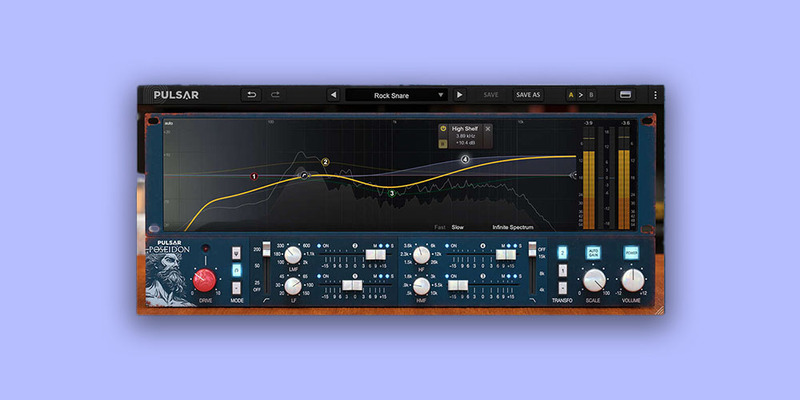
Pulsar Poseidon faithfully resurrects the rare and iconic qualities of a mythical console EQ into the digital realm. It offers next-gen features that make it easy to master and seamlessly integrate into your DAW workflow.
8200
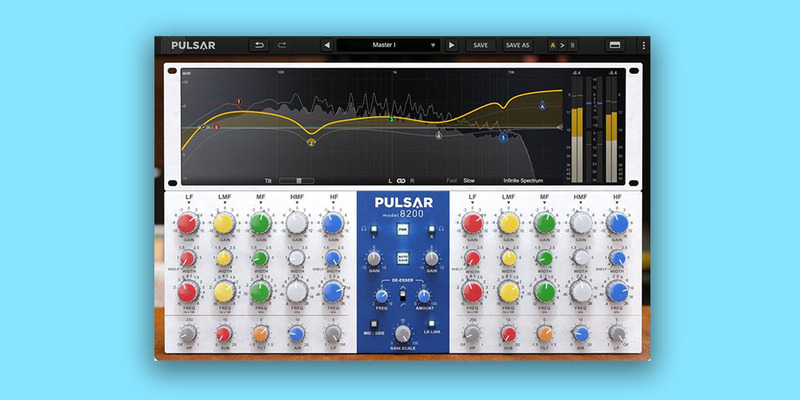
Precise & versatile, Pulsar 8200 holds a key role in your master bus. It offers clinical precision when you want to open up the side and focus the center of your mix. The tilt feature allows you to effortlessly adjust the tonal balance of your mix. You can easily create complex EQ curves that can take your mixes and masters from slightly corrected to noticeably polished. It faithfully recreates the Class-A analog circuitry that made the GML 8200 a staple in the 80s. Its parallel topology and unique filters offer smooth, natural curves, preserving the analog warmth and character.
W495
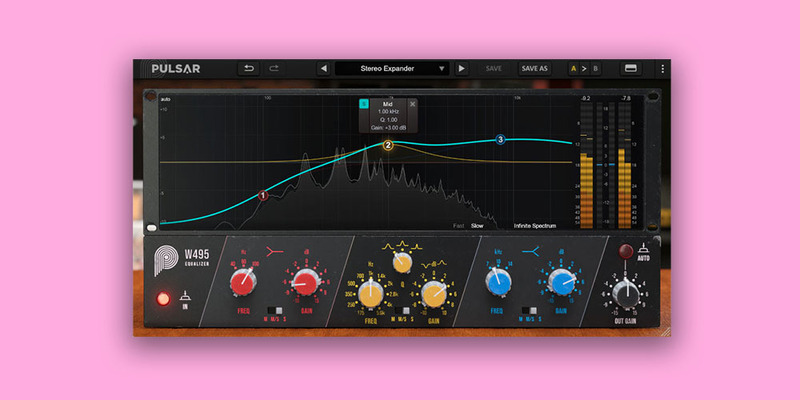
Transparent and musical, the w495 is an easy-to-use mastering equalizer, with just three bands to consider, for faster mix balancing. It has the ability to broaden the whole sound stage without ever being too harsh, even at extreme settings.
Important - You need to have an account at ilok.com to be able to use Pulsar software.
Please note: Pulsar Smasher is used as an example.
Mac
iLok Registration
1. Go to the iLok website and create a new account if you are not currently registered and do not have the iLok License Manager installed on your computer.
Note: Skip to the 'Pulsar Software Installation' procedure if you are already an iLok registered user.

2. Download and install the iLok License Manager.
Pulsar Software Installation
1. Download the .dmg file from within your Plugin Boutique User Account and open it > Double-click the .pkg file to begin the installation.

2. Click 'Continue'.

3. Click 'Continue'.

4. Click 'Agree'.

5. Click 'Install'.

6. Enter your computer Username and Password > Click 'Install Software'.

7. Click 'Close'.

iLok Activation
1. Open the iLok License Manager > Click 'Sign In'.

2. Enter your iLok User ID and Password > Click 'Sign In'.

3. Click the redeem icon in the top right-hand corner of the iLok License Manager window.

4. Enter the Activation Code in of your Plugin Boutique User Account > Click 'Next'.

5. Select your account that you wish to redeem your product to > Click 'Redeem'.

6. Click 'Ok'.

7. Select your redeemed product > Click the tick icon in the top-right hand corner of the iLok License Manager.

8. Select your computer from the list of activation locations > Click 'Activate'.

9. Click 'Ok'.

Your product is now activated and ready to use within your DAW.

Windows
iLok Registration
1. Go to the iLok website and create a new account if you are not currently registered and do not have the iLok License Manager installed on your computer.
Note: Skip to the 'Pulsar Software Installation' procedure if you are already an iLok registered user.

2. Download and install the iLok License Manager.
Pulsar Software Installation
1. Download the installer file from your Plugin Boutique User Account.
2. Double-click the .zip folder to reveal the installer file > Double-click the .exe installer file to begin the installation process.

3. Select 'I Accept the Agreement' > Click 'Next'.

4. Select the components you wish to install > Click 'Next'. (Note: Untick 'PACE iLok license support' if you already have it installed on your computer).

5. Click 'Next'.

6. Click 'Install'.

7. Click 'Finish'.

iLok Activation
1. Open the iLok License Manager > Click 'Sign In'.

2. Enter your iLok User ID and Password > Click 'Sign In'.

3. Click the redeem icon in the top right-hand corner of the iLok License Manager window.

4. Enter the Activation Code in of your Plugin Boutique User Account > Click 'Next'.

5. Select your account that you wish to redeem your product to > Click 'Redeem'.

6. Click 'Ok'.

7. Select your redeemed product > Click the tick icon in the top-right hand corner of the iLok License Manager.

8. Select your computer from the list of activation locations > Click 'Activate'.

9. Click 'Ok'.

Your product is now activated and ready to use within your DAW.


