Log In
Save $197.00 compared to buying products individually
Free gifts available with your purchase
Bundle Contents
Dolby Atmos Composer
The next generation of tools for Dolby Atmos productions
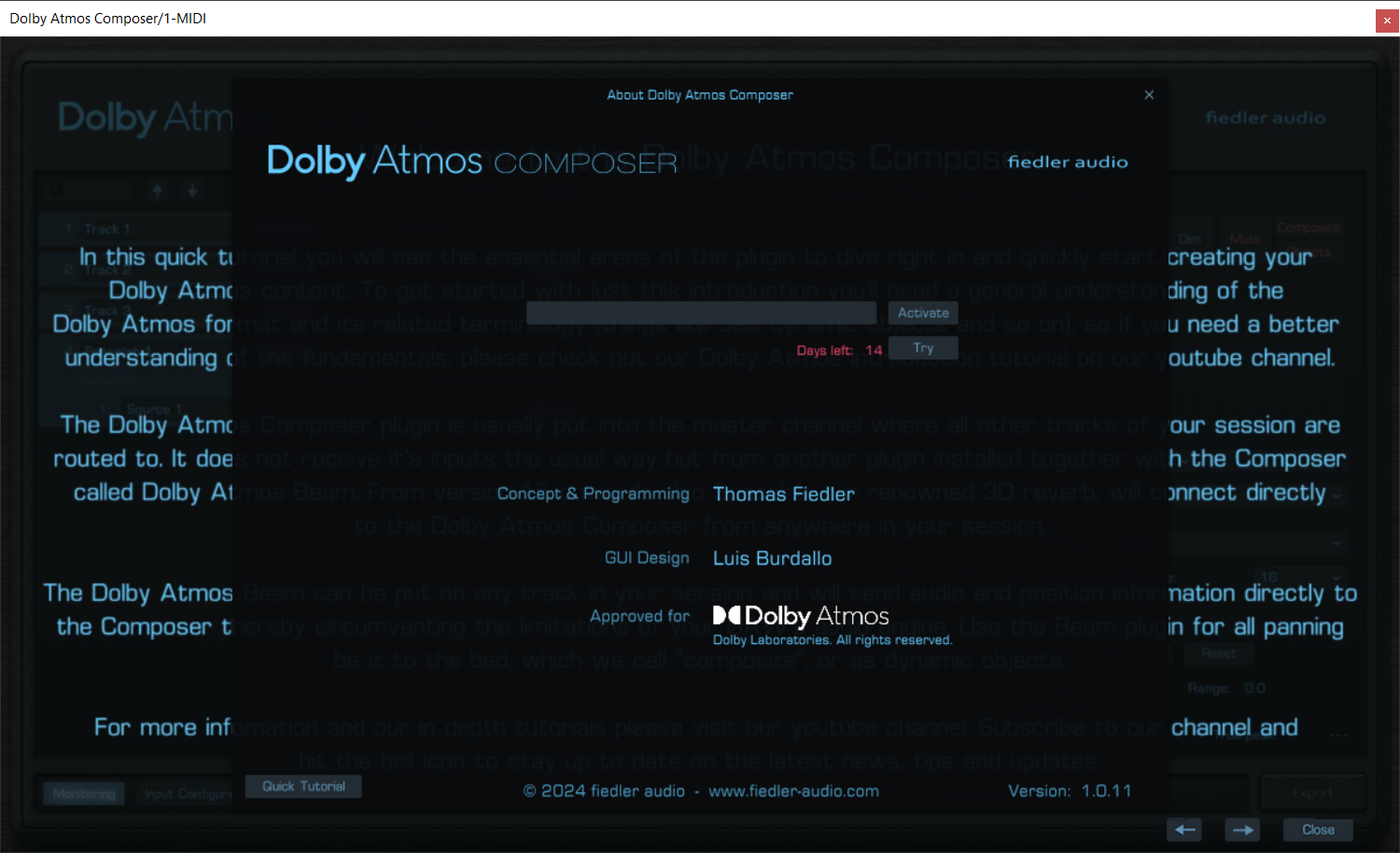
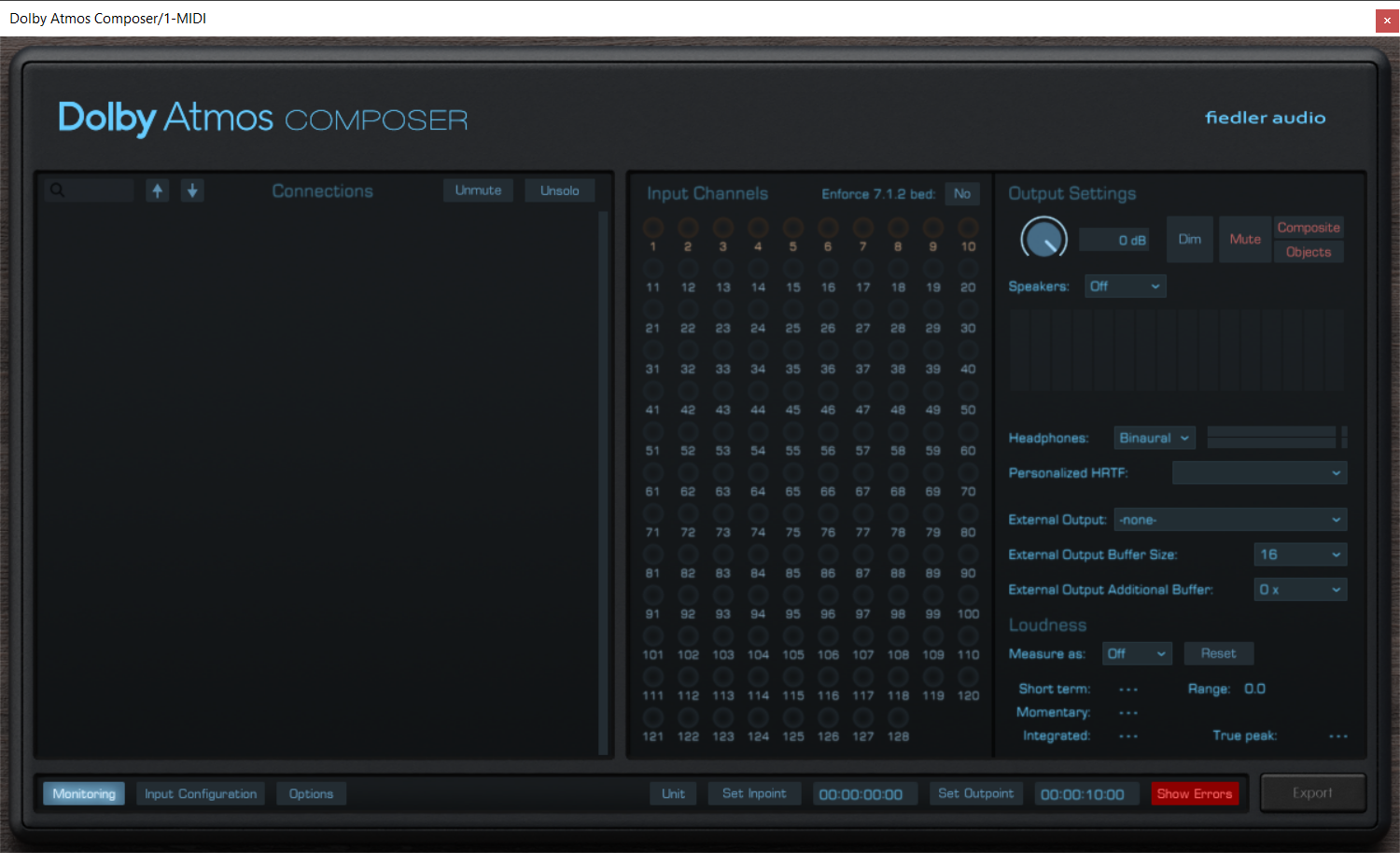
Produce Dolby Atmos content on any DAW now! Approved by Dolby Labs, the Dolby Atmos Composer annihilates all the unnecessary burden of manual setup for your Atmos workflow as well as the need to use a DAW capable of immersive audio production.
The Dolby Atmos Composer comes with a versatile panning plugin called Dolby Atmos Beam. Easily automate complex movements and circumvent your DAW's limitations.
Fully integrating with world class 3D reverb
From version 1.5 onwards the renowned 3D reverb Spacelab directly connects to the Dolby Atmos Composer bringing world class immersive reverberation to your Dolby Atmos mix with just one simple click. No complex routing or anything. And that on your favourite DAW.
Advanced mixing workflows
With the Dolby Atmos Composer workflow you can bring all the features of your DAW, your favourite plugins, be it effects or instruments, into your Dolby Atmos mix. You can record new tracks while already mixing for Dolby Atmos, something which is impossible when using certain standard Dolby Atmos workflows especially on Pro Tools.
Publish on all major platforms
Export your work as ADM/BWF for direct distribution to platforms such as Apple Music, Amazon Music, Tidal and Netflix. The Dolby Atmos Composer comes with all the bells and whistle for professional Dolby Atmos productions.
Features
- Produce Dolby Atmos content on any DAW, even if the DAW is not capable of multichannel audio
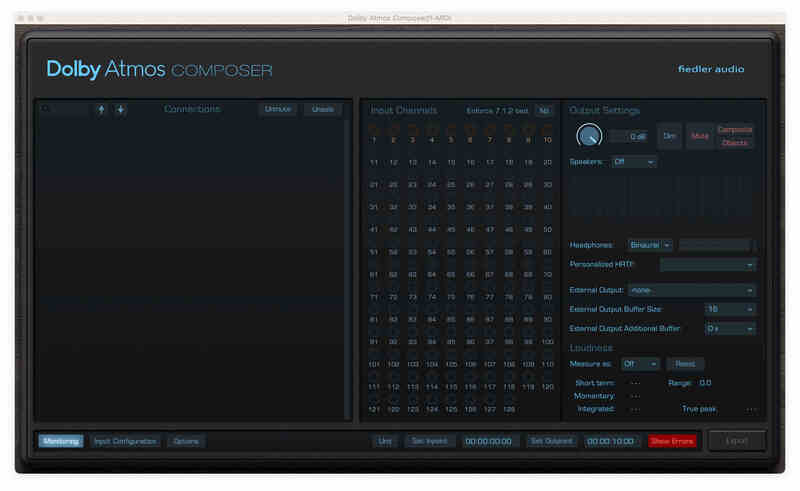
- Monitor on multichannel speakers from any DAW directly from the Dolby Atmos Composer plugin
- Up to 9.1.6 for monitoring
- Use personalized HRTF for binaural monitoring
- Easy setup without the need of manual routing configuration, no external app required
- Connects to Dolby Atmos Beam and Spacelab (from version 1.5 onwards)
- Export Dolby Atmos ADM/BWF for distributing to all major platforms
- Simultaneous export of speaker and headphone outputs of the renderer
- Import ADM/BWF files for playback, corrections and re-export
Learn more about Dolby Atmos Composer.
gravitas MDS
The Most Flexible Highend Dynamics Plugin on This Planet
Gravitas MDS is a compressor and expander packed with unique features. It is optimized for mastering but it can be used for anything from single sources, groups, buses, and, of course, complete mixes. Treating gravitas gently it sounds marvellously transparent as if not existing but miraculously bringing the dynamic range in shape. But with the right settings gravitas can compress your drums to give them a punch never heard before. And it can do everything in between.
Gravitas MDS can process every track format, from mono and stereo, up to 64 input channels in Plugin mode, while in Reaper on Mac as an AU-Plugin gravitas MDS features even up to 128 channels. Integrated as a master channel module in the Dolby Atmos Composer and the Mastering Console gravitas is capable of handling dynamics of all 128 possible channels (beds and objects) of a complex Dolby Atmos mix.
Gravitas MDS offers you everything you will ever need for shaping your dynamics as well as unique features not available in any other dynamics processor. Create complex compression/expansion curves, limit gain reduction and gain increase, variable filters for both processing and detection, parameter linking across all instances in your session, variable channel linking, variable peak mode and the "3DET" mode (inspired by the famous AMEK mastering compressor) are among the highlights of gravitas' feature set. The input configuration dialog provides you with unprecedented flexibility especially for multichannel signals.
A gorgeous and at the same time functional user interface gives you easy access to the immense potential of gravitas MDS. The meters, the amplification curve and the moving level curve provide the visualization you need to immediatly see what is going on.
Fully Integrating With the Dolby Atmos Composer and the Mastering Console.
What’s more, integrated as a master channel module into the Dolby Atmos Composer v1.5 and the Mastering Console, gravitas MDS becomes the worlds first dynamics processor dedicated to tackling mix bus and mastering compression for Dolby Atmos, just like you know it from decades of stereo production. gravitas MDS and the Dolby Atmos Composer/Mastering Console bring the most powerful integrated Dolby Atmos mixing and mastering dynamics solution to the world, approved and certified by Dolby Labs.
Features
- Use it on any track format, from mono and stereo up to 128 channels
- Access to all 4 types of dynamics (compression/expansion, upward/downward)
- Create complex compression/expansion curves for the entire dynamic range
- Separate filters for processing and for level detection
- Optional Mid/Side processing on stereo tracks
- Manual LFE volume adjustment for surround formats
- Unique limiter function for gain reduction / gain increase
- External side chain with up to 64 channels (depends on DAW)
- "3DET" mode for complex dynamics inspired by the famous AMEK mastering compressor
- Gradual channel linking and gradual peak mode
- Comprehensive input configuration options for both processing and detection
- Parameter linking accross all instances in a session
Learn more about gravitas MDS.
Mastering Console 2
Dolby Atmos mastering, as it should be
Do you want to master your ADM/BWF files, just like you know it from mastering stereo mixes for decades? The Mastering Console is the one stop Dolby Atmos mastering solution with OBAM plug-in hosting for conveniently processing your entire Dolby Atmos mixes to give them the final shine. Create albums with crossfades, sophisticated loudness measurements and the fastest workflow on the market.
Full Album Editing / Batch Process
Process multiple ADM/BWF files and their stereo counterparts as a batch. Or create an album with seemless transitions using our innovative crossfade feature for Dolby Atmos mixes.
Master Channel
Master your Dolby Atmos mixes through OBAM plug-ins in the Master Channel with the same ease as you would master a stereo track. Use your entire VST3 plug-in arsenal on your stereo tracks.
True Peak Limiter
Measure loudness, automatically adjust LKFS value and engage the unique True Peak Limiter for making sure the master stays within the loudness norms.
Comprehensive Monitoring
Monitor on speakers and headphones simultaneously. Use Dolby's own binaural algorithm or Apple Spatial Audio, even on Windows.
Combine with various headtracking options.
Free routing & room tuning
Create the routing you need for your studio to conveniently listen on speakers and headphones at the same time without the need to rewire your setup. Tune each of your speakers using volume, delay and EQ.
See what's going on
Check your beds and dynamic objects in the comprehensive 3D view. Focus on certain elements by hiding others to see what happens where and when.
Approved by Dolby Labs
The Mastering Console is fully approved by Dolby Labs. It gives you access to all the settings for professional Dolby Atmos mastering plus features you won't find in any other Atmos mastering solution.
Features
- Dolby Atmos mastering - approved by Dolby Labs
- Master Dolby Atmos and Stereo mixes together
- Support for 48 kHz and 96 kHz workflows
- Work on them as a batch or create gapless albums with seemless transitions on the timeline using crossfades
- Process your Dolby Atmos mixes through OBAM plug-ins and use your entire VST3 plug-in arsenal for the stereo mixes
- Automated loudness measurement and LKFS adjustment
- Ultra transparent True Peak limiter for loudness compliance
- Supports monitoring on: stereo, binaural, 5.1, 5.1.2, 5.1.4, 7.1, 7.1.2, 7.1.4, 9.1.4, 9.1.6 and Apple Spatial Audio (on Windows without headtracking)
- Various head tracking options
- 3D View for visualization of beds and dynamic objects
- Edit Binaural Mode, Description and Group of each Atmos channel
- Change channel order or deactivate unwanted channels
- Automatic detection and removal of silent channels
- Edit Downmix, Trim and Balance for full control over how your mix sounds on different reproduction systems
- Simultaneous high speed export of ADM/BWF, Multichannel Rerenders, Binaural, Apple Spatial Audio and/or Stereo Reference
- Sophisticated routing system for ultimate monitoring flexibility in your studio, can be saved as presets
- Comprehensive speaker calibration parameters (volume, delay & EQ) for each speaker channel, can be saved as presets
- Batch downsampling of ADM/BWF files from 96kHz to 48kHz
- Undo / Redo
Learn more about Mastering Console 2.
Spacelab Ignition
The dawn of a new era
Whether you produce music or mix for film/video, broadcast, games or VR/AR, Spacelab opens up a revolutionary new way of putting all of your tracks into the right acoustic perspective.
Spacelab is more than just reverb, more than just panning and more than just spatial audio. It combines these three into one plugin because they naturally belong together.
The future of audio is object-based.
The time is over, where complicated routing was necessary for achieving great mixes with everything in its right place. Treating audio as objects in space, as it is natural for human beings, Spacelab takes away the burden of complicated or sometimes even impossible routing for natural-sounding spatialization and reverb.
The future of audio is 3D.
On the verge of a listening revolution where 3D audio becomes mainstream and is accessible to everyone over headphones and soundbars, Spacelab provides a comprehensive solution for 3D-audio production with the ease of use of a plugin. With Spacelab you can produce 3D audio within any DAW, breaking through its limitations.
The future of audio is any format.
With Spacelab you can produce for any format, may it be classic mono or stereo, any surround or 3D speaker layout or may it be binaural, which is 3D for headphones. Spacelab perfectly fits into your Dolby Atmos or MPEG-H production workflow. Mix once, produce for any format.
Ignition contains everything which is essential to create a stunning 3D-audio experience. It is specifically tailored to musicians and music producers, but of course not limited to that.
Features
- High end algorithmic reverb, developed by the experts at Fraunhofer IIS, the inventors of MP3
- Ultra realistic room simulation, from small boxes to huge venues
- Any format from mono to full sphere 3D-audio
- Quick access to all essential parameters
- Reverb time separately adjustable on 9 frequency bands
- Individual early reflection pattern for each object depending on its position, continuously changing when object moves through space
- Object based 3D-panner
- Position your objects around the listener in the virtual room
- Record movement with mouse as automation
- 3D-view for best overview of your object arrangement
- Listener which can be freely positioned in the virtual room
- Individual dry/wet for each source
- Rendering
- Up to 24 inputs (objects) and outputs
- Arbitrary speaker layouts with up to 256 speakers
- Full sphere binauralizer, monitor through and produce for headphones
- Classic mode for send/return
- Object mode for object based mixing
- Ultra realistic rendering of object motion and corresponding reverb changes
- Workflow
- Directly connects to our Dolby Atmos Composer plug-ins (from V1.5)
- Dynamic automation for simplifying complex automation of hundreds of parameters
- Create individual speaker layouts with the speaker layout editor
- Use the Spacelab Beam plugin to bypass any routing limitation of your DAW and send audio from anywhere into Spacelab
Mac
- macOS 10.14 - 14.x
- VST3, AAX, AU
- Min. 2 GHz processor, x64 with at least SSE3 support or Apple Silicon
- 4 GB RAM
- Display Resolution: min. 1440 x 900 px, At least OpenGL 3.3, Sample Rates: 48 kHz, 96 kHz
Windows
- Windows 7-11
- VST3, AAX
- Min. 2 GHz processor, x64 with at least SSE3 support
- 4 GB RAM
- Display Resolution: min. 1440 x 900 px, At least OpenGL 3.3, Sample Rates: 48 kHz, 96 kHz