


 Log In

Free gifts available with your purchase
Horizon Bundle
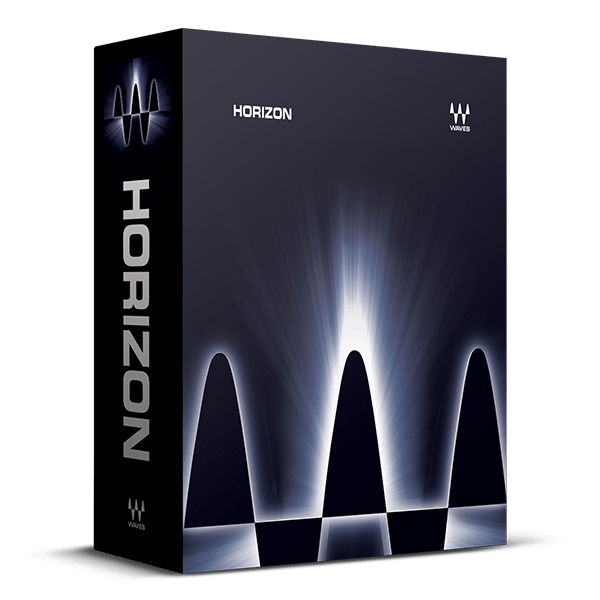
Over 90 Plugins for Music Production, Mixing, Mastering
The Horizon bundle expands on the Platinum bundle with an extensive collection of 93 plugins, encompassing vintage analog-modeled tools, advanced mastering plugins, and a myriad of additional mixing essentials.
Included in this comprehensive package are favorites like Vocal Rider and all CLA Classic Compressors, alongside iconic analog models such as Kramer Tape and PuigChild. The bundle also features the complete L-series mastering plugins, the Renaissance series, WLM Plus Loudness Meter, Bass Rider, DeBreath, Center, and more—augmenting the already extensive offerings found in Platinum.
Whether tackling mixing or mastering tasks across any genre, the Horizon bundle ensures you have the tools needed to achieve professional results with versatility and depth.
Included plugins:
- AudioTrack
- Bass Rider
- C1 Compressor
- C4 Multiband Compressor
- Center
- CLA Guitars
- CLA-2A Compressor / Limiter
- CLA-3A Compressor / Limiter
- CLA-76 Compressor / Limiter
- DeBreath
- DeEsser
- Doppler
- Doubler
- Eddie Kramer Drum Channel
- Electric Grand 80 Piano
- eMo F2 Filter
- eMo Generator
- eMo Q4 Equalizer
- Enigma
- Greg Wells ToneCentric
- GTR3 Amps
- GTR3 Stomps
- GTR3 ToolRack
- GTR3 Tuner
- H-Comp Hybrid Compressor
- H-Delay Hybrid Delay
- IR-L Convolution Reverb
- Kramer HLS Channel
- Kramer Master Tape
- Kramer PIE Compressor
- L1 Ultramaximizer
- L2 Ultramaximizer
- L3 Multimaximizer
- L3 Ultramaximizer
- L3-16 Multimaximizer
- L3-LL Multimaximizer
- L3-LL Ultramaximizer
- Linear Phase EQ
- Linear Phase Multiband Compressor
- LoAir
- Maserati DRM
- MaxxBass
- MaxxVolume
- MetaFilter
- MetaFlanger
- MondoMod
- Morphoder
- MV2
- OneKnob Driver
- OneKnob Filter
- OneKnob Pumper
- PAZ Analyzer
- PS22 Stereo Maker
- PuigChild Compressor
- PuigTec EQs
- Q10 Equalizer
- Q-Clone
- Renaissance Axx
- Renaissance Bass
- Renaissance Channel
- Renaissance Compressor
- Renaissance DeEsser
- Renaissance Equalizer
- Renaissance Reverb
- Renaissance Vox
- S1 Stereo Imager
- Sibilance
- Smack Attack
- SoundShifter
- Submarine
- SuperTap
- Trans-X
- TrueVerb
- UltraPitch
- UM225 / UM226
- V-Comp
- V-EQ3
- V-EQ4
- Vitamin Sonic Enhancer
- Vocal Rider
- VU Meter
- Waves Tune LT
- WLM Plus Loudness Meter
Features
- Powerhouse bundle for music production, mixing, mastering
- 93 plugins including all 60 plugins from Waves Platinum
- Compressors, EQs, reverbs, delays, mastering plugins, and much more
- Analog models including all CLA Compressors, Kramer Tape, more
- Automatic vocal gain control with Vocal Rider
- The entire L-series of plugins for mastering
- Professional metering for all mastering needs
- The entire classic Waves Renaissance series of plugins
System Requirements
Mac
- macOS Monterey 12, Ventura 13, Sonoma 14, Sequoia 15
- VST / AU / AAX
PC
- Windows 10+
- VST / AAX














