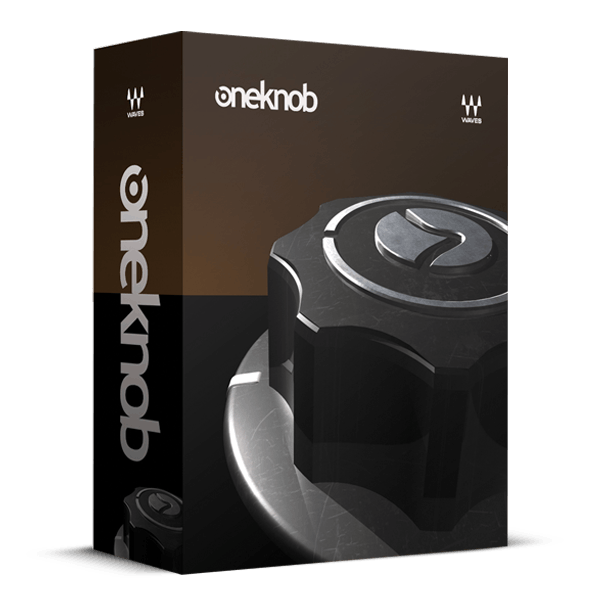
/ Various Category / OneKnob Series Bundle
Waves

OneKnob Series Bundle

4.7 (3 Reviews)
$64.99 $249.00

73% off until Dec 07

Waves OneKnob Series Bundle
Dial in the Mix Sounds You Need FAST – OneKnob Series Tutorial gallery thumbnail
Buy Now
Product information

OneKnob Series Bundle

Focus on the Music—and Stay Inspired

Inspiration waits for no one, and the OneKnob Series understands this urgency. Designed for quick and intuitive use, these plugins let you dial up the desired effect within seconds. The elegant simplicity of the interface hides the depth and versatility of each effect—one knob effortlessly controls multiple parameters at once, allowing you to morph seamlessly among a range of sounds.

Whether you crave fat, loud, ambient, bright, filtered, squeezed, pumped, or saturated tones, the OneKnob Series provides the effects you need, ensuring your creative flow is never interrupted. With OneKnob, you capture your inspiration before it has a chance to slip away.
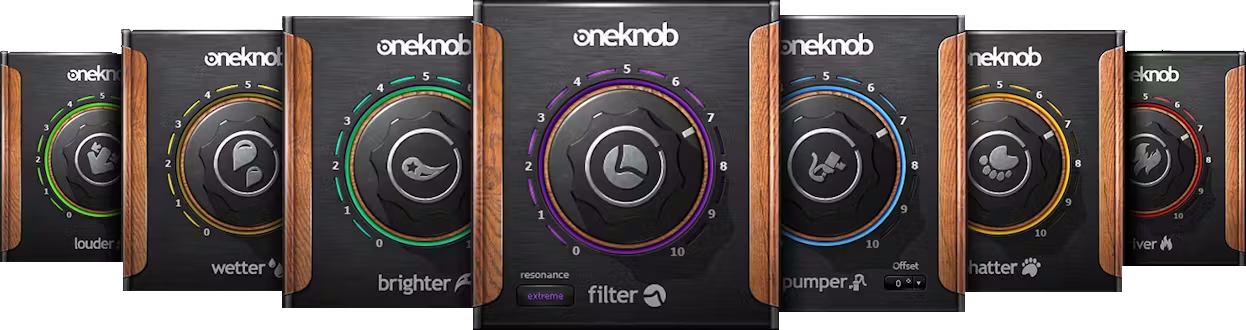
Included plugins:

  • OneKnob Brighter
  • OneKnob Phatter
  • OneKnob Filter
  • OneKnob Pressure
  • OneKnob Louder
  • OneKnob Driver
  • OneKnob Pumper
  • OneKnob Weather

Features

  • Pump your track with the beat with OneKnob Pumper’s instant sidechain ducking effect
  • Create quick filter sweeps on loops, instruments or full mixes with OneKnob Filter
  • Boost the low end with OneKnob Phatter’s big, weighty, powerful bass
  • Make any track brighter instantly with OneKnob Brighter, the smart treble booster
  • Saturate with OneKnob Driver—from light overdrive to full-on distortion
  • Add instant reverb with OneKnob Wetter—from light ambience to big, dark spaces
  • Compress with OneKnob Pressure, from taming peaks to heavy-duty squashing
  • Make your music jump out of the speakers with OneKnob Louder’s clean power

System Requirements

Mac

  • macOS Monterey 12, Ventura 13, Sonoma 14, Sequoia 15
  • VST / AU / AAX

PC

  • Windows 10+
  • VST / AAX
Installation Instructions

1. Head to https://www.waves.com/create-account

2. Enter your email and choose a password to create an account (if you already have a Waves account, choose Log in, enter your details and head to Step 5) > click 'Submit'

3. Open your email inbox > click the activation link in the email from Waves

4. Click 'Log in here' > Log in to your Waves account

5. Click 'Register New Products'

6. Enter the Serial Number found in your Plugin Boutique user account > click 'Submit'

7. Click download in your Plugin Boutique user account or head to https://www.waves.com/downloads/central > download the Waves Central app for your operating system

8. Install Waves Central > Open Waves Central

9. Click 'Log in' > enter your log in details

10. Click the 'Install Products' tab

11. Tick the blue dot on all products you wish to install or click the top dot to install all products > click 'Install & Activate'

12. Click 'OK'

13. Open your DAW > open the Waves plugin

Your Waves plugins are installed and ready to use, enjoy!

Plugin Boutique Rewards

Discover the most rewarding loyalty programme among all plugin retailers.

  • Free Loopmasters Samplepacks
  • Discounts on products and courses
  • Extra Virtual Cash claimed immediately at checkout
Find out more

Follow us:

X (Twitter) Facebook YouTube Instagram
Logo Logo

Plugin Boutique Limited, Part of the Beatport Group LLC.

Copyright © 2011-2025 Plugin Boutique. All rights reserved