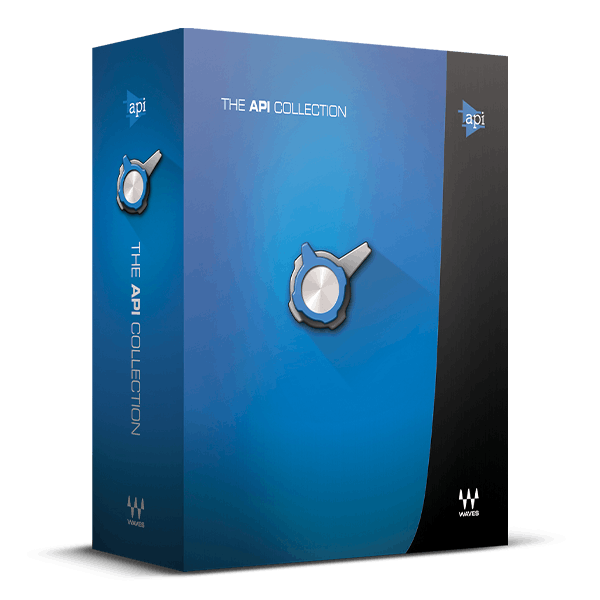
/ Various Category / API Collection
Waves

API Collection

4.5 (2 Reviews)
$59.99 $299.00

79% off until Dec 07

Waves API Collection
Tips for Mixing Multiple Electric Guitars gallery thumbnail
Mixing Guitars - Boosting Distorted Guitars gallery thumbnail
Compressing Live Drums with the API 2500 Plugin – In-Depth Tutorial gallery thumbnail
How to Get a Clearer Mix with the API 560 EQ Plugin gallery thumbnail
Mixing Drums for Film with Junkie XL gallery thumbnail
Mixing Punchy Bass with Junkie XL gallery thumbnail
Buy Now
Product information

API Collection

The Musical Sound of API Dynamics and EQ

Fifty years ago, API revolutionized audio processing with EQs like the musical and transparent API 550A and 550B, and the groundbreaking API 560 graphic EQ, setting new standards in tone shaping.

However, API's innovations extended beyond EQs; their API 2500 Compressor continues to be prized for its versatile tone and punch. Ahead of its time then, the API Collection now stands ready for a new generation of producers, preserving API's legacy of pure, sweet sound and innovative design.
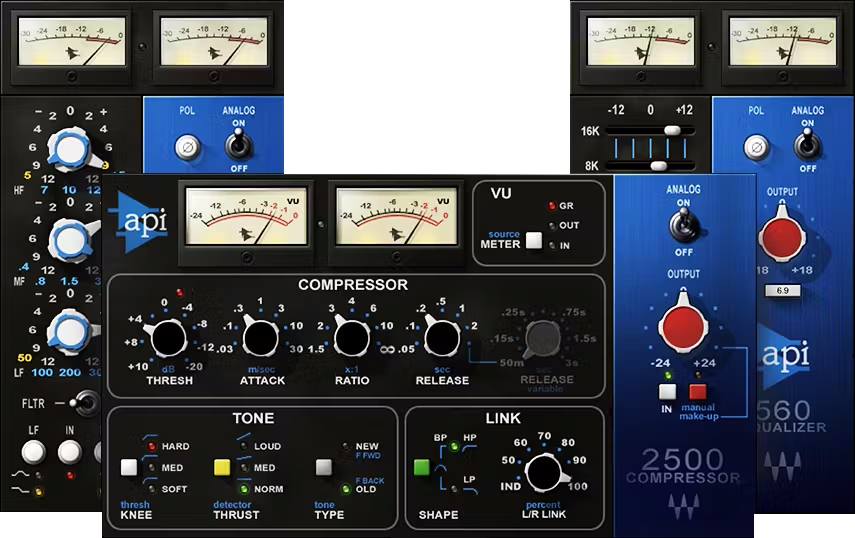
Included plugins:

  • API 2500
    API 550 A
    API 550B
    API 560

Features

  • Developed in close collaboration with API
  • Faithfully recreates the pristine, sweetly musical “API sound”
  • 550’s proportional-Q curves add clarity, with minimal coloration
  • Shape tone quickly and easily with the 560 Graphic EQ
  • 2500 includes two compression types, vintage and modern
  • 2500’s Thrust mode excels for hip hop and dance/club sounds
  • The go-to choice for tone shaping during mastering
  • Presets by Grammy winners for both mixing and mastering

System Requirements

Mac

  • macOS Monterey 12, Ventura 13, Sonoma 14, Sequoia 15
  • VST / AU / AAX

PC

  • Windows 10+
  • VST / AAX
Installation Instructions

1. Head to https://www.waves.com/create-account

2. Enter your email and choose a password to create an account (if you already have a Waves account, choose Log in, enter your details and head to Step 5) > click 'Submit'

3. Open your email inbox > click the activation link in the email from Waves

4. Click 'Log in here' > Log in to your Waves account

5. Click 'Register New Products'

6. Enter the Serial Number found in your Plugin Boutique user account > click 'Submit'

7. Click download in your Plugin Boutique user account or head to https://www.waves.com/downloads/central > download the Waves Central app for your operating system

8. Install Waves Central > Open Waves Central

9. Click 'Log in' > enter your log in details

10. Click the 'Install Products' tab

11. Tick the blue dot on all products you wish to install or click the top dot to install all products > click 'Install & Activate'

12. Click 'OK'

13. Open your DAW > open the Waves plugin

Your Waves plugins are installed and ready to use, enjoy!

Plugin Boutique Rewards

Discover the most rewarding loyalty programme among all plugin retailers.

  • Free Loopmasters Samplepacks
  • Discounts on products and courses
  • Extra Virtual Cash claimed immediately at checkout
Find out more

Follow us:

X (Twitter) Facebook YouTube Instagram
Logo Logo

Plugin Boutique Limited, Part of the Beatport Group LLC.

Copyright © 2011-2025 Plugin Boutique. All rights reserved