


 Log In

Free gifts available with your purchase
Product information
API Collection
The Musical Sound of API Dynamics and EQ
Fifty years ago, API revolutionized audio processing with EQs like the musical and transparent API 550A and 550B, and the groundbreaking API 560 graphic EQ, setting new standards in tone shaping.
However, API's innovations extended beyond EQs; their API 2500 Compressor continues to be prized for its versatile tone and punch. Ahead of its time then, the API Collection now stands ready for a new generation of producers, preserving API's legacy of pure, sweet sound and innovative design.
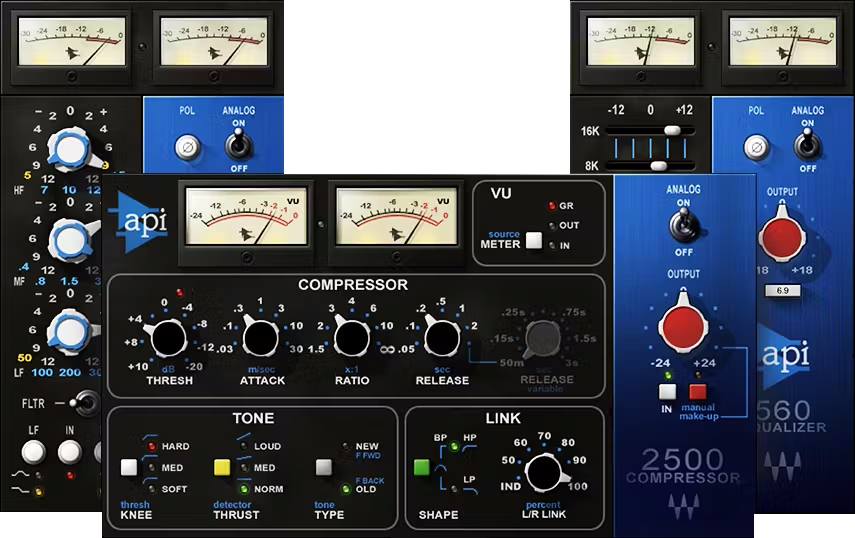
Included plugins:
- API 2500
API 550 A
API 550B
API 560
Features
- Developed in close collaboration with API
- Faithfully recreates the pristine, sweetly musical “API sound”
- 550’s proportional-Q curves add clarity, with minimal coloration
- Shape tone quickly and easily with the 560 Graphic EQ
- 2500 includes two compression types, vintage and modern
- 2500’s Thrust mode excels for hip hop and dance/club sounds
- The go-to choice for tone shaping during mastering
- Presets by Grammy winners for both mixing and mastering
System Requirements
Mac
- macOS Monterey 12, Ventura 13, Sonoma 14, Sequoia 15
- VST / AU / AAX
PC
- Windows 10+
- VST / AAX
Installation Instructions














