/ Various Category / Content Creator Audio Toolkit
Waves

Content Creator Audio Toolkit

$99.00 $299.00

66% off until Dec 07

Content Creator Audio Toolkit
Introducing the Waves Content Creator Audio Toolkit gallery thumbnail
4 Easy Steps to Improve Audio in Podcasts, Live Streams & Videos gallery thumbnail
How to Auto-Level Multiple Audio Sources: Waves Playlist Rider gallery thumbnail
Buy Now
Product information

Content Creator Audio Toolkit
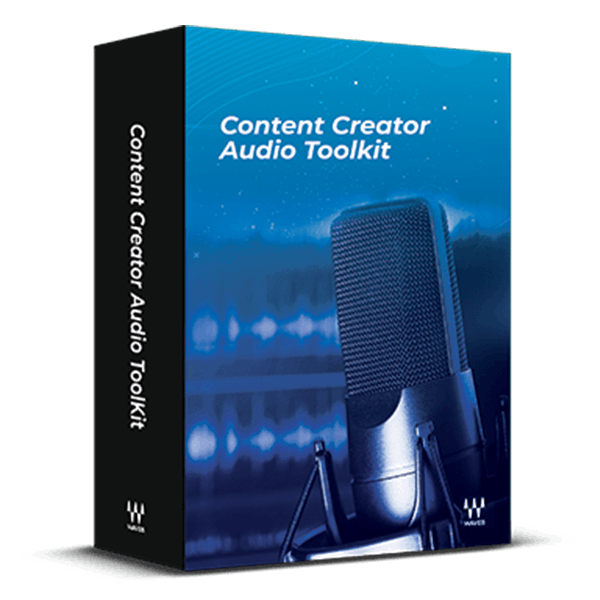
For Better Audience Engagement, Create Better Audio

From live video streams to audiobooks, “good” audio quality is no longer sufficient. Listeners and viewers will disengage if there is background noise, monotonous narration, or inconsistent levels. Solve these issues quickly and easily with the Content Creator Audio Toolkit’s curated plugins.

These purpose-built tools enhance audio quality and ensure compliance with loudness standards for platforms like Spotify, Apple Podcasts, Apple Music, and YouTube. There’s no easier way to give your audio a professional polish.
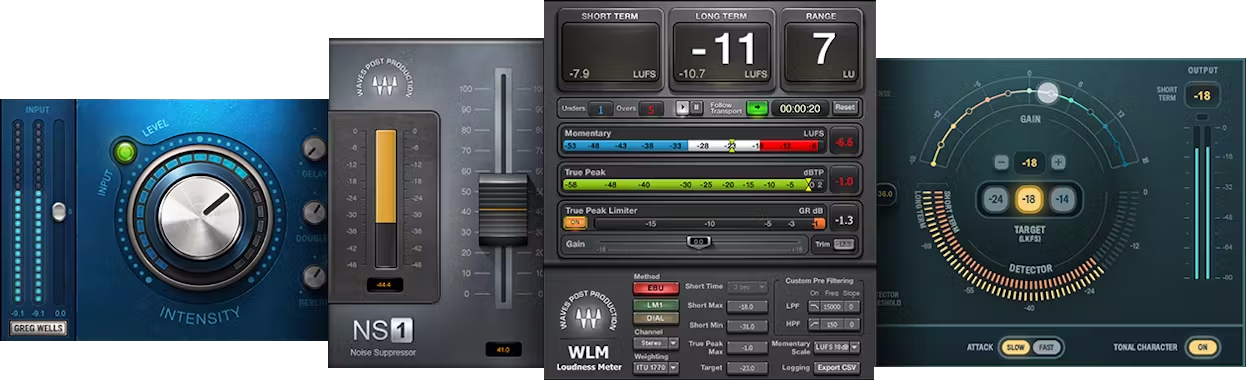
Included plugins:

  • Greg Wells VoiceCentric
  • NS1 Noise Suppressor
  • Playlist Rider
  • WLM Plus Loudness Meter

Features

  • Enhance, enrich and thicken your voice with VoiceCentric
  • Clean up background noise with the NS1 noise suppressor
  • Balance levels from multiple audio sources automatically with Playlist Rider
  • Meet the loudness standards of all streaming platforms with the WLM Plus Loudness Meter
  • Presets optimize output levels for popular streaming services
  • Includes presets for voice and music-under-voice
  • Includes loudness presets for Spotify, YouTube, Apple Podcasts, and Apple Music
  • Compatible with major audio and video editing software

System Requirements

Mac

  • macOS Monterey 12, Ventura 13, Sonoma 14, Sequoia 15
  • VST / AU / AAX

PC

  • Windows 10+
  • VST / AAX
Installation Instructions

1. Head to https://www.waves.com/create-account

2. Enter your email and choose a password to create an account (if you already have a Waves account, choose Log in, enter your details and head to Step 5) > click 'Submit'

3. Open your email inbox > click the activation link in the email from Waves

4. Click 'Log in here' > Log in to your Waves account

5. Click 'Register New Products'

6. Enter the Serial Number found in your Plugin Boutique user account > click 'Submit'

7. Click download in your Plugin Boutique user account or head to https://www.waves.com/downloads/central > download the Waves Central app for your operating system

8. Install Waves Central > Open Waves Central

9. Click 'Log in' > enter your log in details

10. Click the 'Install Products' tab

11. Tick the blue dot on all products you wish to install or click the top dot to install all products > click 'Install & Activate'

12. Click 'OK'

13. Open your DAW > open the Waves plugin

Your Waves plugins are installed and ready to use, enjoy!

Plugin Boutique Rewards

Discover the most rewarding loyalty programme among all plugin retailers.

  • Free Loopmasters Samplepacks
  • Discounts on products and courses
  • Extra Virtual Cash claimed immediately at checkout
Find out more

Follow us:

X (Twitter) Facebook YouTube Instagram
Logo Logo

Plugin Boutique Limited, Part of the Beatport Group LLC.

Copyright © 2011-2025 Plugin Boutique. All rights reserved










