/ Various Category / DTS Neural™ Surround Collection
Waves

DTS Neural™ Surround Collection

$249.00 $499.00

50% off until Dec 07

DTS Neural™ Surround Collection
Buy Now
Product information

DTS Neural™ Surround Collection
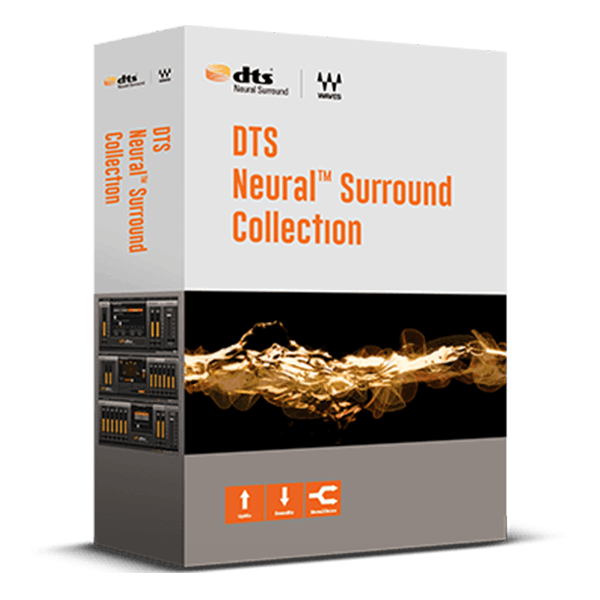
Precise, Real-Time Conversion for Mono, Stereo, Surround

Elevate your audio experience by seamlessly upmixing stereo to surround, downmixing surround to stereo, and converting mono to stereo—all in real time with unparalleled spectral accuracy. Ideal for film, post-production, live streaming of sports or music broadcasts, and enhancing older mono recordings for future-proofing, these plugins offer versatile solutions.

Developed under DTS license, Waves has perfected the technology into a discrete-sounding, comprehensive surround delivery system that ensures superior performance and convenience for modern audio needs.
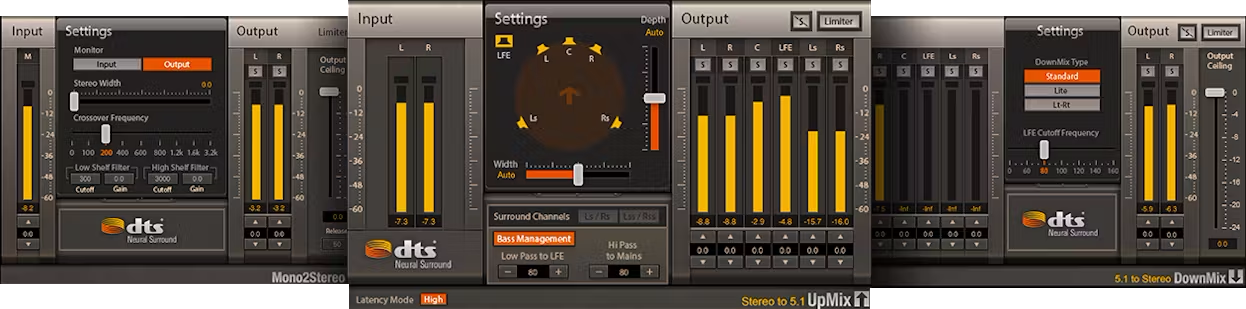
Included plugins:

  • DTS Neural™ Mono2Stereo
  • DTS Neural™ Surround DownMix
  • DTS Neural™ Surround UpMix

Features

  • Replace legacy hardware with state-of-the-art conversion
  • Upmix from stereo to 5.1 or 7.1 with DTS Neural Surround UpMix
  • Downmix from 5.1 or 7.1 with DTS Neural Surround DownMix
  • Convert mono to stereo with DTS Neural Mono2Stereo
  • Full, industry-standard compliance for broadcast and post-production
  • Real-time, artifact-free conversion with flawless fidelity
  • Seamlessly complements today’s production workflows
  • Supports most audio hosts and DiGiCo/eMotion/SuperRack mixers

System Requirements

Mac

  • macOS Monterey 12, Ventura 13, Sonoma 14, Sequoia 15
  • VST / AU / AAX

PC

  • Windows 10+
  • VST / AAX
Installation Instructions

1. Head to https://www.waves.com/create-account

2. Enter your email and choose a password to create an account (if you already have a Waves account, choose Log in, enter your details and head to Step 5) > click 'Submit'

3. Open your email inbox > click the activation link in the email from Waves

4. Click 'Log in here' > Log in to your Waves account

5. Click 'Register New Products'

6. Enter the Serial Number found in your Plugin Boutique user account > click 'Submit'

7. Click download in your Plugin Boutique user account or head to https://www.waves.com/downloads/central > download the Waves Central app for your operating system

8. Install Waves Central > Open Waves Central

9. Click 'Log in' > enter your log in details

10. Click the 'Install Products' tab

11. Tick the blue dot on all products you wish to install or click the top dot to install all products > click 'Install & Activate'

12. Click 'OK'

13. Open your DAW > open the Waves plugin

Your Waves plugins are installed and ready to use, enjoy!

Plugin Boutique Rewards

Discover the most rewarding loyalty programme among all plugin retailers.

  • Free Loopmasters Samplepacks
  • Discounts on products and courses
  • Extra Virtual Cash claimed immediately at checkout
Find out more

Follow us:

X (Twitter) Facebook YouTube Instagram
Logo Logo

Plugin Boutique Limited, Part of the Beatport Group LLC.

Copyright © 2011-2025 Plugin Boutique. All rights reserved










