


 Log In
Free gifts available with your purchase
Product information
Signature Series Vocals

Mix Vocals with Effects Chains from Legendary Producers
The vocal sounds you hear on mixes for Beyoncé, Ed Sheeran, Foo Fighters—and spanning back to David Bowie and Led Zeppelin—are shaped by studio legends Chris Lord-Alge, Tony Maserati, Jack Joseph Puig, and Eddie Kramer.
These meticulously crafted multi-effects chains represent decades of expertise, encapsulating the sonic signatures that define the vocals of the world’s most renowned recording artists. Now, you can harness their trusted vocal chains for your own productions.
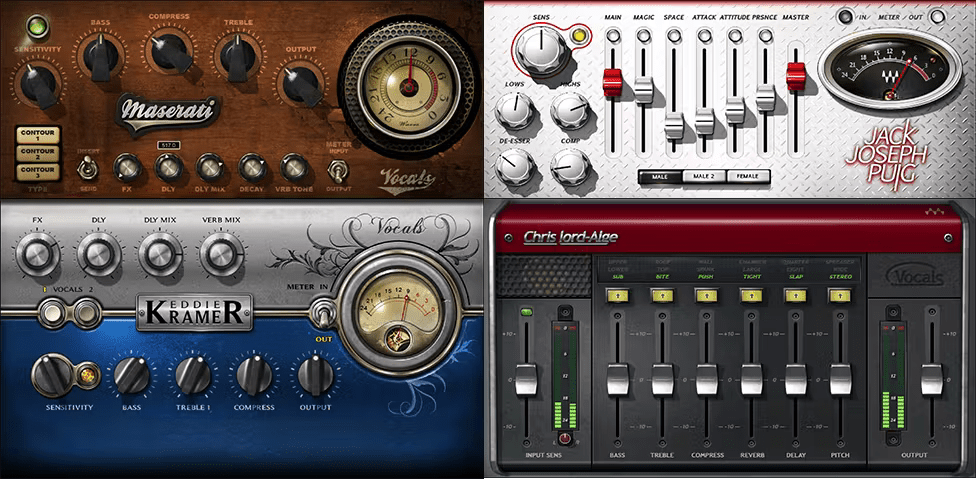
Included plugins:
- CLA Vocals
- Eddie Kramer Vocal Channel
- JJP Vocals
- Maserati VX1
Features
- Created with Chris Lord-Alge, Tony Maserati, Jack Joseph Puig, and Eddie Kramer
- Obtain the modern essence of pop and rock vocals with CLA Vocals
- The classic rock sound comes alive with Eddie Kramer Vocal Channel
- For multi-platinum hip-hop vocals, Maserati VX1 delivers the sound
- JJP Vocals’ versatile controls accent vocal feel and style in any genre
- Concentrate on the music—let the pros take care of your sound
- Bring Grammy® Award-winning sound to your mixes
- Generous preset collections trigger your creativity
System Requirements
Mac
- macOS Monterey 12, Ventura 13, Sonoma 14, Sequoia 15
- VST / AU / AAX
PC
- Windows 10+
- VST / AAX
Installation Instructions














