Buy UAD Signature V3 Crossgrade from ANY Bundle, get a free gift with purchase:
Important Note: This crossgrade to Signature Edition V3 requires ownership of ANY other UAD Bundle. The full version of Signature Edition can be found here.
UAD Signature Edition Version 3
Step up to professional sound with 60+ UAD plug-ins curated for any genre of music production.
UAD Signature Edition Version 3 adds new titles including Ocean Way Studios Deluxe, A-Type Multiband Dynamic Enhancer, Anthem Analog Synthesizer, UAD Woodrow '55 Instrument Amplifier, and more.
Plus you’ll get modern vocal tools like Topline Vocal Suite, legendary room and reverb emulations with UAD Sound City Studios, Capitol Chambers, and Hitsville Chambers, to iconic compressors, rare mastering tools, channel strips, and much more. A value of over $7,000 USD if purchased separately, UAD Signature Edition V3 gives you the best of Universal Audio's native UAD plug-ins in a single bundle.
UAD Signature Edition plug-ins run natively on Mac or PC and work with any compatible DAW including Pro Tools, Logic, Ableton, FL Studio, Cubase, Studio One, Reaper, LUNA, Bitwig and more.
New in UAD Signature Edition 3
Ocean Way Studios Deluxe
.jpg)
Ocean Way Studios Deluxe goes far beyond the original award-winning UAD plug-in, giving your productions the legendary sound of music’s most historic rooms, reverb chambers, and microphones. Powered by UA’s exclusive Dynamic Room Modeling technology, now you can easily add the same dimension, space, and tone heard on recordings from Ray Charles and Linda Ronstadt to Radiohead, U2, and Beck.*
A-Type Multiband Dynamic Enhancer
Unlock the enhancement tricks used for decades by pro engineers and producers with the first and only end-to-end emulation of the vintage multiband “compansion” processor found in some of the world’s biggest studios. UA’s A-Type UAD plug-in unlocks the presence and top end sizzle that’s perfect for pushing vocals straight to the front of your mix.
Anthem Analog Synthesizer
Anthem is built for sculpting thick bass, punchy leads, and expressive sequences — without the need for layering or complex plug-in chains. With its crunchy analog-modeled filter, fat oscillators, and lo-fi effects, you’ll make sounds that make statements.
Teletronix LA-2A Tube Compressor
The cherished late '60s “Silver” LA-2A Leveling Amplifier remains the first-choice vocal compressor in professional studios around the world. The LA-2A Tube Compressor plug-in is the definitive emulation of this iconic optical limiter, giving you the same smooth, radio-ready dynamics control on vocals, guitars, bass, synths, and more.
UA 1176 Classic FET Compressor
Start your journey with the iconic compression used on nearly every hit recording of our time. This special version of our UA 1176 Classic FET Compressor features the same authentic analog modeling of the full collection, so you can dial in the punch and attitude of an iconic desert-island compressor on nearly any source.
UAD Showtime '64 Tube Amp
Experience the sound that defined early rock, pop, surf, and soul. From Dick Dale’s thundering leads to the sparkling chords of the Beach Boys, the amp that was built to fill stadiums and concert halls is now available right in your DAW.*
UAD Woodrow '55 Instrument Amplifier
Get the legendary tweed amp sounds used by The Eagles to Chuck Berry to Neil Young.* Built on UA’s renowned UAD modeling perfected over decades, UAD Woodrow '55 gives you the punchy cleans and rich overdrive of an American classic, right in your DAW.
*All trademarks are property of their respective owners, and used only to represent the instruments modeled as part of UAD plug-ins. Use of artist names does not constitute endorsement.
All Plug-Ins Included in the UAD Signature Edition 3
- 1176 Limiter Collection
- NEW! 1176 Classic FET Compressor
- NEW! A-Type Multiband Dynamic Enhancer
- NEW! Anthem Analog Synthesizer
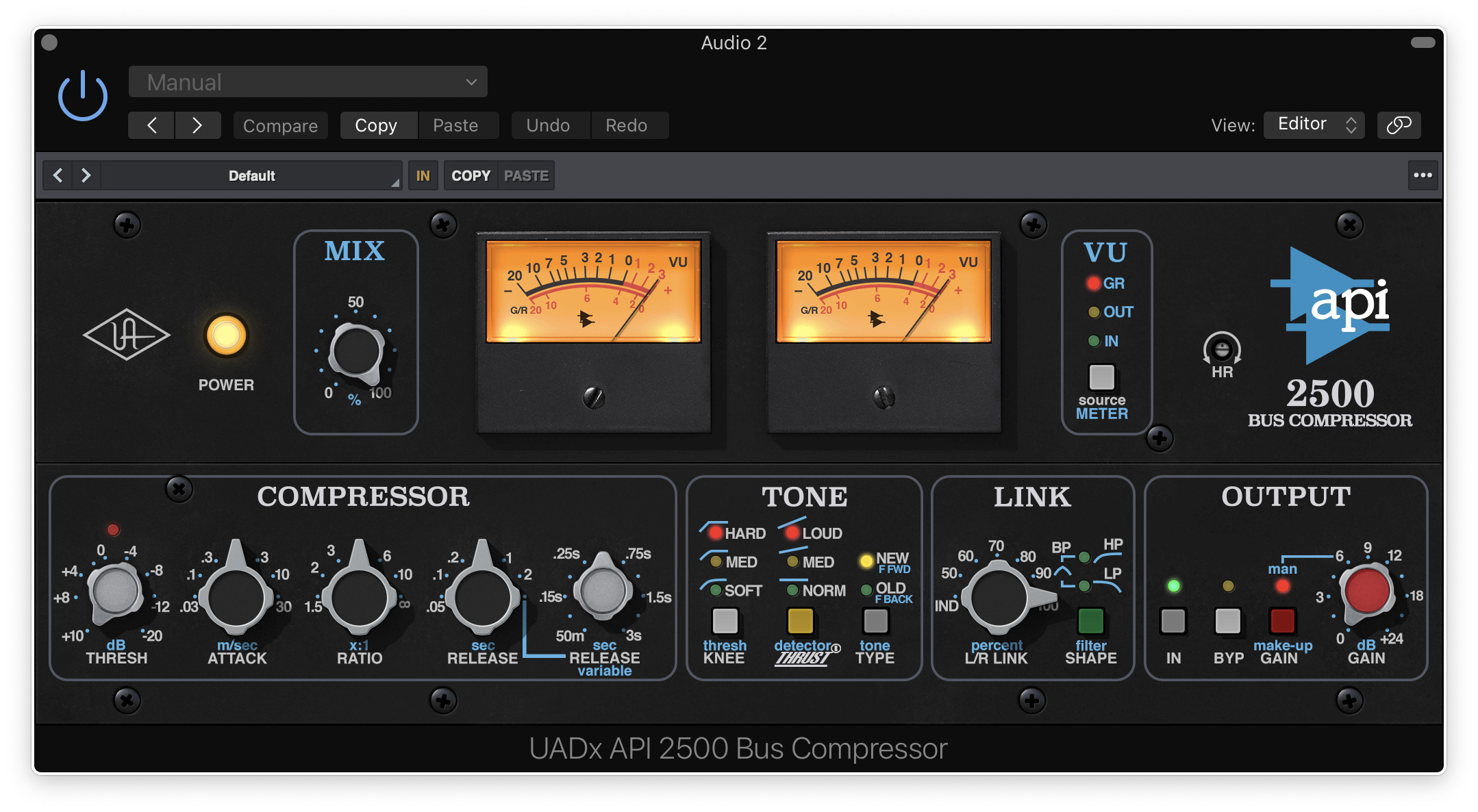
- API 2500 Bus Compressor
- AMPEX ATR-102
- API Vision Channel Strip
- Avalon VT-737 Tube Channel Strip
- Brigade Chorus Pedal
- Capitol Chambers
- Capitol Mastering Compressor
- Century Tube Channel Strip
- dbx 160VU Compressor / Limiter
- Electra 88 Vintage Keyboard Studio
- Empirical Labs EL8 Distressor
- Fairchild Limiter Collection
- Galaxy Tape Echo
- Helios Type 69 Preamp and EQ Collection
- Hitsville EQ Collection
- Hitsville Reverb Chambers
- LA-6176 Signature Channel Strip
- Lexicon 224 Digital Reverb
- Manley Massive Passive EQ
- Manley Tube Preamp
- Manley® Variable Mu Limiter Compressor
- Manley VOXBOX Channel Strip
- Moog Minimoog
- NEW! Ocean Way Studios Deluxe
- Opal Morphing Synth
- Oxide Tape Recorder
- PolyMAX Synth
- Pultec EQ Collection
- Pure Plate Reverb
- Ravel Grand Piano
- SSL 4000 G Bus Compressor
- SSL 4000 E Channel Strip Collection
- Studer A800 Tape Recorder
- Studio D Chorus
- Teletronix LA-2A Leveler Collection
- NEW! Teletronix LA-2A Tube Compressor
- Teletronix LA-3A Compressor
- Topline Vocal Suite
- UA 175B & 176 Tube Compressor Collection
- UAD Native Dream '65 Reverb Amplifier
- UAD Native Lion '68 Super Lead Amp
- UAD Native Ruby '63 Top Boost Amplifier
- NEW! UAD Showtime '64 Tube Amp
- NEW! UAD Woodrow '55 Instrument Amplifier
- UAD Sound City Studios Plug-in
- Verve Analog Machines Essentials
- Verve Analog Machines
- Waterfall B3 Organ
- Waterfall Rotary Speaker
- macOS 10.15 Catalina, 11 Big Sur, 12 Monterey, 13 Ventura, 14 Sonoma
- Windows 10 or Windows 11 (64-bit only Editions)
- Intel, AMD, or Apple silicon processor
- Internet connection to download software and authorize UADx plug-ins
- Free iLok account with iLok Cloud or iLok USB (2nd generation or higher)
- A physical iLok dongle is NOT required to activate this product
You can activate this software on an online system (using iLok Cloud) or an offline system (using an iLok USB):
-
Online: an active internet connection and a FREE iLok account are required to authorise UAD Plug-ins using iLok Cloud
-
Offline: you will need a physical iLok USB (2nd generation or higher) to authorise this software
Important note: UAD plugins do not work in Apple's Garageband DAW
Registration
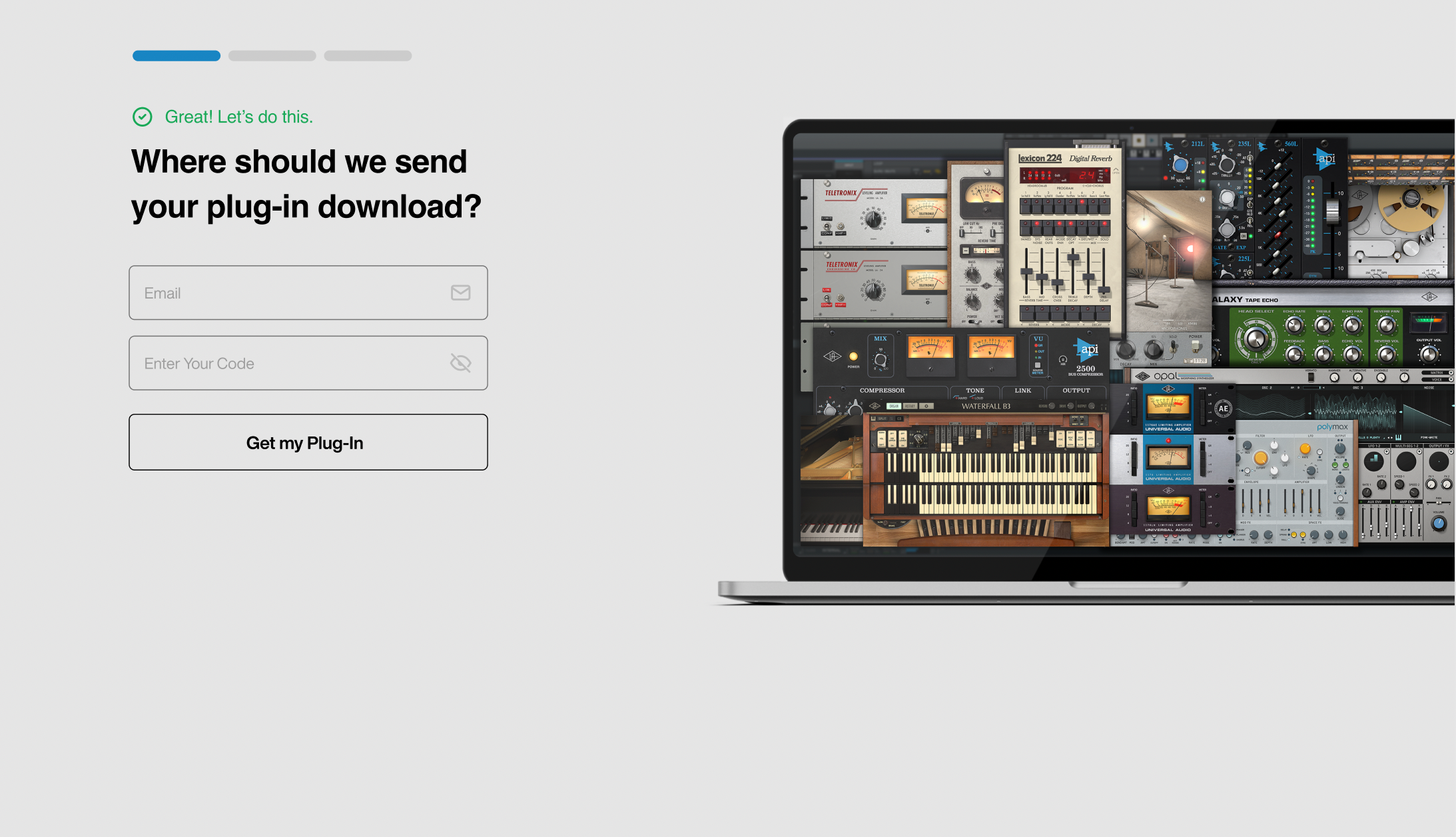
1. Click the Download button in your Plugin Boutique account or go to https://www.uaudio.com/my/account/redeem/.
2. Enter your email and the serial code found in your Plugin Boutique User Account > Click 'Get my Plug-in'.
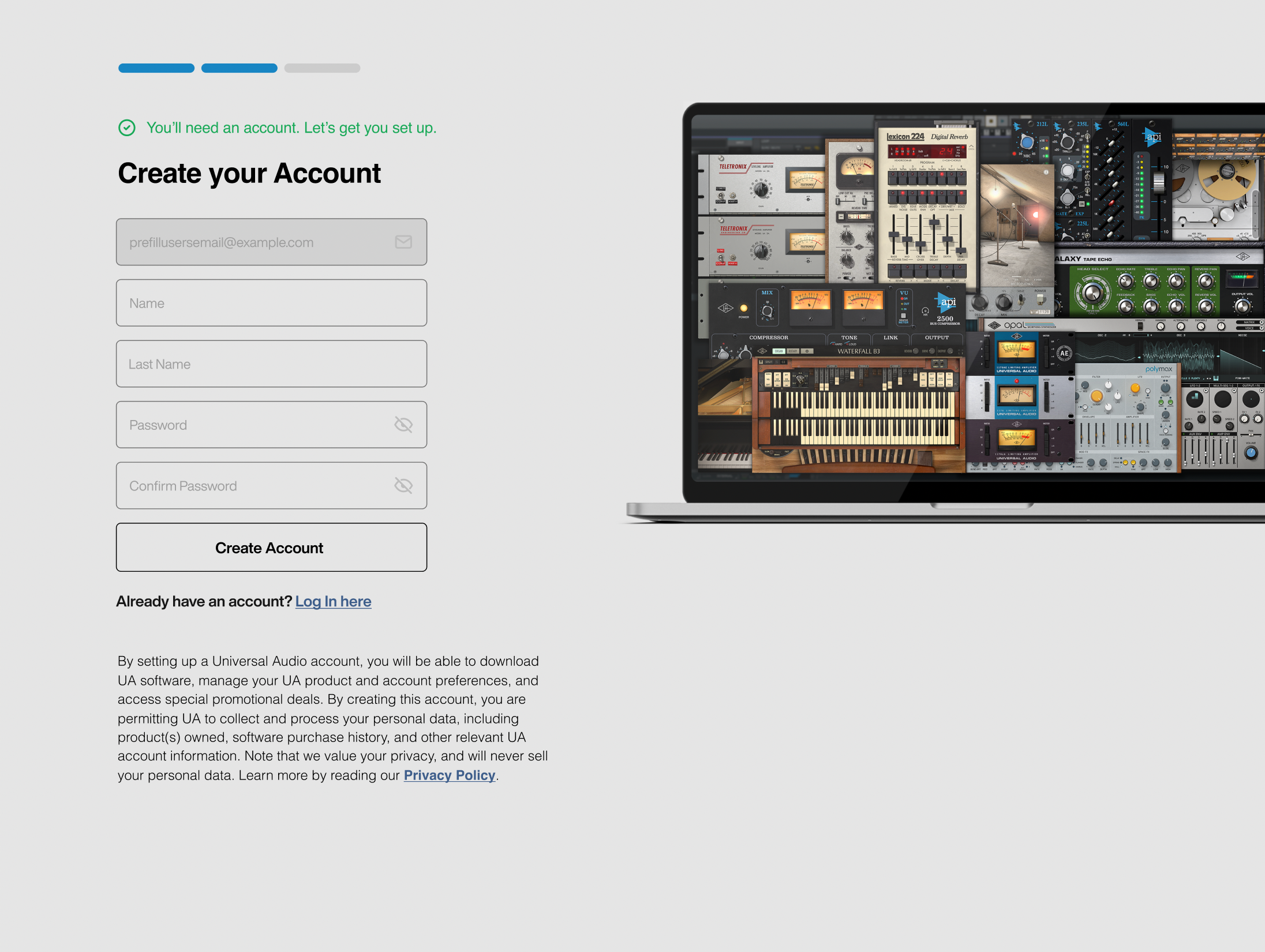
3. Enter the details required to create your Universal Audio account > Click 'Create Account'.
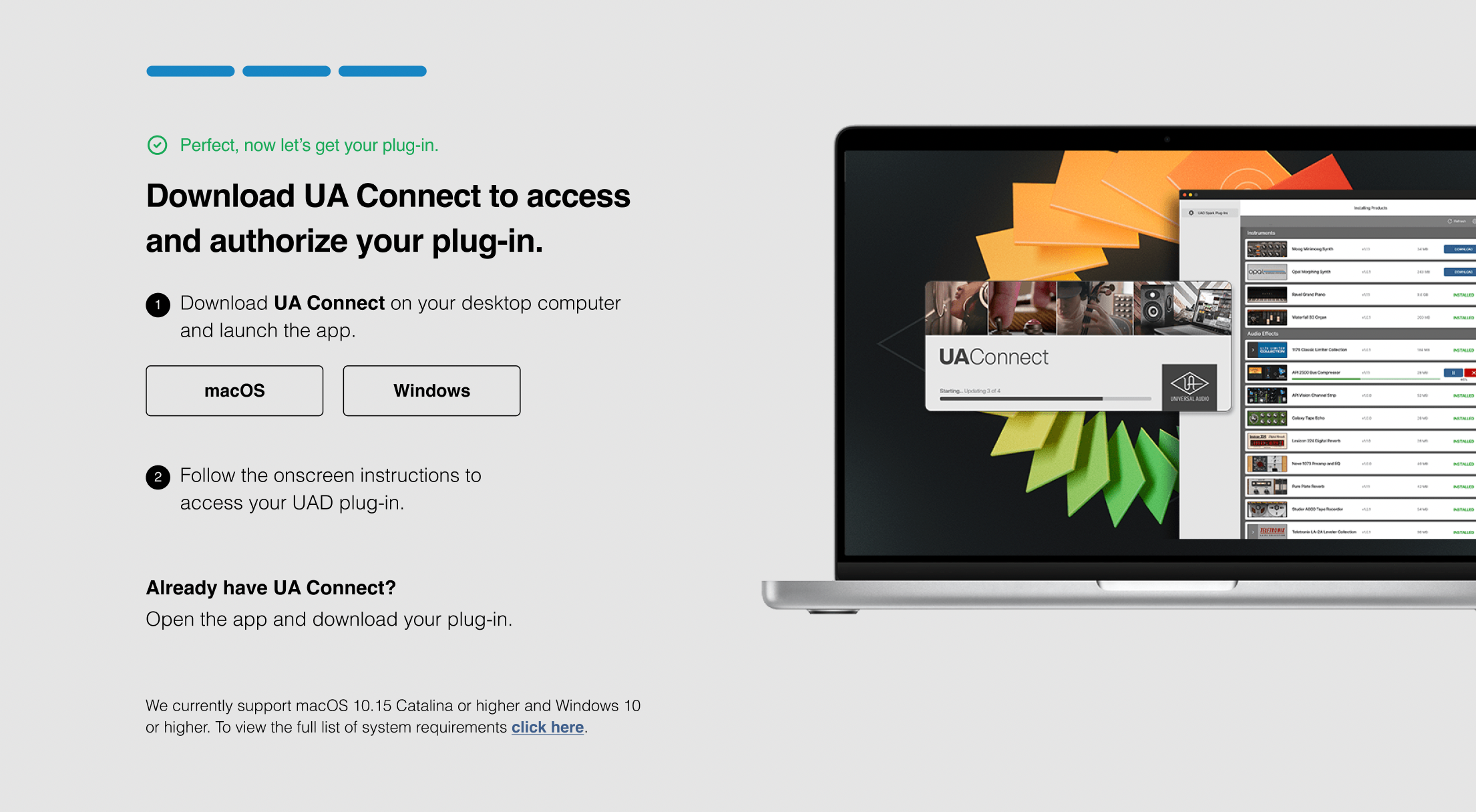
4. Download UA Connect by clicking either 'macOS' or 'Windows' depending on the system you are using.
Windows Installation
1. Once the download is complete, extract and open the ZIP folder you just downloaded > Open the PC folder > Double-click the UA Connect.exe installer file.
2. Read the terms of agreement > Click 'I Agree'.

3. The installation of PACE License Support will now begin > Click 'Next >'.
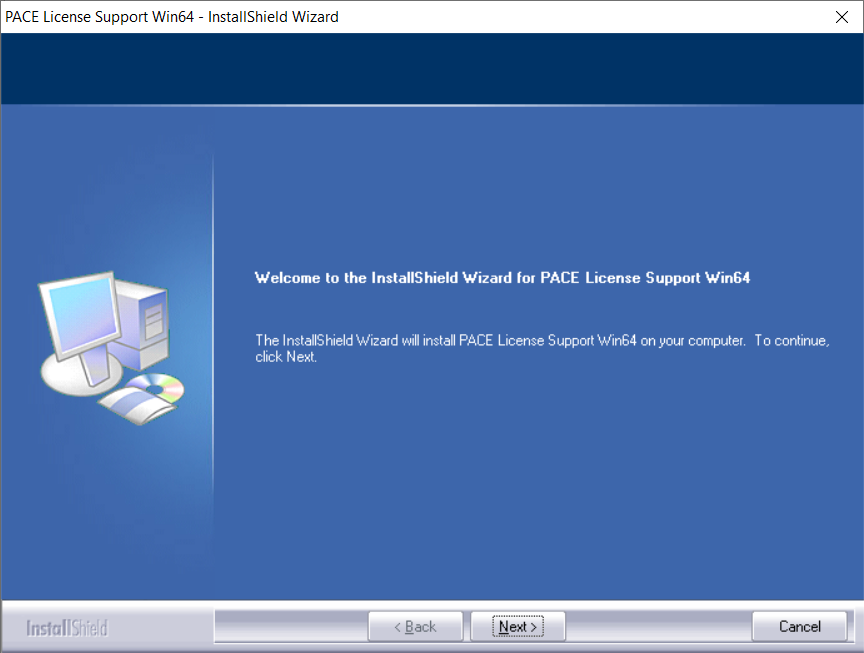
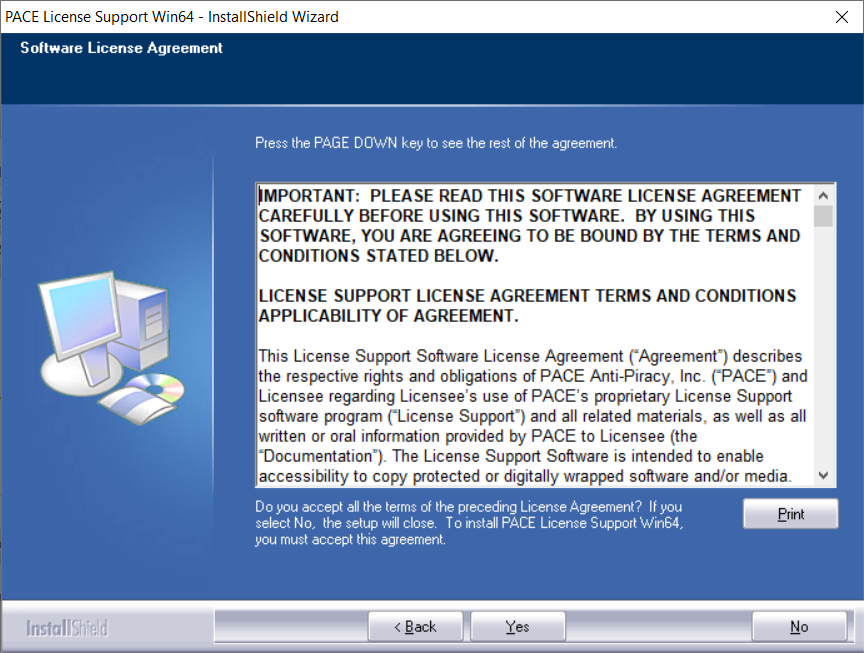
4. Read the license agreement > Click 'Yes'.
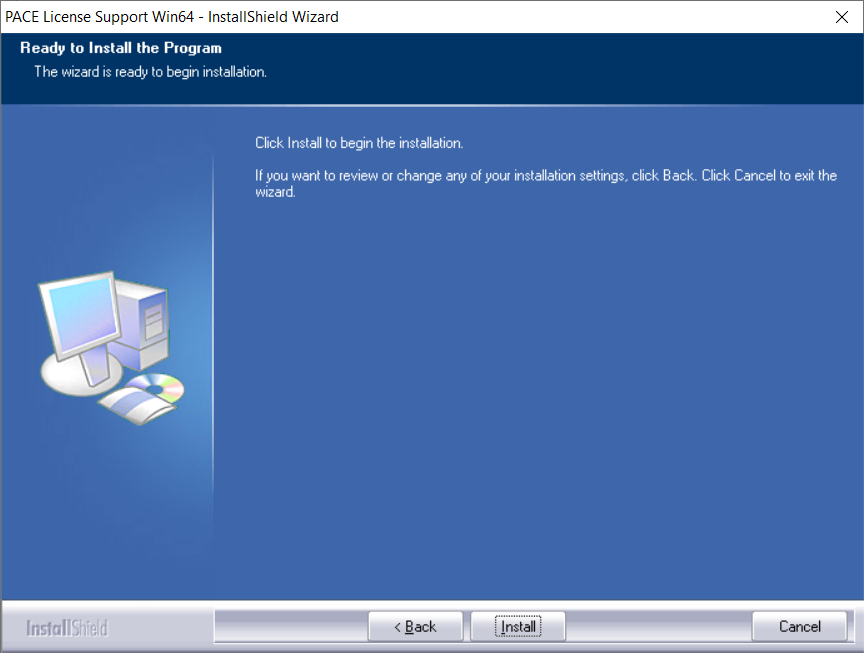
5. Click 'Install'.
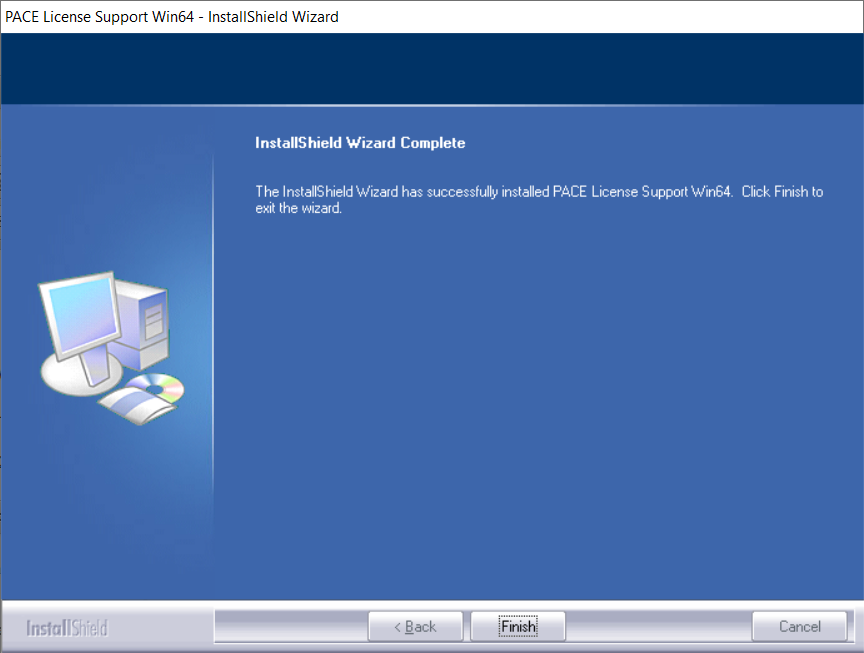
6. Click 'Finish'.
7. Locate and open UA Connect > Enter the email address and password of your Universal Audio account.
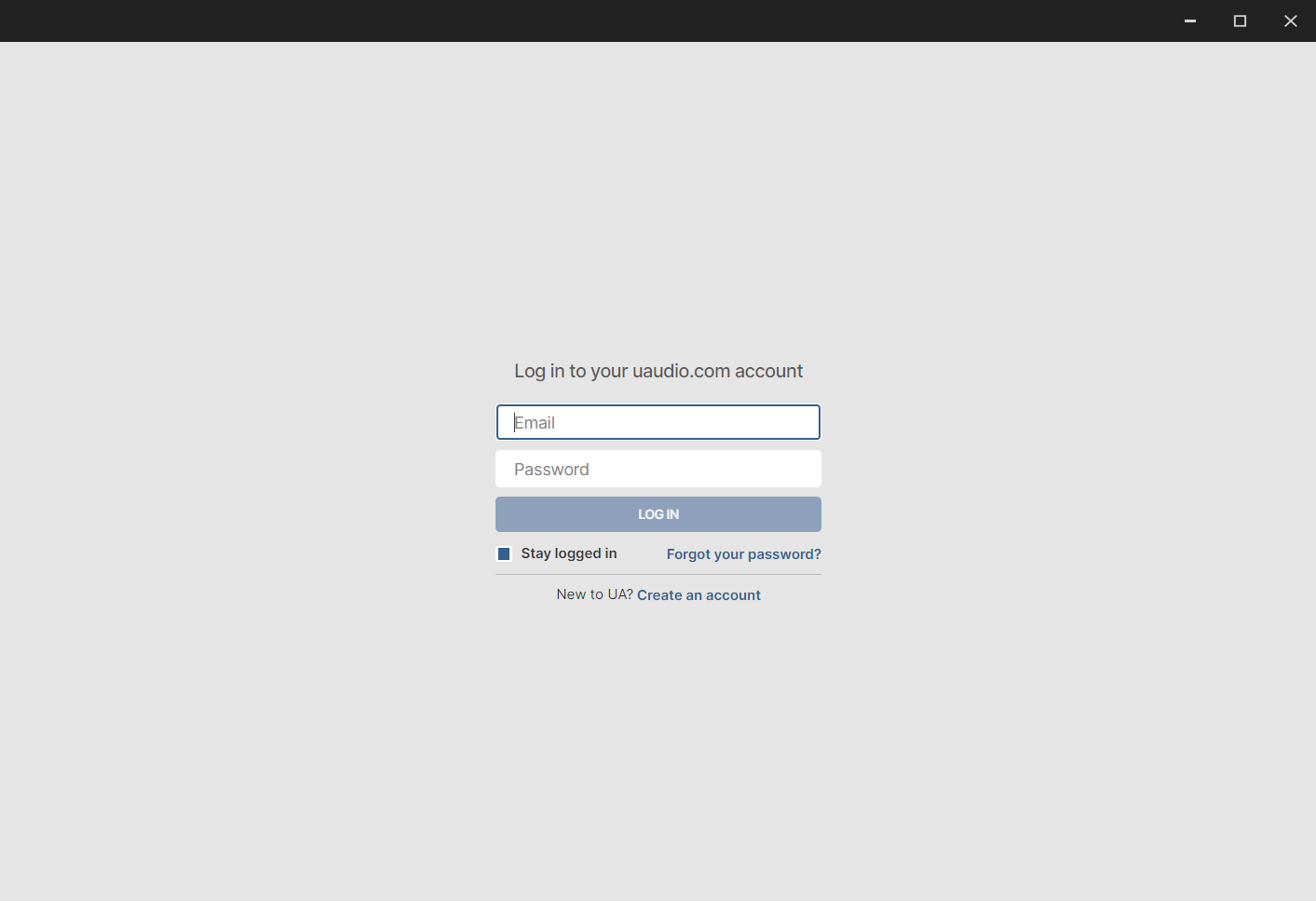
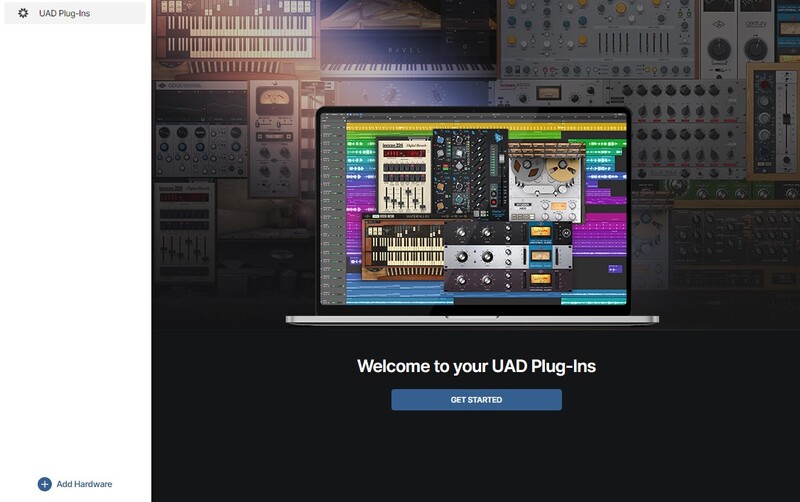
8. Click 'GET STARTED'.
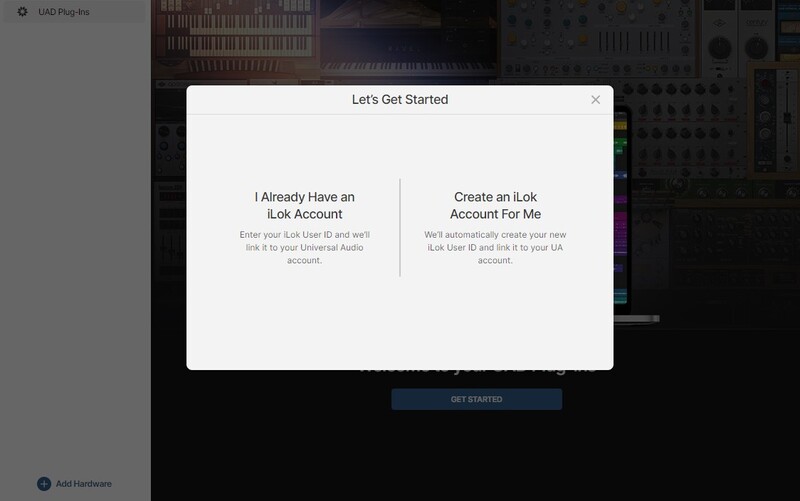
9. Select the option that is relevant to you - either 'I Already Have an iLok Account' or 'Create an iLok Account For Me'.
10. Enter your iLok account User ID then click 'LINK ACCOUNT'
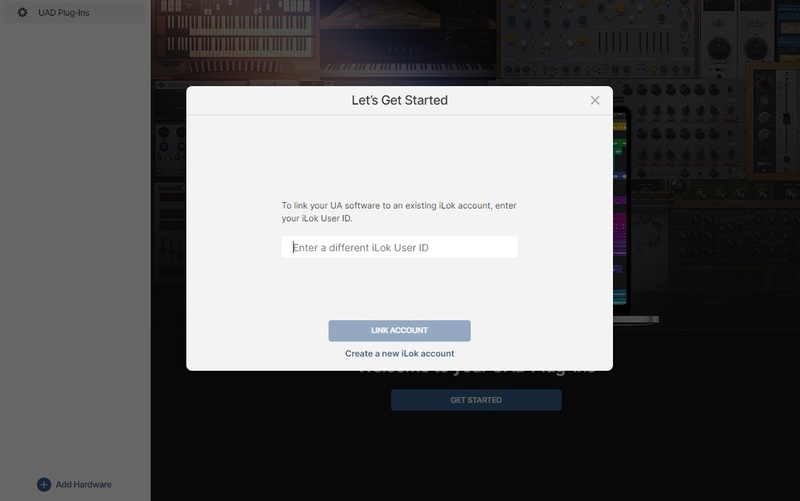 .
.
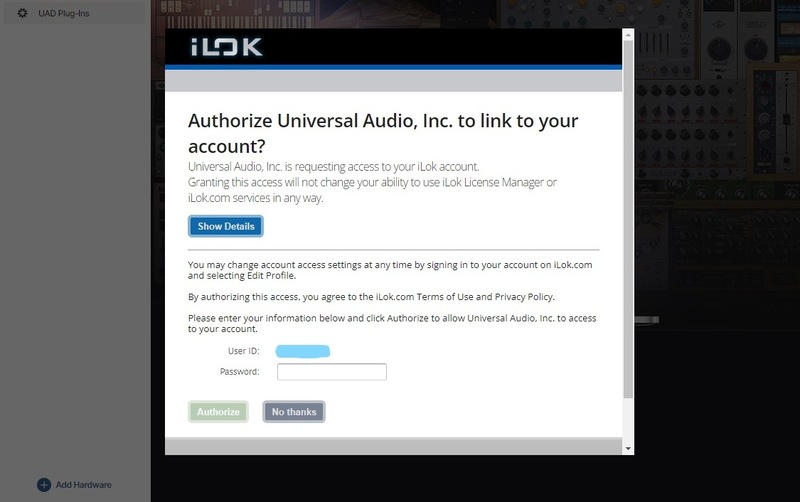
11. Enter the password for you iLok account and click 'Authorize'.
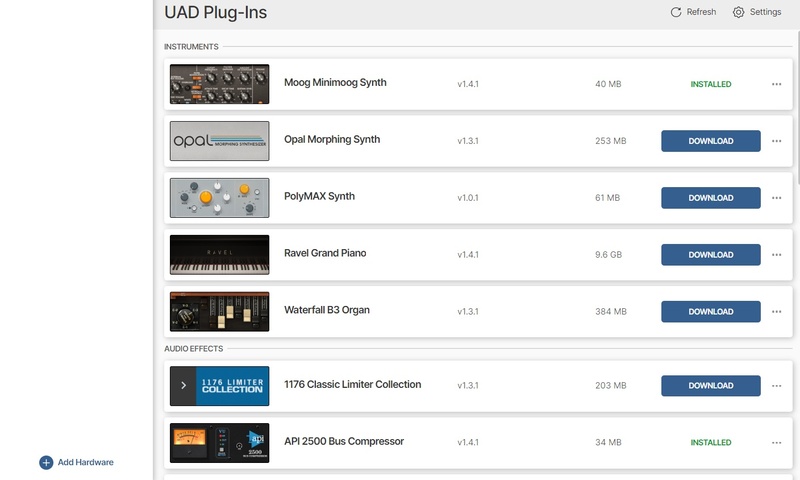
12. Locate the plugin you wish to install > Click 'DOWNLOAD'.
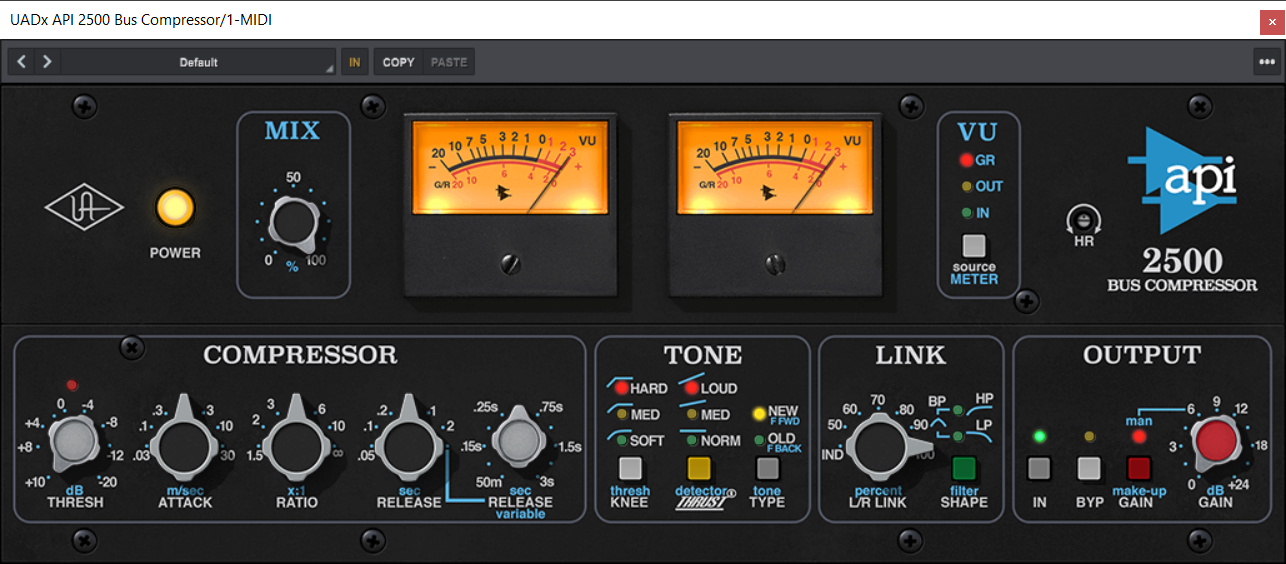
13. Once the plugin has been installed, open your DAW and then the newly installed plugin.
Your software is now activated and ready to use in your DAW!
Mac Installation
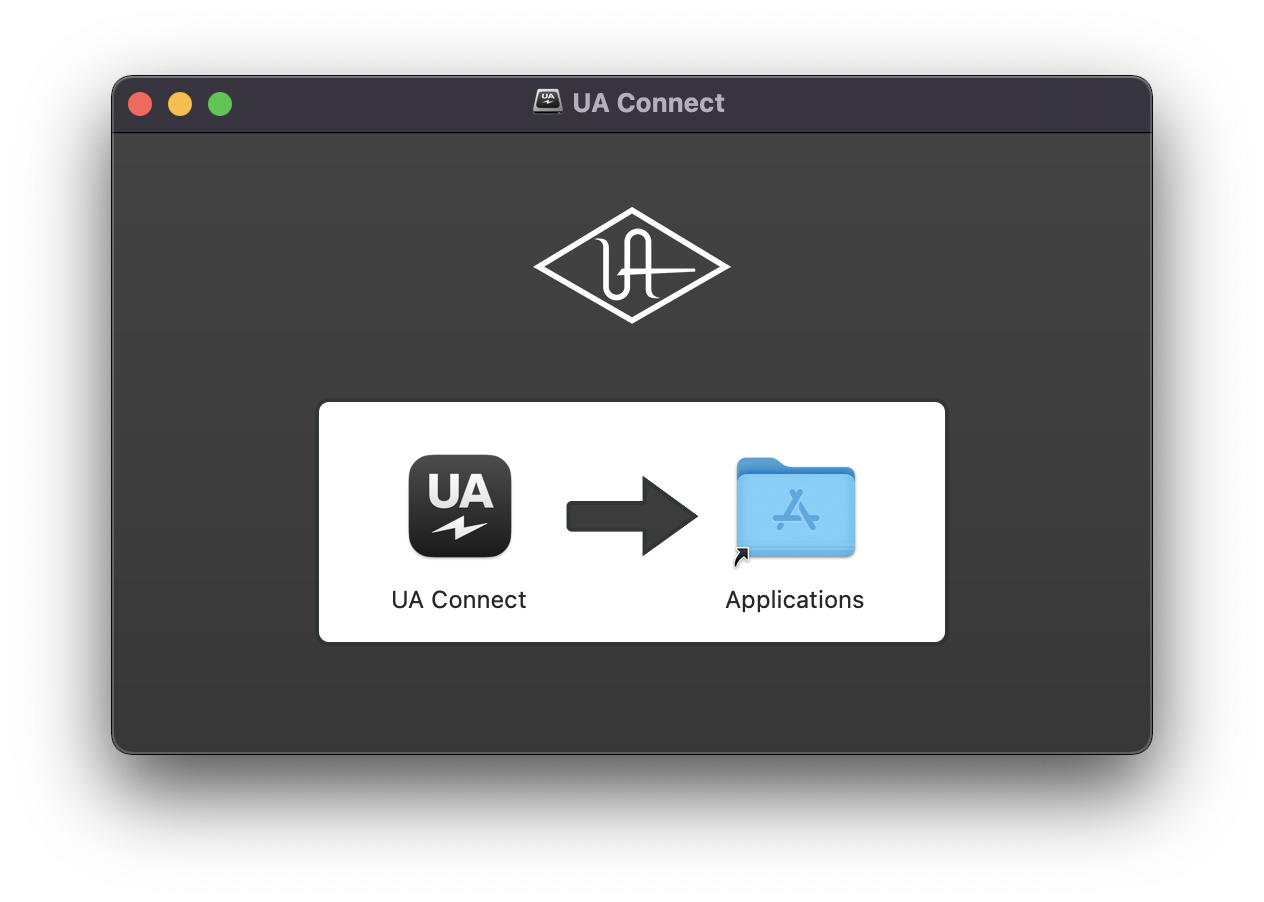
1. Once the download is complete, double-click the UA Connect.dmg installer file.
2. Drag UA Connect into your Applications folder.
3. Locate and open UA Connect > Enter the email address and password of your Universal Audio account.
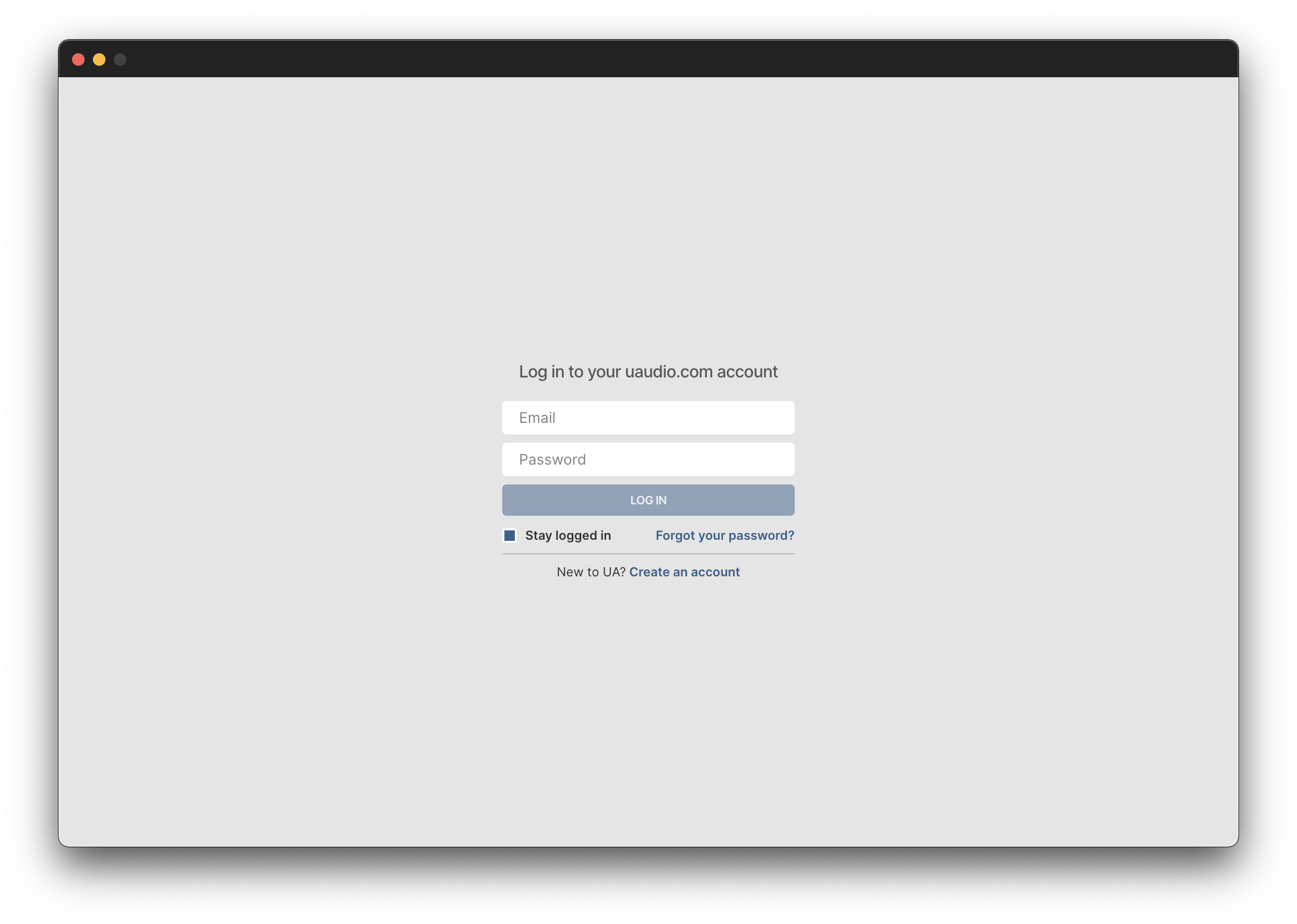
4. Click 'GET STARTED'.
5. Select the option that is relevant to you - either 'I Already Have an iLok Account' or 'Create an iLok Account For Me'.
6. Enter your iLok account User ID then click 'LINK ACCOUNT'
.
7. Enter the password for you iLok account and click 'Authorize'.
8. Locate the plugin you wish to install > Click 'DOWNLOAD'.
9. Once the plugin has been installed, open your DAW and then the newly installed plugin.
Your software is now activated and ready to use in your DAW!