/ Synth Presets / Serum Expansion Pack: Hype
Plugin Boutique Presets

Serum Expansion Pack: Hype

4.6 (193 Reviews)
$5.00 $19.00

73% off until Dec 08

Main Image
Main Image
Plugin Boutique Presets Serum Expansion Pack: Hype
Buy Now
Product information

Please note: These presets are compatible with Serum v1 and v2

Introducing Serum Expansion Pack: Hype, a pristine collection of vibrant, punchy sounds for the best-selling software synth, Serum.

Built using the full range of Serum's capabilities, this pack has been designed to capture the full sonic capabilities of Serum, providing a brand new set of sounds for adding a touch of flavour and hype to your productions.

Focusing on low-end first and foremost, this pack includes 30 incredible 808 presets to provide that all-important foundation for your next track. The preset pack also includes chords, leads and plucks to spark inspiration for creating compelling harmonies and memorable melodies in your tracks.

Features

  • 64 presets for Xfer Records Serum
  • 30 x 808s
  • 7 x Chords
  • 20 x Leads
  • 7 x Plucks

System Requirements

  • The latest version of Xfer Records Serum
Installation Instructions

Please note: Cinematic Serum is used as an example as the installation process is identical for all expansions.

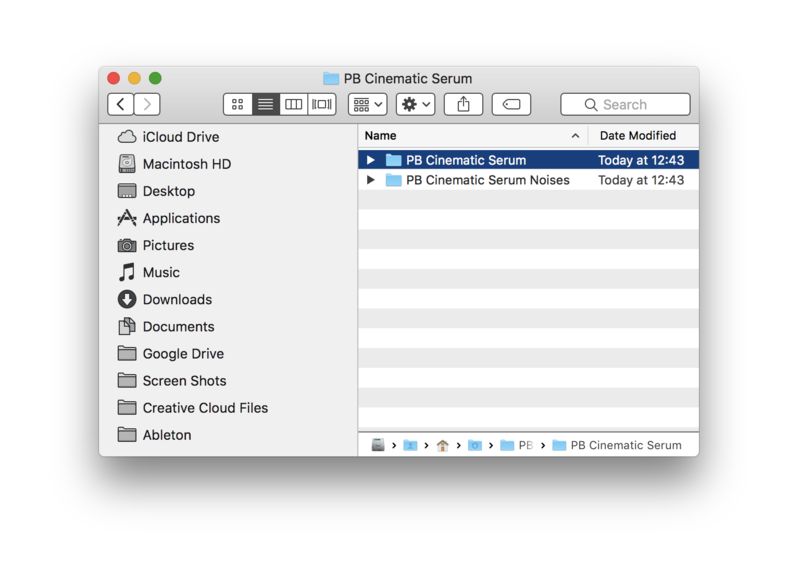
1. Download the .zip folder from within your User Account, and double-click it to reveal its contents.

2. Save the main folder to a computer location of choice, e.g documents or to an external hard drive.

3. Open Serum within your DAW > you need to begin by loading the patches into the ‘Serum Presets’ folder which can be located by clicking ‘Menu’ tab.

Note: The 'Menu' tab is located at the top-right corner of Serum's user interface.

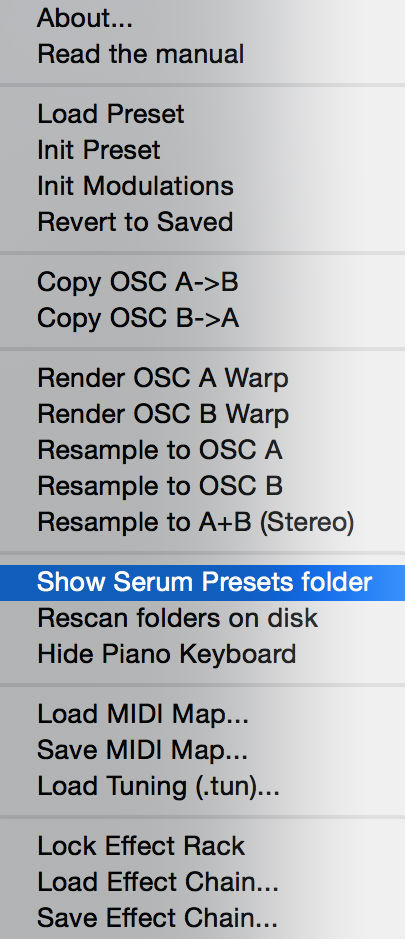
4. Click the ‘Show Serum Presets folder’ option > this will open the location of Serum’s entire available content within the 'Serum Preset' folder directory.

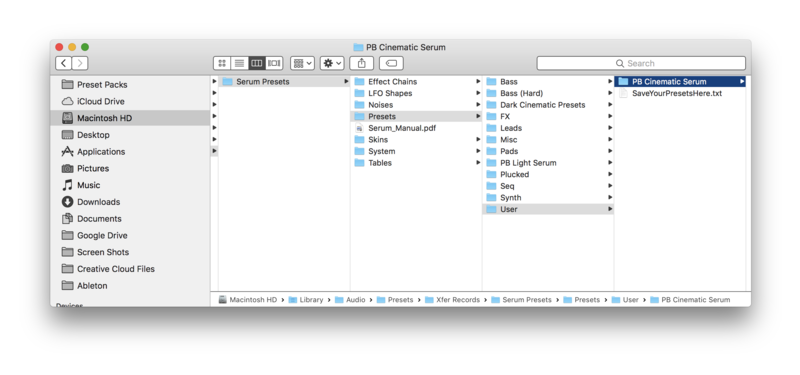
5. Locate the ‘Presets’ folder, then the ‘User’ folder contained within it > Copy and paste the folder titled 'PB Cinematic Serum' into the 'User' folder.

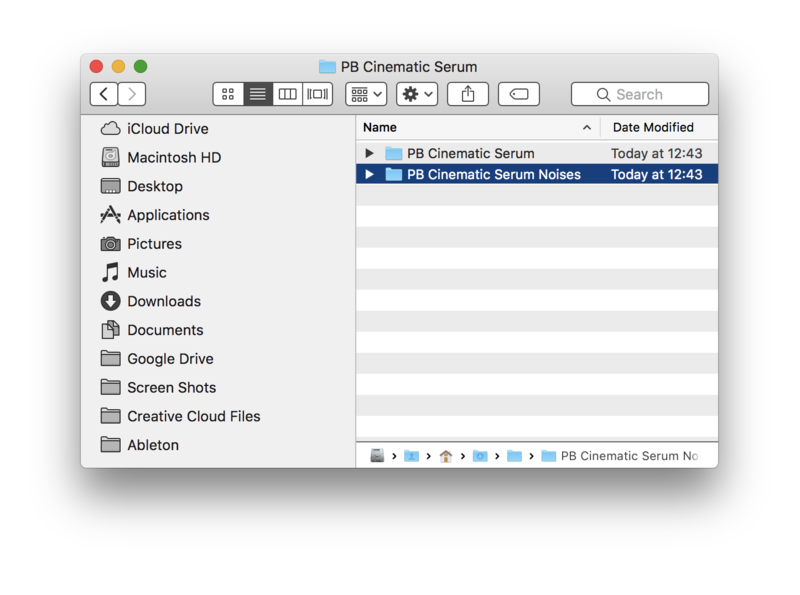
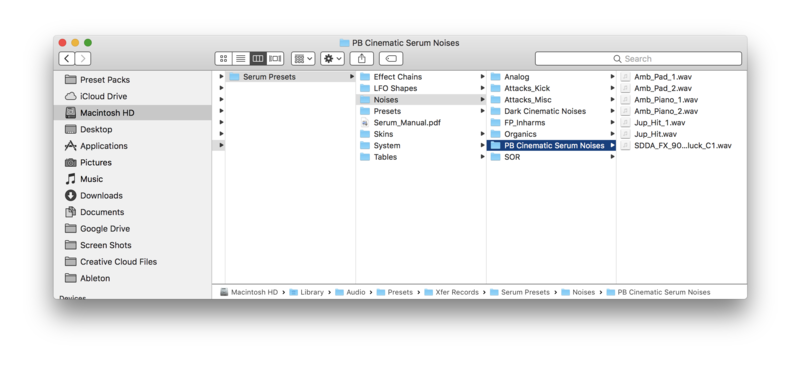
6. Locate the 'Noise' folder > Copy and paste the folder titled 'PB Cinematic Serum Noises' into the 'Noises' folder.

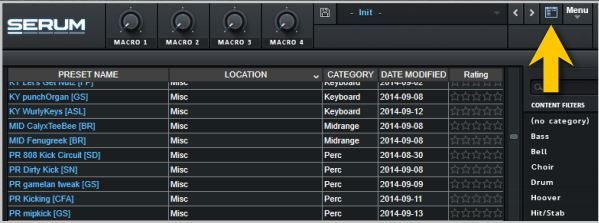
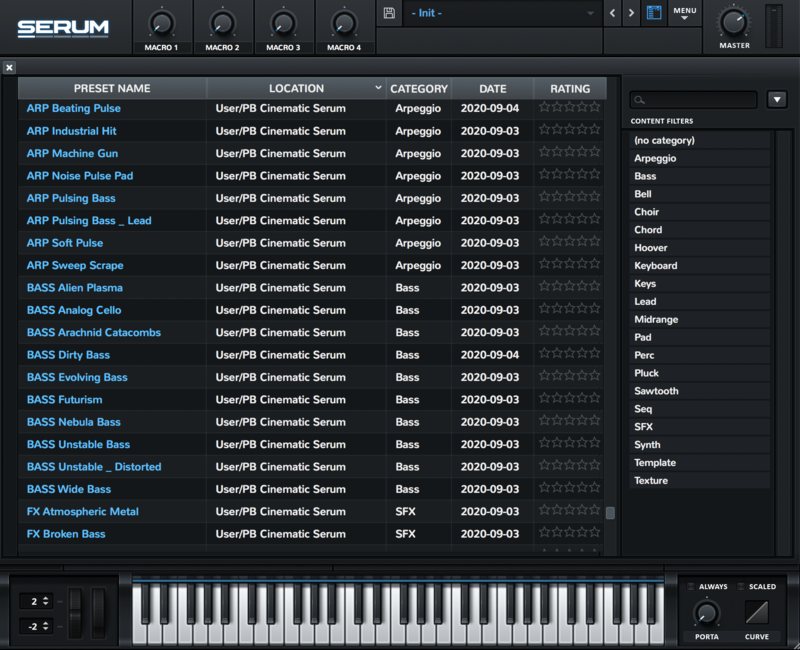
7. Close and reopen Serum before clicking the ‘Browser’ folder icon/tab (as highlighted by the yellow arrow below) on the left-side of the ‘Menu’ tab, and you will then see your presets in the list (as shown below). Double-click your preferred preset to load it into Serum.

The Presets are now Ready for Use Within Serum!

Bundle & Save

Plugin Boutique Serum Presets Bundle
$29.00
$99.00 (70% off)

Plugin Boutique Rewards

Discover the most rewarding loyalty programme among all plugin retailers.

  • Free Loopmasters Samplepacks
  • Discounts on products and courses
  • Extra Virtual Cash claimed immediately at checkout
Find out more

Follow us:

X (Twitter) Facebook YouTube Instagram
Logo Logo

Plugin Boutique Limited, Part of the Beatport Group LLC.

Copyright © 2011-2025 Plugin Boutique. All rights reserved