/ Multi-Effect / Air | Music Edition
Sound Particles

Air | Music Edition

4.6 (96 Reviews)
FREE
Main Image
Main Image
Sound Particles Air | Music Edition - Overview gallery thumbnail
Sound Particles Air | Music Edition
Product information

Air | Music Edition is the perfect plugin to quickly and realistically simulate the distance and depth of musical elements in any mix. Air will help you achieve natural-sounding performance results in the studio and sound like the real deal in seconds.

Elevate your music, let instruments breathe and mixes shine.

Add Depth To Your Mix With One Knob

Air | Music Edition removes the sterile feel of a typical studio setting (where vocals & instruments often get close mic-ed) by simulating air absorption, making your music sound natural, organic and clear, and by simulating the acoustic effect of distance between the listener and the real-life music performance. It's a subtle but effective plugin.

Skip The Multiple Steps To Add Depth

Air | Music Edition allows you to skip the standard time-consuming method of adding depth in a mix (attenuate the volume and EQ of high frequencies) without resulting in a sea of effects that mud the production. Use this plugin to realistically create depth. Air does it with precision and with a natural feel as you adjust the distance knob - without the risk of adding distractions.

Experiment with placing drums a few feet away from the guitars, or the vocals a few feet forward from the keyboard.

Brand New Look

With this new version of the plugin, get an updated and spectacular new design and UI

Distance Attenuation

Control the amount of additional attenuation you would get with different distances by controlling the variation of the audio output

Natural Results

Air is much more accurate than a simple low-pass filter, using scientifically measured frequency response values of air dampening

Frequency Response

With Air | Music Edition, you can see the actual frequency response that is being applied to the music

World Units

Do you prefer "meters" or "feet"? "Mph" or "km/h"? Full integration with Imperial and Metric units, for an easy and more welcoming workflow for everyone

Control Surfaces

Use control surfaces (such as AVID S6) to edit the plugin's parameters

System Requirements

Operating System

  • Mac OSX 10.13 or higher (Intel and native Apple Silicon Macs supported)
  • Windows 10 or higher
Installation Instructions

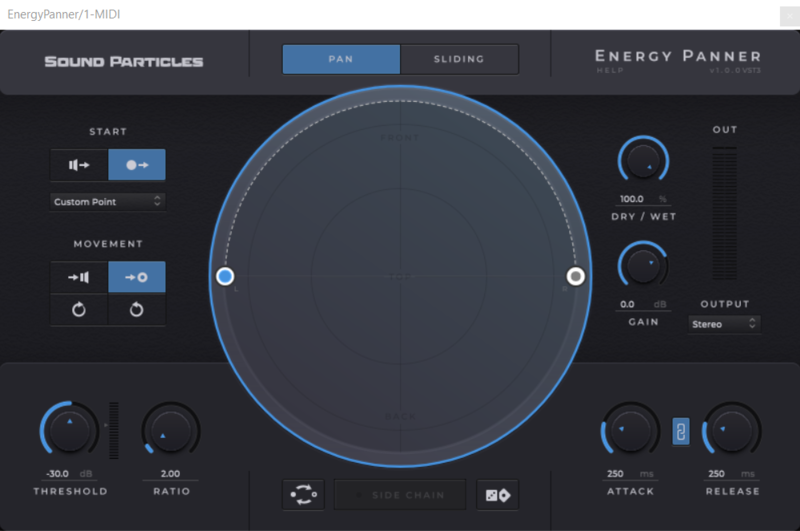
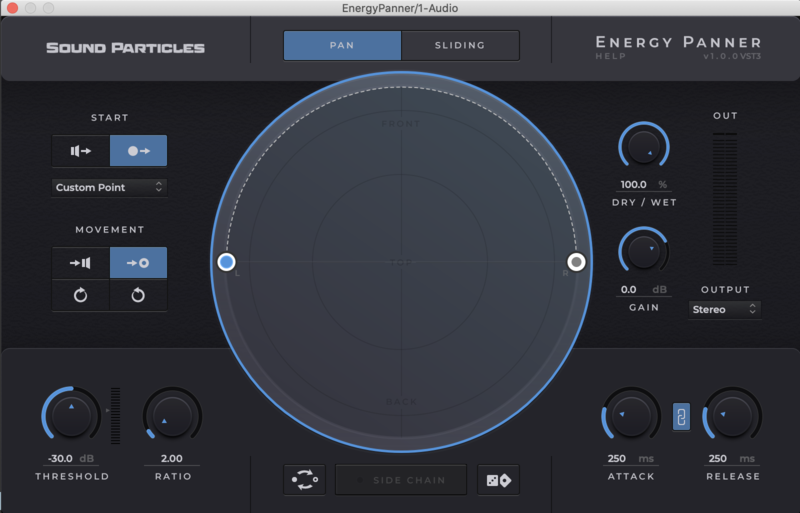
Note: Energy Panner is used as an example.

Windows

Registration

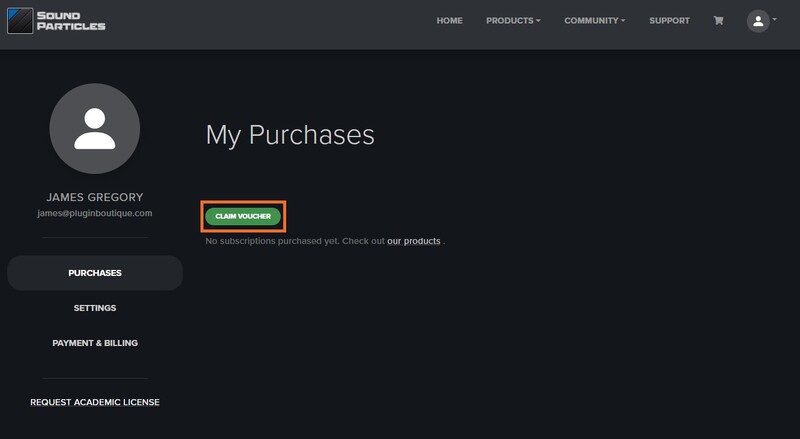
1. Go to https://soundparticles.com/register > Enter your Name, Email Address, Password and Country > click 'REGISTER'.

2. Click 'CLAIM VOUCHER'.

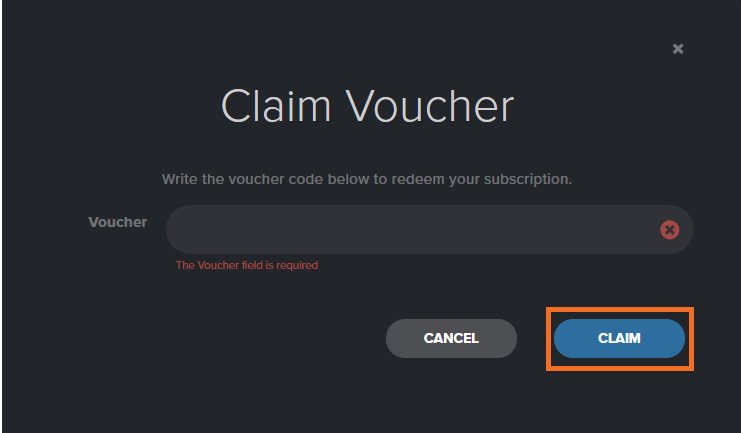
3. Enter your voucher code, found in the serial number section of your Plugin Boutique Account > click 'CLAIM'.

Installation

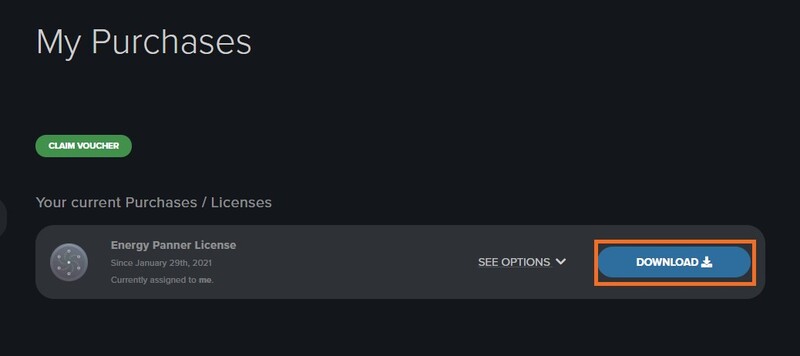
1. Click 'DOWNLOAD'.

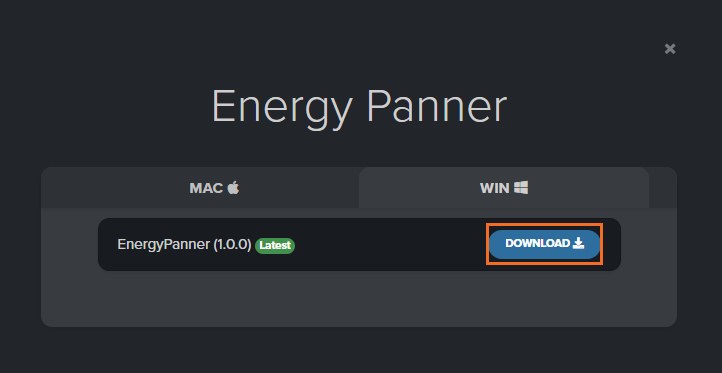
2. Select the version of the product you wish to install > click 'DOWNLOAD'.

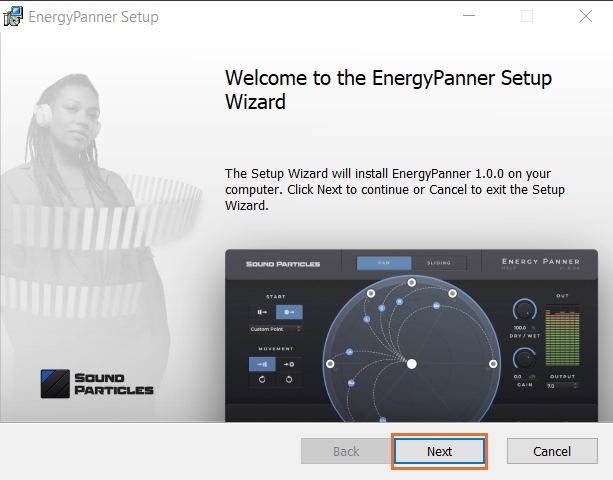
3. Open the downloaded .zip folder and click > the .msi file. To begin the installation process > Click 'Next'.

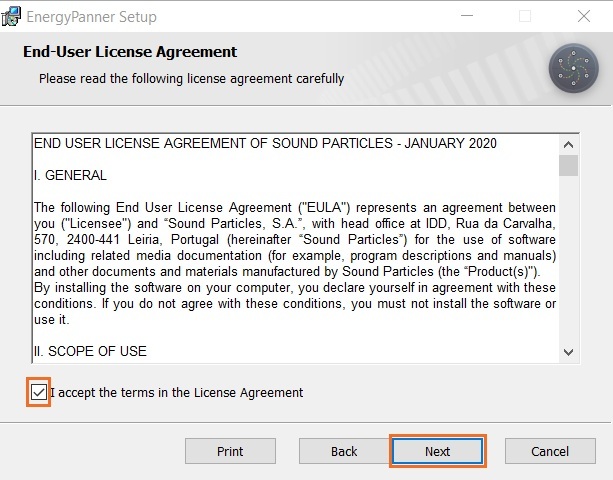
4. Select 'I accept the terms in the License Agreement' > Click 'Next'.

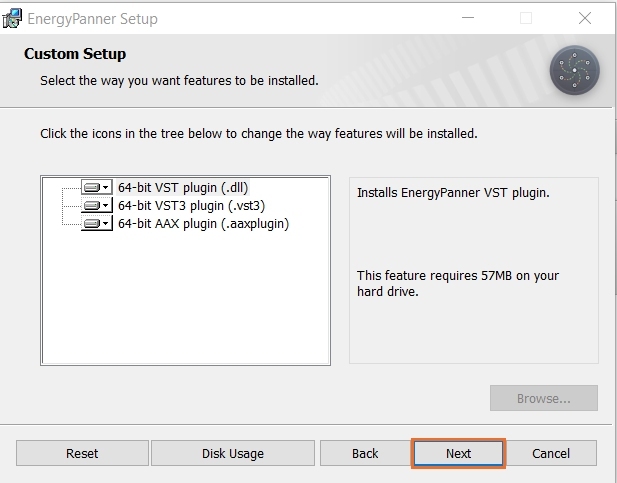
5. Choose the plugin formats you would like to be installed > Click 'Next'.

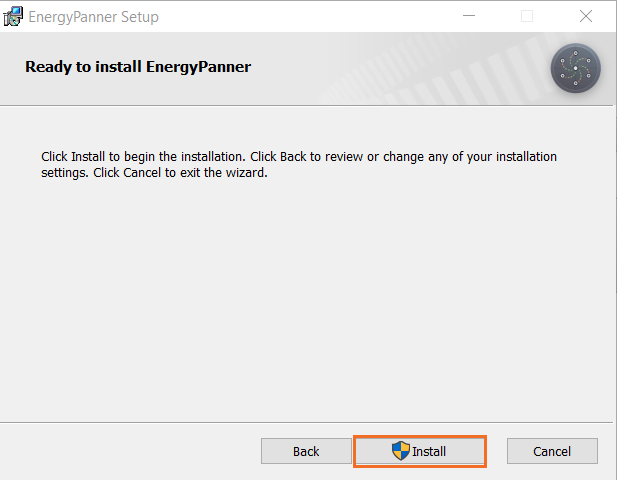
6. Click 'Install' > click 'Allow' to begin the installation process.

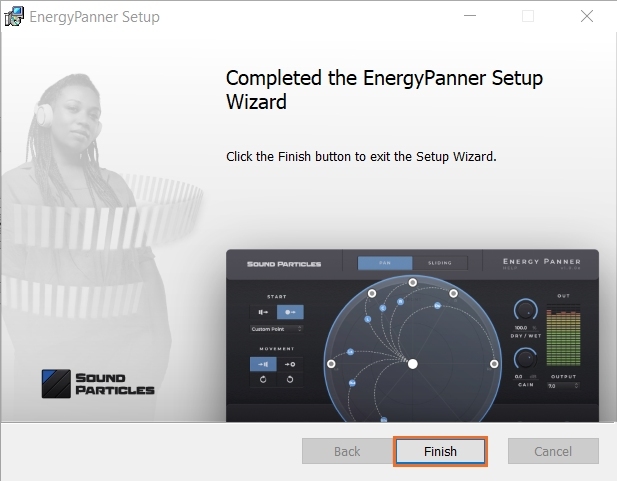
7. Click 'Finish'.

Your software is now activated and ready to use.

Mac

Registration

1. Go to https://soundparticles.com/register > Enter your Name, Email Address, Password and Country > click 'REGISTER'.

2. Click 'CLAIM VOUCHER'.

3. Enter your voucher code, found in the serial number section of your Plugin Boutique Account > click 'CLAIM'.

Installation

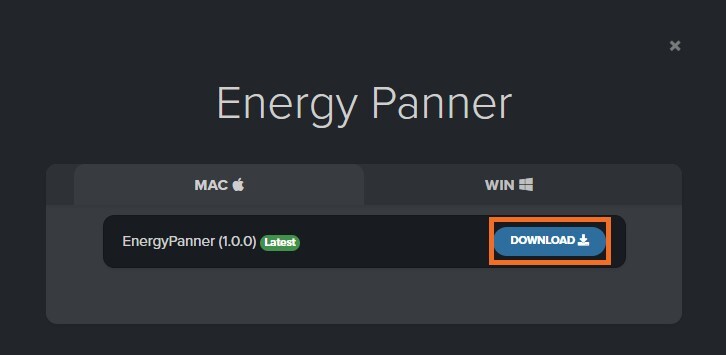
1. Click 'DOWNLOAD'.

2. Select the version of the product you wish to install > click 'DOWNLOAD'.

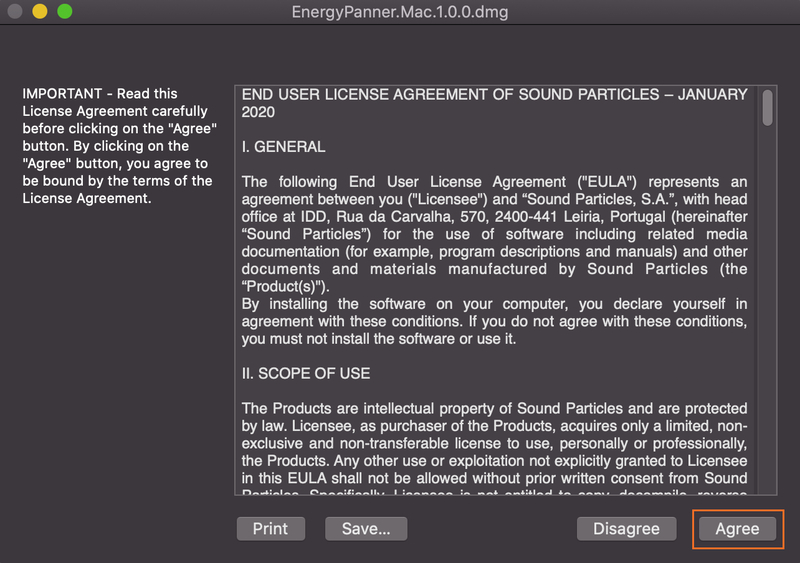
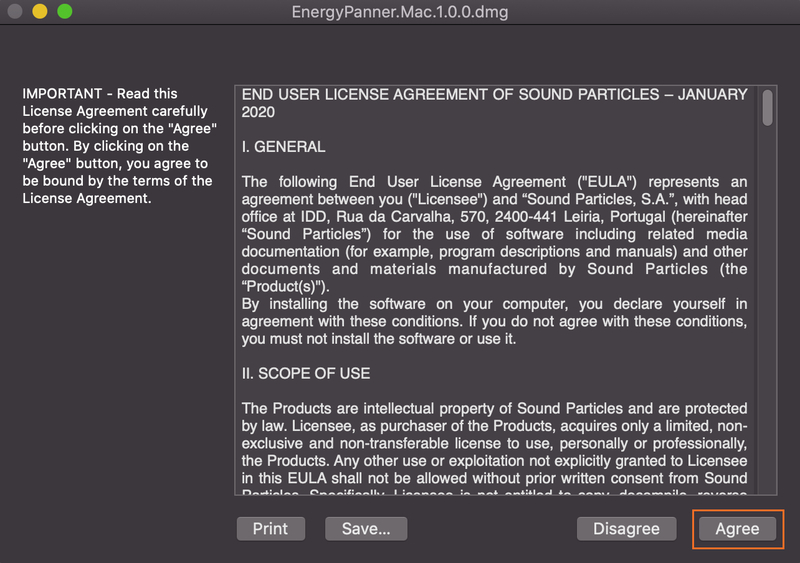
3. Open the downloaded .dmg file > click 'Agree' on the User Agreement to begin the installation process.

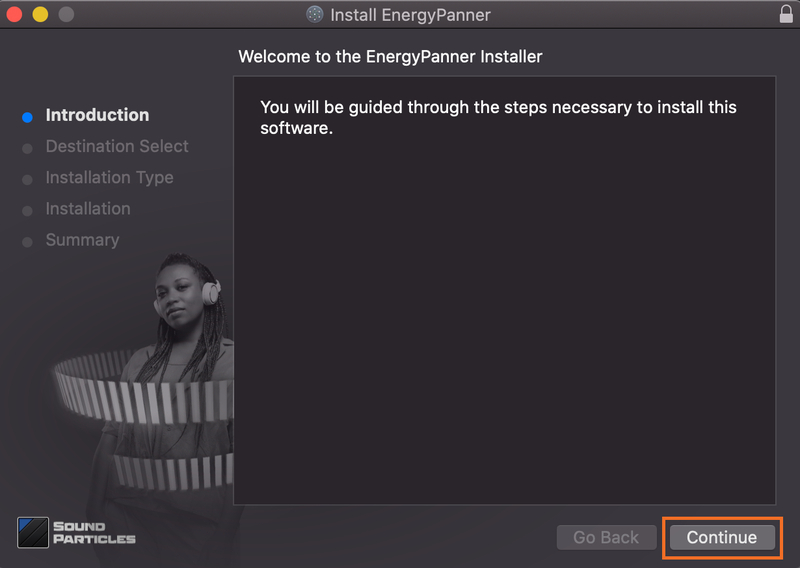
4. Select 'Install'.

5. Click 'Continue'.

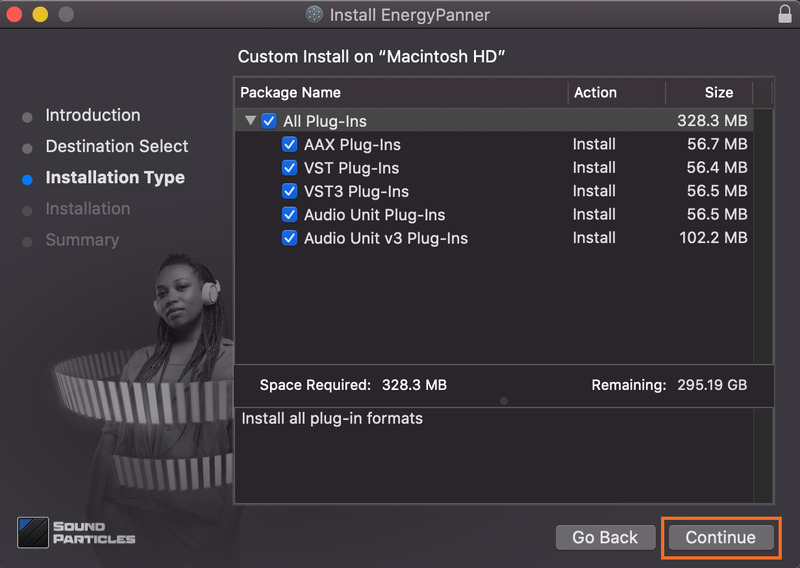
6. Choose the plugin formats you would like to be installed > click 'Continue'.

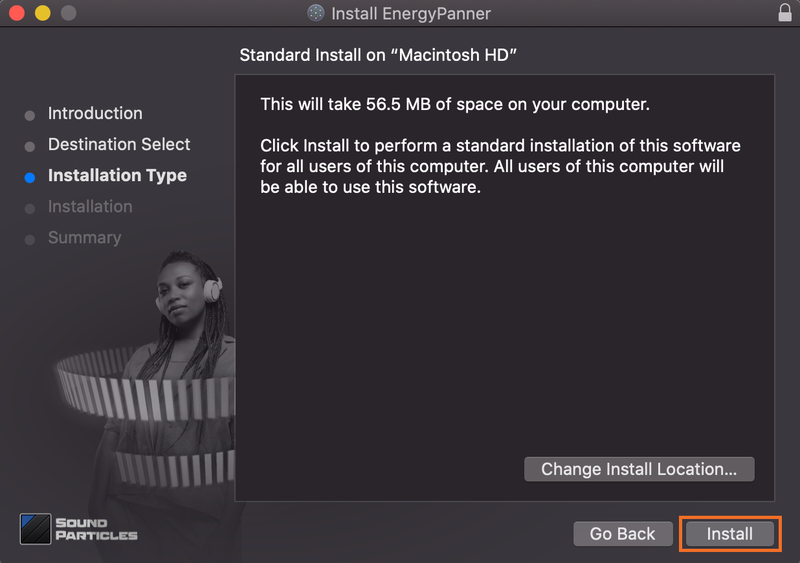
7. Choose your preferred 'Install Location' > click 'Install'

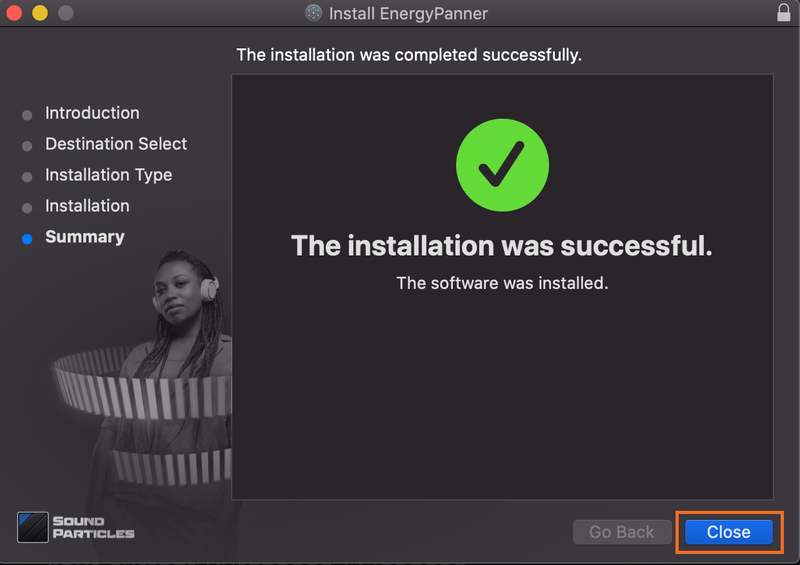
8. Once the software is installed > click 'Close'.

Your software is now activated and ready to use.

Plugin Boutique Rewards

Discover the most rewarding loyalty programme among all plugin retailers.

  • Free Loopmasters Samplepacks
  • Discounts on products and courses
  • Extra Virtual Cash claimed immediately at checkout
Find out more

Follow us:

X (Twitter) Facebook YouTube Instagram
Logo Logo

Plugin Boutique Limited, Part of the Beatport Group LLC.

Copyright © 2011-2025 Plugin Boutique. All rights reserved