


 Log In

Free gifts available with your purchase
United Vocal Bundle
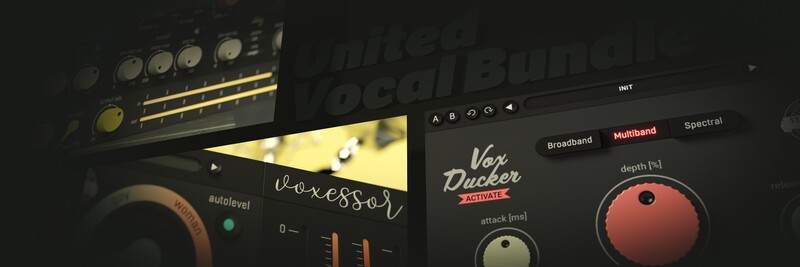
All Your Voice Needs
Vocals are considered the most important part of the song by many. And this bundle will help you get the best vocals you can imagine. Voxessor gives the voice the essential treatment, while TrapTune is a mighty auto-tuning multi-effect. VoxDucker is an ultimate automatic spacer which will let the vocal performance come to the fore. Last but not least, Voxessor with VoxDucker are an unbeatable duo for effortless voice-over mixing. And there's QuickVox too for fast effecting vocals in the studio and on stage. Get the 15-day trial version of each plugin to see what they can do with your voice...
Voxessor
Let Your Voice Be Heard
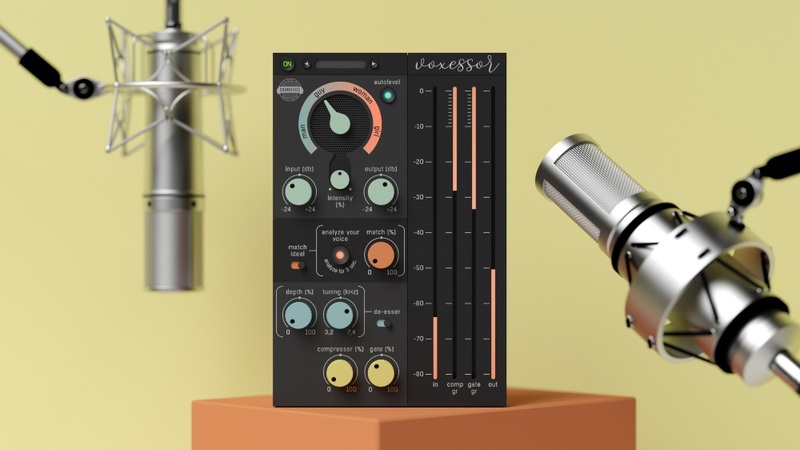
A voice that cuts through your videos and films like a hot knife through butter. A voice that is instantly recognized and always understood. Speech that is strong and well balanced. That is the kind of speech you need. That is the kind of voiceover Voxessor delivers.
Features
- The Perfect Voice-over in No Time - If you create movies, podcasts, youtube videos, commercials, e-books or have any other special need to cultivate recorded speech, you need Voxessor. It covers all processes needed to treat the voice and works with incredible speed.
- Sweep for the Ideal Character - To EQ the human voice properly you have to set up several points. Ideal frequencies to tweak and their Qs differ according to the speaker's character. With Voxessor you may skip the search for these points. Simply sweep from the manliest to the girliest EQ setting and you are set up within a few seconds.
- Intelligent Matching - As if the finest EQ sweep was not enough, you may combine this feature with Voxessor's Intelligent Matching. Engaging the learn button (Analyze your voice) for a few seconds will detect your speaker's voice character. The Match function will then EQ it to sound as close to the ideal voice as possible.
- Automatic Volume - Voxessor automatically fixes volume imperfections caused by the speaker's performance to achieve a smooth and flawless voice-over flow. That comes especially handy when talking about long performances like documentaries and e-books.
- Smart Dynamics - Voxessor's dynamic section contains a one-knob compressor and a one-knob gate. Those are internally preset and tuned for dialogues and voice-overs. But their characters allow you to use Voxessor on vocals, too. And you may achieve unexpected results.
- Tunable De-esser - Every voice is different and every speaker has sibilants on a slightly different frequency. Voxessor's de-esser lets you chose the right frequency band to work with maximum efficiency and to cause minimum damage to the original material.
- Hassle-free Software Protection - No iLok, no dongle or internet access is required for activation. This software uses licence files to activate your software. You can freely use the purchased software on all your computers as long as you are the user.
- Automatic Gain Compensation - Automatic gain compensation quickly adapts to current settings and ensures the output sounds as loud as the input. This even protects you from thinking that something sounds better in some cases it is just louder.
- Realistic 3D yet Flexible GUI - The photorealistic graphic user interface of the plugin gives you the feeling you are touching the real hardware. But it easily adapts to your needs. You can always drag the arrow in the bottom right corner to change its size - make it smaller to save valuable screen space, or enlarge it to make it easier to use.
- 64-bit Audio Quality at ANY Sampling Rate - The plugin provides the maximum audio quality you can get. It uses internal 64-bit audio processing and can handle any sampling rate. 192 kHz or even higher.
- Smart Bypass - The intelligent way this plugin manages bypassing ensures that you don't get any clicks or harmful noises when automating the parameter. It also compensates for latency ensuring that the bypass states are perfectly in sync with each other.
- Intelligent Sleep on Silence - This plugin intelligently detects whether it makes sense to perform processing at all. And if not, it temporarily turns on sleep mode. In such a state, it requires virtually no CPU at all to save the computing sources for other processes.
Learn more about Voxessor.
TrapTune
Automatic Tuner for Trap and More...
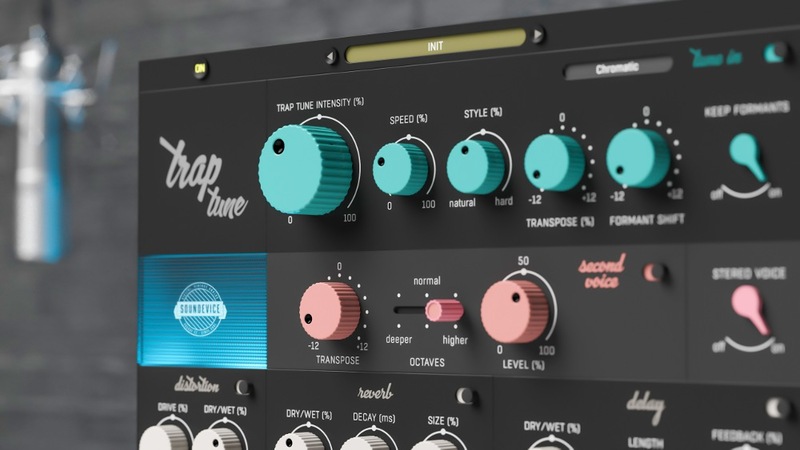
A perfect vocal track is the key element of almost every song. That’s where TrapTune steps forward. This mighty vocal effect can become the only tool you might need for it. TrapTune is (not just) an automatic tuner which can give you everything from subtle pitch correction to the strong artificial Cher-effect. Combine it with a second voice harmony, doubler and special FX section to get a vocal track that really stands out.
Features
- Get Trapped - TrapTune is here for natural tuning, hard tuning, and also complex vocal effecting. The plugin is especially well suited to genres where hard-tuning is needed, such as Hip Hop, Trap, RnB, contemporary pop or EDM etc. But creativity should have no limits. Any style can benefit from TrapTune’s unique character.
- Simply Tune-in - The core of the effect is the Tune-in section. For some, Trap Tune Intensity may be the only knob they will use. Tune-in controls the intensity and speed of natural tuning and the intensity of HARD tuning as an effect. It also works with formants, voice transposing and key of tuning.
- Create harmony - The Second voice section adds to your vocal, well, another voice singing in unison. You can transpose it by semitones and switch octaves to lower or higher if desired.
- Get bigger - Hit the Stereo voice switch to activate TrapTune’s doubler which does exactly what you would expect. The vocal gets bigger, wider and stronger immediately.
- Get rusty and nasty - Traptune includes a distortion specially tuned for vocals. Controlled by two knobs only, this section can provide you with a great variety of distortion effects, from warm saturation to total mayhem.
- Time and space - TrapTune would be incomplete without a chance to add delay and reverb effects. Beautiful plate reverb tuned for vocals is controlled by as few parameters as possible. And TrapTune’s delay has all the necessary parameters such as Feedback and Time.
- Start with the presets - Scan through the vast number of presets (use the trial version) to hear the variety of unique sounds TrapTune can offer.
- Use any part solo - Every section of TrapTune has a dedicated bypass switch, which allows you to use any part you need separately. May it be the Tune In section, Second Voice or the vocal focused FX sections. TrapTune will always adapt to your needs.
- Combine with Voxessor - As TrapTune’s visual design indicates, TrapTune creates a perfect duet with Voxessor. While TrapTune takes care of the effect part, Voxessor does the hard „technical“ work and fulfils the voice’s essential needs.
- Hassle-free software protection - No iLok, no dongle nor internet access is required for activation. United Plugins software uses licence files to activate your software. You can freely use the purchased software on all your computers as long as you are the user.
- 64-bit audio quality at ANY sampling rate - The plugin provides the maximum audio quality you can get. It uses internal 64-bit audio processing and can handle any sampling rate. 192 kHz or even higher.
- Smart bypass - The intelligent way United Plugins' plugins manage bypassing ensures that you don't get any clicks or harmful noises when automating the parameter. It also compensates for latency ensuring that the bypass states are perfectly in sync with each other.
- Intelligent sleep on silence - This plugin intelligently detects whether it makes sense to perform processing at all. And if not, it temporarily turns on sleep mode. In such a state, it requires virtually no CPU at all to save the computing sources for other processes.
Learn more about TrapTune.
VoxDucker
Mix Voiceovers Instantly
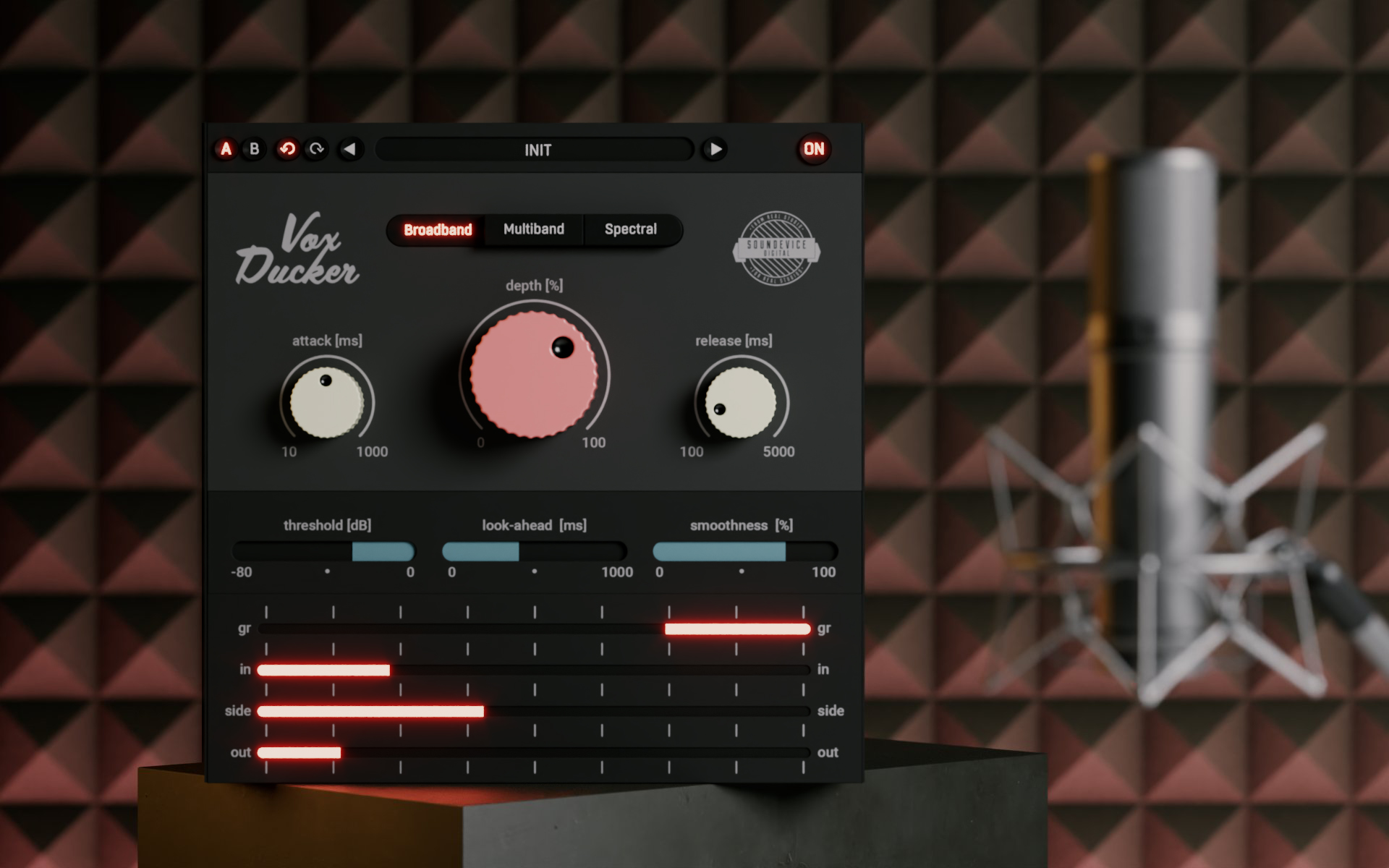
If you are a video-maker, podcaster, or broadcaster or create audiobooks, you simply need to mix human voice with background music. That can be a time-consuming pain. Unless you use VoxDucker, which can automatically suppress the backing track in three different ways to get the most natural feeling in a blink of an eye. And it's not just voice-overs you may need a mighty ducker for. Think about drums and bass. And more. Just value your time and mix with VoxDucker.
Features
- Fast and flexible - VoxDucker has been extensively tested in multiple scenarios and pre-set so that in most cases, you only need to use the depth control to set the amount of ducking for perfect results. However, if you want to dig deeper, the plugin offers a huge amount of control for you to fine-tune the ducking.
- How it works - Place VoxDucker on the track you wish to duck, this will typically be the backing music and route the voice into the plugin's sidechain input (see your DAW docs for routing). VoxDucker will now listen to the voice tack and duck the music out of the way, keeping the main focus on the voice.
- Multi-mode - Place VoxDucker on the track you wish to duck, this will typically be the backing music and route the voice into the plugin's sidechain input (see your DAW docs for routing). VoxDucker will now listen to the voice tack and duck the music out of the way, keeping the main focus on the voice.
- Visual feedback - The plugin's GUI is minimal yet informative, allowing you to focus on the most important controls. The extensive metering section gives you visual feedback on the amount of ducking and levels of the Input, Output and Sidechain signals.
- Not only voice - While VoxDucker is primarily designed to work excellently on voice-over and vocals, it can actually be used on any audio type. You can use it to duck bass when the kick sounds or duck rhythm guitar when the lead sounds, all using the selectable modes.
- Hassle-free Software Protection - No iLok, no dongle or internet access is required for activation. This software uses licence files to activate your software. You can freely use the purchased software on all your computers as long as you are the user.
- Realistic 3D yet Flexible GUI - The photorealistic graphic user interface of the plugin gives you the feeling you are touching the real hardware. But it easily adapts to your needs. You can always drag the arrow in the bottom right corner to change its size - make it smaller to save valuable screen space, or enlarge it to make it easier to use.
- 64-bit Audio Quality at ANY Sampling Rate - The plugin provides the maximum audio quality you can get. It uses internal 64-bit audio processing and can handle any sampling rate. 192 kHz or even higher.
- Smart Bypass - The intelligent way this plugin manages bypassing ensures that you don't get any clicks or harmful noises when automating the parameter. It also compensates for latency ensuring that the bypass states are perfectly in sync with each other.
- Intelligent Sleep on Silence - This plugin intelligently detects whether it makes sense to perform processing at all. And if not, it temporarily turns on sleep mode. In such a state, it requires virtually no CPU at all to save the computing sources for other processes.
Learn more about VoxDucker.
QuickVox

Studio Sound, Stage Simple.
QuickVox is the ultimate vocal multi-effect plugin for any genre relying on computer-based vocal processing. Experience incredibly low CPU usage for seamless performance, and enjoy the unparalleled comfort of United Plugins' dedicated "Live Mode" screen, designed to make your on-stage experience smoother than ever. For dynamic live arrangements, you can even assign a three-way switch to instantly jump between distinct vocal rack settings for different parts of your song.
Features
1-2-3
QuickVox features three independent, identical rack units which you can use to craft unique effects chains for verses, choruses, and intros. Then switch between them instantly for ultimate on-stage flexibility. Each rack hosts five powerful effects modules, each with three simple controls.
Live Mode
Switch to Live Mode! This transforms QuickVox into three oversized buttons, one for each rack. Effortlessly switch vocal settings mid-performance, even in the heat of the moment. A standout feature is Keep Tails. When switching settings, delay and reverb tails from the previous effect decay naturally, creating a smooth transition overlap without jarring changes.
Control by MIDI
You don't have to use your mousepad during the live performance. To make the controls even easier, you can use a MIDI controller or connect a MIDI track. The lowest notes (C-2, C#-2 and D-2) select 1, 2 and 3 for you.
SFX
Transform vocals with 11 special effects. Instantly add Vocoders, Autotune, rhythmic Comb Filters, or experimental Ring Modulators for a unique vocal signature.
Distortion
Add grit or aggression with 8 distortion types. Choose from Tube and Tape saturation or the bite of Fold and Amp simulations for versatile vocal character.
Modulation
Inject movement and depth. Create lush Chorus, rhythmic Tremolo, or trippy Flanger and Phaser effects for captivating live vocals.
Delay
Craft intricate rhythms and expansive soundscapes. Explore Digital repeats, warm Tape echoes, stereo Pingpong, or spacious Wide delays.
Reverb
Place vocals in the perfect acoustic space with 12 types of reverb. Instantly go from an intimate Room or Chamber to a vast Hall or Cathedral.
Mix
A comprehensive Mixing Section polishes your sound with a Gate, Leveller, De-esser, musical EQ, and a powerful Compressor to ensure your vocals cut through.
Presets
Get started with QuickVox's extensive preset library. Find global presets and many for specific song parts, organized by use: Rapping, Singing, Aggressive, Intros, Experimental, and Creative.
Zero latency, minimum CPU load
QuickVox is built for ultimate efficiency in live settings. Experience zero latency for instant vocal response, and enjoy an incredibly light CPU footprint. This means no distracting delays and no system overloads, just smooth, reliable vocal processing that lets your computer focus on the rest of your show.
Realistic 3D yet flexible GUI
The photorealistic graphic user interface of the plugin gives you the feeling you are touching the real hardware. But it easily adapts to your needs. You can always drag the arrow in the bottom right corner to change its size - make it smaller to save valuable screen space, or enlarge it to make it easier to use.
64-bit audio quality at ANY sampling rate
The plugin provides the maximum audio quality you can get. It uses internal 64-bit audio processing and can handle any sampling rate. 192 kHz or even higher.
Smart bypass
The intelligent way their plugins manage bypassing ensures that you don't get any clicks or harmful noises when automating the parameter. It also compensates for latency, ensuring that the bypass states are perfectly in sync with each other.
Intelligent sleep on silence
This plugin intelligently detects whether it makes sense to perform processing at all. If not, it temporarily turns on sleep mode. In such a state, it requires virtually no CPU at all to save the computing sources for other processes.
Learn more about QuickVox.
Mac
- macOS 10.10 and later (Apple Silicon and macOS 11 Big Sur supported) (64-bit only)
- Intel / AMD processor with SSE2 support
- VST2, VST3, AAX or AU compatible host
Windows
- Windows 8 - Windows 11 (64-bit only)
- Intel / AMD processor with SSE2 support
- VST2, VST3 or AAX compatible host


