


 Log In
.jpg)
Free gifts available with your purchase
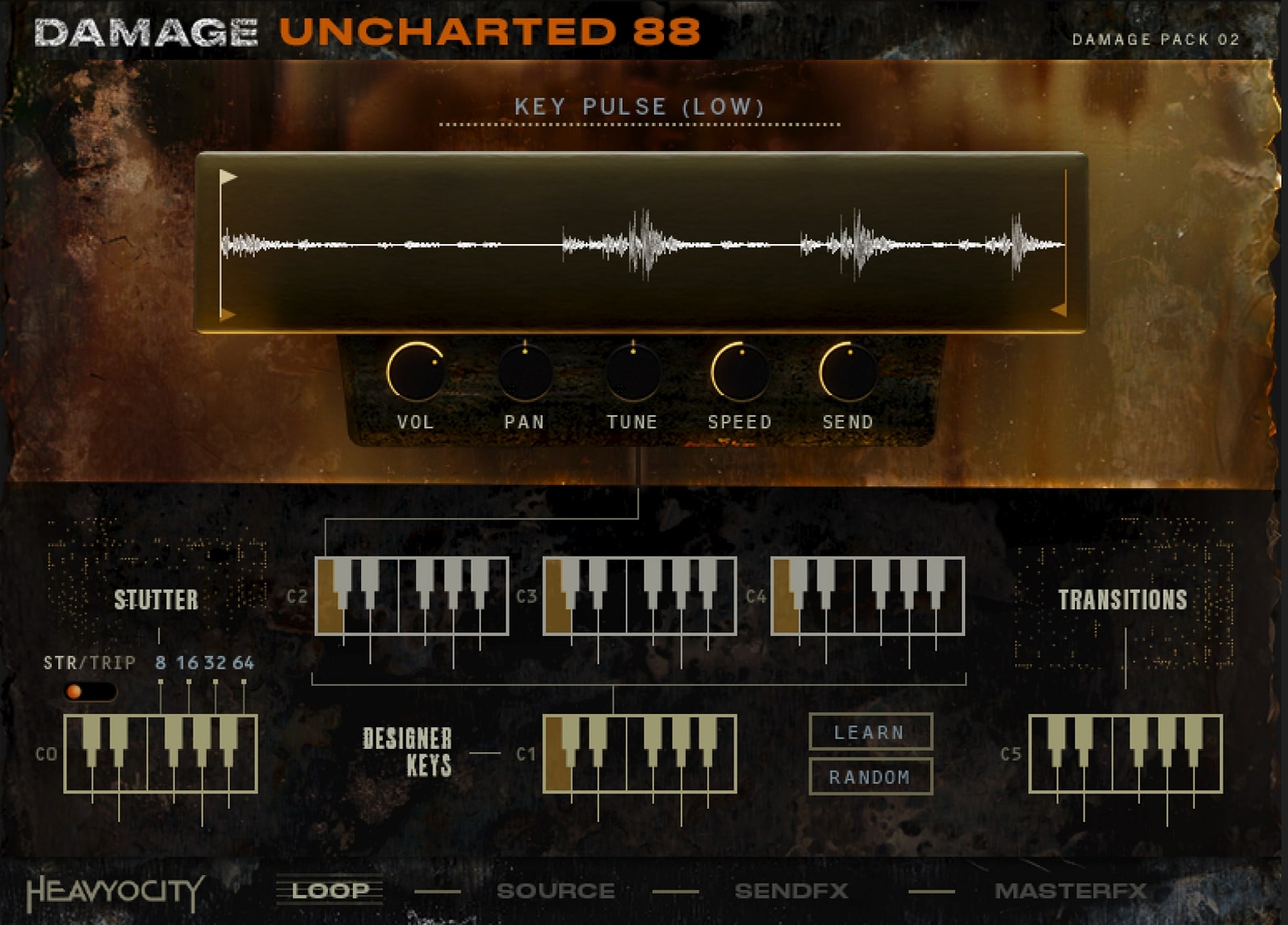
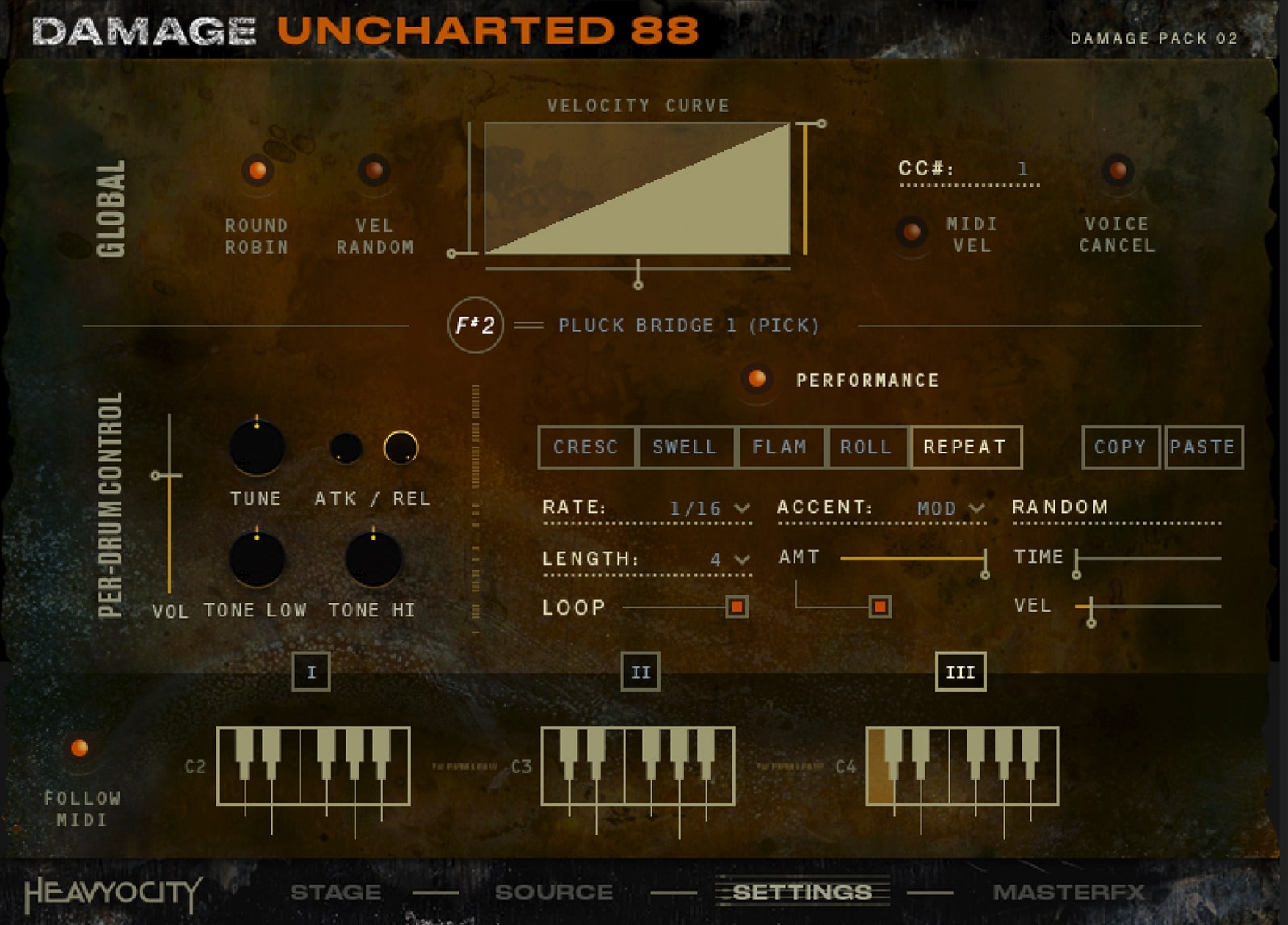
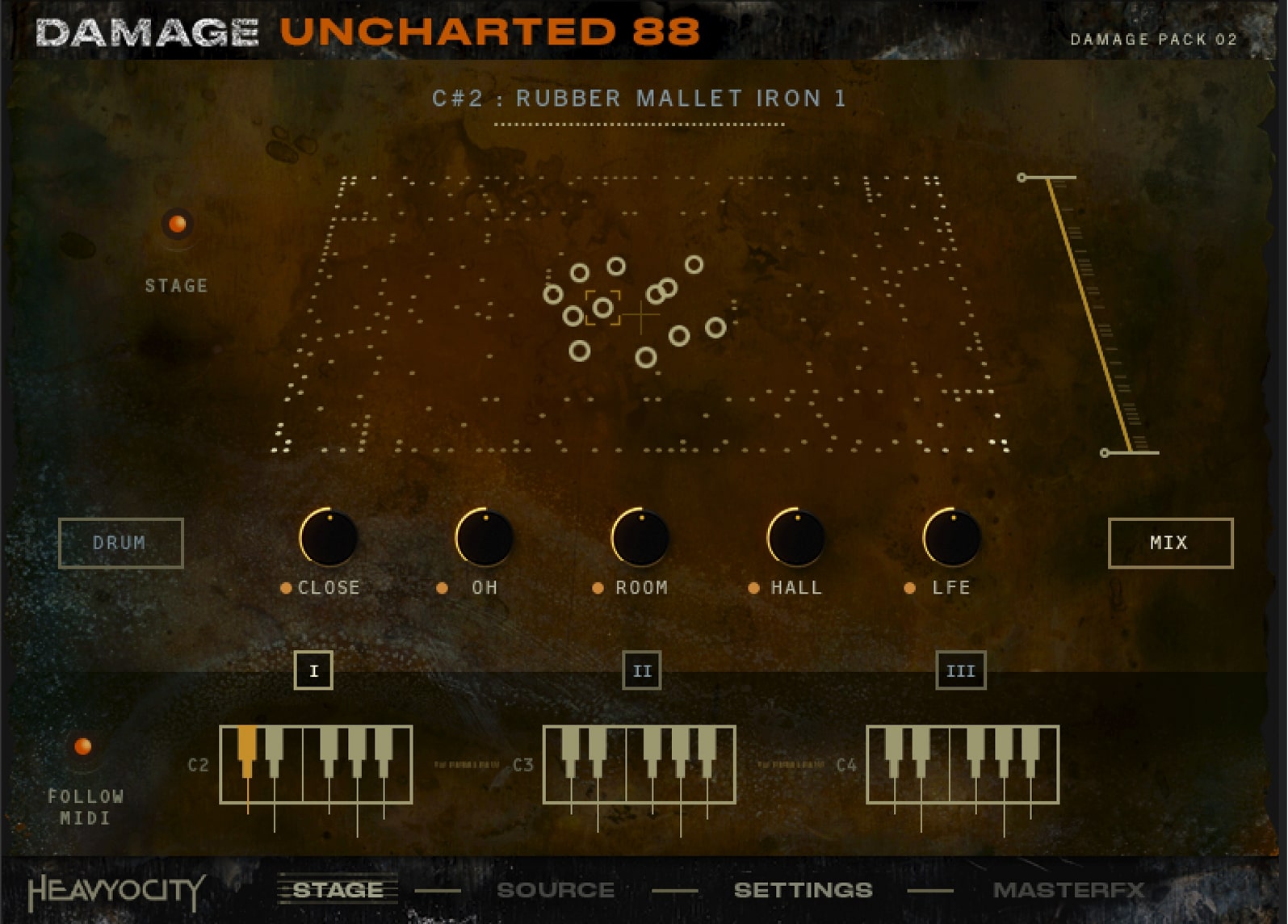
UNCHARTED 88 is a new breed of deeply sampled and mysteriously edgy organic percussion that will get inside your head. This is a new chapter of the DAMAGE journey that reminds us all why the piano is truly a percussive instrument. With over 500 sources housed in the notable Damage 2 engine, UNCHARTED 88 delivers a powerful collection of unnerving percussive hits and loops like never before. Much like Damage 2, all of the content in UNCHARTED 88 works in three distinct instruments (Ensemble Designer, Loop Designer, and Kit Designer), each providing a uniquely inspiring and customizable workflow.
The Damaged Piano
The Heavyocity team broke down a piano to its rawest, most intimate-sounding sources — every inch of the instrument, including the strings, the iron plate, the wood frame and more was used to create new and unique percussive elements.
Ensemble Designer
With over 235 playable percussion sources, the Ensemble Designer offers an array of uniquely inspiring elements that are fully customizable, highly playable and painstakingly detailed.
Curated Loops
Let your creativity flow with a massive collection of curated loops. Instant cue starters and tension building grooves are made possible by these dynamic percussive beds — ranging from eerie and thriller-esque to mysterious and experimental.
Chock-full of over 18,600 samples and 11 GB of profoundly deep and evocative percussion sounds, UNCHARTED 88 will push your sonic palette into UNCHARTED territory. The Heavyocity team dismantled and reduced the original DAMAGE piano down to its rawest, most intimate-sounding sources. By utilizing its inner components (the strings, the iron, and the wood), the team captured prepared performances (using hammers, rocket rods, coins, and picks), and combined it with their signature DAMAGE sound design — offering a dramatically different take on what you might expect from a percussion library, yet fully capable of laying the groundwork for today’s cinematic hybrid scores.
“UNCHARTED 88 fills a pocket in the Damage 2 palette,” said Neil Goldberg, Co-Founder and Partner, Heavyocity. “By continuing the story and bringing forth a new percussive flavor that will wreak havoc in any score. Make no mistake, UNCHARTED 88 unlocks a new realm of expressive percussion for modern composers.”
One-of-a-kind Percussion
From deeply sampled mallet, hammer and brush strikes, to scraped strings, to the brutal Damage Piano Hits and transitions, this new chapter in modern percussion was captured exclusively from the guts of a piano.
UNCHARTED Territory
Chock-full of over 18,600 samples and 11 GB of visceral, organic content, suspenseful impacts, and thought-provoking loops, this deeply-sampled percussion collection will push your sonic palette into UNCHARTED territory.
D2 Engine
The dynamic Damage 2 engine provides three unique instruments to deliver a uniquely inspiring and customizable workflow brimming with unconventional percussive sources.
Unmatched DAMAGE
Yeah, nobody does hard-hitting, cinematic percussion like Heavyocity, and UNCHARTED 88 continues that tradition with unique, expressive organic percussion recorded from original the DAMAGE piano board.
Features
- 18,645 + Samples - 26.7 GB uncompressed (11.65 GB on Disk with NI lossless compression)
- 48kHz/24-Bit Samples
- Stand-alone, VST, AU, AAX
- 238 different Percussion Sources
- 36 Unique Damage Piano Hits
- 288 Creative Loops
- 91 Custom-Designed Presets
- 3 Unique Engines
System Requirements
- Powered by the Kontakt Engine
- Kontakt 6 (Player) ver 6.7.1 or higher required, NKS compatible
- Mac: macOS 10.14, 10.15, 11 or 12 (latest update)
- Apple Silicon Macs (via Rosetta 2 & natively on ARM in Standalone or in hosts that support it): macOS 11 or 12 (latest update)
- PC: Windows 10 or 11 (latest Service Pack), Intel Core i5 or equivalent CPU, 2 GB RAM
























