Log In
Free gifts available with your purchase
Nebel
Beautiful and Blurred
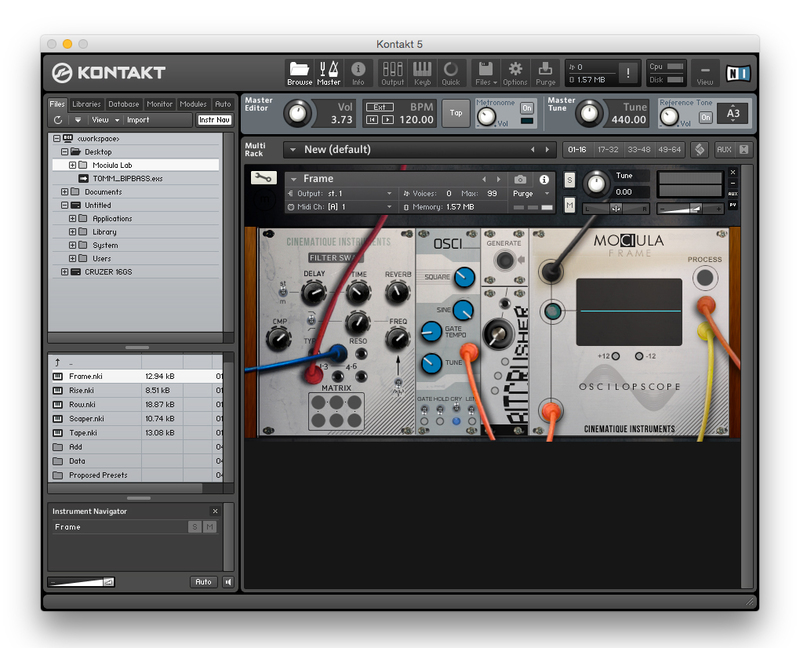
Mad Libs is a strange but impressive effort. Each of the Cinematique Instruments team members creates 2 sounds that they associate with a given theme - all without any idea what the others have done. They then packed all these sounds into a small instrument, added some effects and options, and included 2 parallel slots with volume controls so you can play two instruments simultaneously.
The result is fantastic. It works and sounds great! It's a real Mad Lib: exciting, improvised and random. And it's a chance to take a peek into the musical brains!
Nebel
Nebel is the German word for fog. And precisely this fog is an integral part of winter in Germany - with all its myths, depressions and beauty. Check out the thought processes behind the team's sounds:
- Nati decided that, instead of thinking of water in the air, she'd look at the word in itself for inspiration.
- Eric thinks that fog has a subharmonic infinity, which he created with his electric piano plugged through his modules.
- Till tried to recreate the warm and melancholic feeling he gets when he looks outside the window on a foggy November afternoon.
- Jumpel grabbed his VSC3 and searched for what lays behind all the millions of water drops. He found soothing silence with crackling water.
- René hought of a foghorn, plugged his guitar into his pedal board and followed the fog.
- Elias thinks that fog reminds him that he is alone in this world. After all, nature is frightening yet beautiful.
- Jonas is colorblind, and being surrounded by fog makes him feel like a fish in the water. You merely adopted the fog; he was born in it, molded by it.
System Requirements
- The FULL Version of Kontakt 5.X.+ is required in order to use this instrument.
- You will be stuck in DEMO MODE if trying to use this instrument in the FREE Kontakt Player.