


 Log In

Free gifts available with your purchase

Undiscovered Gem
As music makers, people are always looking for new ways to take their projects to the next level - to create sounds that are unique, original, and sonically stunning. Complex plugin chains and outboard equipment all have their place, but sometimes you just need a quick fix to add a unique flavour. OBSIDIAN is here to help your synths, bass lines, and vocals stand out from the crowd, achieving magical results in just a couple of clicks.
OBSIDIAN is a difficult beast to pin down and to explain - and honestly, you’re probably better skipping the science and just taking OBSIDIAN for a test run to experience the mind-melting modulation that it has to offer. The plugin is more like a creative instrument than a traditional audio device. Route any audio through OBSIDIAN and it will transform the nature and timbre of the sound in sometimes unexpected ways, adding colour with a secret-sauce FX matrix and spectral delay.
This is a truly creative plugin, for those who are looking for that special something to reshape their audio, without losing what made it unique in the first place. If you want to know more, here are the facts that drive this innovative effect:
Freq & Hype Matrix
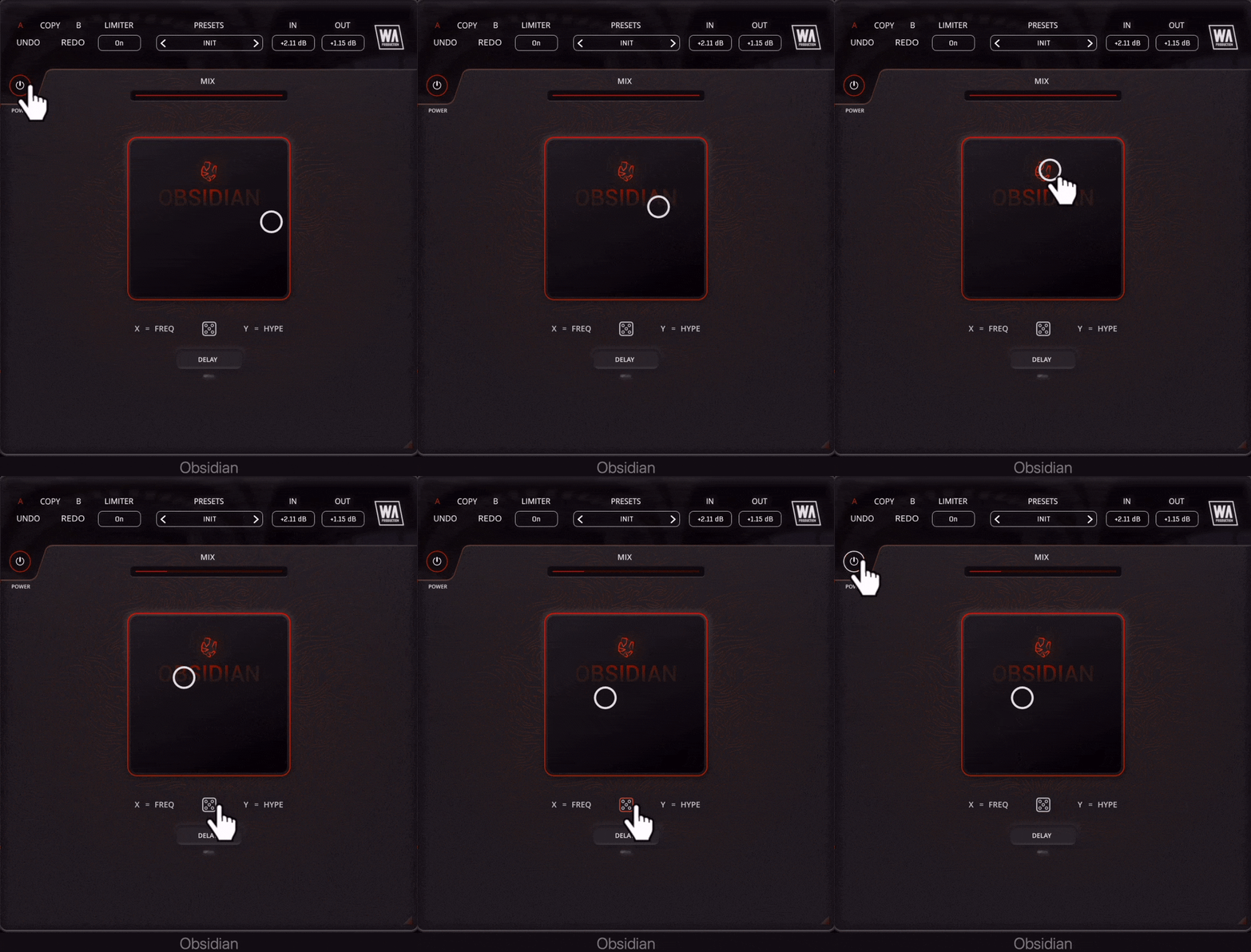
The XY pad at the centre of OBSIDIAN is where the magic happens, with a central node that can be dragged or automated in your DAW to creatively move between different processing styles. FREQ controls the frequency and shape of the audio-rate modulation. HYPE sets the modulation depth and other special parameters. This secret combination of FX creates additional harmonics that add excitement and colour to your sounds. In essence, the incoming signal is modulated at a very high rate and then formant shifted, before being passed through a spectral delay line.
Creative Spectral Delay
The delay unit within OBSIDIAN is something rather beautiful. Containing controls for TIME, MODE and FEEDBACK, this module returns audio to the main matrix to create ever-shifting feedback. This is a delay with deceptively simple controls that has many creative uses; rhythmic effects, ambient textures, subtle vocal thickening and big-room synth echoes. Delay TIME can be changed, from 10ms - 2s to straight, triplet and dotted note partitions. Change the MODE time to freeplay, or sync to the BPM of your host project. Adjust FEEDBACK from 0-100% with precise control.
Randomization
When you’re stuck for ideas, or just want OBSIDIAN to suggest a magical metamorphosis, hit the central dice icon. The XY pad will be randomized, automatically choosing some stunning effects to shape your audio.
Mix
For creative purposes it’s useful to be able to mix the effected audio that OBSIDIAN produces with the original source audio. Use the Mix slider for this and conjure every kind of processing from subtle transformations, to full-on dub-style modulations that spin into infinity.
Presets
With many included presets, it’s easy to find the ideal way to modulate your music. These factory options can be used on guitars, bass, drums, synths, vocals and almost any kind of audio signal. The presets include everything from subtle transformations to full-on strangled mutations.
W. A. Production are real-life producers making creative plugins to help you achieve studio quality processing quickly and easily. Enjoy!
Features
- Your secret sauce for audio goodness
- Unexpected results with complex modulation
- Colour & Harmonic processing
- Randomization
- Creative Spectral Delay
- Mix slider
- Resizable Interface
- Pop & Click-free bypass
- AB Copy & Paste
- Factory presets
- Full PDF Manual & Tutorial video
System Requirements
- Windows 8 or higher (64 bit)
- macOS 10.10 or higher (64 bit)
- AAX - ProTools 11 or higher
Important note for Mac Apple Silicon users: Before purchasing, please review the current compatibility status of this plugin on your system here.
Important note: When accessing this software via a Rent to Own plan or the Beatport Studio membership, it's installed and run through the Beatport Access portal. An internet connection is required every 30 days to validate your license.
The Samplecast
Weekly podcast and YouTube show
"This plugin is such a fun way to experiment with different timbres, and a little goes a long way."
Sulvida
DJ & Producer
"A game-changer for my sound design. As a producer who's always searching for unique and interesting textures, this plugin delivers in spades...Obsidian is now an essential part of my creative process."


