Log In

Free gifts available with your purchase
A Truly Powerful Combination
The PROMIX BUNDLE puts some truly incredible mixing power into your hands. The combination of two of the world's most unique plug-ins, The Hyper-EQ "COS Pro" and the automatic-mixing-system "Mix Monolith", is enough to blow anyone's mind. The sheer time-reducing power you'll possess will have you looking forward to every mix project with delight as you allow your mind to work at the speed of your own creativity.
COS Pro and Mix Monolith are optimized for multiple instances during mix projects with large track counts and their controls are intuitive, allowing you to quickly adjust all parameters or type in values.
Whether you are a Producer, Mix/Mastering Engineer, Musician or Singer/Songwriter, the ProMix Bundle will have you creating professional sounding mixes at unbelievable speeds.
COS Pro
Incredible EQ Power
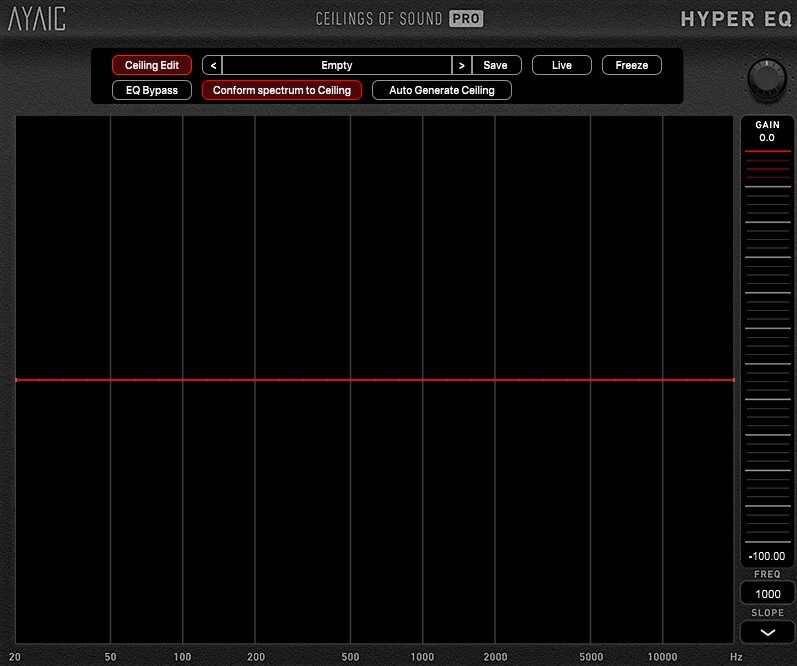
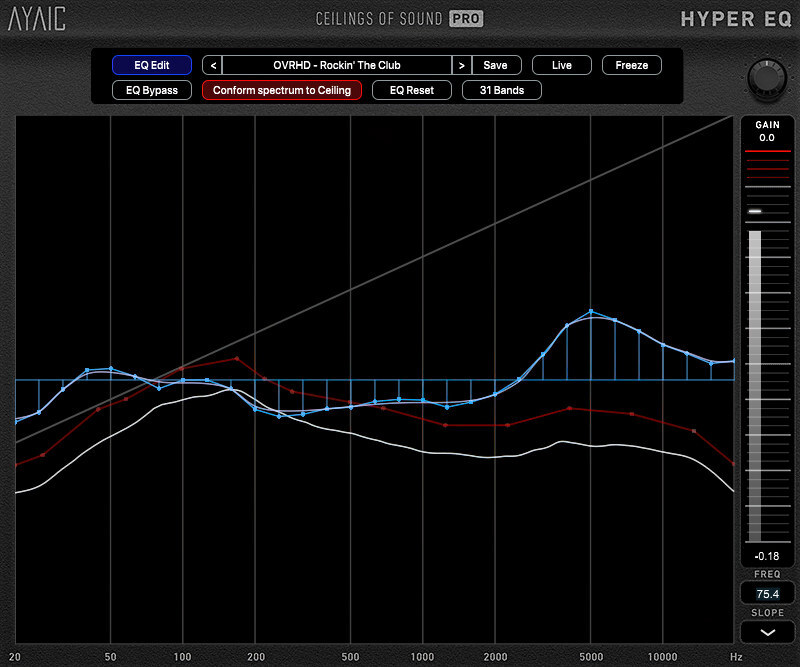
Ceilings Of Sound Pro is AYAIC's first Hyper-EQ and a truly unique equalizer, designed to streamline your editing and capture detail & presence in your mix. It is also the first equalizer to incorporate the spectrum of noise as equalization "knobs".
- 15 user-definable "ceiling" bands containing 49 noise-slopes each allow you to create sonic-ceiling shapes that drive the settings of a 50/31-band graphic equalizer. The EQ operates at 0 latency, low CPU load yet are hi-precision, even at low frequencies where it really matters.
- A "conform spectrum to ceiling" feature conforms the EQ to your ceiling shape with the click of a button.
- 49 ceiling guides help you balance your ceiling shapes to equalize faster and better than ever. This means whether you're working with one of the hundreds of presets, one of your own created presets or simple manipulating the ceiling shape of your raw audio during mix-down/mastering, perfect equalization is a "click" away.
AYAIC are certain that once you begin using Ceilings Of Sound Pro you'll quickly discover why it's called a Hyper-EQ.
Ceilings Of Sound Pro is optimized for multiple instances during projects with large track-counts and its controls are intuitive, allowing you to quickly adjust crossover & slope parameters or type in values.
Features
- 15 user-definable ceiling bands with 49 noise-slopes each.
- Click-n-drag ergonomics.
- "Auto generate ceiling" function for quick and easy ceiling creation.
- Switchable 50/31-band graphic EQ with 0 latency, low-CPU, hi-precision.
- "Conform spectrum to ceiling" feature that instantly adheres the equalizer to the ceiling shape.
- 49 ceiling guides.
- Equalizer is fully automatable using your DAW.
- "LIVE" function with spectrum smoothing and analyzer average options.
- Metering with infinite hold and click-reset.
- Optimized for multiple instances.
Learn more about COS Pro.
Mix Monolith
A Unique And Efficient Approach To Mixing
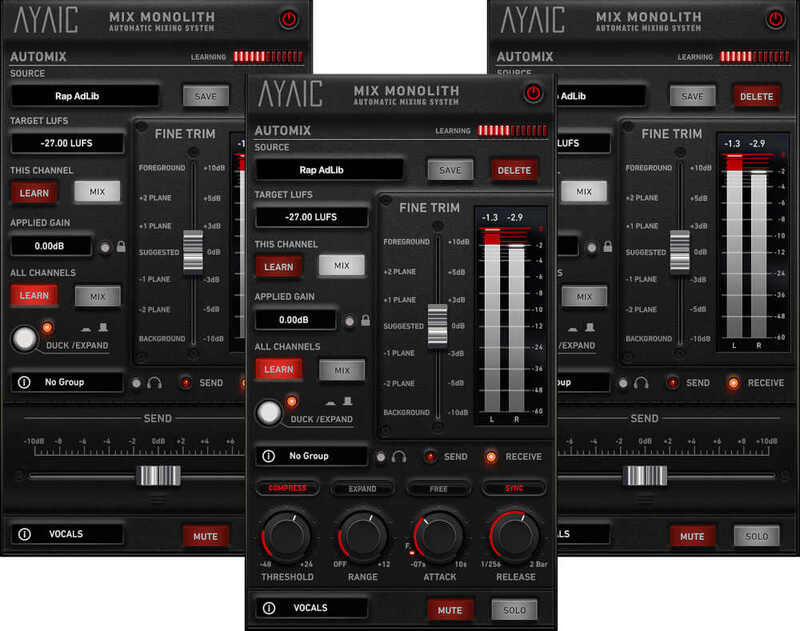
The Mix Monolith is another industry first from AYAIC. It is an Automatic Mixing System that allows you to level your tracks perfectly in any environment using level-planes. From individual tracks, to buss groups, to FX channels, to your master fader, the Mix Monolith will quickly and easily create a mix that is balanced and open.
When paired with AYAIC's Ceilings Of Sound Pro / Hyper-EQ you'll be able to conform the Hyper-EQ to interesting new ceiling shapes then immediately hear how things sit in the mix.
The 2-Pass Process
Watch the video in the carousel above to learn how just 2-passes of the Monolith can take your mix right up to the finish line. From completely unmixed (all faders at 0db) to tracks leveled to stereo busses leveled and sounding great...in just 2-passes of your song. Mix Monolith and level-planes make it possible.
Features
- Add as many Monoliths as you need...they will all function as one entity.
- "All Channels" LEARN/MIX feature will LEARN/MIX every Monolith in your session.
- "This Channel" LEARN/MIX feature will LEARN/MIX a single Monolith.
- Infinite DUCK/EXPAND and MUTE groups.
- Fully automatable "level-plane" fader.
- "Free" mode for time-based Attack/Release settings.
- "Sync" mode for host-synced note-based Attack/Release settings.
- "F" feature locks the Attack to a fast .07ms when in "Sync" mode.
- Instantly move elements forward/backward with the "level-plane" fader.
- "Applied gain" locking feature.
Learn more about Mix Monolith.
System Requirements
- Display resolution: larger than 1280 x 800
- Memory: 4GB RAM
Supported Plugin Formats
- AAX, AU, VST2, VST3
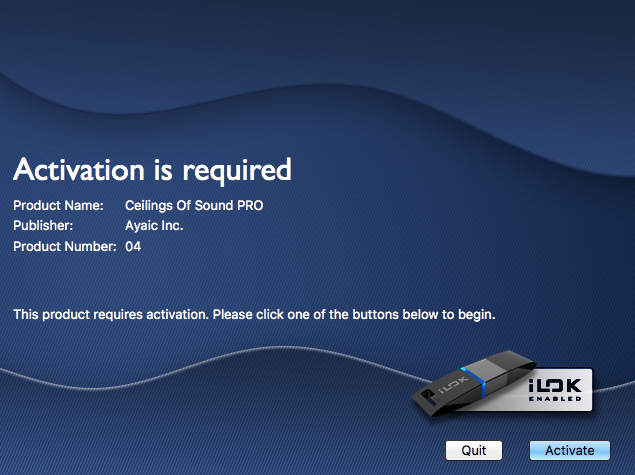
- AYAIC plug-ins require an iLok2 or iLok3 USB smart key, or an iLok manager account and an iLok cloud session for authorization
Supported Operating Systems
- Mac OS 10.10 through 13
- Windows 7 through 11
Mac
- Intel Core 15/15/17/Xeon-M1/M2 (minimum 2GHz recommended)
PC
- Intel Core 13/15/17/Xeon/AMD Quad-Core or newer
Mark Lamar
Digital Eyehole Studio
“I’ve been using Mix Monolith on every mix over the last year and it is simply remarkable! I can work quicker and have more time for creating the fun stuff...Mix Monolith is my deserted island plug in."
Butch Vig
Grammy Award-Winning Producer/Engineer/Artist (Garbage, Nirvana, Foo Fighters, U2)
"Ceilings Of Sound is a new addition to my plugin arsenal, it's a very useful tool when I'm dealing with a sonically dense mix."