


 Log In

Free gifts available with your purchase
The Textural Synthesizer
Magnetism is a contemporary, cinematic sound design device capable of creating experimental yet incredibly inspiring sound textures to use in your next track, film or game score.
Use two layers to shape your sound: MAIN is the primary sound source, TEXTURE adds spark and continuous variation to the top end.
MAGNETISM VOL. 1 - BRIGHT TEXTURES
Aethereal Soundscapes
Magnetism is a contemporary, cinematic sound design device capable of creating experimental yet incredibly inspiring sound textures to use in your next track, film or game score.
Use two layers to shape your sound: MAIN is the primary sound source, TEXTURE adds spark and continuous variation to the top end.
70 Sound Sources
Electric guitars, rare synthesizers, percussions, upright piano, field recordings collected from the Hebrides Islands in Scotland... and many more.
Comprehensive FX Section
Built-in reverb, three different distortions, two different filters and a multi-mode delay. Per-layer dedicated LFOs.
MAGNETISM VOL. 2 - DARK TEXTURES
Dark Textures
Magnetism is a contemporary, cinematic sound design device capable of creating experimental yet incredibly inspiring sound textures to use in your next track, film or game score.
Use two layers to shape your sound: MAIN is the primary sound source, TEXTURE adds spark and continuous variation to the top end.
70 Sound Sources
Electric guitars, rare synthesizers, percussions, upright piano, field recordings collected from the Hebrides Islands in Scotland... and many more.
Comprehensive FX Section
Built-in reverb, three different distortions, two different filters and a multi-mode delay. Per-layer dedicated LFOs.
System Requirements
- Kontakt Retail Version 6.4.1 or newer is required
Please Note: This product requires the FULL version of Kontakt and is NOT compatible with the free Kontakt Player.

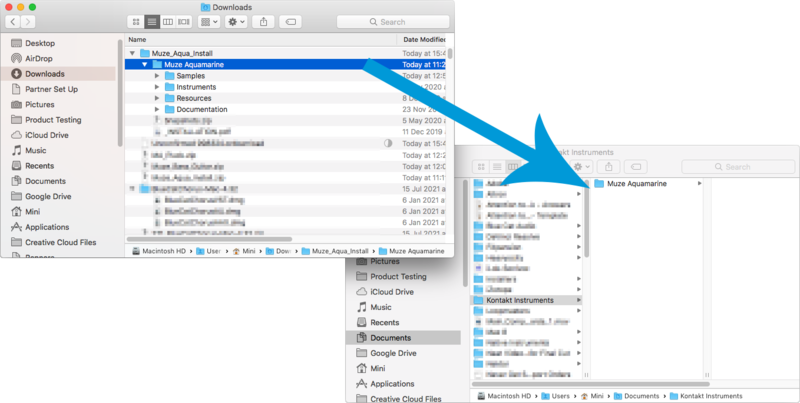
Please Note: Muze - Aquamarine is used as an example.
Important Note: This software requires the Full Version of Native Instruments Kontakt to be installed on your system.
Mac Installation
1. Click the blue 'Download' within your Plugin Boutique User Account to download the instrument.
2. Once the download is complete, unzip all of the folders.
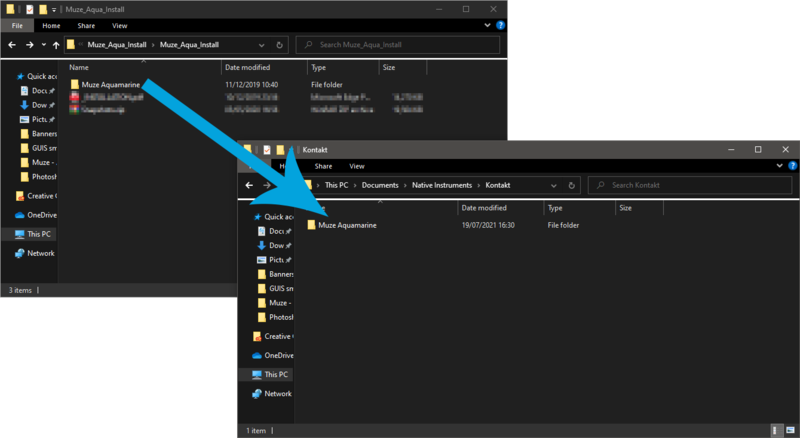
3. Move the downloaded folder to where you store your Kontakt Instrument files.
4. Open Kontakt, either as a standalone application or as a plugin within your DAW.
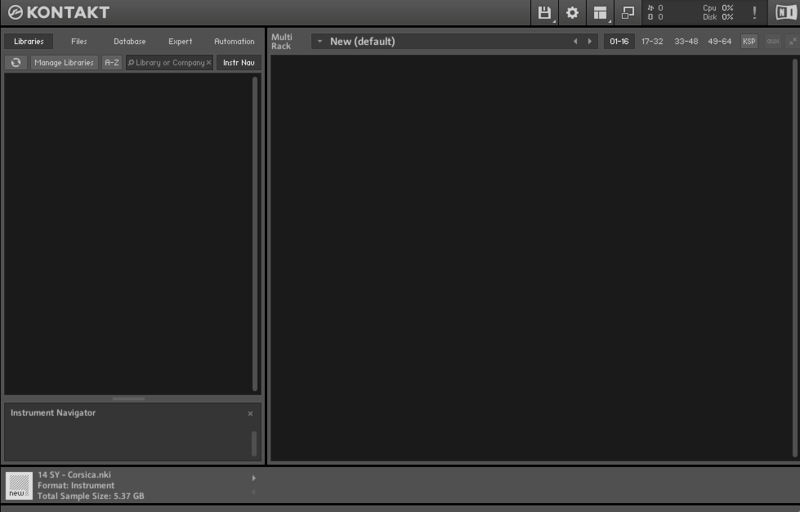
5. Click the 'Files' tab at the top of Kontakt > Navigate to the location of the folder from step 2 of the installation instructions > Click 'Instruments'.
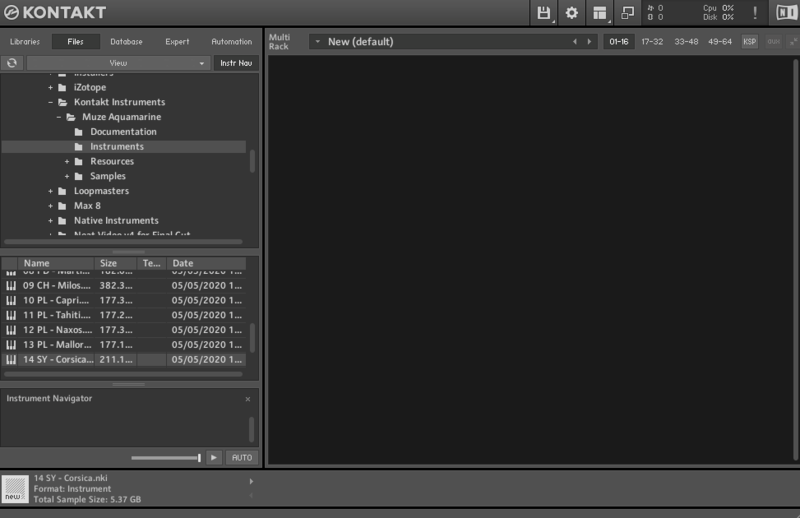
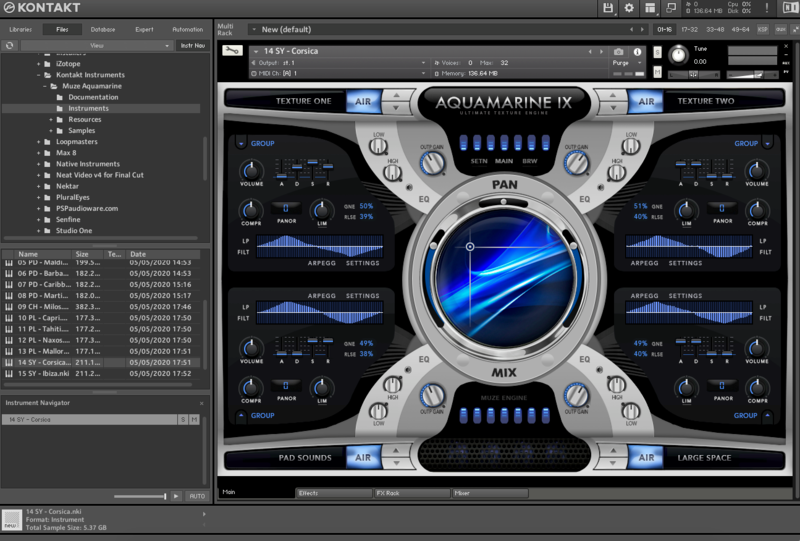
6. Click and drag any .nki file from the left-hand window of Kontakt into the main window of Kontakt to load up a patch.
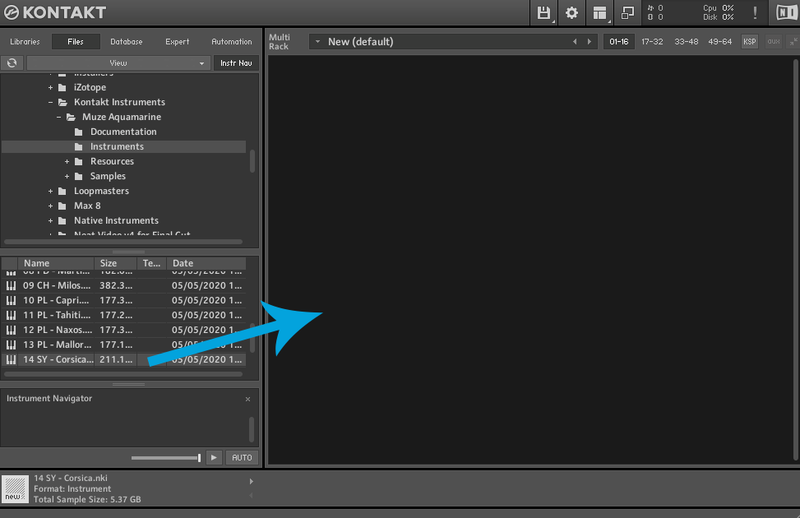
Your software is now installed and ready to use.
Windows Installation
1. Click the blue 'Download' within your Plugin Boutique User Account to download the instrument.
2. Once the download is complete, unzip all of the folders.
3. Move the downloaded folder to where you store your Kontakt Instrument files.
4. Open Kontakt, either as a standalone application or as a plugin within your DAW.
5. Click the 'Files' tab at the top of Kontakt > Navigate to the location of the folder from step 2 of the installation instructions > Click 'Instruments'.
8. Click and drag any .nki file from the left-hand window of Kontakt into the main window of Kontakt to load up a patch.
Your software is now installed and ready to use.


