Boom

GRIP

$153.43 $229.00

33% off until Dec 04

GRIP - GUI 1
GRIP - GUI 1
Introducing GRIP gallery thumbnail
GRIP Walkthrough gallery thumbnail
GRIP - GUI 2
GRIP - GUI 3
Buy Now
Product information

Dynamic vehicle tire and chassis sound design

Designing vehicle sounds for motion picture? Done with the engine? Let’s tackle the other 50% – tire, wheel and chassis interactions.

Create highly dynamic and authentic skids, bumps, friction, rolling noise and much more with a high variety of wheel configurations, ground materials and perspectives. Customize and automate everything in real-time!

GRIP gives you the edge in vehicle sound design.

What is GRIP?

GRIP is a software plug-in for your favorite DAW that is used to design tyre and chassis sounds for motion picture.

This in-the-box solution gets the job done fast, 100% configurable, automation ready and pretty darn fun, admittedly.

Simply take control and drive GRIP – like TURBINE, it has been designed to feel and sound like the real thing. Record your results or plot out the perfect automation to suit your motion picture!

Authentic Recordings

GRIP comes packed with over 650MB of high quality source recordings, prepared and ready to shape your custom, dynamic vehicle sound.

Dynamic Perspectives

Switch between an interior / outside view, change angle and distance on the fly.

Don't Edit - Be Happy

Say goodbye to meticulous sample searching, cutting, crossfading, pitch shifting and aligning – get the sound just right with a few parameter tweaks and trigger suspension impacts with the simple tap of a button.

Onboard Mixer

In addition to morphing the quality and character, you can mix and automate the intensity of each individual sound inside GRIP.

Features

  • Dynamically produce vehicle wheel and chassis sounds for motion picture
  • Choose from 5 base vehicle types
  • Automate every parameter
    • Adjustable parameters:
    • Speed
    • Grip
    • Chassis intensity
    • Perspective: Interior / Exterior
    • Perspective: Angle, Distance
    • Grip / Skid Amount
    • Skid Blending
    • Skid Pitch
    • Surface Blending
    • Detail Amount
    • Mix: Rolling, Skid, Detail, Chassis, Suspension
  • Trigger Suspension impacts with a simple tap
  • Simple but powerful in-the-box solution
  • Eliminate the need for sample cutting, crossfading, pitching and aligning

Use Cases

  • Set any ground vehicle scene to sound – car commercials, races, motion picture, trailers, product demos and more
  • Create and prepare vehicle sound one shots or loops for interactive media and games

System Requirements

  • VST, AU, AAX
  • Requires 1,339 MB of hard-disk space
  • Windows 8 (64-bit), 8 GB Ram, Intel® Core™ i5 or similar
  • macOS 10.13 (64-bit), 8 GB RAM, Apple Silicon or Intel® Core™ i5
  • GRIP requires a free iLok account
Installation Instructions

Important Note: ENFORCER is used as an example.

Mac

iLok Registration

1. Go to the iLok website and create a new account if you are not currently registered and do not have the iLok Licence Manager installed on your computer.

Note: Skip to the 'Activation' procedure if you are already an iLok registered user.

2. Download and install the iLok License Manager.

Mac Software Installation

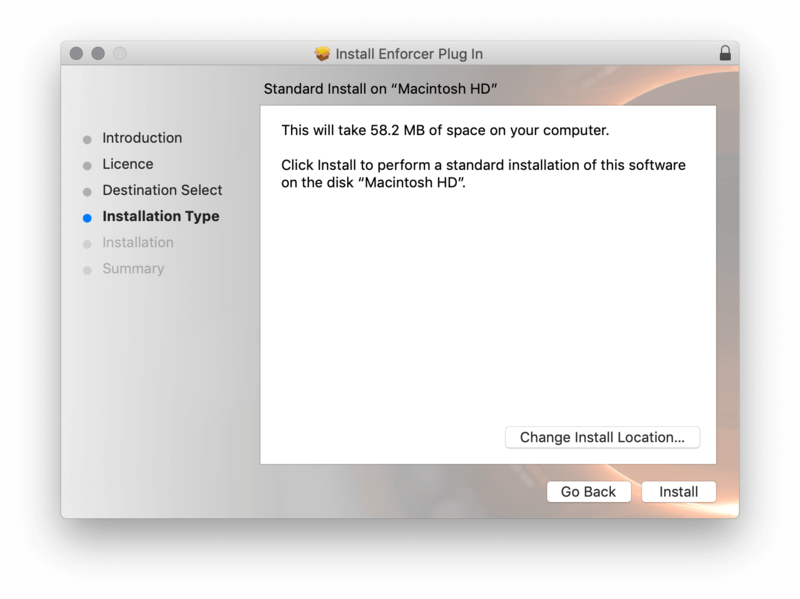
1. Download the installer file from your Plugin Boutique User Account, double click it to extract the contents, and open the .pkg file to begin the installation.

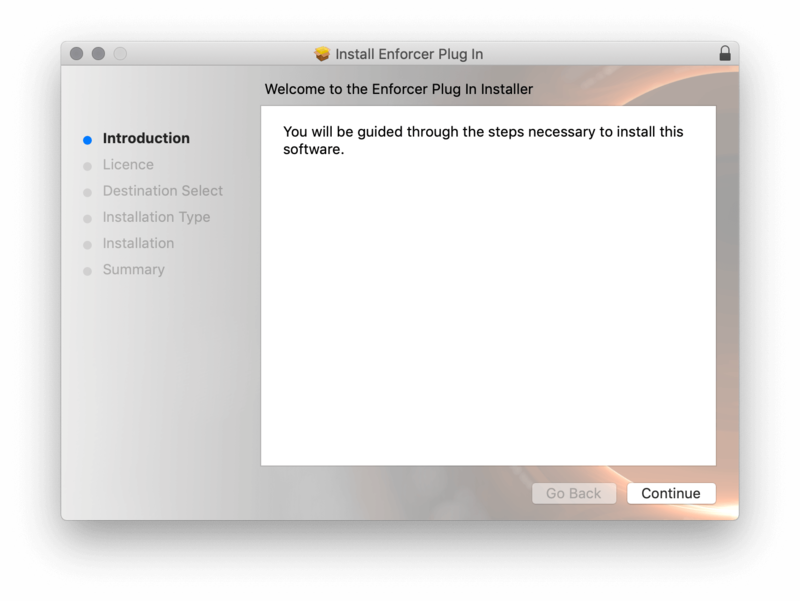
2.Click 'Continue'.

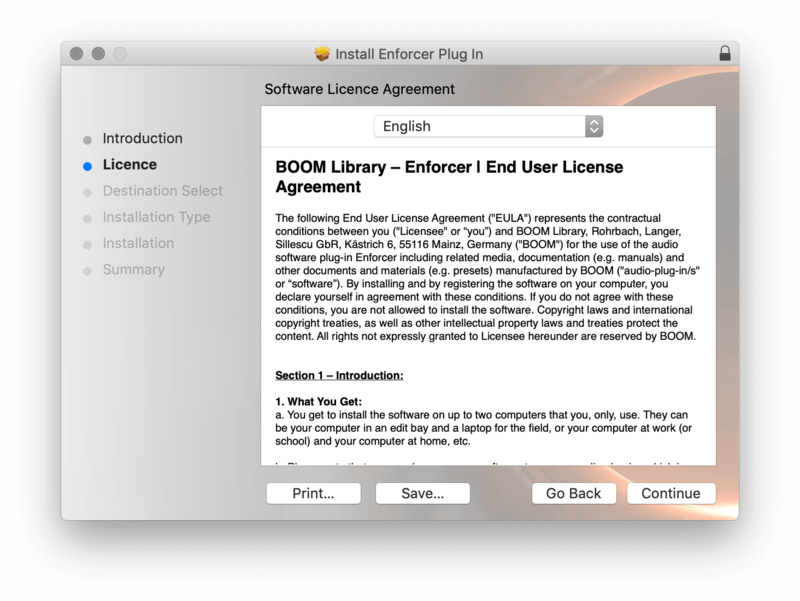
2. Click 'Continue'.

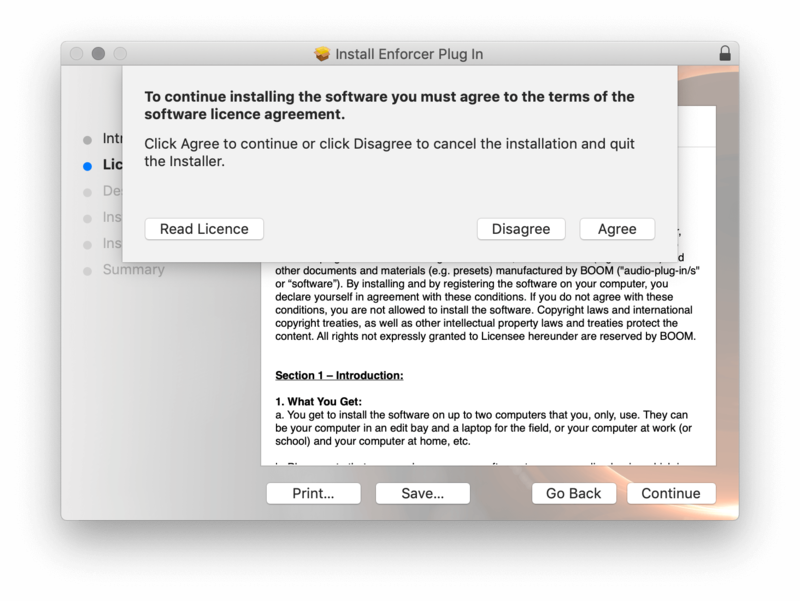
3. Click 'Agree'.

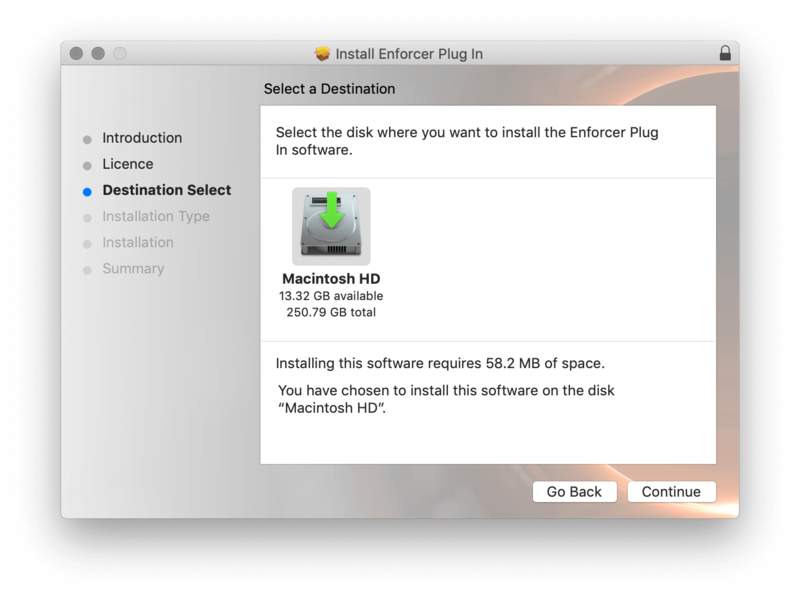
4. Select the disk you wish to install the plugin to and then click 'Continue'.

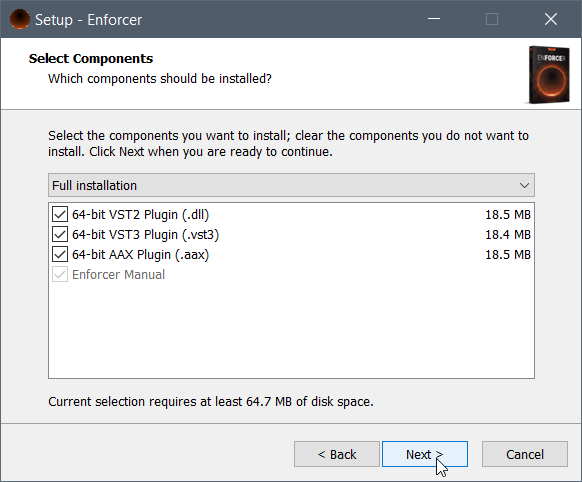
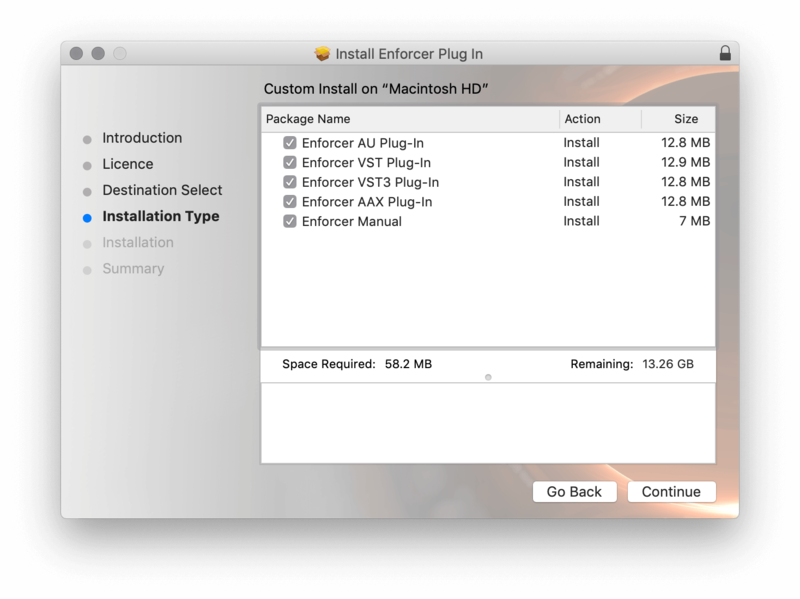
5. Select the plugin formats you wish to install and then click 'Continue'.

6. Select the destination you wish to install the plugin to and then click 'Install'.

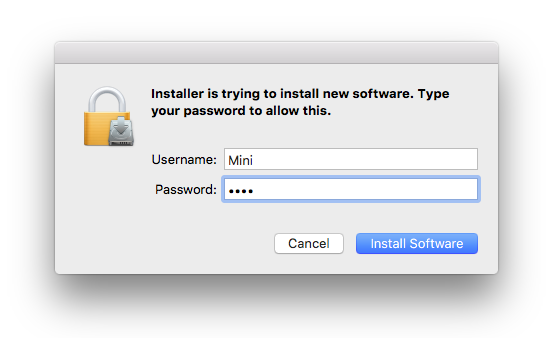
7. Click 'Install Software'.

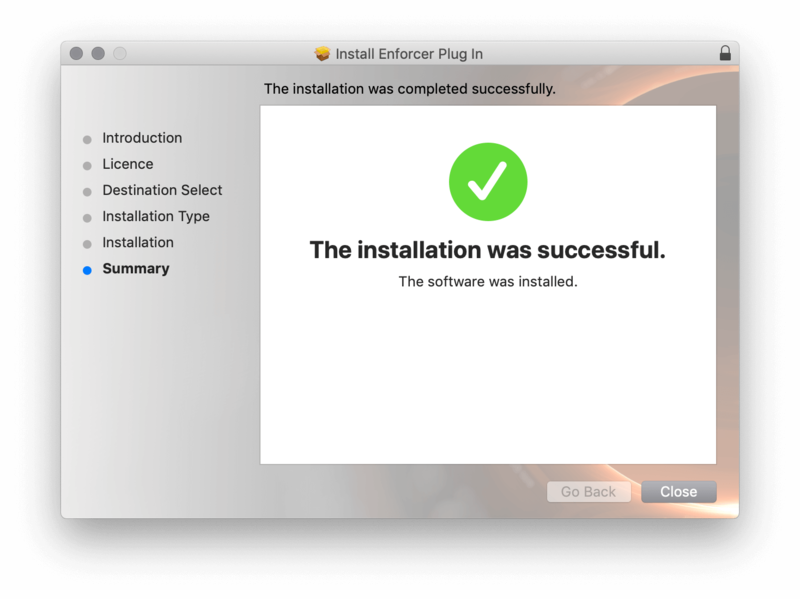
8. Click 'Close'.

Activation

1. Open your iLok license manager application > click 'Sign In'.

2. Enter your iLok registered User ID and password > click ‘Sign In'.

3. Once you are signed in, click the ‘Redeem’ icon which is located at the top-right corner of the iLok Licence Manager’s interface.

4. Copy and paste/manually enter the 30-digit code from your Plugin Boutique User Account into the available Activation Code boxes, and then click ‘Next'.

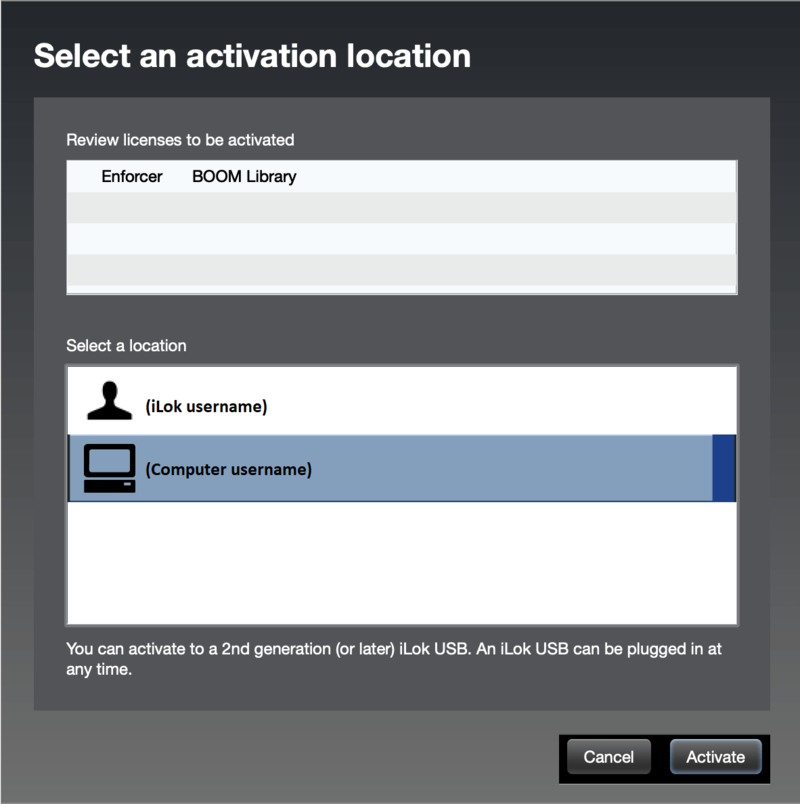
5. Select your activation destination > Click 'Activate'.

6. Click 'Ok'.

7. Open your newly installed software in your DAW.


Windows

iLok Registration

1. Go to the iLok website and create a new account if you are not currently registered and do not have the iLok Licence Manager installed on your computer.

Note: Skip to the 'Exponential Audio Software Installation' procedure if you are already an iLok registered user.

2. Download and install the iLok License Manager.

Windows Software Installation

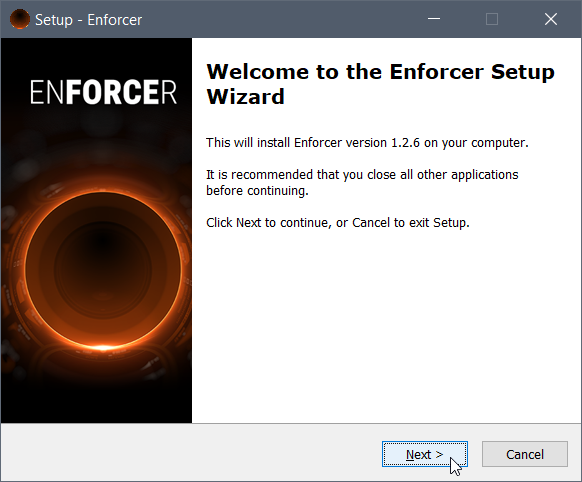
1. Download the installer file from your Plugin Boutique User Account > Double click it to extract the contents and open the .exe file to begin the installation. Click 'Next' to begin the setup. 

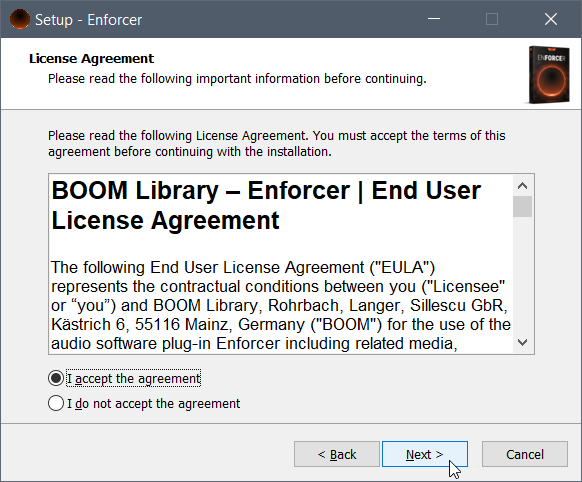
2. Select 'I Accept the Agreement' and then click 'Next'.

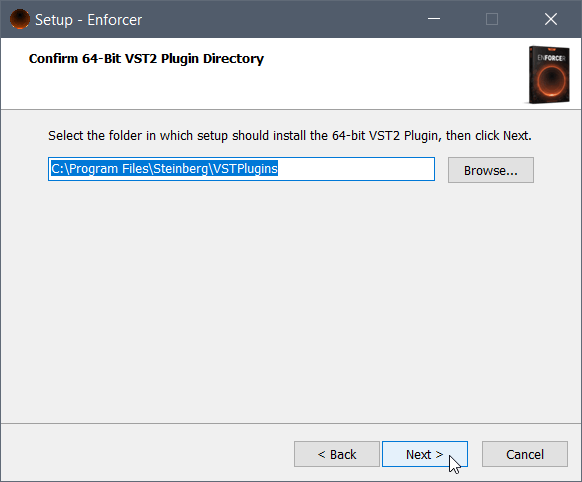
3. Select the directory you wish to install the plugin to 'Next'.

4. Select the plugin formats you wish to install and then click 'Next'.

5. Click 'Next'.

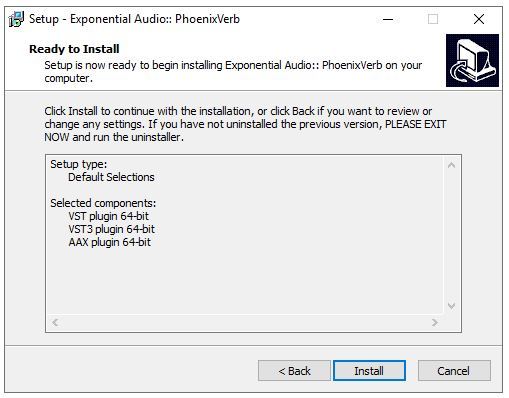
6. Click 'Install'.

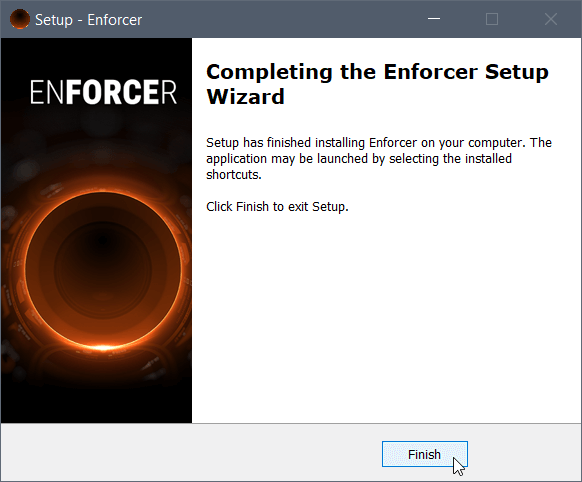
7. Click 'Finish'.

Activation

1. Open your iLok license manager application > click 'Sign In'.

2. Enter your iLok registered User ID and password > click ‘Sign In'.

3. Once you are signed in, click the ‘Redeem’ icon which is located at the top-right corner of the iLok Licence Manager’s interface.

4. Copy and paste/manually enter the 30-digit code from your Plugin Boutique User Account into the available Activation Code boxes, and then click ‘Next'.

5. Select your activation destination > Click 'Activate'.

6. Click 'Ok'.

7. Open your newly installed software in your DAW.

Plugin Boutique Rewards

Discover the most rewarding loyalty programme among all plugin retailers.

  • Free Loopmasters Samplepacks
  • Discounts on products and courses
  • Extra Virtual Cash claimed immediately at checkout
Find out more

Follow us:

X (Twitter) Facebook YouTube Instagram
Logo Logo

Plugin Boutique Limited, Part of the Beatport Group LLC.

Copyright © 2011-2025 Plugin Boutique. All rights reserved