/ Audio Editor / DEBIRD
Boom

DEBIRD

4.0 (1 Reviews)
$153.43 $229.00

33% off until Dec 04

DEBIRD - GUI
DEBIRD - GUI
DEBIRD | VST Plug-in Update | Trailer gallery thumbnail
Buy Now
Product information

Automated Bird Noise Removal

   DEBIRD automatically recognizes bird noises in your recordings and removes them with surgical precision.    

The Problem

Meet the involuntary #1 enemy of recordists and editors alike: Birds.

While their lively and delightful song is a true asset in nature ambiences, it ruins just about everything else.

As a result, countless hours are spent on the rather tedious task of cleaning recordings before one can get back to the fun part and focus on the creative process.

The Solution

Meet DEBIRD – your simple but powerful tool that utilizes Deep Learning to do all the cleaning work for you.

Sit back and relax while DEBIRD effortlessly extracts all the unwanted chatter from your audio file within seconds!

How to Use DEBIRD?

  1. Select any sound you want to clean up and use DEBIRD on your DAWs audio tracks
  2. Hit Play and enjoy DEBIRD removing all the birds from your sound in REAL TIME.
  3. You can see the removed bird sounds in the lower spectrum display. Adjust the built-in filters and sensitivity to your likings.

That's It?

Yes! It is really that simple. You need some more features? You can also do the following:

  • Would you like to keep certain sounds that would otherwise be removed?

No problem! Use the Low- and High-Pass filters to show DEBIRD what frequencies to keep.

  • Solo and export the extracted bird sounds if needed.

    DEBIRD can be used in the exact opposite way it was designed for.

Your Key Benefits

  • Timesaver - DEBIRD turns hours of work into seconds.
  • Fast Processing - No matter how fast you remove bird sounds, DEBIRD is faster.
  • Cut the Slack - No more need to plan recording sessions at night or use invasive methods such as scaring off birds.
  • Smart - DEBIRD‘s Machine Learning capabilities help the tool to improve over time.

Features

  • Remove bird noises in real time.
  • Radically simplify and expedite your workflow.
  • Super-fast processing of audio files.
  • The advanced Machine Learning algorithm guarantees the most precise removal of bird sounds without audible loss of the desired sound frequencies.
  • Use the built-in filters to choose frequencies you want to keep to exclude them from the removal process.
  • Adjust the sensitivity to fine-tune the amount of removal.
  • Isolate and solo out the bird sounds, if desired.
  • DEBIRD keeps learning on the job and will improve over time.

System Requirements

  • VST, AU, AAX
  • Windows 7 (64-bit), 8 GB Ram, Intel® Core™ i5 or similar
  • macOS 10.11 (64-bit), 8 GB RAM, Apple Silicon or Intel® Core™ i5
  • DEBIRD requires a free iLok account
Installation Instructions

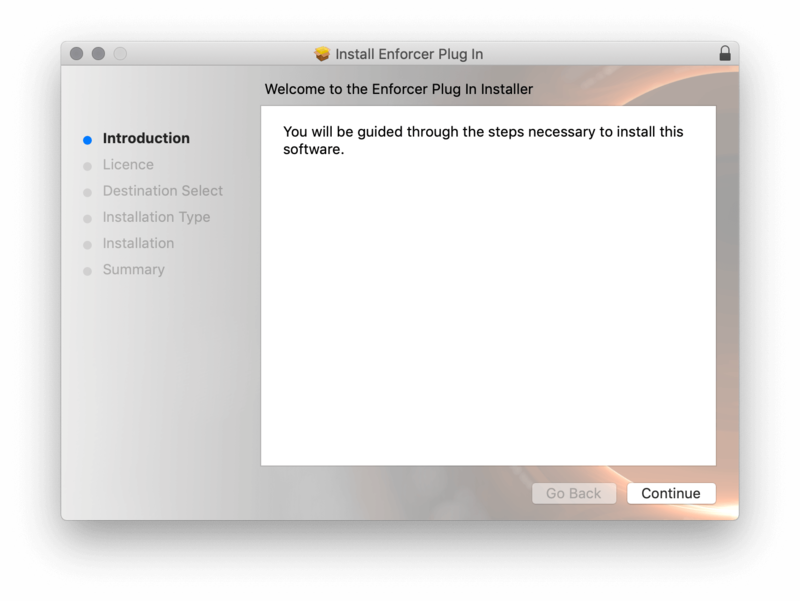
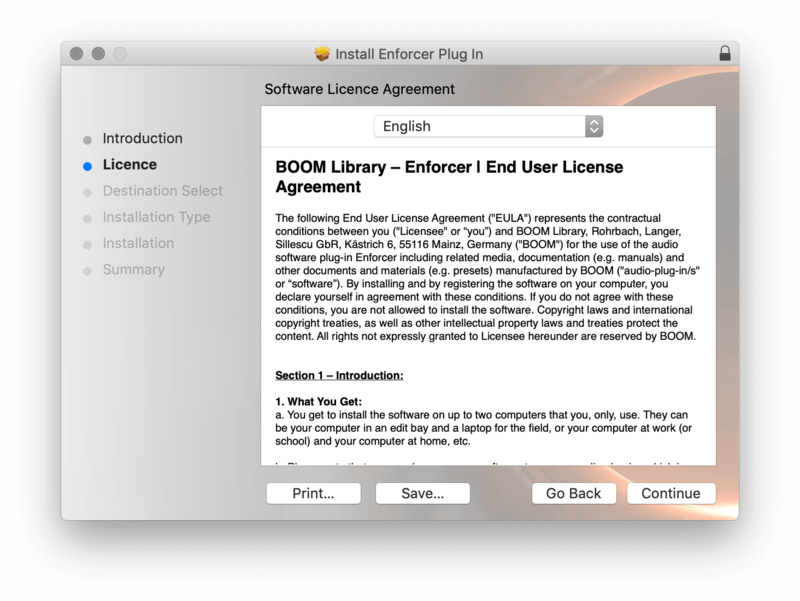
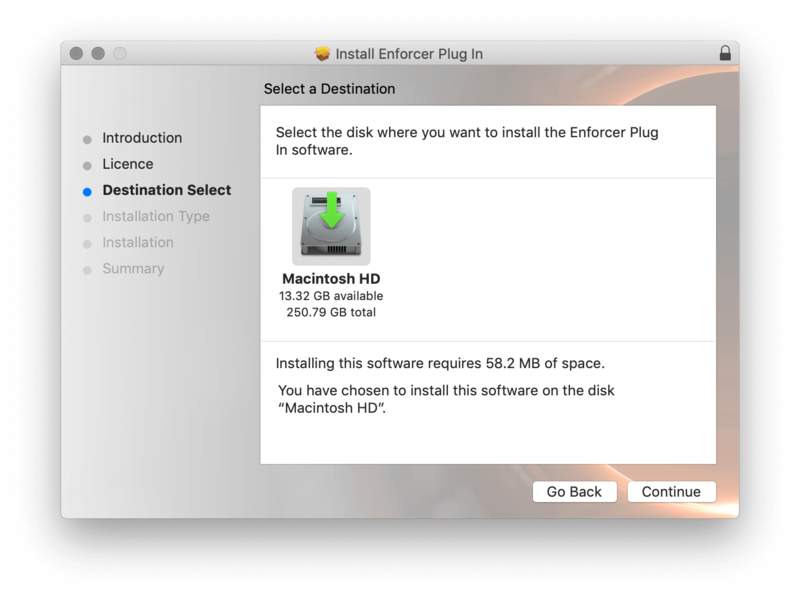
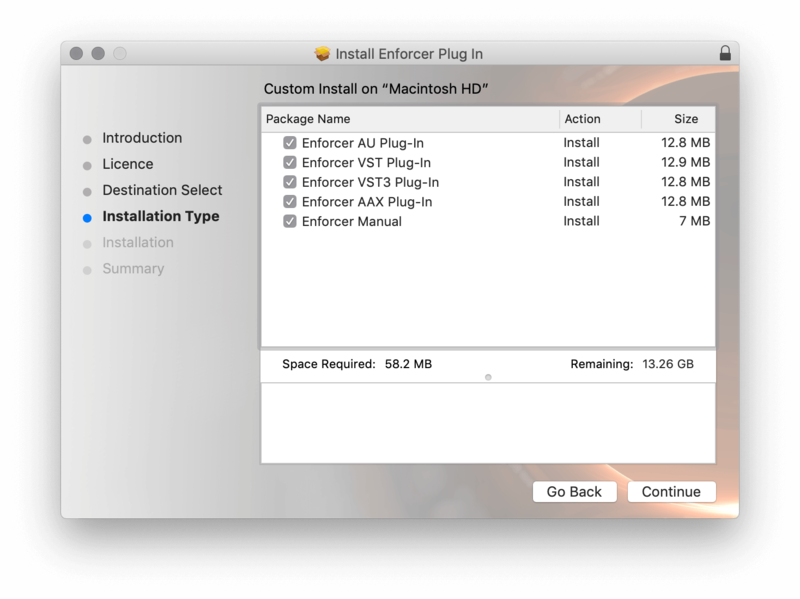
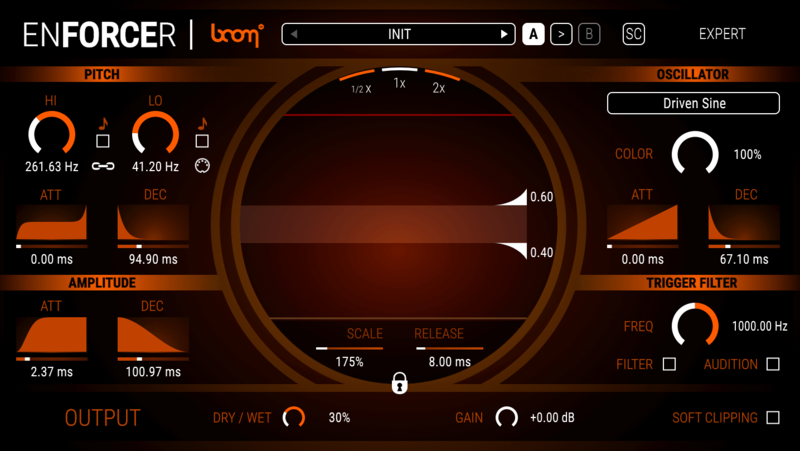
Important Note: ENFORCER is used as an example.

Mac

iLok Registration

1. Go to the iLok website and create a new account if you are not currently registered and do not have the iLok Licence Manager installed on your computer.

Note: Skip to the 'Activation' procedure if you are already an iLok registered user.

2. Download and install the iLok License Manager.

Mac Software Installation

1. Download the installer file from your Plugin Boutique User Account, double click it to extract the contents, and open the .pkg file to begin the installation.

2.Click 'Continue'.

2. Click 'Continue'.

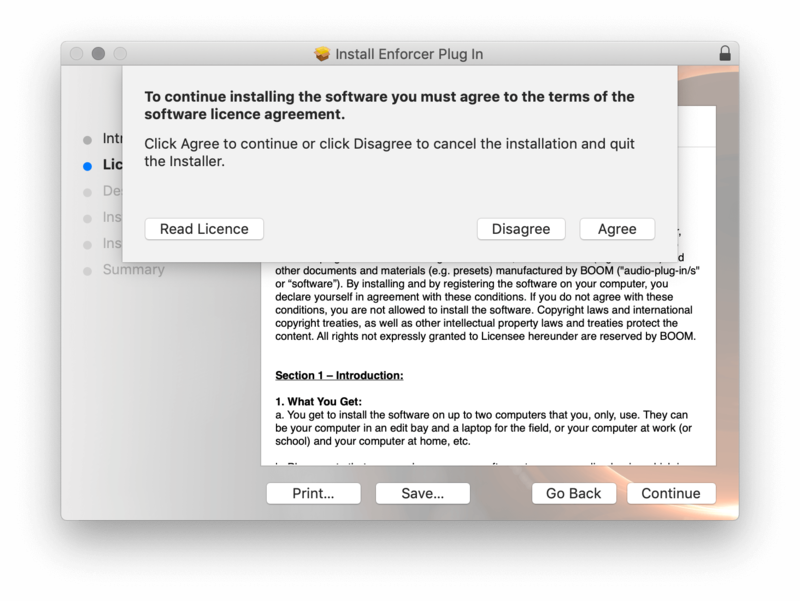
3. Click 'Agree'.

4. Select the disk you wish to install the plugin to and then click 'Continue'.

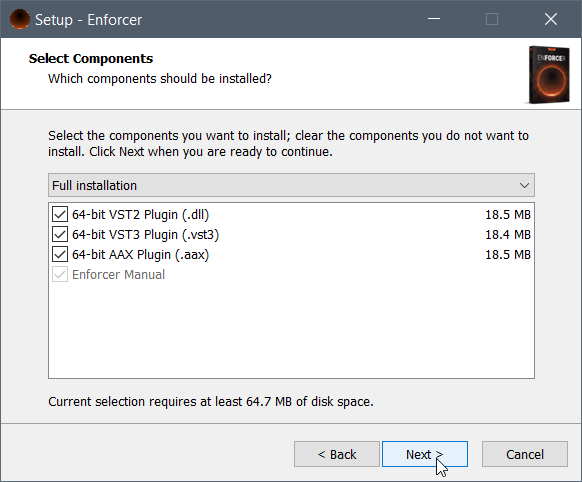
5. Select the plugin formats you wish to install and then click 'Continue'.

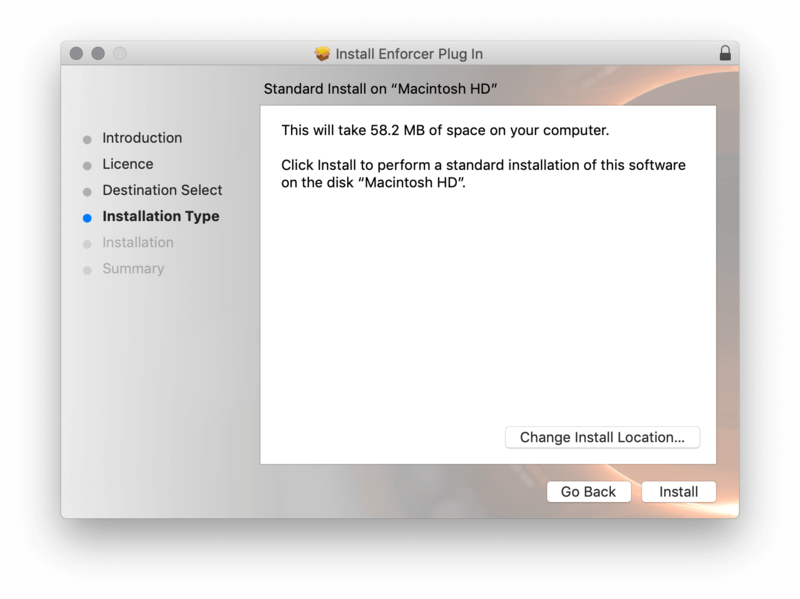
6. Select the destination you wish to install the plugin to and then click 'Install'.

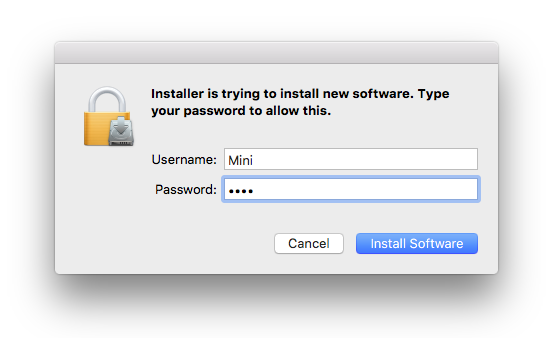
7. Click 'Install Software'.

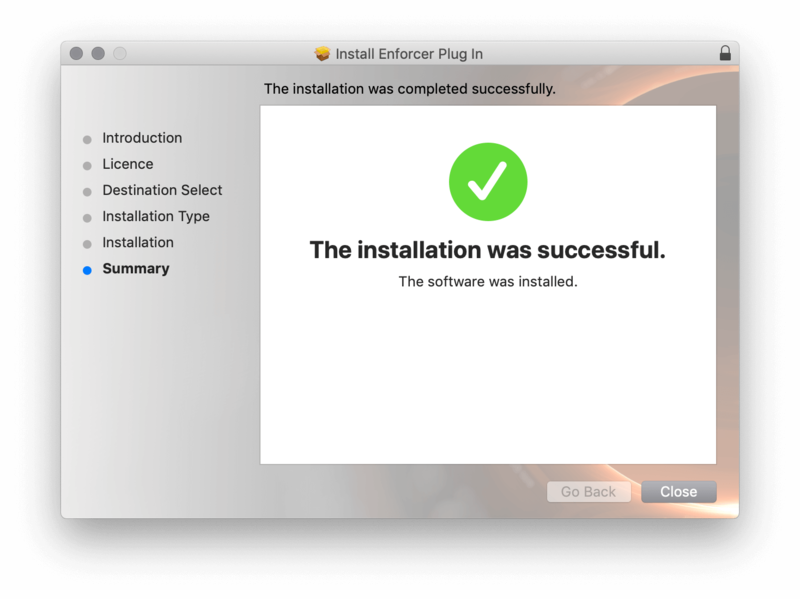
8. Click 'Close'.

Activation

1. Open your iLok license manager application > click 'Sign In'.

2. Enter your iLok registered User ID and password > click ‘Sign In'.

3. Once you are signed in, click the ‘Redeem’ icon which is located at the top-right corner of the iLok Licence Manager’s interface.

4. Copy and paste/manually enter the 30-digit code from your Plugin Boutique User Account into the available Activation Code boxes, and then click ‘Next'.

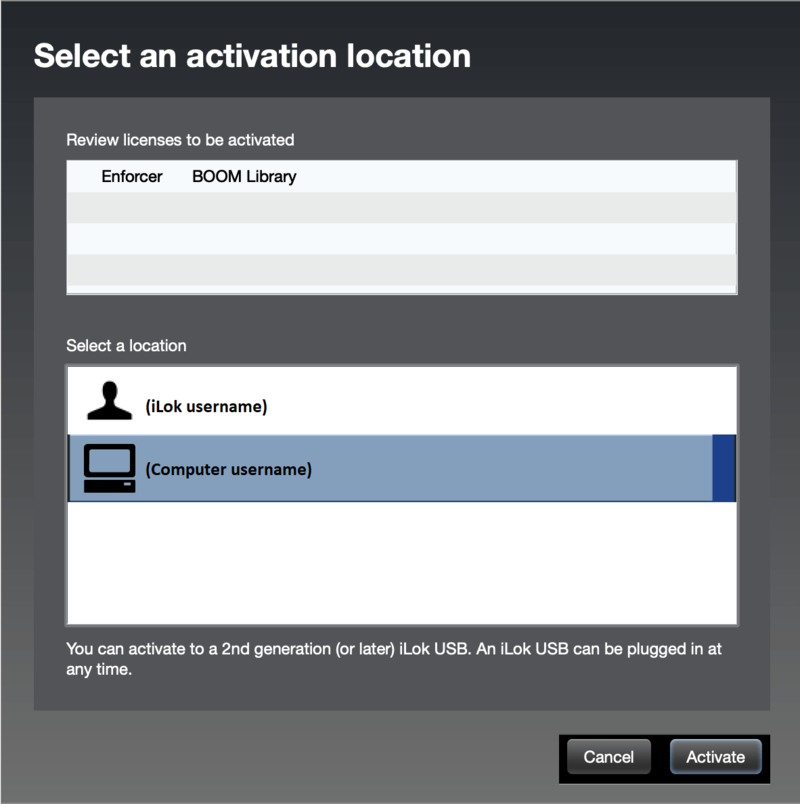
5. Select your activation destination > Click 'Activate'.

6. Click 'Ok'.

7. Open your newly installed software in your DAW.


Windows

iLok Registration

1. Go to the iLok website and create a new account if you are not currently registered and do not have the iLok Licence Manager installed on your computer.

Note: Skip to the 'Exponential Audio Software Installation' procedure if you are already an iLok registered user.

2. Download and install the iLok License Manager.

Windows Software Installation

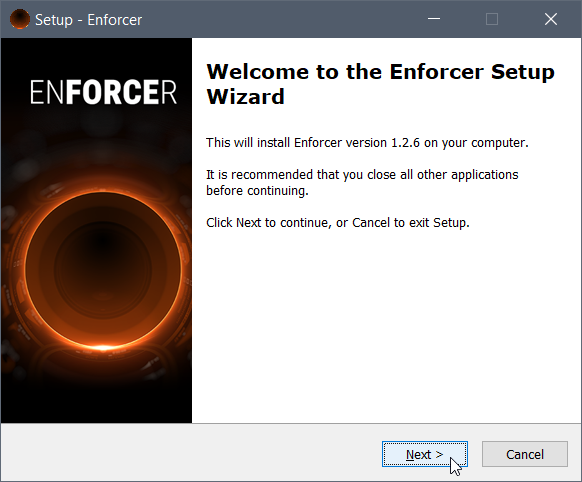
1. Download the installer file from your Plugin Boutique User Account > Double click it to extract the contents and open the .exe file to begin the installation. Click 'Next' to begin the setup. 

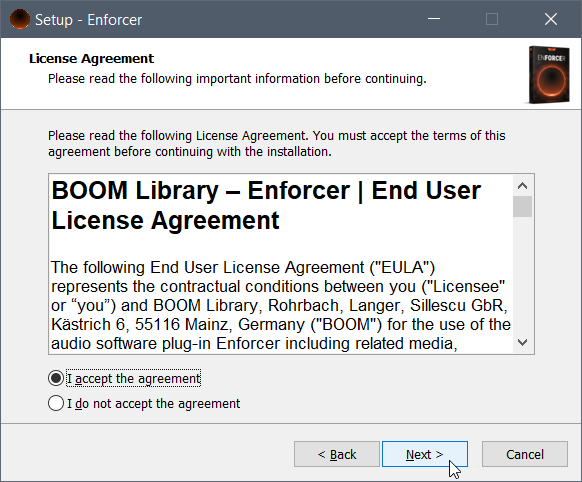
2. Select 'I Accept the Agreement' and then click 'Next'.

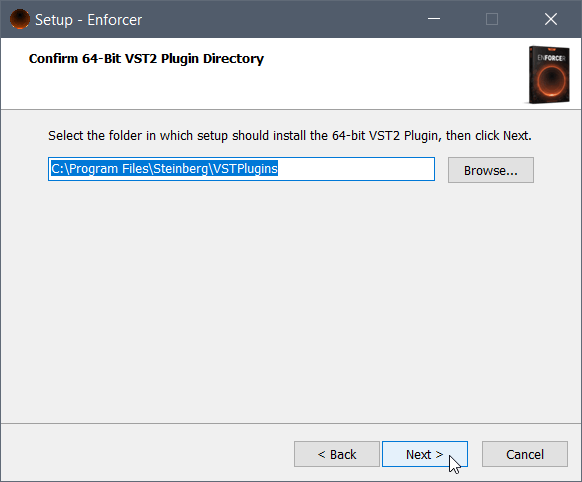
3. Select the directory you wish to install the plugin to 'Next'.

4. Select the plugin formats you wish to install and then click 'Next'.

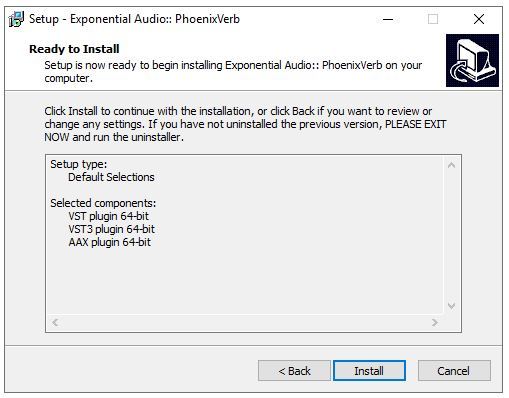
5. Click 'Next'.

6. Click 'Install'.

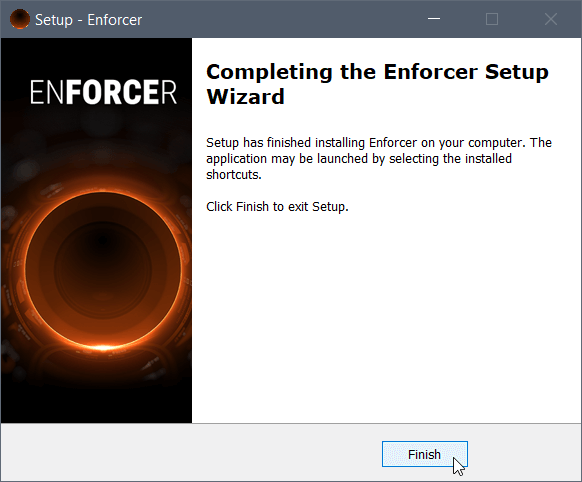
7. Click 'Finish'.

Activation

1. Open your iLok license manager application > click 'Sign In'.

2. Enter your iLok registered User ID and password > click ‘Sign In'.

3. Once you are signed in, click the ‘Redeem’ icon which is located at the top-right corner of the iLok Licence Manager’s interface.

4. Copy and paste/manually enter the 30-digit code from your Plugin Boutique User Account into the available Activation Code boxes, and then click ‘Next'.

5. Select your activation destination > Click 'Activate'.

6. Click 'Ok'.

7. Open your newly installed software in your DAW.

Plugin Boutique Rewards

Discover the most rewarding loyalty programme among all plugin retailers.

  • Free Loopmasters Samplepacks
  • Discounts on products and courses
  • Extra Virtual Cash claimed immediately at checkout
Find out more

Follow us:

X (Twitter) Facebook YouTube Instagram
Logo Logo

Plugin Boutique Limited, Part of the Beatport Group LLC.

Copyright © 2011-2025 Plugin Boutique. All rights reserved