


 Log In
Free gifts available with your purchase
A New Era in Drums
TRINITY DRUMS 2 is a powerful mix of cinematic and modern grooves housed in a versatile, cutting-edge percussive virtual instrument for the FREE KONTAKT PLAYER. The included rhythms make it easy for you to craft massive drum hits and epic subs; softer, tension-building hits; or electronic and funkadelic grooves all synced to be used in real time. All the rhythms are built from high-quality percussion recordings and sounds by the sound design specialists at BOOM Library and produced by our skilled team of composers.
TRINITY DRUMS 2 allows for seamless arrangements and manipulation of groove elements. Featuring three layers with varying complexity that can be used independently or in combination with each other, it’s suitable to rock your socks off both in your studio or on stage.
- TRINITY DRUMS 2 comes with brand-new high value recordings of numerous huge percussion instruments and drums!
- TRINITY DRUMS 2 offers over 200 presets and over 1,000 high-quality sounds designed by BOOM Library.
- TRINITY DRUMS 2 is built on a three-layer design to allow for mesmerizing rhythmic complexities.
- The TRINITY DRUMS 2 engine allows you to mix and match layers from different sound banks to create fresh and original rhythms
The Power of Percussion
TRINITY DRUMS 2 empowers you to easily sculpt dynamic percussion parts that resonate with emotion and tension. Packed with 500 new sounds from BOOM Library, it’s a versatile percussive instrument combining cinematic and modern grooves with a vast array of powerful rhythmic potential. With all this and over 100 completely new presets, be ready to create.
The Trinity System
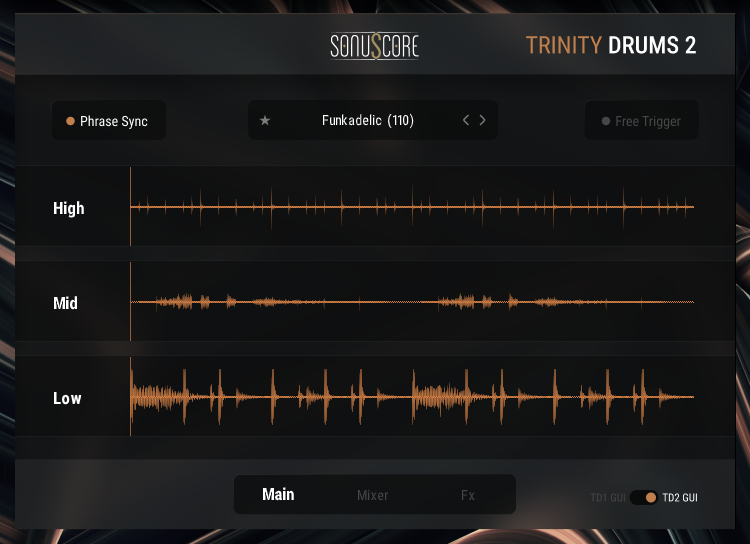
The central idea of TRINITY DRUMS is to separate the different elements of a groove into individual parts and put you in charge of how they’re arranged. Every rhythmic theme is divided into three independent layers (Low, Mid, and High Drums) that provide varying levels of complexity.
Playable Groove Variations
With the Phrase Sync Mode, you can swap and combine multiple variations and layers of a groove while playing on your keyboard without falling into rhythmic chaos. The instrument intelligently adapts the timing of newly triggered grooves to meet the present playing rhythm, resulting in a percussion instrument that is easy to play both in the studio and live.
Open Layer Exchange
TRINITY DRUMS 2 hosts a collection of rhythmic themes intended to inspire and enhance the creative process. Sounds and presets are crafted for anything from cinematic, industrial, and funk, to rock, punk, and EDM. But that’s just a start. TRINITY DRUMS 2 allows you to swap single layers from across its sound banks, providing you with endless inspiration and useability.
Trinity Drums – Evolved
TRINITY DRUMS 2 brings tons of completely new content to our classic percussion instrument line. With an all-new interface and an extremely enhanced sound bank, we’re confident TRINITY DRUMS 2 will rock the world of VST percussion even more than its predecessor.
TRINITY DRUMS 2 features even more high-quality recordings and creative rythms than the first one and includes those from the original as well. For all owners of the first series, we’re offering a generous upgrade discount, see the details below.
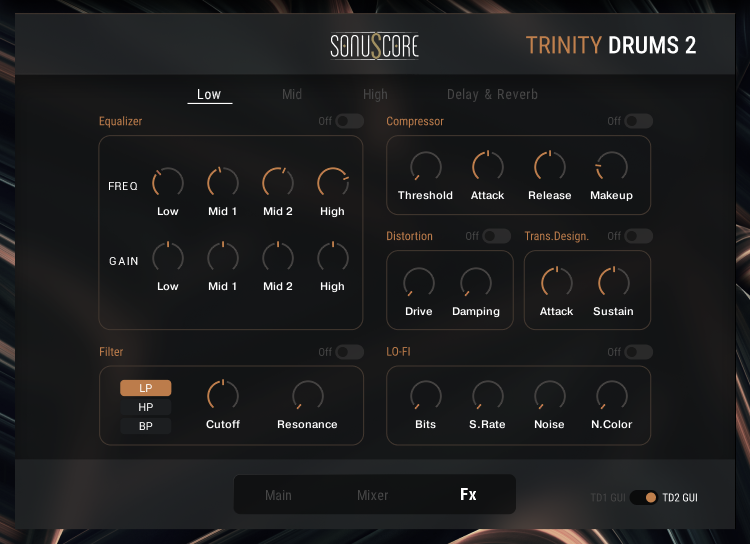
And what if you loved the first, blue color scheme and you aren’t ready to move on? Don’t worry, you can still enjoy all the great new features with the previous colors and can freely switch it up as you prefer.
Features
- 200+ Rhythmic Presets
- 1,000+ Variations and Single Hits
- Open Layer Exchange
- Fully Playable Phrase Syncing
- Multiple Time Signatures
- Improved Preset Browser
- Freely Switchable Color Scheme
System Requirements
- Works with the FREE KONTAKT PLAYER
- KONTAKT Version 6.7.1 or higher
- Mac OSX.10.14 or higher
- Windows 10 or higher
- 4GB RAM
- At least 4.44GB of free hard disc space

Note: This product is compatible with the FREE Kontakt Player 6.6.1 or later.






















