


 Log In

Free gifts available with your purchase
Faithful analog archetype
Prophet-5 V is the definitive production keyboard faithfully remade in software form, equal parts soulful, characterful, and enormous in its sound, complete with its signature approachable layout, tastefully upgraded to fit seamlessly into your DAW workflow.
Prophecy Fulfilled
An enduring chart-topper, a production staple for over five decades, and a fully-equipped synth that’s easy enough for beginners to master; it sounds too good to be true.
With state-of-the-art analog modeling technology, Prophet-5 V puts the power of a keyboard icon - the treasured Rev 2 - at your disposal, from the unique Poly-Mod feature to realistic Voice Dispersion, letting you unlock the full potential of every project in true analog style.
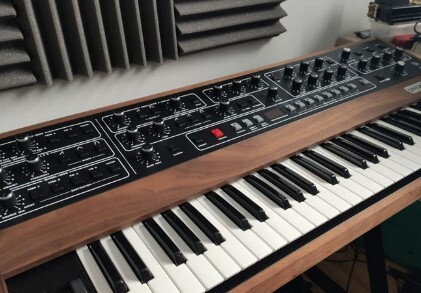
A Music-Making Essential
There’s a reason so many award-winning albums feature a Prophet-5. Its massive versatility, luxurious analog warmth, and straightforward layout produce winning results every time, whatever synth sound you’re after, with sweet spots galore. What’s not to love?
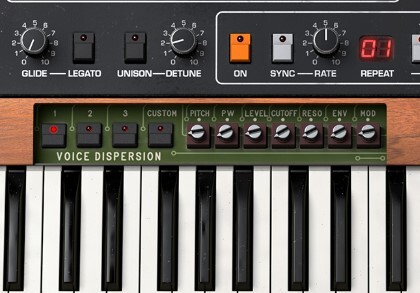
Pro Sounds In No Time
No more hours spent finding the most luscious pad or the gnarliest bass. Just like its hardware predecessor, Prophet-5 V is as approachable as synths come, giving you the quickest route to the soul-stirring, floor-shaking, mind-bending sounds you need for soul, hip hop, R&B, and beyond.
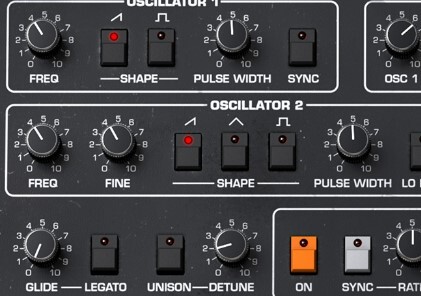
Unmatched Analog
Your tracks deserve the real deal, and sometimes only the high-voltage grit and organic heat of authentic analog will do. Prophet-5 V’s engine has been meticulously modeled and re-engineered with TAE® technology, component by component.
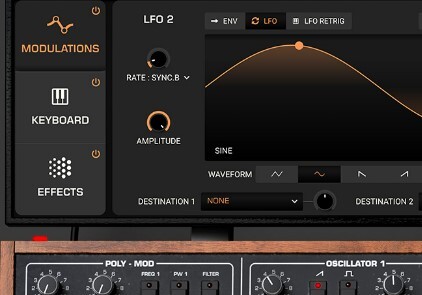
Enhanced For Modern Production
Prophet-5 V goes a step further than the original without ever losing the magic that put it on the map. Enhanced with modern creative features, FX, and presets, this vintage synth is remade with contemporary production in mind.
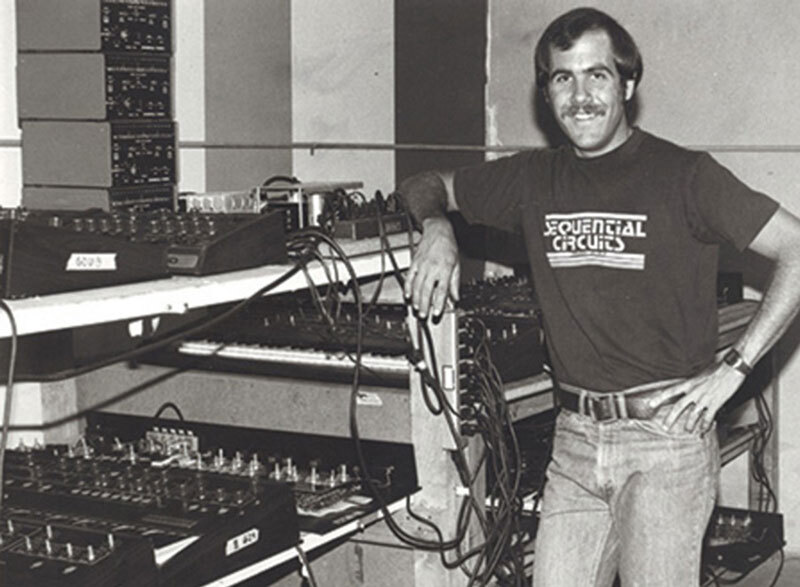
The Polysynth Pioneer
An original tech startup success story, the Prophet-5 set the template for polyphonic analog synths for decades to come.
Before founding Sequential Circuits in 1974 now-legendary instrument designer Dave Smith had spent a number of years building sequencers and programmers for synthesizers at his San Jose home. At that time, synthesizers were unpredictable beasts requiring careful tweaking and patching to create sounds.
When Smith began working with the novel technology of microprocessors, he saw an opportunity; could a synthesizer store settings for users to quickly recall their favorite sounds? When no one else stepped up to the mark, Smith and Sequential took it upon themselves to make it happen: in 1977, the Prophet-5 was born.
Preset Library
For when you need quick & inspiring sounds in a hurry, Prophet-5 V comes packed with a library of expertly-designed presets for any style. Search, select, and savor the results!
Hands-On Analog
Whether it’s a shimmering lead patch or a sumptuous R&B pad, most producers turn straight to the Prophet-5 because it always gets the job done - now you can too.
The silky-smooth chords and melodies that soundtracked some of neo-soul’s most iconic anthems. The delicate piano-like chords that breathe organic life into any track. The brassy pads that heralded the arrival of hip hop liberators.
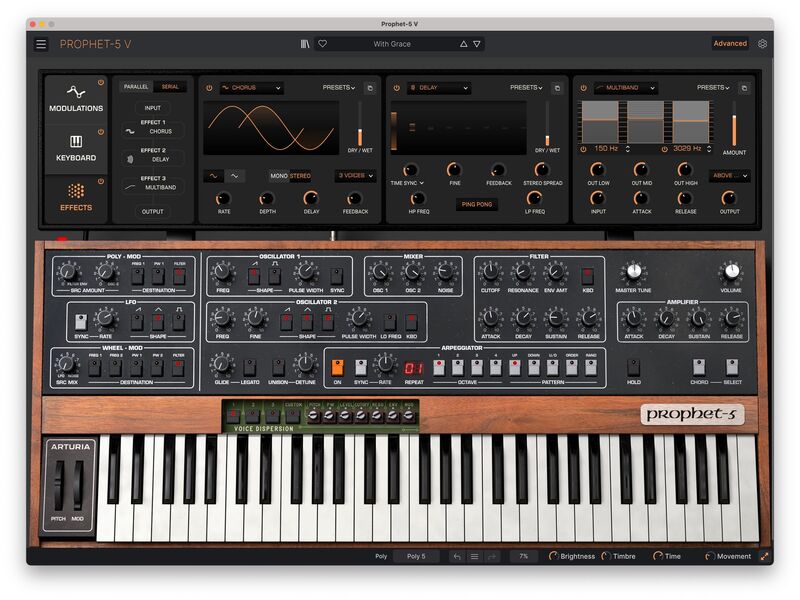
Not only can Prophet-5 V execute all this and more - it does it effortlessly. You don’t need to understand synthesis or be a seasoned keyboard player. Just fire it up, explore its intuitive controls, and enjoy the simplest form of effective, usable sound design that’ll have you hooked.
Everything In Its Right Place
Bold and brash, the Prophet sound was versatile but never one to be upstaged. From hard sync to the signature Poly-Mod section, Prophet-5 V has it all and then some - dive in and discover it for yourself.
What's Been Added?
This is more than a vintage keyboard turned softsynth. To ensure that Prophet-5 V is up to speed with the DAW workflow that you need, Arturia have expanded its functionality. Enjoy more flexibility, more sound shaping, and more expression - you won’t be disappointed.
Modulation View
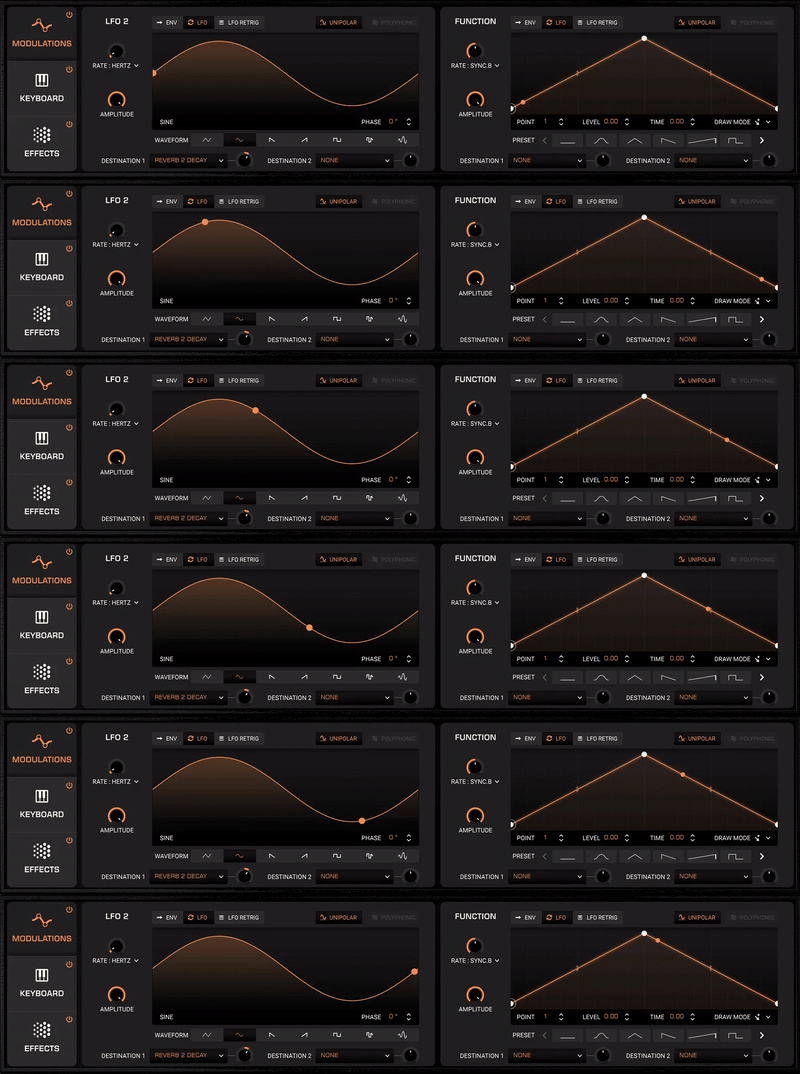
Prophet-5 V excels at creating quick and dramatic modulation in a few clicks. But for when you want to go a few steps further, Arturia have added an extra LFO and a Function Generator, letting you craft custom modulations with the DAW-friendly flexibility you need.
Keyboard View
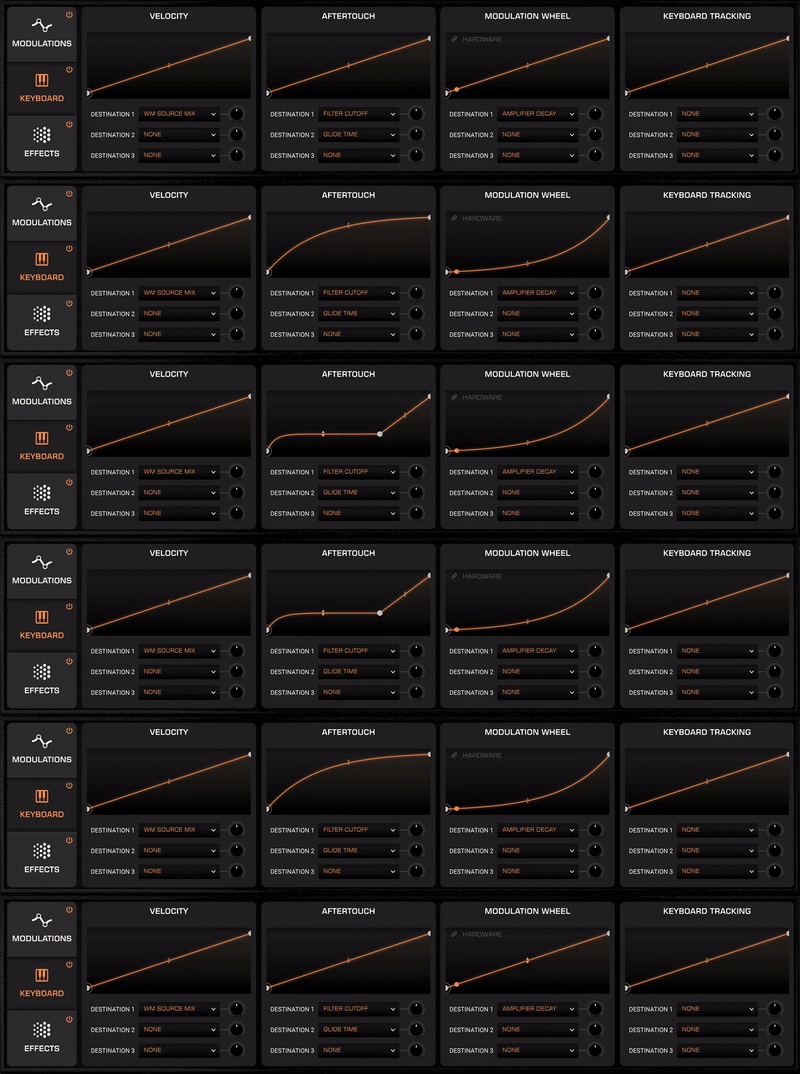
Like the original, this is very much a player’s synth. That’s why the Advanced panel features a selection of controls that let you customize Prophet-5 V’s response to keyboard and note input. This kitted-out section allows you to program Velocity, Aftertouch, Keyboard Tracking, and Modwheel information to affect up to 3 destinations - putting full expressive control at your fingertips.
Effects View
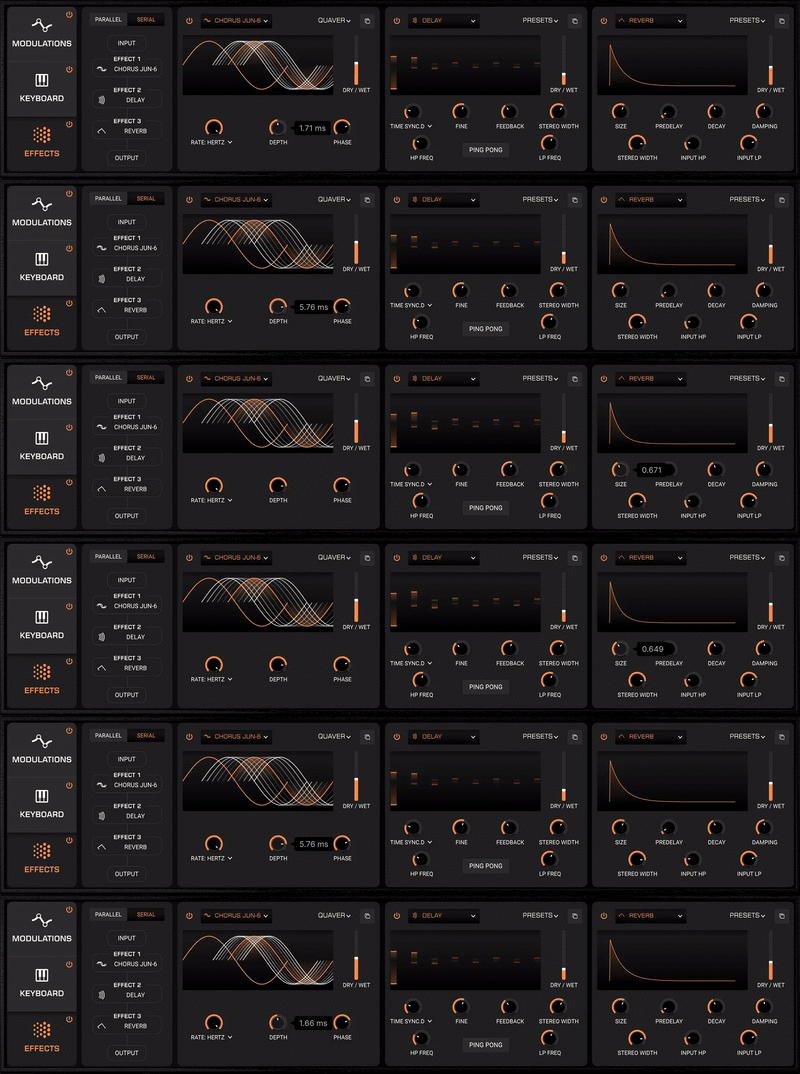
Get Prophet-5 V sitting perfectly in your mix or making the impact you need it to with 16 built-in FX. That’s 16 punchy, shimmering, destructive, and spacious finishing touches for your synth parts, with 3 series/parallel slots at your disposal.
- In-App Tutorials
Integrated in-app tutorials guide you through every aspect of the instrument, from individual parameters to tips from Arturia's sound designers, so you can focus on the creative stuff. It shouldn't be this easy, but it is!
- ASC
Arturia Software Center lets you download, organize, and update all of your Arturia software titles in one place, as well as manage all of your licenses across multiple devices. Keep it simple.
- DAW Ready
Arturia's virtual instruments and plugins are designed to fit right into your setup without hassle. Whatever your style, you can explore sound while enjoying full compatibility with major DAWS, on both Windows and MacOS.
- Preset Browser
Instantly find the sound that’s in your head with intelligent & streamlined preset browsing. Search with keywords, explore by instrument type, musical style, and more - you can even save your favorites to quickly recall later.
- Resizeable GUI
Whether you want the full visual immersion of Arturia's classic instrument emulations, or to save precious screen real estate, the interfaces for all of your Arturia virtual instruments can be resized to a scale that suits you.
- Perfect Integration
Instruments come seamlessly mapped for the Arturia KeyLab range - but they’ll place nice with other MIDI controllers too. Instant sound tweaking macros, easy DAW integration, and standalone operation.
TAE® Powered
The exclusive analog modeling technology that makes Arturia's emulations indistinguishable from the originals.
By accurately mimicking the characteristics of analog oscillators, filters, and soft clipping, Arturia can provide astonishing component-accurate detail and authentic analog charm in equal measure.
Features
- Virtual Instruments playable in a DAW (Live, FL Studio, Logic,...) or standalone with a MIDI keyboard.
- 2 modeled SSM VCOs with 5 waveforms, noise generator, and hard-sync
- Unique Poly-Mod feature
- Unison Detune
- 3-shape LFO with quick destination controls
- Modeled Dave Rossum-designed SSM 2040 Low-Pass Filter
- 5-pattern Arpeggiator with Hold mode
- Emulated analog Voice Dispersion
- Additional 6-waveform LFO and Function Generator
- 4 keyboard modulation sources
- Chord mode
- 16 built-in FX across 3 slots, configurable in series or parallel
- MPE compatibility
- MTS-ESP microtuning compatibility
System Requirements
Windows
- Win 10+ (64bit)
- 4 GB RAM
- 4 cores CPU, 3.4 GHz (4.0 GHz Turbo-boost)
- 3GB free hard disk space
- OpenGL 2.0 compatible GPU
- ARM processors not supported on Windows
Mac
- Mac OS 10.13+
- 4 GB RAM
- 4 cores CPU, 3.4 GHz (4.0 GHz Turbo-boost) or Apple Silicon CPU
- 3GB free hard disk space
- OpenGL 2.0 compatible GPU
Required Configuration
- Works in Standalone, VST, AAX, Audio Unit, NKS (64-bit DAWs only).


