


 Log In

Free gifts available with your purchase
Top Cinematic Orchestral Strings Library
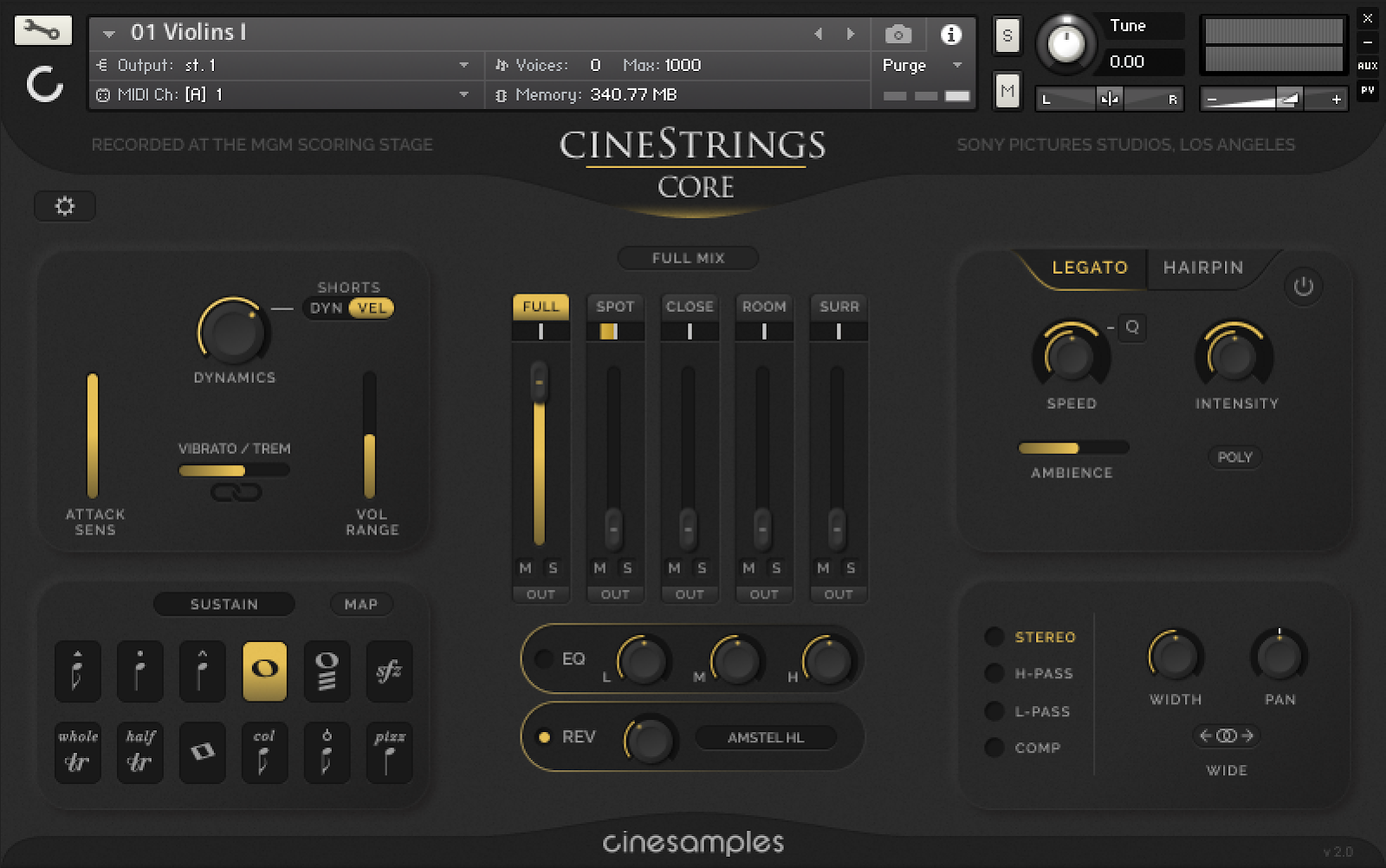
CineStrings Core is a flagship orchestral strings library recorded at the MGM Scoring Stage at Sony Pictures Studios by master engineer Dennis Sands. This library is part of the CineSymphony series and blends well with our CineBrass, CineWinds and CinePerc libraries from this same legendary Hollywood scoring stage.
Intuitive Graphical Interface
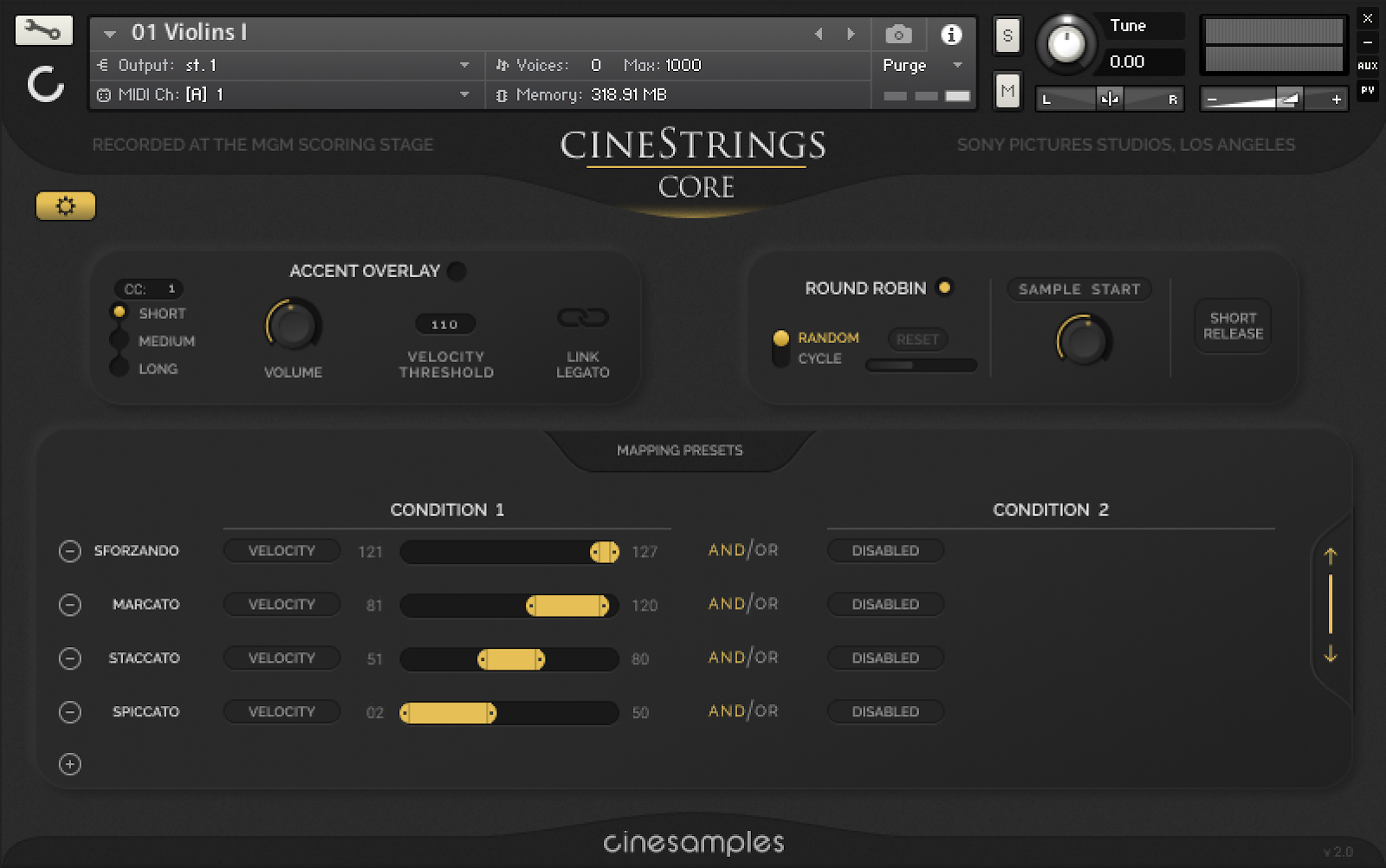
CineStrings Core (as with our other CineSymphony series libraries) has a very intuitive and easy to use graphical interface with quickly selectable presets that can help you write, program and mix tailored to your specific practices. The mapping page can quickly set you up for velocity, key-switching or even midi continuous controller (CC) articulation switching. Our mixer page allows you to quickly access our full mix or the four other microphone positions. The settings page allows for advanced control over each of these patches for sound design, programming and other useful features.

The CineStrings Core library contains the basic set of articulations needed to do most of the traditional writing and programming for the string section.
- Non-vibrato, vibrato and espressivo sustains with smooth dynamic morphing across five dynamics and across each vibrato position
- Natural legatos with smooth dynamic morphing across four dynamics
- Spiccato @ 7-8xRR @ pp to f
- Staccato @ 5-6xRR @ pp to fff
- Marcato @ 3xRR @ p to ff
- Sforzando Overlay @ p to ff
- Tremolos @ p to f
- Sul-Pont Tremolos @ p to f
- Trills (Whole-Step and Half-Step) @ p to f
- Pizzicato @ 5xRR @ p to f
- Bartok Pizz @ 3xRR
- Col Legno @ 3-5xRR
- Harmonic Sustains @ p to f
Unique Features
CineStrings Core offers many amazing features that distinguishes it from other libraries.
The newest feature is the “Hairpin Creator”. This amazing setting allows for you to automatically get very natural “swells” without having to program a series of controller changes. Based on time or synced to your DAW, the strings can crescendo and decrescendo as you play, including linking a non-vibrato to espressivo state – this allows for amazing and expressive playing without having to touch any other controller!

When Cinesamples released the CineBrass library they added a feature called “staccato overlay” – they have taken this in a new MAJOR direction with our new bow-attack overlay in CineStrings Core. You can quickly switch types of overlay (Marcato, Sforzando, etc) through a CC, which then is “overlayed” on the sustains and legatos each time you play at a hard velocity. This allows you to simulate many different styles of bow attacks and create unique playing styles on the fly and recall easily in your DAW.

Along with these features, expect a great deal of expansive programability with our interface. You can link the vibrato and dynamic controls, create your own unique mix and much more!
System Requirements
- Works with the free Kontakt Player 6.7.1+ and Komplete Kontrol
- Mac OS X 10.12 or higher
- Windows 7 or later
- At least 8 GB of RAM, 16 GB is recommended
- At least 100 GB of free drive space
- FREE Kontakt Player 6.7.1 or higher
- 64 bit DAW is recommended for optimized performance
This instrument requires the FREE or FULL version of Kontakt 6.7.1+























