/ Synth Presets / Portatron Preset Pack: Syndicate 2123 - Distressed Cinema
Robotic Bean

Portatron Preset Pack: Syndicate 2123 - Distressed Cinema

4.8 (4 Reviews)
$24.99
Robotic Bean Portatron Preset Pack Syndicate 2123 - Distressed Cinema
PortaPack - Syndicate 2123 gallery thumbnail
Buy Now
Product information

The best suspense and action thrillers stay right on the outer edge of reality, relying on the tension of the unknown. Syndicate 2123 brings fresh, gripping sounds to the table, with a collection of 308 emotive loops that cross the threshold of predictability.

Created with a pure signal path of hardware synthesizers, vintage guitar pedals, and studio rack equipment, these loops pack the dynamics and depth needed for your next captivating cinematic release. A wide variety of dark melodies, ambient textures, and intense progressions comprise a storehouse of epic dystopian sounds fit for studio production, cinematic scoring, and game composition. This collection also includes construction kits with breakout elements featured in the loops – bass, leads, pads, beats, drones, and special effects the creative composer can employ to build forceful original scenes and sequences.

Features

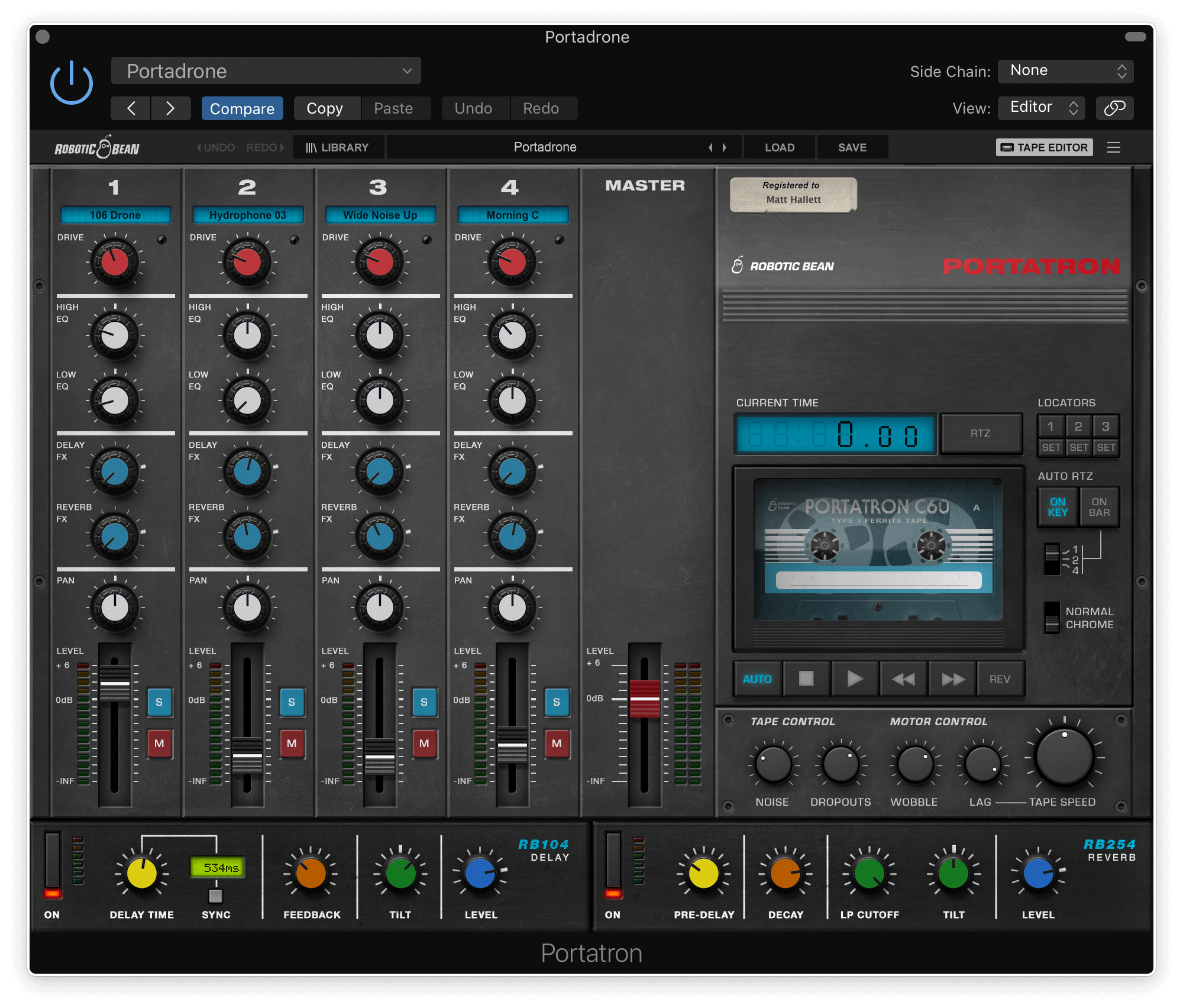
  • 4-track format for Portatron
  • 148 loops arranged onto 40 Cassettes
  • A wide variety of loops to choose from like Arp, Beats, Bass, Drones, & Pads

System Requirements

Installation Instructions

Please note: Portatron Preset Pack Textures - Evolving Textures is used as an example.

Installation

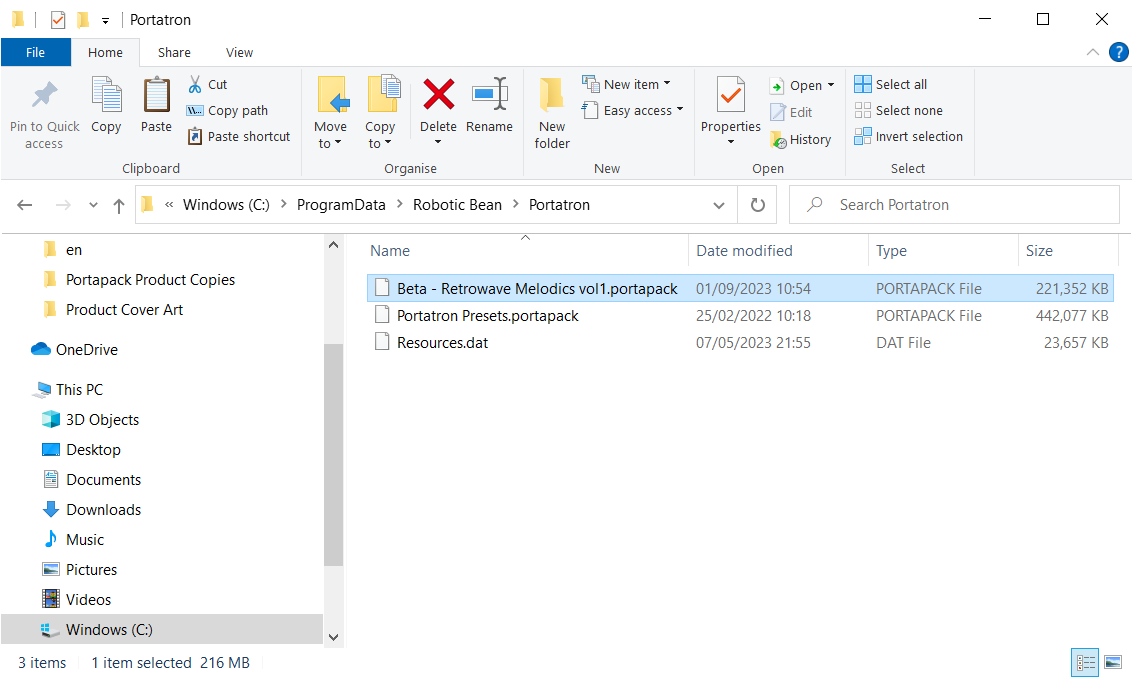
PC

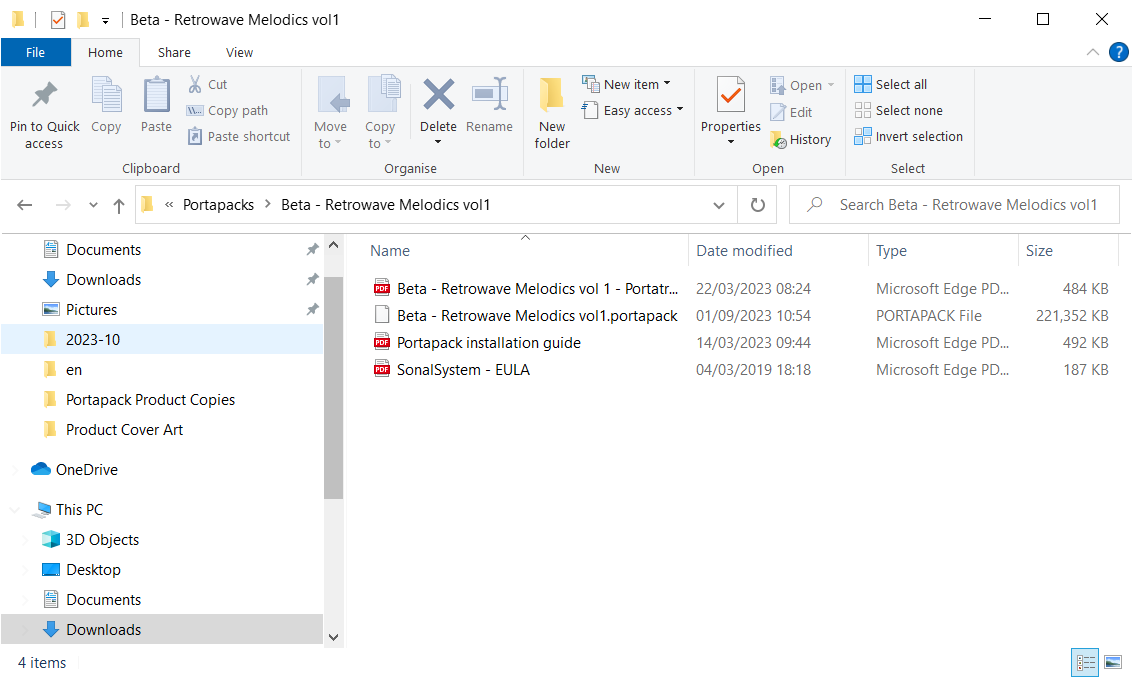
1. Download the synth presets by double-clicking the 'Download' button within your Plugin Boutique User Account.

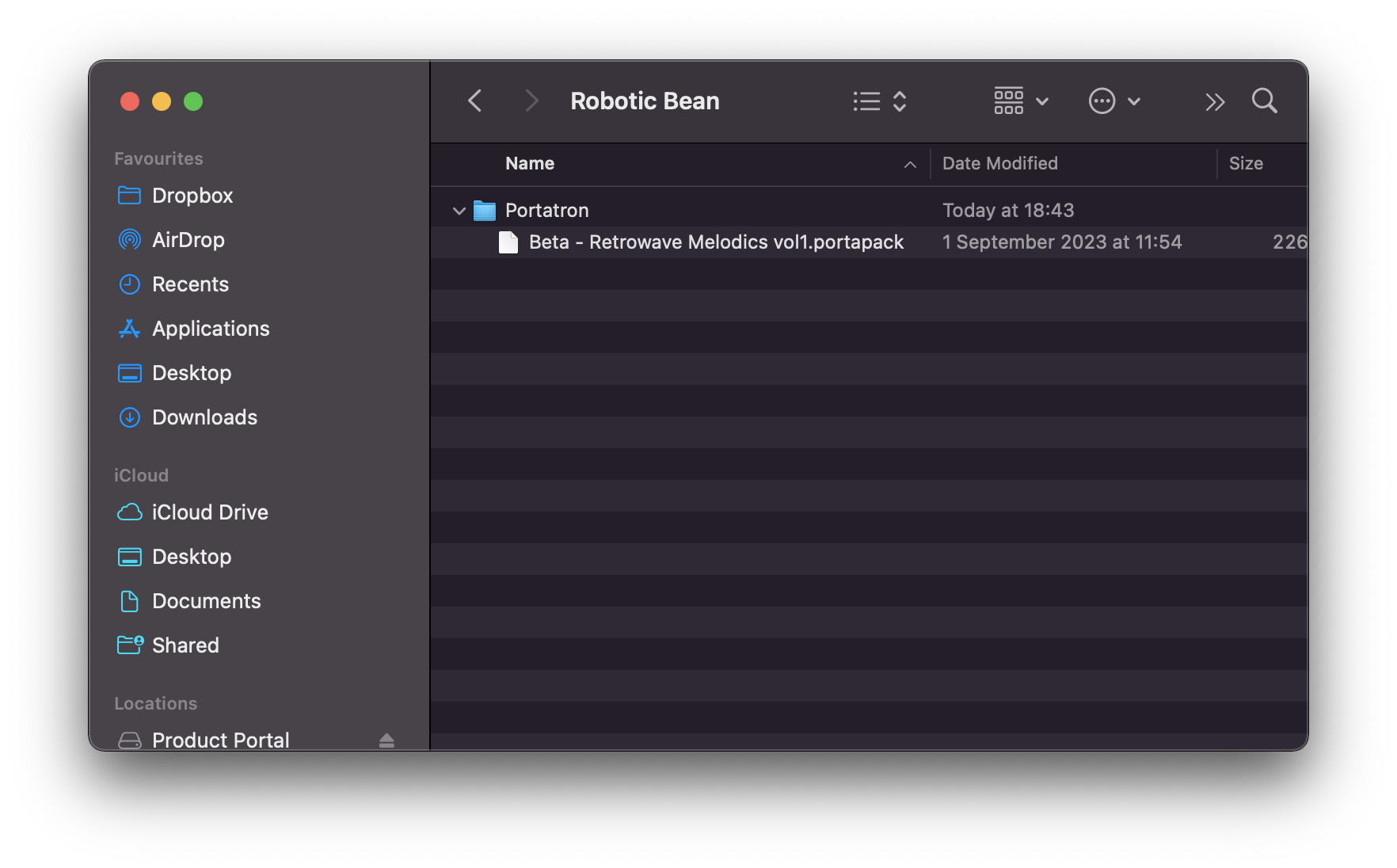
2.  Unzip the folder and locate the .portapack file within.

3. Copy the .portpack file to the following folder: C:\ProgramData\Robotic Bean\Portatron 

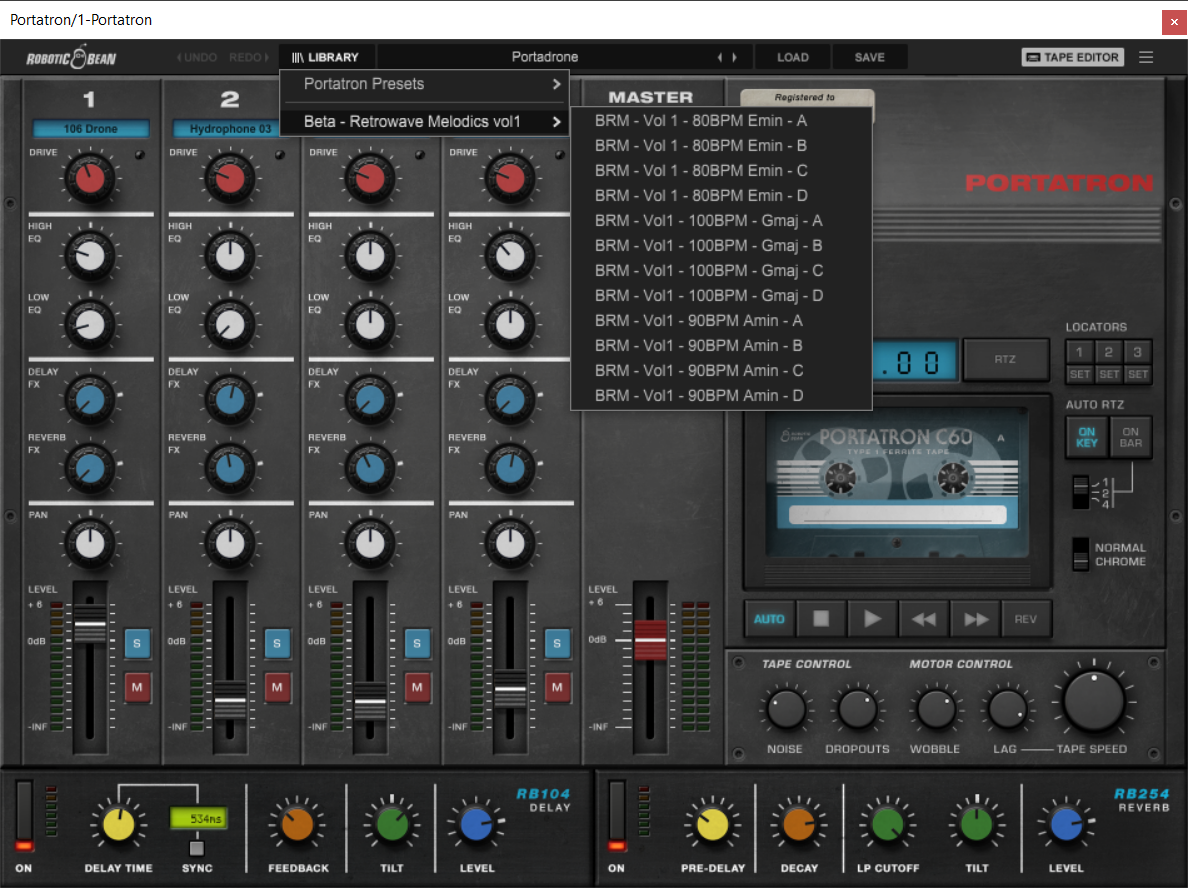
Your presets have now been added to Portatron and are ready to be used!

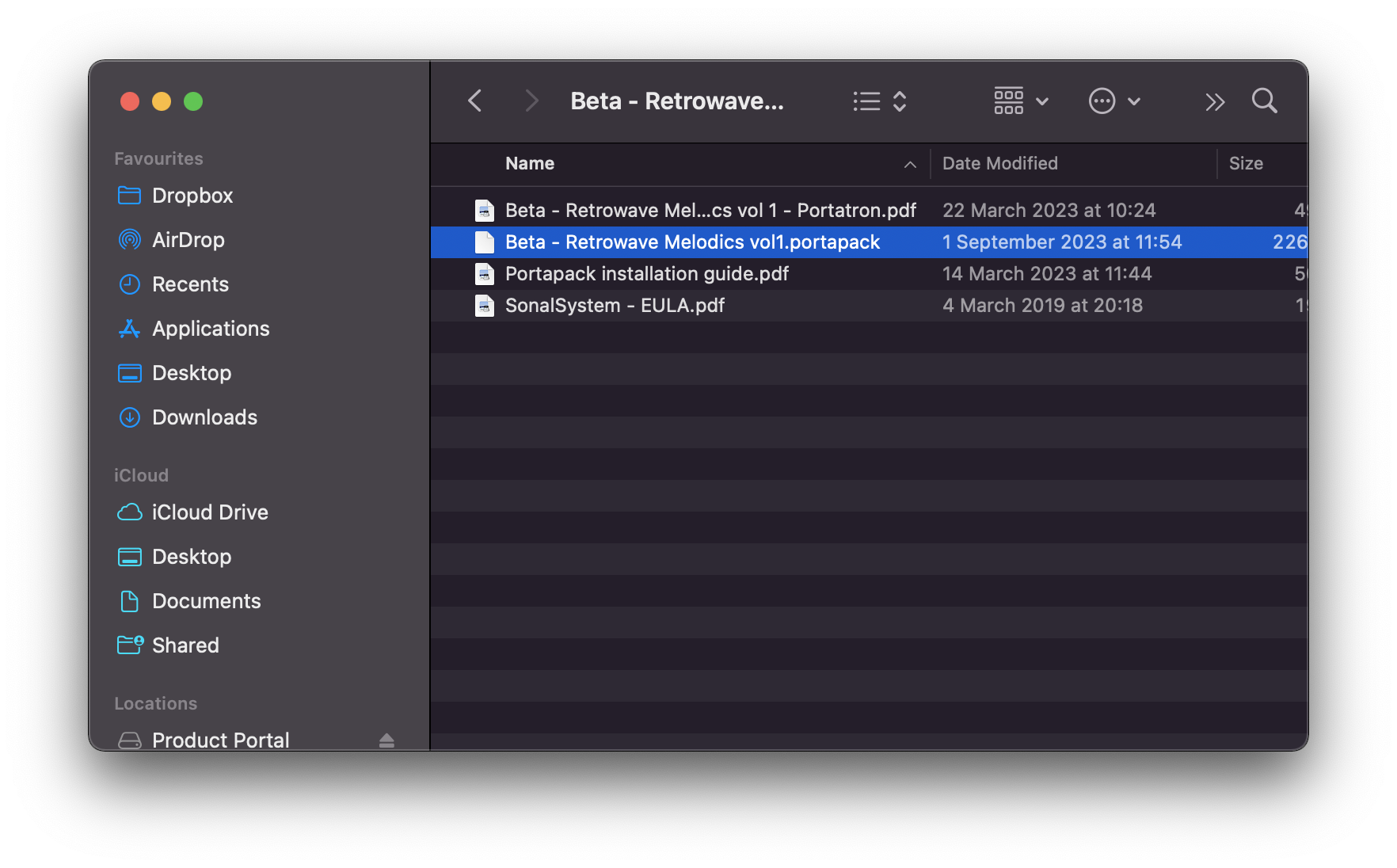
Mac

1. Download the synth presets by double-clicking the 'Download' button within your Plugin Boutique User Account.

2.  Unzip the folder and locate the .portapack file within.

3. Copy the .portpack file to the following folder:  /Library/Audio/Presets/Robotic Bean/Portatron

Your presets have now been added to Portatron and are ready to be used!

Plugin Boutique Rewards

Discover the most rewarding loyalty programme among all plugin retailers.

  • Free Loopmasters Samplepacks
  • Discounts on products and courses
  • Extra Virtual Cash claimed immediately at checkout
Find out more

Follow us:

X (Twitter) Facebook YouTube Instagram
Logo Logo

Plugin Boutique Limited, Part of the Beatport Group LLC.

Copyright © 2011-2025 Plugin Boutique. All rights reserved