Log In

Free gifts available with your purchase
Please note: This is the full version of reMIDI 4, the purchase path to upgrade from reMIDI 2 can be found HERE (upgrade is free for existing owners of reMIDI 3)
Elevate Your MIDI Compositions
Break Free from Musical Ruts
Ever find yourself stuck rearranging the same melodies or beats, searching for ways to spice up your tracks? Editing large quantities of MIDI can be tedious and time-consuming, especially without a way to quickly preview sections and get instant inspiration. Say hello to reMIDI 4 — your secret weapon for musical creativity.
A Sampler for Melodies and Drums
Imagine having a sampler that works with both melodies and drum patterns. With reMIDI 4, you can grab any musical phrase or drum groove, chop it up, and rearrange it. The possibilities are exciting!
What Is reMIDI 4?
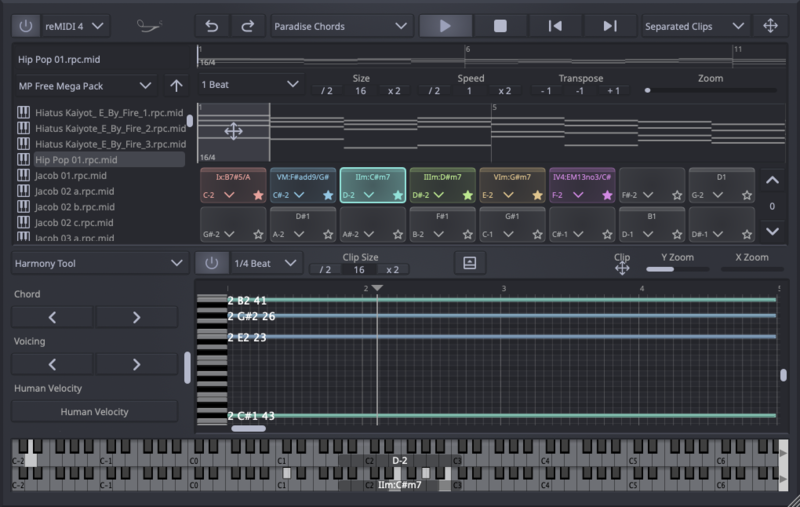
At its core, reMIDI 4 is a powerful MIDI control tool designed to give producers and musicians precision and creativity. It takes MIDI files—the digital representations of musical notes and rhythms—and gives you complete control over them. Slice them, dice them, trigger them like individual drum hits or melodic phrases, and rearrange them to your heart's content. It's like being a DJ in your own digital record store, mixing melodies and beats to create something entirely new.
Whether you're producing in the studio or performing live, reMIDI 4 enhances your ability to manage, compose, and experiment with MIDI, putting full control of your workflow right at your fingertips.
Start with the Built-in MIDI Library
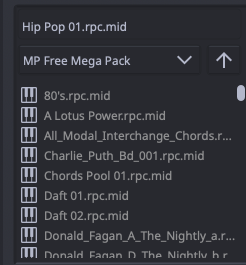
At the heart of reMIDI 4 is its built-in MIDI library, offering easy access to your favorite MIDI files. Load any MIDI file and start playing with MIDI clips immediately, allowing you to focus on composition and experimentation from the start.
Streamlined Creative Process
Even if you're new to this kind of software, reMIDI 4 is user-friendly and intuitive. It features seven main areas:
- Main Toolbar: Your command center for all essential controls, including loading and saving presets, undo/redo functions, and drag-and-drop export to your DAW.

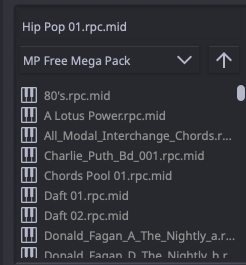
- Browser: Your personal record store for MIDI. Browse through folders and preview sounds to find that perfect melodic snippet or drum pattern. Preview MIDI inside reMIDI 4 and use MIDI routing to send the MIDI data to your favorite external instruments or software synths.
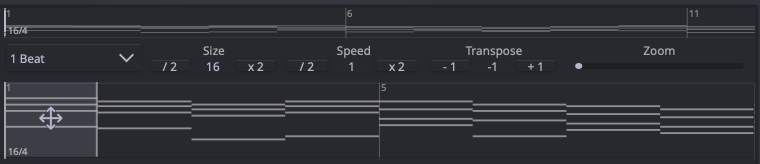
- Previewer: Think of this as your turntable. Jump across and within tracks, slow down or speed up the playback, and experience the thrill of discovering the perfect loop. Audition MIDI files with precision, navigating through them like a DJ sifting through vinyl to find the perfect sample.
- Grid: Turn melodic phrases and drum grooves into playable instruments with 128 pads across 8 pages. reMIDI 4 functions as a MIDI sampler, automatically separating sections of a MIDI file and assigning clips to different pads. This makes it easy to experiment with, trigger live, or rearrange clips on the fly.

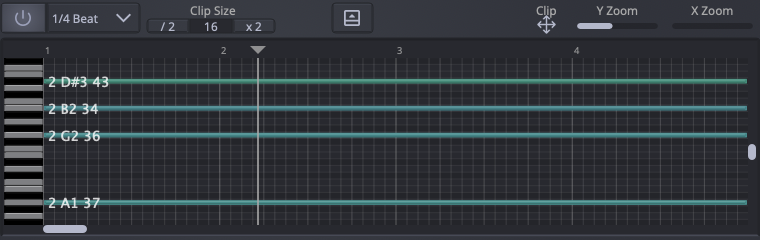
- Editor: The Editor in reMIDI 4 is where you can fine-tune your MIDI sequences. It allows for detailed editing of notes, timing, velocity, and other MIDI parameters. With a user-friendly interface, the Editor provides all the tools necessary to shape your musical ideas precisely.
- Keys Display: Live chord and scale analysis at the bottom of the interface, providing instant music theory insights. The Keys Display offers live key highlighting and chord analysis, like having a virtual music theory tutor by your side.

Features
- MIDI Routing: Seamlessly preview MIDI inside reMIDI 4 and route the MIDI data to your favorite external instruments, hardware synths, or software plugins. Harness the full potential of your existing gear by integrating it directly into your workflow.
- 2D Browsing: Navigate vertically through your MIDI library and horizontally within each file's sections using the directional arrows on your keyboard, allowing for efficient, mouse-free browsing.
- Track and Channel Management: The Previewer Tools in reMIDI 4 let you precisely filter, reassign, transpose MIDI data by channel and track, allowing you to isolate and work with specific musical elements within your compositions.
- Slice to Pads & Auto-Slice to Pads: Automatically chop MIDI files into phrases or drum hits and map them to pads, either manually or automatically. Real-time updates occur as you change tempo or filter notes and drum elements.
- Auto Pad Name Analysis: Automatically name pads based on the MIDI data they contain, making organization effortless. This feature analyzes detected chords and scales in the MIDI sequence.
- Scale Sync: Keep your melodies in tune by syncing any browsed MIDI in the previewer to your project's key (tonic/scale). Future changes to the project tonic/scale or global transpositions will adjust the clips to fit the new key, ensuring harmonic consistency.
- Global Transpose: Alter the pitch of your entire project up or down. A display shows the current pitch shift (e.g., -5, 0, +12). If Scale Sync is enabled, the project tonic/scale updates accordingly.
-
Scale to Pads: Elevate your improvisation with Scale to Pads. This feature analyzes the harmonic information from all the pads in your grid to suggest the best musical scales that align with your loaded MIDI sequences. By providing a list of recommended scales, you can:
- Trigger Analyzed Chords and Sequences: Play your pads containing chords and sequences with confidence.
- Bind Ideal Scale Notes to Your MIDI Controller: The suggested scales are mapped to your MIDI controller notes, allowing you to improvise top-line melodies or bass lines effortlessly.
- Enhance Your Composition: Quickly match your MIDI sequences with the most suitable scales, making your music sound cohesive and harmonically rich.
- Swing Tool: Add natural swing to your MIDI sequences for a more human feel.
- Humanize Velocities: Apply realistic voicing dynamics for professional results, making your MIDI melodies feel less robotic and more human.
- Sequence Tool: Customize playback behavior with options like Loop, Oneshot, Retrigger, and Choke, giving you real-time control over your sequences.
- Undo/Redo: Experiment freely with the assurance that you can revert or reapply changes.
- Drag-and-Drop Export: Quickly export your edited MIDI clips into your DAW for further production.
Control External Instruments with Ease
Use reMIDI 4 as a MIDI generator to send MIDI data to external hardware or virtual instruments. This adds flexibility to your workflow, enabling you to integrate external synths and gear seamlessly.
- Compatible with VST, AU, and AU MFX: Works across all major DAWs, including Ableton Live, Logic Pro, FL Studio, Cubase, and more.
Real-Time Control for Live Performances
For live performers, reMIDI 4 offers real-time control. Bind MIDI inputs to trigger sequences in real time, allowing you to adjust your performance spontaneously or based on audience response. Trigger multiple pads at once to create layered, intricate compositions
Workflow and Features

-
Expanded 128 Pads: The pad grid now supports 128 pads, spread across 8 pages. Manage up to 128 pads in reMIDI 4’s intuitive grid interface, where you can arrange, trigger, and manipulate clips effortlessly
-
Track and Channel Filtering: Filter and remap tracks or channels in multi-track MIDI files, allowing for more control when working with complex files.
-
Pad Favourites: Mark pads as favorites and organize them with options like Clear Except Pad Favourites and Reorder Pad Favourites.
-
Pad Content Indicator: A solid line above a pad now indicates it contains MIDI content, making navigation easier.
Live Key Display

- Keys Display for Live Chord Analysis: The Keys Display at the bottom of the interface provides live key highlighting and chord analysis.
Compatible with Major DAWs
reMIDI 4 works with major DAWs, including:
- Ableton Live
- Logic Pro
- FL Studio
- Cubase
- Studio One
- and more!
System Requirements
Mac
- OS X 11.3 and later (64-bit only)
- Natively compatible with Apple Silicon
- Formats: AU, VST, VST3
Windows
- Windows 7 and later (64-bit)
- Formats: VST, VST3