


 Log In

Free gifts available with your purchase

A powerful synthesizer and sound platform built for endless hours of inspiration.
Play
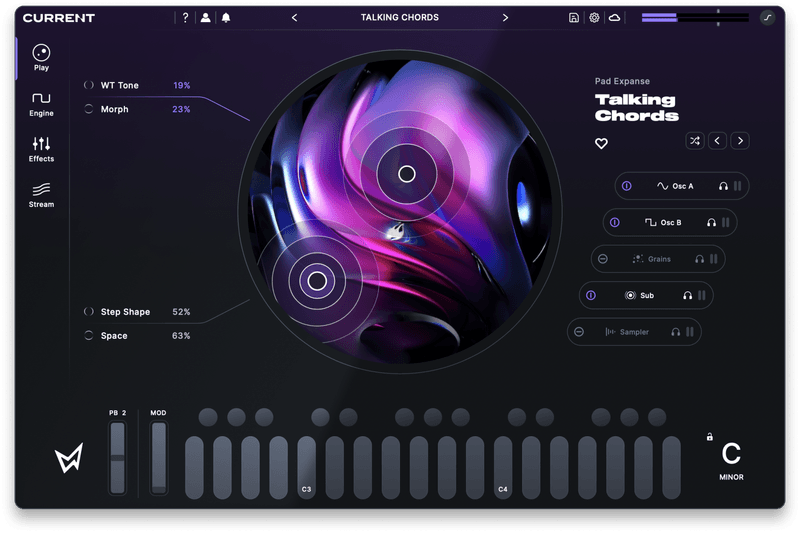
Enjoy instant access to bold, expressive presets through an interactive XY interface.
The Play View
One of the core principles of Current is that creators of all experience levels deserve a powerful tool that meets their unique needs. The distraction-free Play View offers immediate access to professional presets as well as your own custom patches.
Expressive XY Control
A dual XY pad offers expressive control over all four of Current's macro controls. Whether you're using a preset from the Stream or a meticulously designed patch, you can adjust its core parameters here, free from distractions.
Quick Engine Access
Quickly see the state of each of Current's engines and audition them individually. Click the engine's name to jump to it for detailed editing, or toggle solo and bypass directly from the Play View.
Explore
Get thousands of samples, wavetables and presets in the newly enhanced Stream.
The Stream
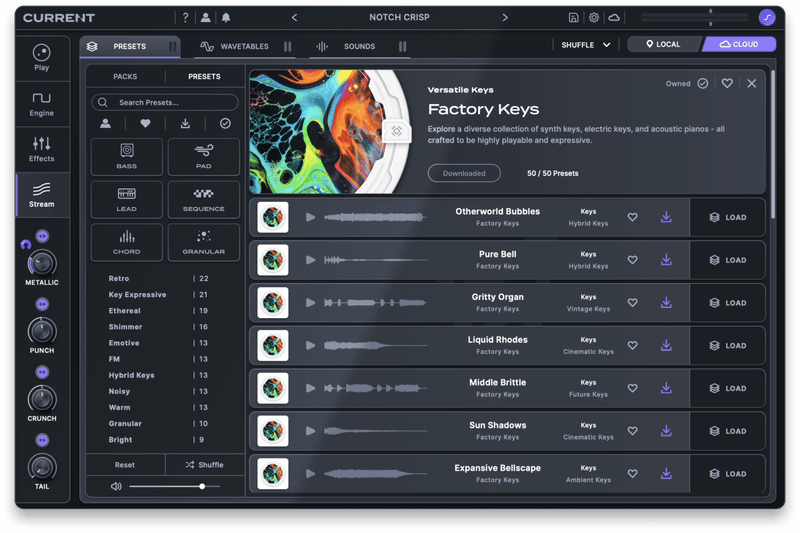
The beating heart of Current is the Stream, a cloud-connected sound platform built directly into the instrument. Discover new presets, samples, and wavetables that are automatically added as you work. Preview, download, favorite, and get right back to making music.
Presets
In the Stream’s preset section, you can browse and preview a vast library of patches. Themed packs provide sounds ranging from massive basses to hyped-up vocal chops. Every preset inside of Current is pre-mapped with 4 powerful macros so you can quickly dial in your sound.
Wavetables
Browse an extensive library of custom wavetables that can be loaded into Current’s oscillators, spanning classic analog waveforms, acoustic instruments, and cutting-edge digital sounds.
Samples
Instantly access thousands of high-quality samples, ranging from lush melodies to unique lo-fi textures and everything in between. Seamlessly load samples into the sampler engines with deep integrations, including automatic key and tempo detection.
Create
Five synthesis engines, nine premium effects, MIDI processors, flexible modulation, AM/FM and more.
The Synthesizer
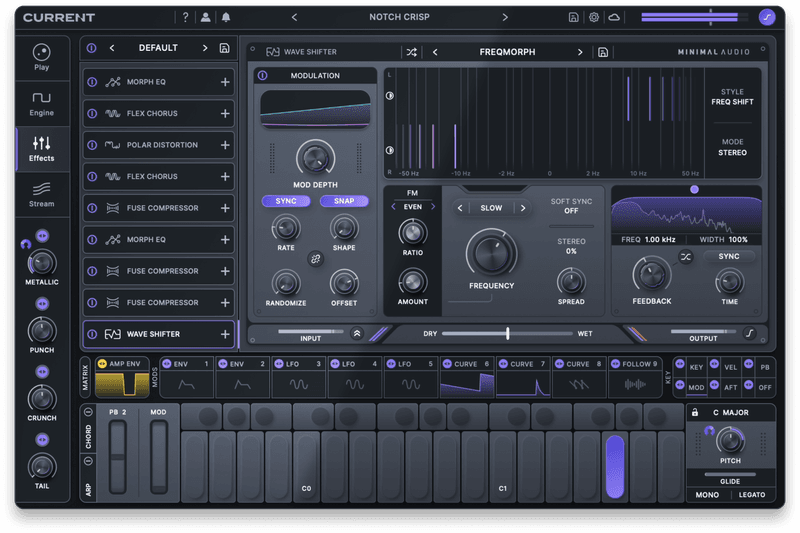
At its core, Current combines five parallel sound engines, extensive modulation options, expressive MIDI effects, FM synthesis, and advanced filtering, creating a unified sound design ecosystem.
Powerful Audio Engine
Simultaneously access five pristine sound engines, including two spectral wavetable oscillators, an additive sub-engine, a granular synthesizer, and a time-stretching sampler. Each engine has been built to maximize creativity and workflow.
Advanced Audio Effects
Current's effect rack features a freely loadable chain of all Minimal Audio's effect plugins. These effects provide endless creative possibilities while also providing mixing tools perfect for producing polished sounds right out of the box.
Flexible Modulation System
Current's modulation control bar offers quick access to a range of modulation sources. Easily drag and drop to assign modulation, swap modulator types without losing connections, and use the mod matrix for advanced control.
& More
- Full MPE Support
- Dedicated FM Area
- Dedicated Mixer View
- Extensive Filter Options
- Chord Generator & Arpeggiator
- & More
Features
-
Play View
- Easy-to-use entry point for playing presets.
- Control four macros with a dual XY pad.
-
Synth Engine
- Two spectral wavetable oscillators with 40+ warp effects.
- Granular sampler with 250+ grains.
- Additive sub oscillator tuned for low-end.
- Multi-mode sampler with time-stretching.
- Dual morphing filters with 50+ modes.
- Flexible FM/AM routing with feedback.
- Mixer panel with solo and routing options.
-
MIDI Effects
- Arpeggiator with 40+ melodic and rhythmic modes.
- Flexible chord generator with 30+ chord presets.
- Route chords into the arpeggiator, or vice versa.
-
Modulation System
- Envelopes, LFOs, curve sequencers, envelope followers, and macros.
- Nine swappable modulator slots with copy and paste.
- Drag-and-drop system with connection highlighting.
- Integrated modulation matrix popup.
- MPE and standard keyboard modulation sources.
-
Effects Rack
- Nine premium effects.
- Nine freely loadable effect slots.
- Effect copy and paste.
- Individual effect and full rack sub-presets.
-
Presets and Content
- All licenses include 400+ presets, 170+ wavetables, and 800+ samples.
- Download new expansion packs directly from the Stream.
- Search by tag and preview everything in the Stream.
System Requirements
Mac
- macOS 10.9 and higher, including native Apple silicon
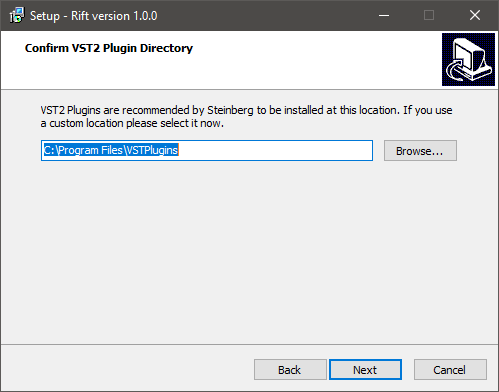
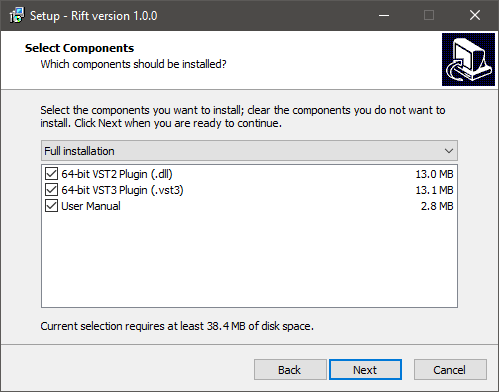
- 64-bit AAX, AU, VST2, and/or VST3 format
Windows
- Windows 10 and higher.
- 64-bit AAX,, VST2, and/or VST3 format
Reviews Summary
While it aims to provide a helpful overview, it may not capture every perspective or detail. We encourage you to read individual reviews to make an informed decision.
Users praise Current as a versatile, modern synth with great sound quality, intuitive workflow, and standout features like its sampler, grain engine, distortion FX, and cloud-based preset browsing. It is highly recommended for bass design and unique textures, though some users wish for additional tools like an internal wavetable maker and slew limiter.


