Log In

Free gifts available with your purchase

The latest installment of the groundbreaking KeepForest Evolution series returns with an astounding new library: Evolution: Devastator Breakout.
Back with a fresh perspective, this time focusing on deeply textured and visceral bass sounds, hellish braams and intimidating, distorted leads. Looking deep into the modern and often violent sound design of current video games and movies to create sonics that tear through your mix and demand your audiences’ attention.
Amongst Evolution: Devastator Breakout’sthousands of sounds, you will also find breathtaking percussion and drum sounds, fully playable instruments, dynamic tick-tock layers, thumping pulse sounds, staggering signature sounds, one shots, gun handlings, artist stems, cinematic loops and more.
This library is the tool you need to keep your productions ahead of the curve in contemporary film and video game composition.
Features
- 105 patches into 15 categories
- 2300+ WAV Files
- 900+ Loops Samples
- Smart XY Morphing Engine for flexible control under sound design with all samples integrated.
- 63 Kits presets each with 7 Scene Presets
- 1300+ Hand Crafted Sound Design WAV Samples
System Requirements
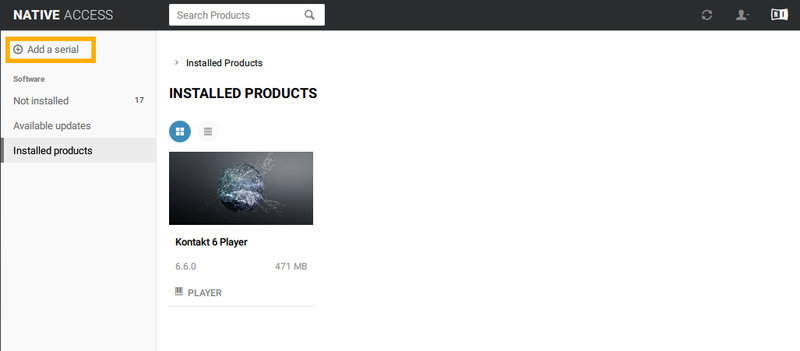
- Kontakt 6.6.1 or newer (Compatible with the FREE Kontakt Player)
Please Note: This product works with the FREE Kontakt Player.