Buy AZS Transitions Vol. 2 for Diva, get a free gift with purchase:
Resonance Sound & Aiyn Zahev Sounds presets Transitions Vol.2, the second bank for the brilliant u-He DIVA.
This bank consists of 150 DIVA presets inspired by classic analog sounds used progressive house, trance and electronic music generally and have been crafted to sit in the mix and offer instant inspirational ideas for new songs.
DIVA still remains one of the most analog sounding soft-synths available, but now goes in a new direction with classic digital Super-saw oscillators and the buttery smooth "uhbie" filter. Both of which find extensive use here.
If you need Haunting, film-score style pads and atmospheres, raw basses that go deep, 80`s pop and trance style basses, a variety of sequences and huge super-saw leads and plucks, this bank`s got you covered. All that is left is to make awesome music.
Features
- 150 DIVA Presets (.h2p format)
- Modwheel & Velocity Assignments
Requirements
- u-He DIVA v1.3.1 or higher

Please Note: AZS Transitions Vol.1 is used as an example.
Mac
1. Download the preset pack from within your Plugin Boutique User Account > double-click the .zip file to extract the contents.
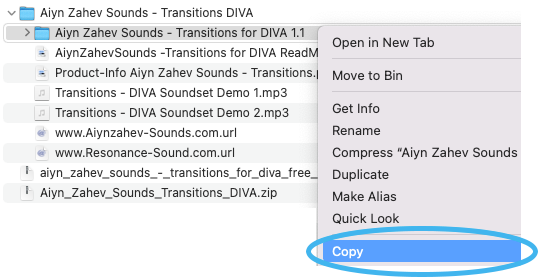
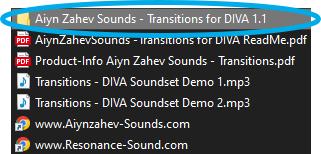
2. Locate the extracted folder that contains the .h2p files > Right-click the folder and click 'Copy'.
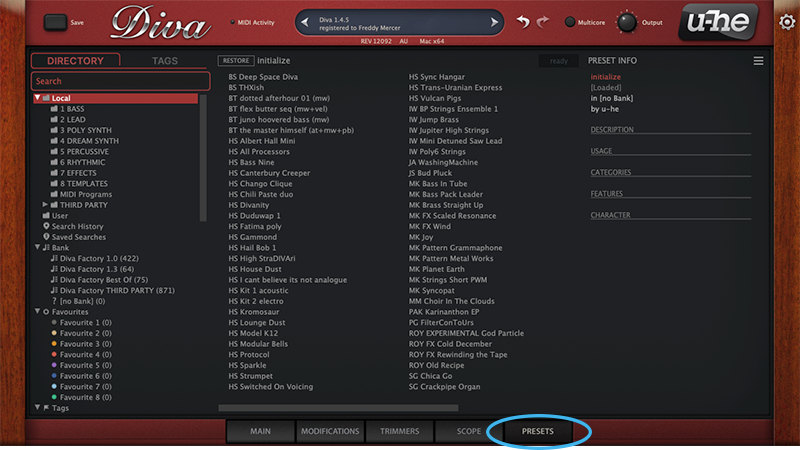
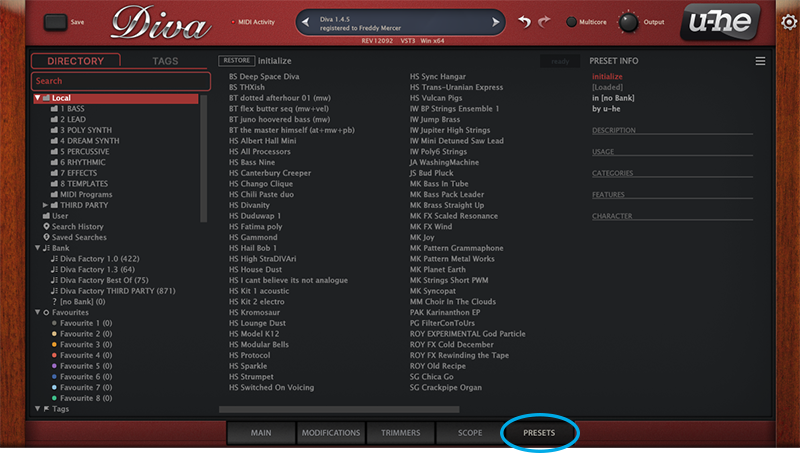
3. Open your DAW > Launch DIVA > Click the 'PRESETS' tab.
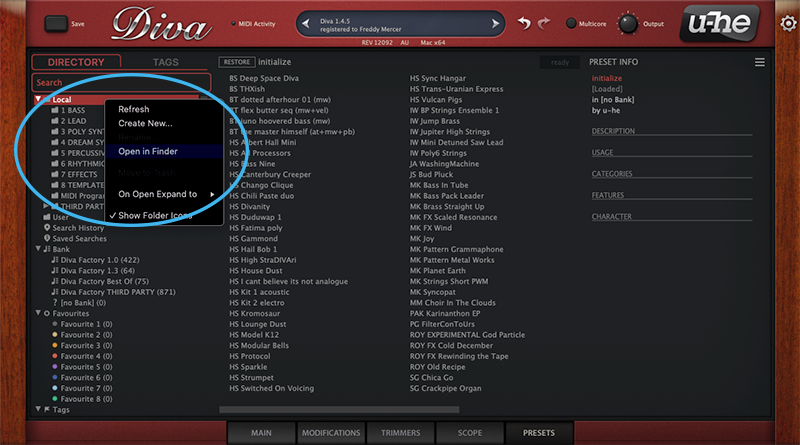
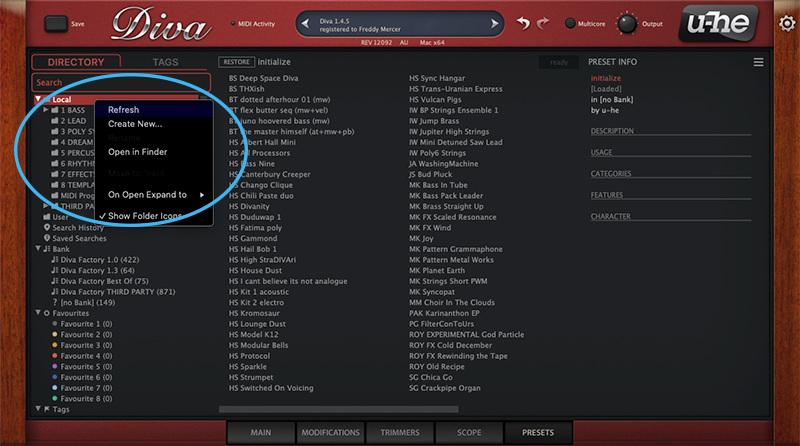
4. Navigate to 'Local' > Right-click the folder > Click 'Open in finder'.
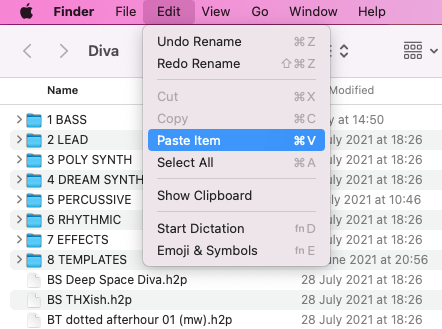
5. The presets folder will be automatically opened > Click 'Edit' from the toolbar > Select 'Paste Item'.
6. Navigate back to DIVA > Right-click 'Local' > Select 'Refresh'.
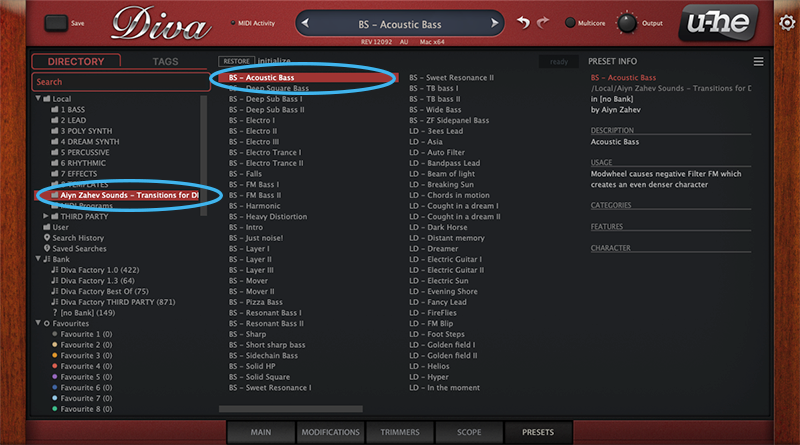
7. The preset pack is now installed > Select the preset pack folder from the left-hand menu > Select your desired patch.
Your presets are now installed and ready to use.
Windows
1. Download the preset pack from within your Plugin Boutique User Account > double-click the .zip file to extract the contents.
2. Locate the extracted folder that contains the .h2p files > Right-click the folder and click 'Copy'.
3. Open your DAW > Launch DIVA > Click the 'PRESETS' tab.
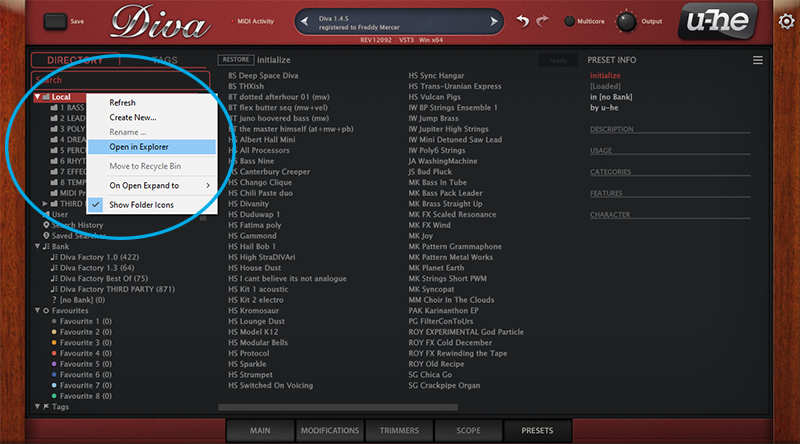
4. Navigate to 'Local' > Right-click the folder > Click 'Open in explorer'.
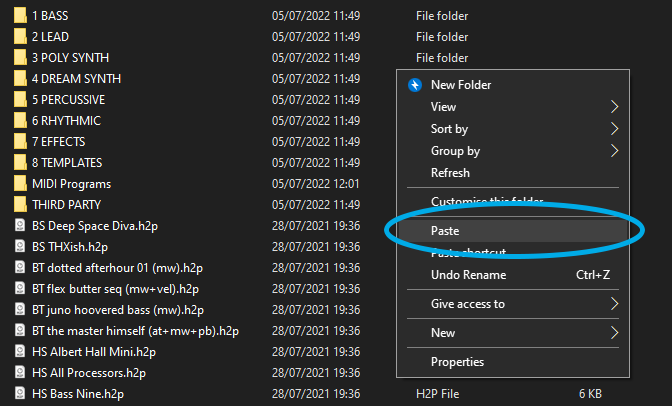
5. The presets folder will be automatically opened > Right-click and select 'Paste'.
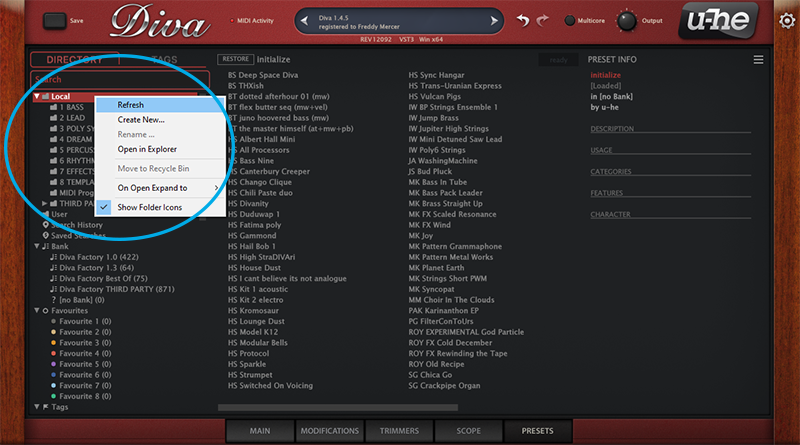
6. Navigate back to DIVA > Right-click 'Local' > Select 'Refresh'.
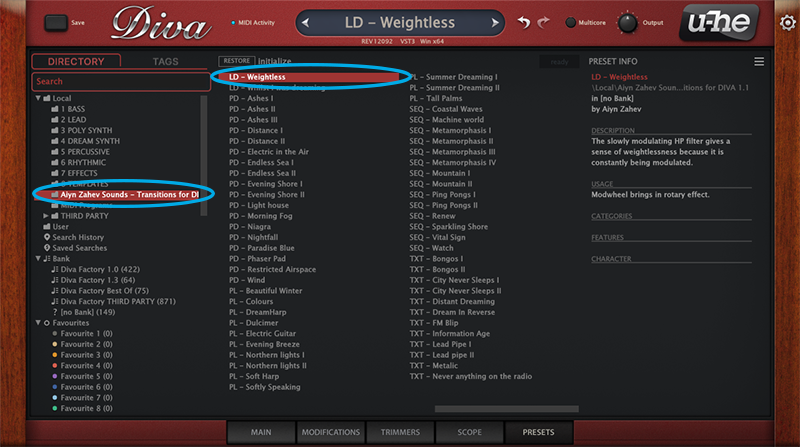
7. The preset pack is now installed > Select the preset pack folder from the left-hand menu > Select your desired patch.
Your presets are now installed and ready to use.