


 Log In

Free gifts available with your purchase
Pitch Correction Vocal Live Changer
Graillon is a Vocal Live Changer that brings a world of possibilities right into your DAW, with carefully designed features. The Pitch-Tracking Modulation, unique to Graillon, changes the type of speakers, generates throat sounds, creates choruses, make octaver sounds, enriches a voice to make it more masculine. The Pitch Shifter cleanly transpose a voice up and down, and has been optimized for voice. The Pitch Correction module brings an immediate robotic sound. And that's before the effects kick in, with a vocal Compressor, Gate, Doubler, Chorus, and Preamp all working together for professional results.
What to do with Graillon 3?
- Create harmonies with multiple instances
- Pitch-shift vocals to add excitement
- Turn percussions into weird sounds
- Pitch correct voice, violin, chords... and get THAT classic pitch correction sound
- Add PTM (Pitch Tracking Modulation) for all kind of altered voices
- Completely mangles the sound of your voice for style
- Video Stream with vocal effect
- Graillon is a tribute to the awesome, over-the-top sound of classic pitch correction.
Features
- The Pitch Correction module brings an immediate robotic sound, while the Bitcrusher addition softly add sparkles to the mix.
- The Pitch-Tracking Modulation, unique to Graillon, changes the type of speakers, generates throat sounds, creates choruses, make octaver sounds, enriches a voice to make it more masculine.
- The Pitch Shifter cleanly transpose a voice up and down, and has been optimized for vocals.
System Requirements
- macOS 10.12+ (M1 native)
- Windows 7+
- Linux
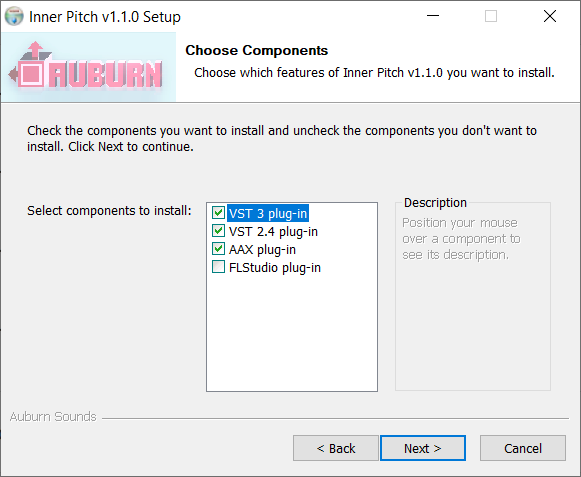
- VST2, VST3, AU, AAX, LV2




Reviews Summary
While it aims to provide a helpful overview, it may not capture every perspective or detail. We encourage you to read individual reviews to make an informed decision.
Users praise this plugin as a fantastic and affordable autotune alternative that delivers great value for its low price. While some note that its pitch algorithm is not the cleanest, they appreciate its unique character, subtle glitch effects, and strong overall performance on vocals.


