


 Log In

Free gifts available with your purchase
Inspired by the timeless elegance of the Renaissance-era viola da gamba, VIOLONAIR emerges as a remarkable new instrument that pushes boundaries and creates an unrivaled experience.
Unlock the Potential of Dynamic Tuning
Discover the essence of true artistry with our new script, "Dynamic Tuning," crafted solely for VIOLONAIR. Experience the magic as each note resonates with subtly different tuning, creating an ever-evolving and organic sound. Immerse yourself in the lifelike realism that emulates the slight fluctuations of a live musician.
Dive into a world of musical expression with VIOLONAIR's extensive range of articulations. With three modes of harmonics and many editable special effects, unleash your creativity and explore new sonic dimensions.
Seamless Control at Your Fingertips
Take command of your compositions effortlessly with VIOLONAIR's intuitive controls.
Seamlessly switch between articulations in real-time using the mod wheel or key switches. Experience the flexibility of five dynamics per note and multiple round robins, delivering a colossal dynamic range.
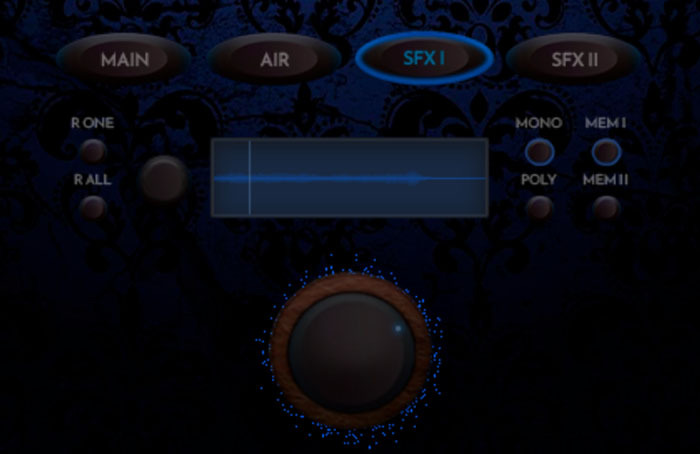
Customize Your Sound with Ease
Craft your signature sound with the wave editor feature. Tailor the VIOLONAIR's sonic palette to suit your unique artistic vision. With memory banks to store your edits.
Uncompromising Sound Quality
Capturing the essence of VIOLONAIR with utmost fidelity is our priority. Through our Krystalos Hi-resolution technology, Loot Audio have recorded every nuance in stunning detail.
The modified, linear power supply-driven computer, equipped with state-of-the-art vintage and modern tube preamplifiers, faithfully reproduces the instrument's natural and musical essence.
Unleash the Majestic Power of a Modern Renaissance.
System Requirements
- This product is compatible with Kontakt Full V5.8.1 or later
- This product will not work with the free Kontakt Player.











