


 Log In

Free gifts available with your purchase
Augmented Sonic Reality
- Flesh out your rhythmic samples into full tracks
- Made for hands on performance – in the studio and on the stage
- Create inspiring melodies dripping with feel – no music theory needed
Hands-on Fun
FLESH is the latest creation by producer, musician, and inventor Tim Exile – a fun and innovative performance synth that turns anything you feed it into an electronic symphony.
A Blast of Inspiration
FLESH augments your source material with dynamic basslines, riffing melodies, throbbing pads, and more. Switch, bend, and warp your way to twisted breaks and harmonic progressions with incredible hands-on performance power. Prepare for a blast of new inspiration.
Musical Magic
Working with FLESH is easy. Load up to 12 samples and FLESH analyzes the transients and spectral profile of the sound. This information is transformed it into curves and triggers which gets sent to four audio engines for re-synthesizing new sonic material. All this happens automatically in the background. The result: Naturally dynamic riffs and grooves dripping with a feel faithful to the source material.
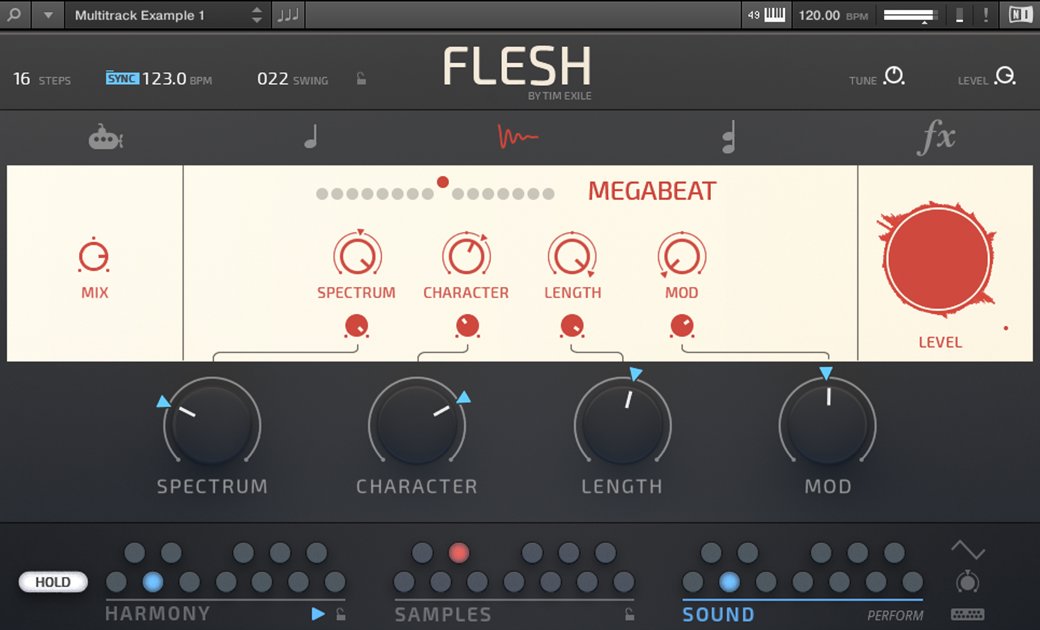
Sample Engine
Use the Sample Engine to change the sonic character of the sample itself. Make it more percussive by shortening its length, liven up static sounds with modulation, and more.
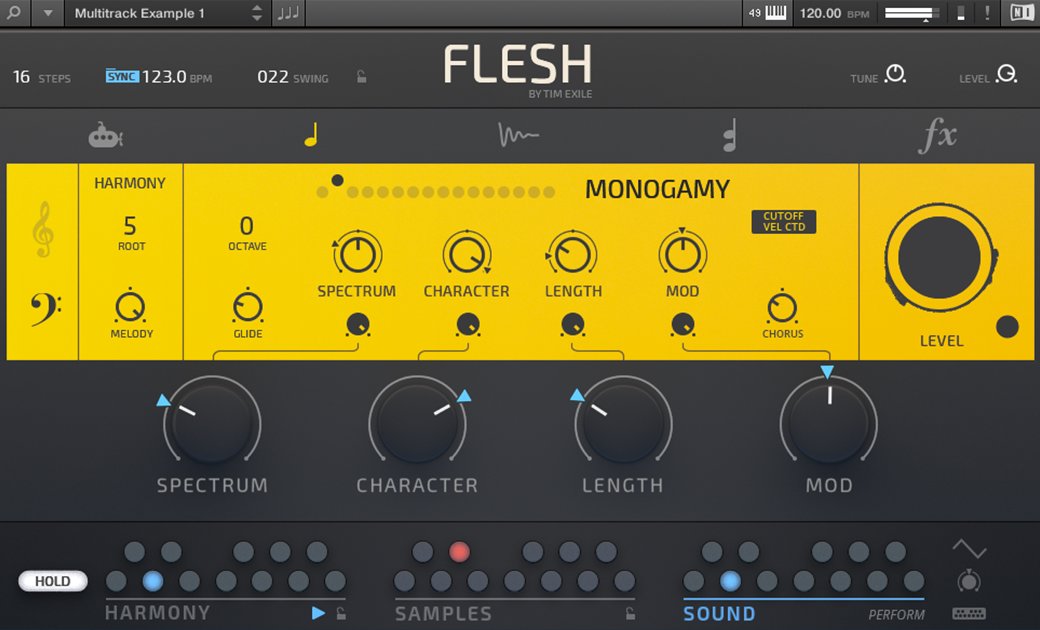
Monosynth Engine
This synth rebuilds its wavetables based on your sample. Put simply, this engine transforms your sample into a monophonic sequence or lead.
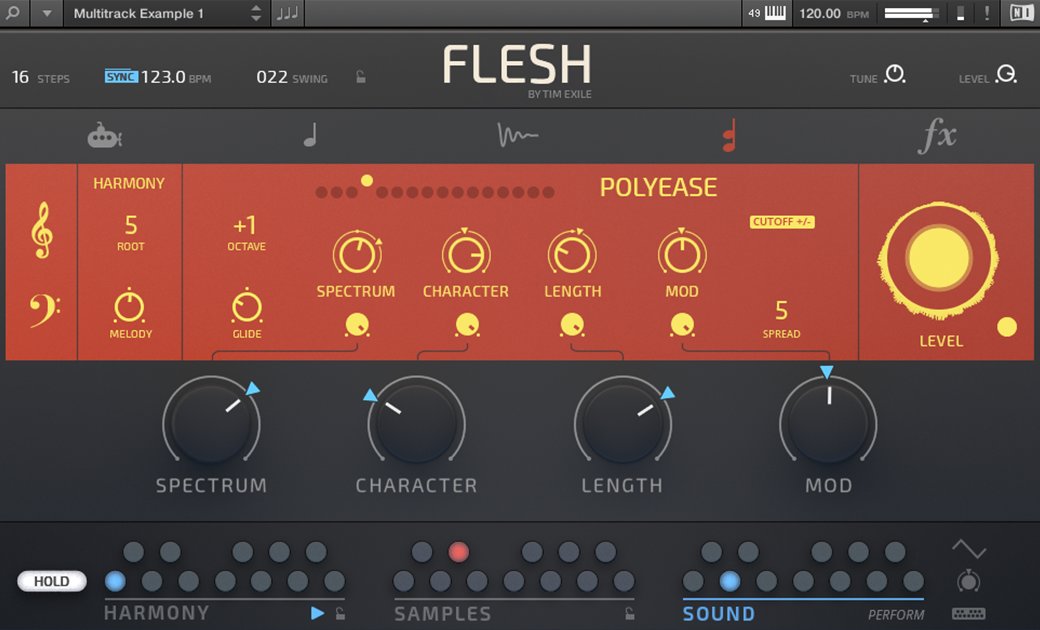
Polysynth Engine
This resonating granular synth transforms your input signal into chords – great for laying down a harmonic foundation. You can also stack the voices for a massive monosynth line.
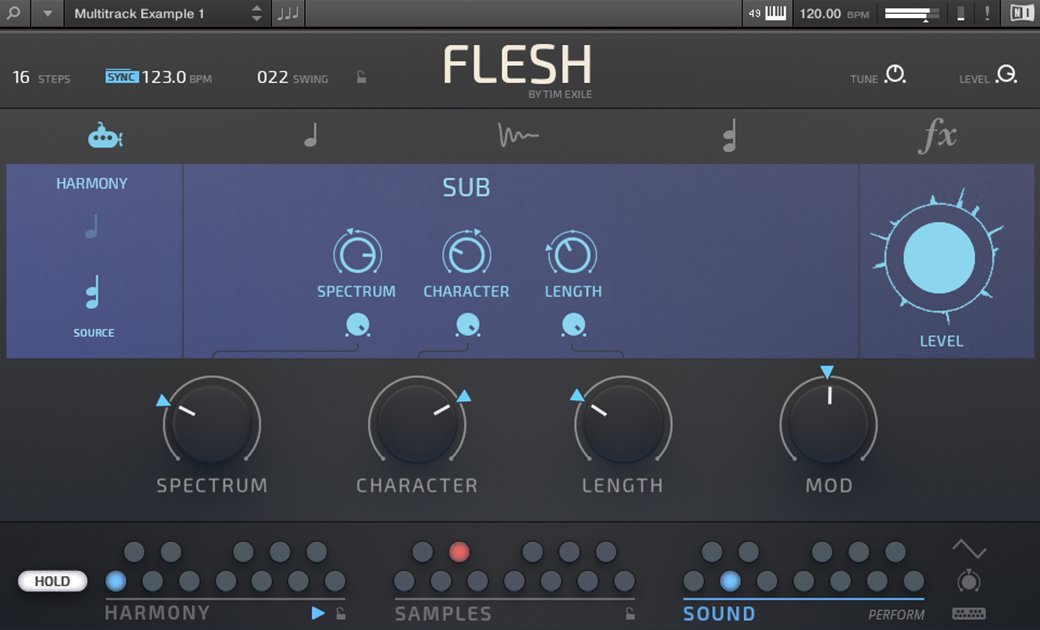
Subsynth Engine
A band-limited sub generator that creates bass frequencies from an incoming pitch signal. Choose the source from either the monosynth pitch or the polysynth pitch.
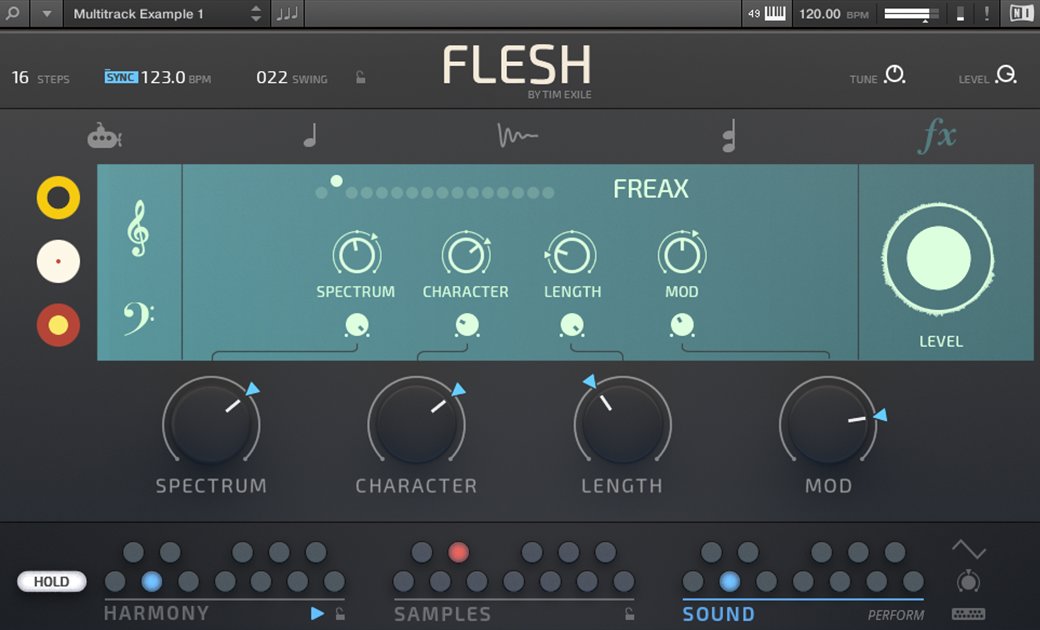
Effects Section
Add some weirdness with this dub delay on steroids. The Effects Engine can be modulated by the curves extracted from your samples.
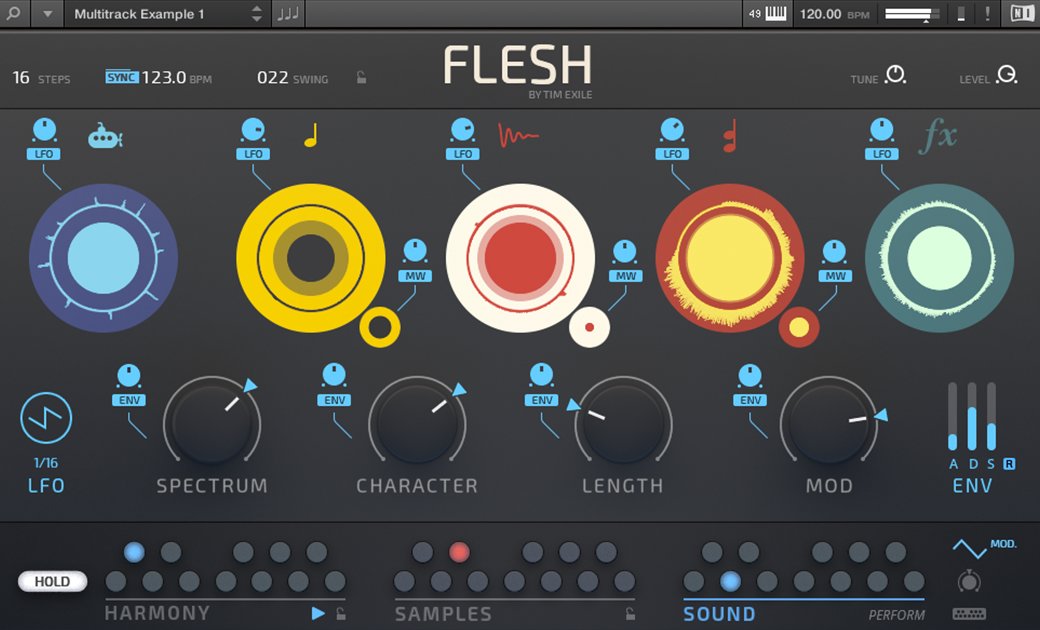
Modulation Page
Add motion to your sound on the Mod Page. Just choose a modulation source, then crank up the impact of LFO, Envelope, and Modwheel – from subtle to radical.
Perfect Performance
FLESH features a streamlined control set that lets you radically change the rhythmic and tonal output of the instrument. Play rich harmonic progressions on the fly. Trigger and switch source samples and sound snapshots in real time, then tweak parameters across all engines at once – all at the drop of your finger.
A clever system of global macro controls allows for consistent and tactile live tweaking. Four main controls – Spectrum, Character, Length, Mod – let you to subtly transform a sample or tear it apart into something completely new. And the clear labels make it easy to predict what you can expect from each knob turn.
Designed for Komplete Kontrol Keyboards
FLESH is the first REAKTOR Instrument designed from the ground up to get the most out of the KOMPLETE KONTROL S-Series keyboards. Color-coded control octaves on Light Guide make it easy to see keyswitches – even on a dark stage. FLESH also uses the Light Guide to provide tight visual feedback, highlighting sounds and samples, and sequenced harmonies. Thanks to Native Map, parameters are perfectly pre-mapped to the eight control knobs on the KOMPLETE KONTROL keyboards. Plus, you can save presets – including samples – and recall them in real time.
About Tim Exile
Audio maverick, technical genius and boundary-pushing performer, Tim Exile has seen his career move from performing small clubs, to big stages around the world and releasing albums on Planet Mu and Warp. For the last years, Tim has worked closely with Native Instruments to design his own set of ‘audio instruments’ including THE MOUTH and THE FINGER.
System Requirements
Windows (64-bit only)
- Intel Core i5 or equivalent CPU, 4 GB RAM
- Stand-alone, VST, AAX
- Windows 10 or 11
macOS (64-bit only)
- i5, 4 GB RAM
- Stand-alone, VST, AU, AAX
- macOS 11+
Important Note: The Free Reaktor 6 Player is required to use this product. An Internet connection and a graphics card that supports OpenGL 2.1 or higher are required to download and activate this product. Once installed and activated, the product can be used offline.
Reviews Summary
While it aims to provide a helpful overview, it may not capture every perspective or detail. We encourage you to read individual reviews to make an informed decision.
Users generally praise the plugin as an inspiring and creative sound design tool, highlighting its unique sample-triggering system, great presets, and deep sound-sculpting capabilities. While many find it fun and easy to use, some users noted a learning curve and mentioned areas for improvement, such as simpler key-setting controls.


