


 Log In

Free gifts available with your purchase
Get Silky‑Smooth Sounds With A Collection Of “Must‑Have” EQs
Now compatible with any soundcard on Mac and PC
Breathe analog life into your vocals, drums, guitars, and synths with legendary vintage tube EQs used to sculpt over 70 years of popular music. Simply run a full mix or single instrument through these EQs and hear the stunning Pultec analog magic for yourself.
These astonishingly accurate EQs are nearly indistinguishable from the original analog hardware, giving you the same rich tones used by the producers of John Mayer, Daft Punk, Mariah Carey, and more.
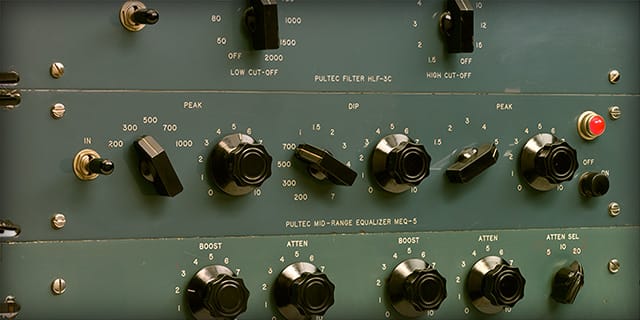
Get the Rich Sound of the World's Most Famous EQs
Going far beyond all other Pultec-style EQ plug-ins, the Pultec Passive EQ Collection gives your productions the rich, musical sound of the ultra-rare vintage hardware — the culmination of the world’s most intensive modeling research.
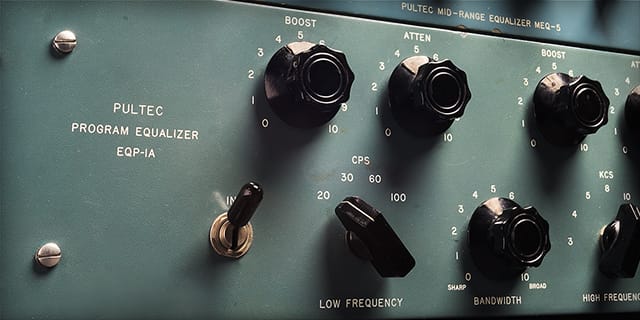
Craft Legendary Low End: The EQP‑1A
Make confident broadstroke EQ moves and get the vibiest low‑end you've ever heard. From bass guitar and synth bass to kick drums, you'll be amazed at the tight, focused thump, with the twist of a couple knobs.
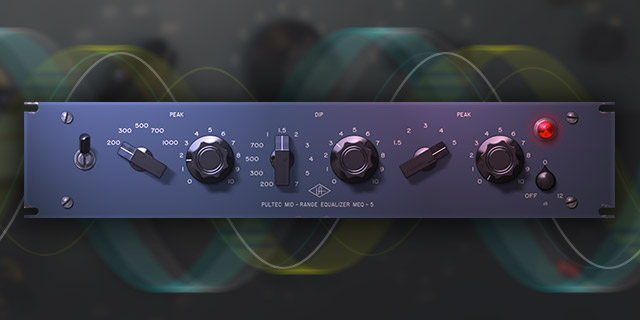
Customize Your Mids: The MEQ‑5
Add vibrancy and depth to vocals, guitars, and keys — the important "power region” of your mix — with the MEQ‑5's two bands of mid boost and single band of midrange dip, complete with unique filter interactions of the vintage hardware.
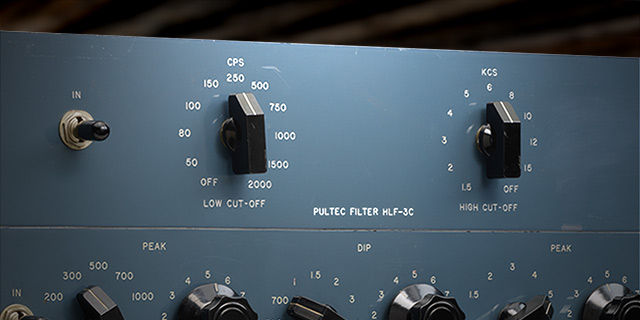
Get Cleaner Mixes and Effects: The HLF‑3C
With just two controls, the HLF‑3C will give you retro, lo‑fi effects on your vocals and instruments, or let you surgically remove troublesome frequencies like excessive hiss and rumble that can build up and muddy your mixes.
Features
- Use any audio interface, with both UAD Native and Apollo Realtime/UAD-2 versions included
- Get instant "Analog Magic" with the world's best emulations of vintage Pultec EQs
- Sculpt fat and punchy bass, synths, and drums with the EQP‑1A
- Experience rich midrange textures on your guitars, vocals, and keys with the MEQ‑5
- Create retro filter effects or reduce unwanted frequencies with surgical precision using the HLF‑3C
Versions Included with your Purchase
- UAD Native: Runs on your Mac or PC without any UA hardware
- Apollo Realtime & UAD-2: Runs accelerated on Apollo interfaces and UAD-2 hardware
- macOS Big Sur 11, Monterey 12, Ventura 13, Sonoma 14, Sequoia 15 and Tahoe 26
- Windows 10 or Windows 11 (64-bit editions)
- Intel, AMD, or Apple silicon processor
- Internet connection to download software and authorize UAD Native plug-ins (UADx)
- Free iLok account
- Compatible with iLok USB (2nd generation or higher) but not required
- Free UA Connect application for managing UAD Native plug-ins (UADx)
- A supported DAW compatible with VST3, AU, or AAX plug-in file formats.
Reviews Summary
While it aims to provide a helpful overview, it may not capture every perspective or detail. We encourage you to read individual reviews to make an informed decision.
Reviewers widely praise the UAD Pultec Passive EQ Collection as an essential, industry-standard emulation of the classic analog hardware. Users highlight its exceptional ability to add warmth, silky highs, and rich low-end weight, particularly excelling on kicks, bass, vocals, and drum buses. With its efficient CPU performance and authentic vintage character, producers consider it a versatile, indispensable staple in their mixing workflows, despite minor mentions of needing updates.


