


 Log In

Free gifts available with your purchase
SSL Sourcerer
Pristine Audio Quality In Any Live Environment
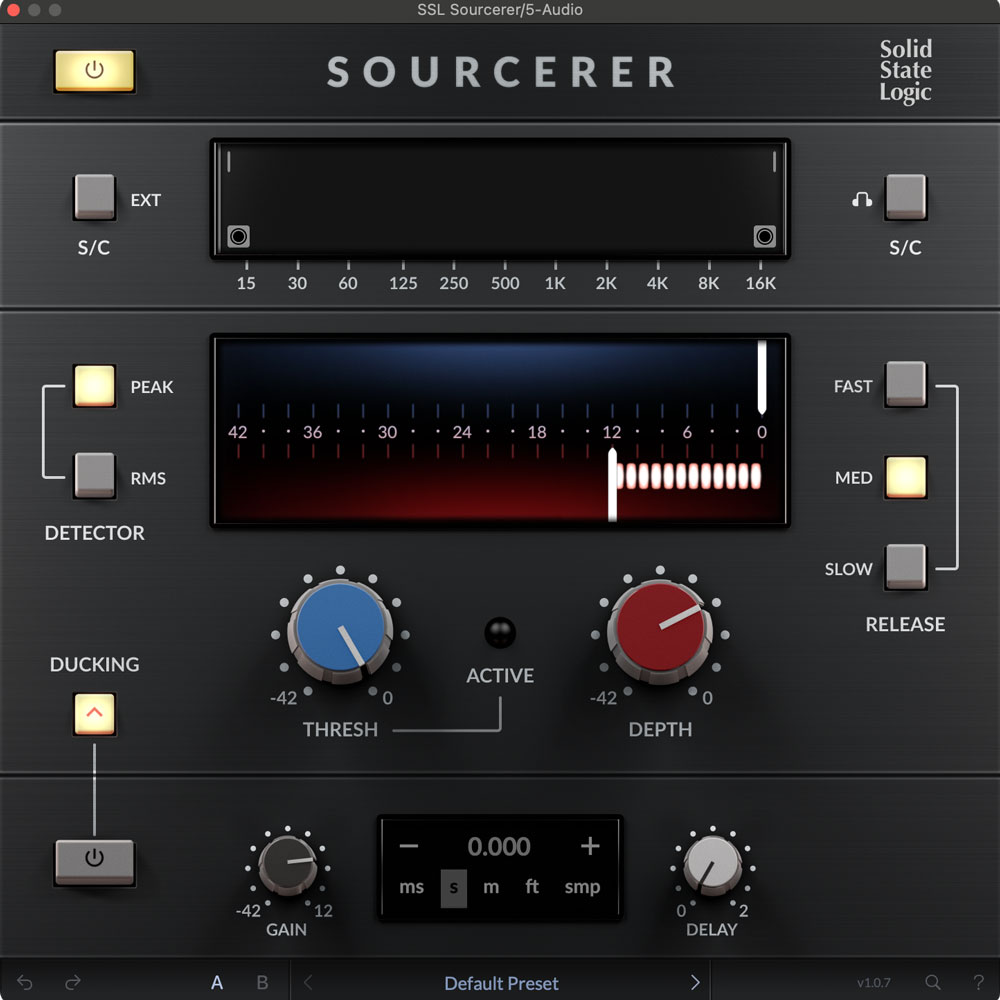
SSL Sourcerer is a highly optimised expander that reduces mic bleed in live and studio recordings without the need for a gate, giving users a more natural-sounding mix. Its suite of intuitive controls has been designed to maximise workflow, and include adjustable Threshold, Time, and Depth settings, as well as High-Pass and Low-Pass Filters to dial in settings quickly and efficiently.
Initially developed for the SSL Live console range, Sourcerer builds upon SSL’s rich history of digital processing, helping both live and studio engineers overcome some of the ‘mic bleed’ and ‘feedback’ challenges they face. It can be used in a variety of scenarios, such as when you need to eliminate mic bleed in live jam recordings or suppress cross-talk in a podcast or panel discussion.
Release time settings
SSL Sourcerer comes with 3 easy-to-use release time settings - Slow, Medium and Fast - allowing users to match the decay of the gate to the natural release of the audio source, therefore preventing any unnatural cutoffs.
Visual Feedback
Make precise adjustments based on real-time visual cues with the dual visual feedback graphs featured in SSL Sourcerer. The top graph represents the sidechain and filtered signals, while the bottom graph displays the threshold levels and gain reductions.
Advanced Ducking Features
The ducking feature provides greater control in complex live situations where there are periods of relative silence, such as panel discussions, or where constant background noise can be intrusive, such as live performances in front of crowds. The ducking feature also includes an adjustable ducking delay to synchronize the effect of ducking with the timing of the source material.
Sidechain Source Selection
Choose between internal and external sidechain sources to best suit your source material and desired outcome. The internal sidechain allows you to monitor the sidechain input directly and set the correct detection and processing based on the signal that triggers the dynamics control. The external sidechain, on the other hand, offers the capability to use an external audio source for the sidechain, allowing for more flexible control over dynamics by using other tracks in the mix to trigger the noise reduction process.
Threshold, Depth and Time controls
Perfectly fine-tune your sound in both dynamic live environments and controlled studio settings with the intuitive controls of the SSL Sourcerer. The Threshold, Depth, and Time controls are particularly effective when you need to achieve results in time-sensitive environments.
Dual Detection Modes
Toggle between RMS and Peak detection modes to best match the material being processed. RMS mode offers a smoother, averaged response suitable for continuous sounds, while Peak mode is better for handling fast transients.
Features
- Dynamic noise reduction
- Intuitive controls for fast results
- External sidechaining
- RMS and Peak detection modes
- High-pass and Low-pass Filters
- Sidechain monitor
System Requirements
Mac
- macOS 11 Big Sur - macOS 13 Ventura (64-bit only) (M1 Mac supported)
- Intel Dual-Core Mac running at 2.4GHz or higher
- 4 GB of RAM minimum (8 GB of RAM recommended)
- AU, VST2, VST3, AAX Native
Windows
- Windows 10 - Windows 11 (64-bit only)
- Intel Core 2 (or comparable) CPU running at 2.4GHz or higher
- 4 GB of RAM minimum (8 GB of RAM recommended)
- VST 2, VST3, AAX Native
Please Note: A FREE iLok Account is required for the authorisation of this software.


