


 Log In

Free gifts available with your purchase

Colourful Dynamic Control
Right from the early days of the studio, compressors and been essential to the sound of music. Today, compression is used more than ever before, and in many more applications.

Lifeline Comp puts characterful dynamics control at the forefront and lets you choose between three compression types to suit a variety of sources and uses.

The Comp module provides three compression styles to deal with different production tasks. Analogue smooths out signals and imparts the character of revered compressor hardware. Transparent gives a clean, modern response that’s great for catching peaks while retaining a sound’s body. Variable provides an input-dependent response that’s great for smoothing vocals, glueing busses, and for mastering applications.
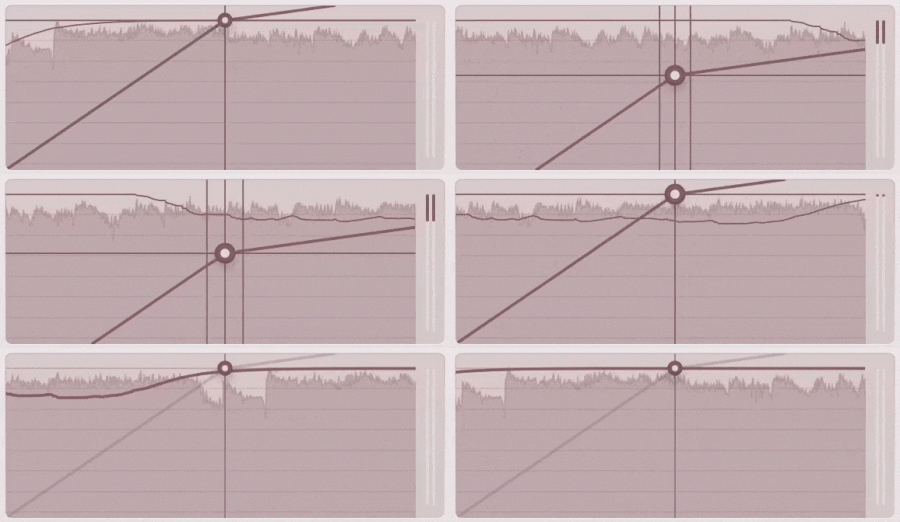
Controls on the Comp module include Threshold, Ratio, Attack and Release. Lifeline Console’s unique Auto-Makeup control simplifies the make-up gain process, by listening to your audio, taking an average of your audio signal and applying the exact amount of gain required.
Further features include a Dry/Wet mix for parallel processing, a bandpass filter for frequency-specific compression and a gain reduction meter. As with all Lifeline Console modules, the compressor offers Mid/Side and Left/Right functionality for full control over the stereo field.
Features
- 3 Compressor Algorithms
- Threshold, Ratio, Attack & Release controls
- Intelligent Make-up Gain
- Stereo-Link and Dry/Wet controls
- Input/Output Gain Controls
- Global Bypass
- Resizeable UI
- Zero Latency
- 50 Presets
System Requirements
macOS
- macOS 10.15 or higher (Intel / Native Apple Silicon supported).
- Plugin Formats: VST3, AU, AAX, Standalone
- DAW's Supported: Ableton Live, Pro Tools, Logic Pro, FL Studio, Cubase, Nuendo, Reaper, Reason + more.
- Compatibility: 64-bit compatible only.
Windows
- Windows 7 or higher
- Plugin formats: VST3, AAX, Standalone
- DAWs supported: Ableton Live, Pro Tools, FL Studio, Cubase, Nuendo, Reaper, Reason + more.
- Compatibility: 64-bit compatible only.


