


 Log In

Free gifts available with your purchase

Creative Textural Layers
Lifeline Wear allows you to use noise, hum, artefacts and dropouts to shape a sound’s tone and feel. Add life, realism or even a lo-fi texture to a mix, and use these factors creatively as part of your sound design and production workflow.

Three Wear modes – Tape, Vinyl and Cassette bring three types of recogniseable degradation to your audio, and the Age control introduces the saturation and deterioration that occurs over time in these formats.
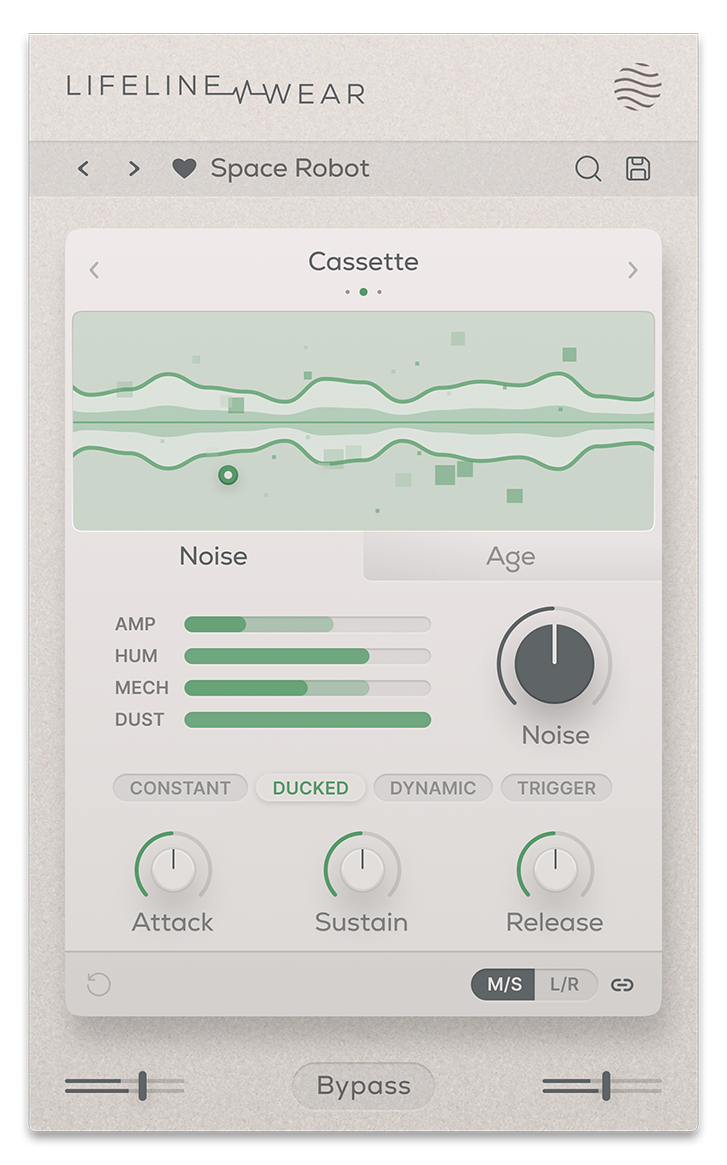
Noise properties in the Lifeline Wear include Amp (hiss), Hum (electrical noise), Mechanical (physical movement and whir), and Dust (light artefacts). These signals can be ducked or triggered by input audio, letting you harness noise as a creative effect. The interactive display also reacts to your audio, noise, age, artefacts and dropouts.

Create musical elements out of your Artefacts and Dropouts such as light rhythms and subtle gating by syncing them to your project tempo.
Features
- 3 Wear Modes
- 4 Noise layers per mode (Amp/Hum/Mechanical/Dust)
- Internal Sidechain for Input reactive Noise
- Free & Tempo synced Artefacts/Dropouts
- Mode-specific Age control
- Input/Output Gain Controls
- Global Bypass
- Resizeable UI
- Zero Latency
- 50 Presets
System Requirements
macOS
- macOS 10.15 or higher (Intel / Native Apple Silicon supported).
- Plugin Formats: VST3, AU, AAX, Standalone
- DAW's Supported: Ableton Live, Pro Tools, Logic Pro, FL Studio, Cubase, Nuendo, Reaper, Reason + more.
- Compatibility: 64-bit compatible only.
Windows
- Windows 7 or higher
- Plugin formats: VST3, AAX, Standalone
- DAWs supported: Ableton Live, Pro Tools, FL Studio, Cubase, Nuendo, Reaper, Reason + more.
- Compatibility: 64-bit compatible only.
Reviews Summary
While it aims to provide a helpful overview, it may not capture every perspective or detail. We encourage you to read individual reviews to make an informed decision.
Reviewers highly praise the plugin for its versatility, ease of use, and efficiency in sound design. It is valued for everything from subtle warmth and precise sound sculpting to aggressive processing and unexpected artifacts, making it a favorite tool for experimentation and electronic music production.


