


 Log In

Free gifts available with your purchase
Amplitube 5

One giant leap for ampkind
The highest standard of accuracy and realism
Forged by 20 years of research and collaboration with the industry's top brands and artists, IK's Dynamic Interaction Modeling™ captures every nuance of each gear model.
Over 180 gear models, right at your fingertips
AmpliTube 5 offers the industry’s widest selection of stomps, amps, cabs, speakers, mics, and rack FX. Mix and match to your heart’s content to duplicate any tone with stunning authenticity or forge your own unique sonic combinations.
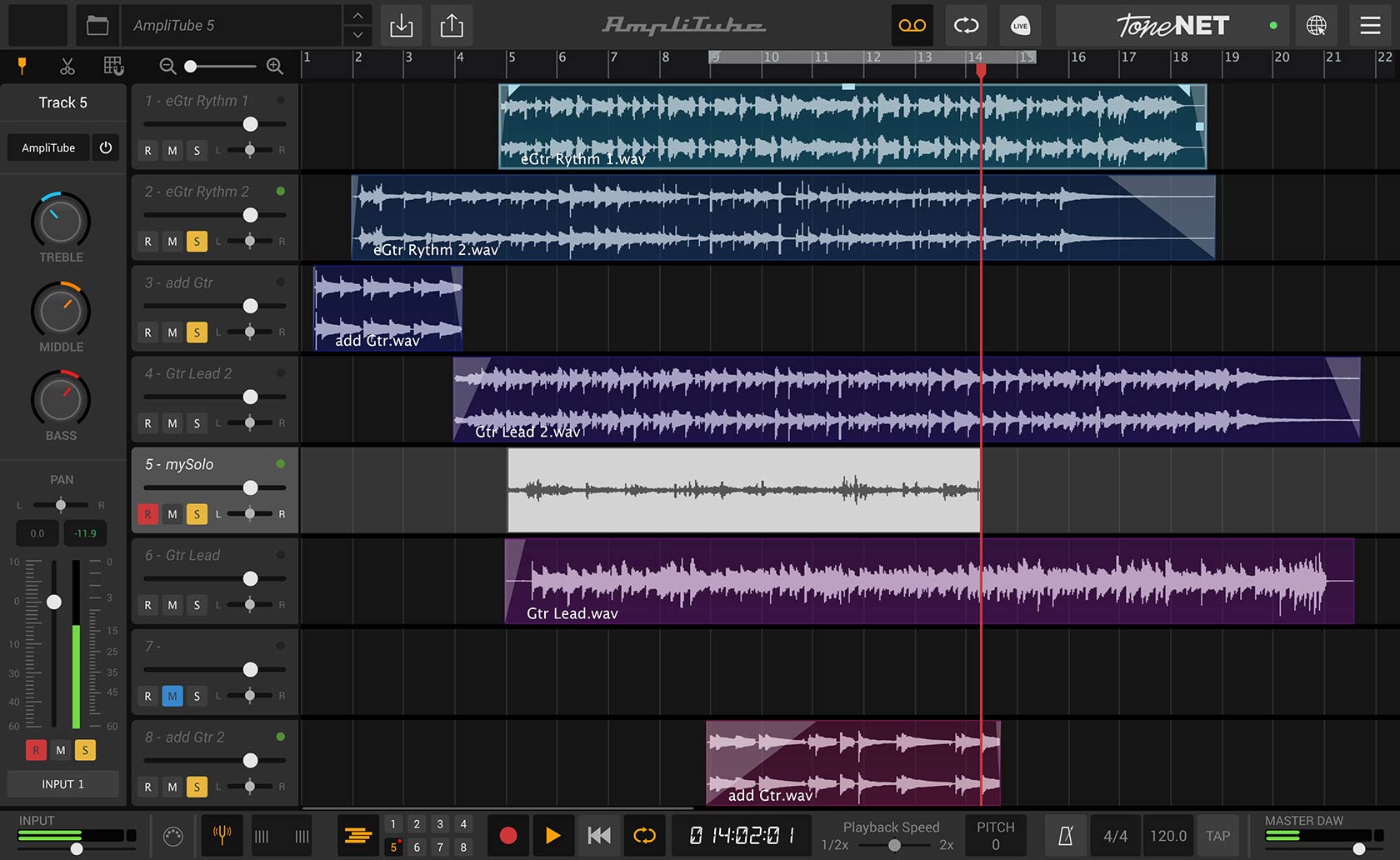
Play, practice and record with powerful tools
AmpliTube 5 offers powerful tools whatever your goals. With an 8-track recorder with integrated DAW and mixer, it’s the ideal musical scratch pad; an advanced looper for songwriting or jamming, high-precision UltraTuner, stage-ready Live Mode and much more, AmpliTube 5 offers a powerful collection of tools.
Legendary guitar/bass gear on your Mac/PC
Captures the sound, feel and vibe of over 180 of the most sought-after guitar & bass gear ever.
Developed with top brands & artists
Official gear from iconic brands.
Covers the entire signal chain
Stomps, amps, cabs, speakers, mics, rooms and rack FX all in one interface, all routed the way you want.
The most realistic tones ever
IK’s DIM™ and VIR™ technology ensures AmpliTube nails the tone and feel of every piece of gear like never before.
What's new in AmpliTube 5
All new signal chain & routing freedom
An all-new drag & drop signal chain supports up to 57 simultaneous models, series / parallel routing and blended DI signal for unprecedented creative freedom.
New Cabinet section with VIR™ technology
Powerful new “Volumetric Impulse Response” radically transforms all 100+ cabinets in AmpliTube 5 with over 143,000 impulse response measurements in all.
Custom IR loader
Load, tilt and re-size your own impulse responses in place of any cabinet.
New Mixer with built-in effects
A new mixer lets you easily blend multiple cabs, mics and DI, with 23 new mixing effects, including some from T-RackS 5 to add a final studio sheen to any track.
New Gear
Over 130 brand new models, including 2 new stomps, 5 acclaimed amps, 2 new rooms, 23 new rack FX and over 100 completely re-captured cabinets.
Click here for an itemised list of everything included in Amplitube 5
Features
- For studio applications and live performances
- Contains 47 stomp boxes, 34 amps, 27 cabinets, 14 speakers, 11 microphones, 36 rack effects, and 8 rooms
- Up to 57 effects, 3 cabinets, and 3 amps simultaneously
- VIR (Volumetric Impulse Response) cabinet emulation with up to 600 impulse responses per speaker
- Loading of one's own impulse responses
- Dynamic response modelling simulates the dynamic relationships and dependencies between amplifiers and speakers as well as the physical and harmonic interactions between speakers, cabinets, rooms, and microphones
- Amp section with impedance matching
- 3D amp cabinet room with selectable room simulation
- Flexible dual miking
- Stereo signal path for flexible application options
- Mixer for microphone, room, and DI signals, as well as master level
- Rack and stomp box effects are exchangeable
- Flexible routing for stomp boxes and rack effects
- Scalable user interface
- Can be expanded with new modules via AmpliTube Custom Shop
System Requirements
Mac® (64-bits)
- Minimal: Apple M1 or Intel® Core i5 Processor, 8 GB of RAM, macOS® 10.15 or newer (macOS 11 or newer required for Apple Silicon Processors). 3 GB of hard drive space.
- Requires an OpenGL 2 compatible graphics adapter.
- Supported Plug-in formats (64-bit): Audio Units, VST 2, VST 3, AAX.
Windows® (64-bits)
- Minimal: Intel® Core i5 Processor or equivalent, 8 GB of RAM, Windows 10 (64 bit) or newer. 3 GB of hard drive space.
- Requires an ASIO compatible sound card.
- Requires an OpenGL 2 compatible graphics adapter.
- Supported Plug-in formats (64-bit): VST 2, VST 3, AAX.
Important note: Internet connection is required as all of the Custom Shop operations are web based.
Reviews Summary
While it aims to provide a helpful overview, it may not capture every perspective or detail. We encourage you to read individual reviews to make an informed decision.
AmpliTube is widely praised as a powerful, versatile, and comprehensive amp and effects modeling suite offering an immense variety of amps, pedals, and cabinet mic options that deliver great tone across multiple genres. Many users highlight its exceptional value, particularly when purchased on sale or as the MAX bundle, as well as its usefulness beyond guitars on instruments like synth bass. However, prominent criticisms include its high CPU demand, a complex interface that can take time to dial in, and frustration with locked gear appearing in the preset browser unless costly expansions are purchased.


