


 Log In

Free gifts available with your purchase
Comprexxor
The Swiss Army knife of compressors
Pure elation in a compressor - Recreated down to the finest detail
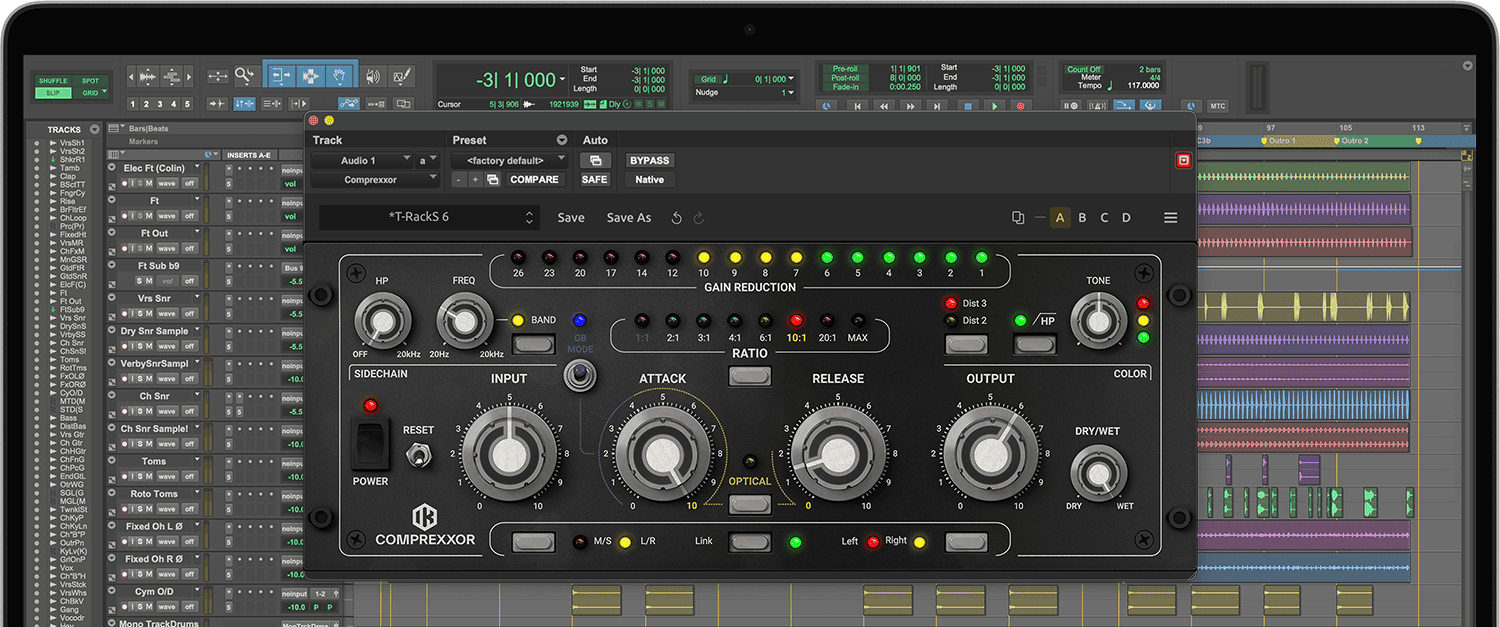
T-RackS Comprexxor is based on one of the most flexible and creative analog compressors ever made. With eight selectable curves, selectable 2nd or 3rd order harmonic saturation, high-pass/band-pass filters on the sidechain path and much more, Comprexxor delivers endless sonic flexibility, whether that’s emulating classic sounds of the past or inspiring new ones for tomorrow.
All the best in one
Comprexxor features eight selectable ratio curves representing legendary analog compressor designs and others only imagined. Each ratio selection features its own threshold setting starting from the 1:1 mode, which adds warmth without compression, all the way to the MAX setting, which is a dramatic brick-wall limiting curve.
No optical illusion
Comprexxor can also be set to work as a traditional opto-compressor, proving why that technology is still so popular today. By simply adjusting the attack and release controls while in the optical mode, you can give new life to any element in the mix.
Inspiring new sounds
Experiment with Comprexxor as a distortion module and you’ll find a whole new realm of sound-shaping at your fingertips. By selecting the first ratio setting and tweaking to taste, or engaging the 4-button effect of the GB mode, you can instantly add grit and character to any track.
Colorful warmth
Comprexxor lets you add color or warm up digitally recorded tracks in sublime ways. The color section offers 2nd order (“tube-like”) or 3rd order (“tape-like”) harmonic distortion with dedicated controls for adding exactly the right amount. The color engine is designed to make coloring and warming up audio easy and effective.
More sonic tools
Comprexxor also offers controls for defining sound before the signal hits the compressor. The advanced sidechain section allows you to focus exactly on the frequencies you want to process via two adjustable filters, offering a powerful and creative way to optimize compression and distortion right from the start.
Thanks to IK’s 25 years of developing advanced modeling technologies, T-RackS Comprexxor manages all this flexible sound-shaping in one easy-to-use plug-in, and comes loaded with a variety of presets to get you quickly mixing and mastering in new and different ways.
Features
- Knee-type compressor emulates classic analog gear
- Versatile tools for subtle to radical sound shaping
- 8 distinct ratio curves with optical and GB modes
- Automatic threshold adjusts to each ratio selection
- Warm 2nd and 3rd level harmonics with tone control
- Advanced sidechain section with 2 adjustable filters
System Requirements
Mac® (64-bits)
- Minimal: Apple M1 or Intel® Core i5 Processor, 8 GB of RAM, macOS® 10.15 or newer (macOS 11 or newer required for Apple Silicon Processors). 9 GB of hard drive space.
- Requires an OpenGL 2 compatible graphics adapter.
- Supported Plug-in formats (64-bit): Audio Units, VST 2, VST 3, AAX.
Windows® (64-bits)
- Minimal: Intel® Core i5 Processor or equivalent, 8 GB of RAM, Windows 10 (64 bit) or newer. 9 GB of hard drive space.
- Requires an ASIO compatible sound card.
- Requires an OpenGL 2 compatible graphics adapter.
- Supported Plug-in formats (64-bit): VST 2, VST 3, AAX.
Important note: Internet connection is required as all of the Custom Shop operations are web based.


