


 Log In
Free gifts available with your purchase
Complete Metering Suite
New broadcast-ready metering suite
T-RackS 6 includes a redesigned and comprehensive suite of metering tools that provide immediate and complete visual information about the content of your audio material. You can switch on/off the various meters to streamline your workflow and quickly achieve professional results while meeting the strictest broadcast compatibility and digital delivery standards, ensuring your mixes always sound great.
Peak, RMS and Dynamic Range meters give you useful information about the “crest factor” (the difference between RMS and Peak levels) and dynamic response of your mixes.
This way you can decide whether you want to go for a more compressed sound or a more dynamic one while still retaining the emotional impact of your songs.
T-RackS 6 Metering In-Depth
The spectrogram, the real-time analyzer, the phase and correlation meters will also help you visually spot frequency imbalances and phase problems you might need to address before printing your masters for both digital and physical distribution.
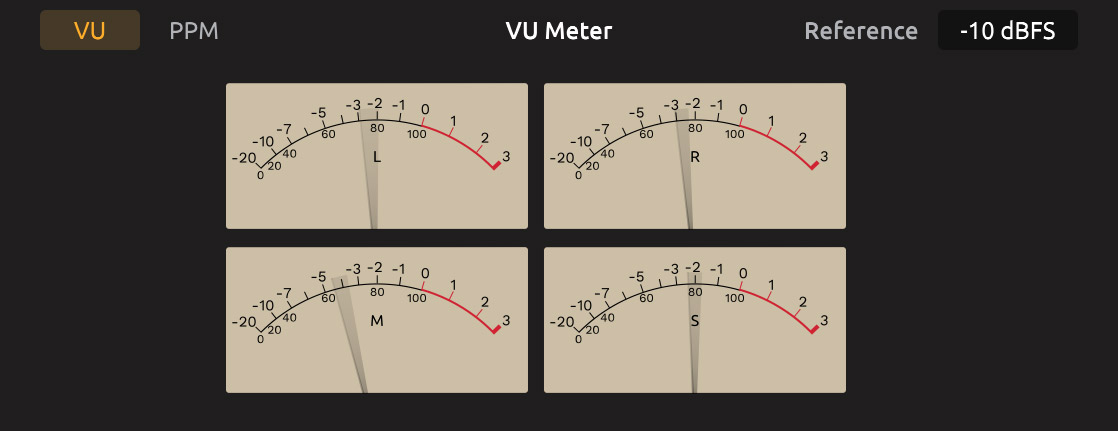
VU / PPM meters provide another level reference in a classic visual format with different ballistics. Volume Units show an average level of loudness tied to the “crest factor” while Peak Program metering will provide faster response for monitoring transients.
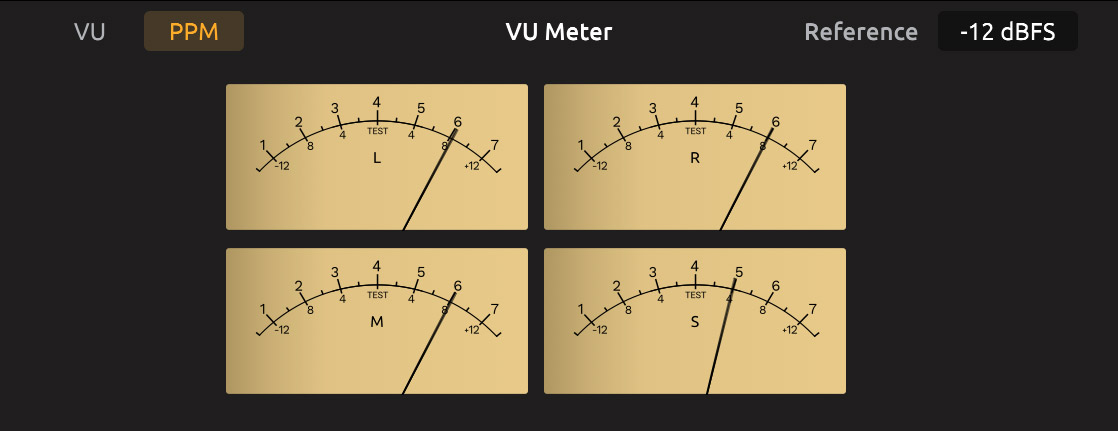
Mid-Side meters will help you gather information about the relations between the mono and the stereo content of a track in terms of “overall energy”, so you can choose whether to go for a more widespread stereo image or a narrower “in-your-face” kind of sound.
System Requirements
Mac (64-bits)
- Minimal: Apple M1 or Intel® Core i5 Processor, 8 GB of RAM, macOS® 10.15 or newer. 9 GB of hard drive space.
- Supported Plug-in formats (64-bit): Audio Units, VST 2, VST 3, AAX.
Windows® (64-bits)
- Minimal: Core i5 Processor or equivalent, 8 GB of RAM, Windows 10 (64 bit) or newer. 9 GB of hard drive space. Requires an ASIO compatible sound card.
- Supported Plug-in formats (64-bit): VST 2, VST 3, AAX.
Please note: EQual processor requires an OpenGL 2 compatible graphics adapter.
Important note: Internet connection is required as all of the Custom Shop operations are web based.


