Log In
Free gifts available with your purchase
Ultra-Realistic Cinematic Reverb
The World’s Most Accurate Recreation of an Iconic “Hollywood” Favorite in a more streamlined and wallet-friendly form.
Introducing REV6000 Essentials Reverb by Relab
Thanks to years of research and precision machine learning, Relab has produced the world’s most accurate recreation of a peerless Danish hardware reverb. Well, peerless until now.
The vivid character of this iconic Hollywood favorite has been captured in an authentic zero-compromise reverb plug-in: the VSR REV6000.
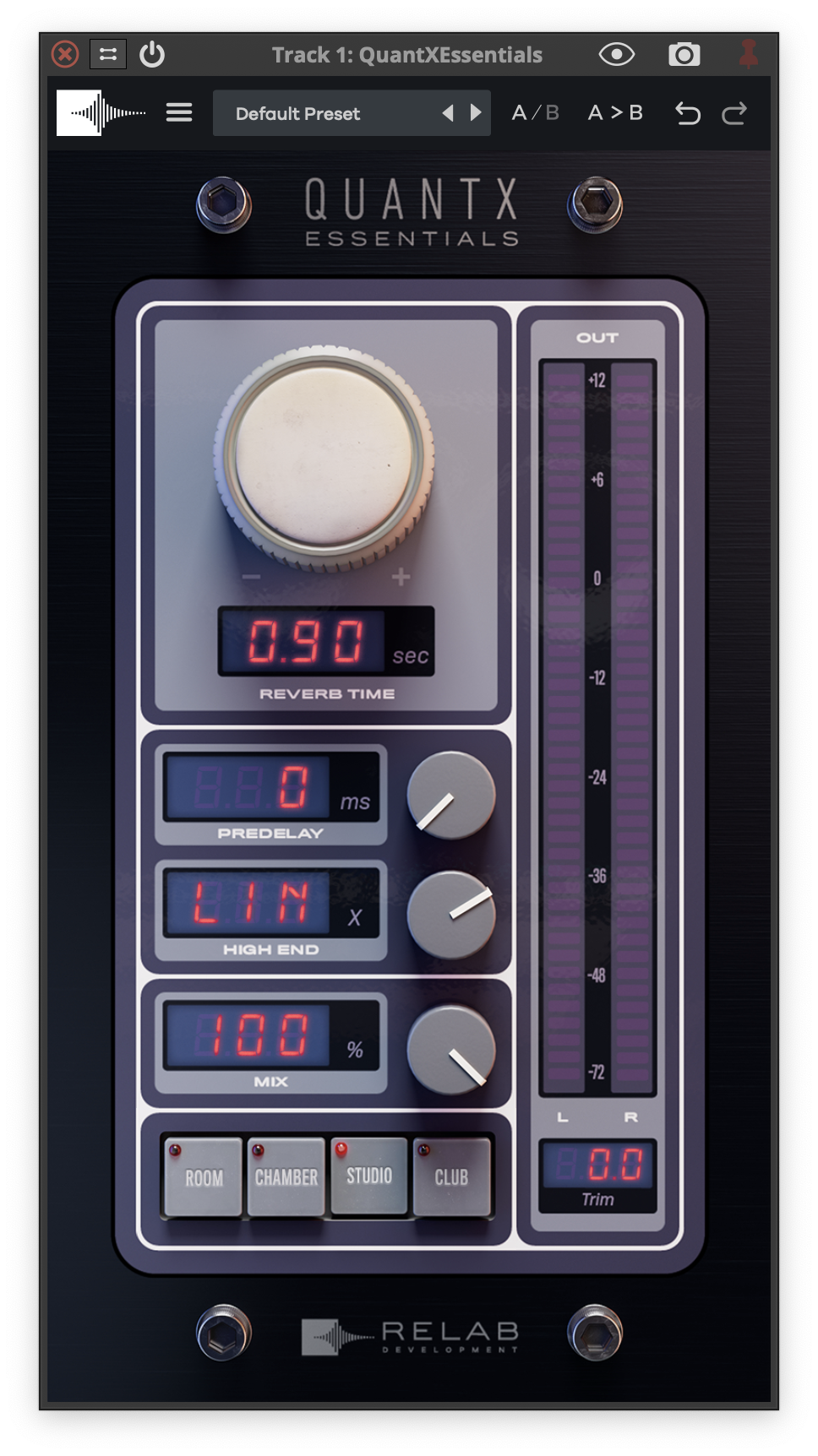
Whether you’re looking for a tight, focused room sound or that classic large warm “Hollywood Hall,” the Relab VSR REV6000 has you covered. With its precise and perfect imaging, it’s never been faster and easier to add true-to-life depth and space to your mixes.
But That’s Not All…
Here are all the valuable extras that are waiting for you
Hand-Crafted Factory Presets
Invigorate your mixing process with presets that have been meticulously crafted by experts. These aren't generic settings; they're starting points designed to inspire and guide you to your best-sounding mixes ever.
Exclusive Community Access
Join a community of like-minded professionals and enthusiasts. Share your mixes, get feedback, and learn from the best in the industry. More than just a group; it's a family of sound aficionados.
Industry-Leading Customer Support
Relab's dedicated support team is always on standby, ready to assist you. Whether it's a technical glitch or a simple query, they're here for you.
Features
- Ultra-Realistic Cinematic Reverb: The most accurate recreation of a legendary Danish hardware reverb, famously used in Hollywood productions.
- Authentic “Hollywood Hall” Sound: Captures the vivid character of large, warm cinematic reverbs, perfect for film scoring and mixing.
- Versatile Reverb Options: Offers everything from tight, focused room sounds to expansive, immersive hall reverbs.
- Precision Imaging: Delivers true-to-life depth and space with precise and perfect sound imaging for a professional cinematic feel.
- Streamlined & Affordable: A more accessible, wallet-friendly version of the revered VSR REV6000, without compromising on sound quality.
- Hand-Crafted Factory Presets: Expert-designed presets to inspire creativity and optimize your workflow with high-quality starting points.
- Exclusive Community Access: Engage with a supportive community of professionals and enthusiasts, share feedback, and learn from industry experts.
- Industry-Leading Customer Support: A dedicated support team is available to assist with any technical issues or queries, ensuring a smooth user experience.
System Requirements
Mac (64-bit only)
- OS X (10.15 or higher), Intel processor or M1 processor
- 2GB of ram.
- Compatible host application: Logic Pro: 10.x, Pro Tools: from version 11.3.2 and up, Cubase 9.5 and up, Nuendo: 8 and up, Live: 9 and up
Win (64bit only)
- Windows 10 or higher
- Core 2 or higher
- 2GB of ram.
- Compatible host application: Pro Tools: from version 11.3.2 and up, Cubase 9.5 and up, Nuendo: 8 and up, Live: 9 and up