/ Amp Simulator / GK Amplification 3 LE
Audified

GK Amplification 3 LE

$15.00 $39.00

61% off until Dec 07

Main Image
Main Image
Image 2
Purchase option
One-time purchase
Rent to Own
Buy Now
Product information

Embrace a simple yet versatile GK amp based on a popular combo, enhanced with the Smart Gate and Compressor. The reworked UI ensures effortless creativity. GK Amplification LE helps you start your bass journey with a powerful package.

MB150 - Versatile amp for all your needs

Small yet powerful. Across all genres, from jazz to rock, the parametric mids EQ of MB150 always brings the ideal mix-ready tone to your fingertips.

Features

  • Intuitive Smart Gate using the advanced Learn function sets the perfect gate
  • Super useful Compressor effectively tames your dynamic range whenever needed.
  • Fast and accurate Tuner to always stay in tune, no matter the tuning

System Requirements

Mac

  • macOS 10.11 - macOS 12 Monterey (Intel / M1 Apple Silicon supported) (64-bit only)
  • AAX, AU, VST3

Windows

  • Windows 7 - Windows 11 (64-bit only)
  • AAX, VST3
Installation Instructions
Registration

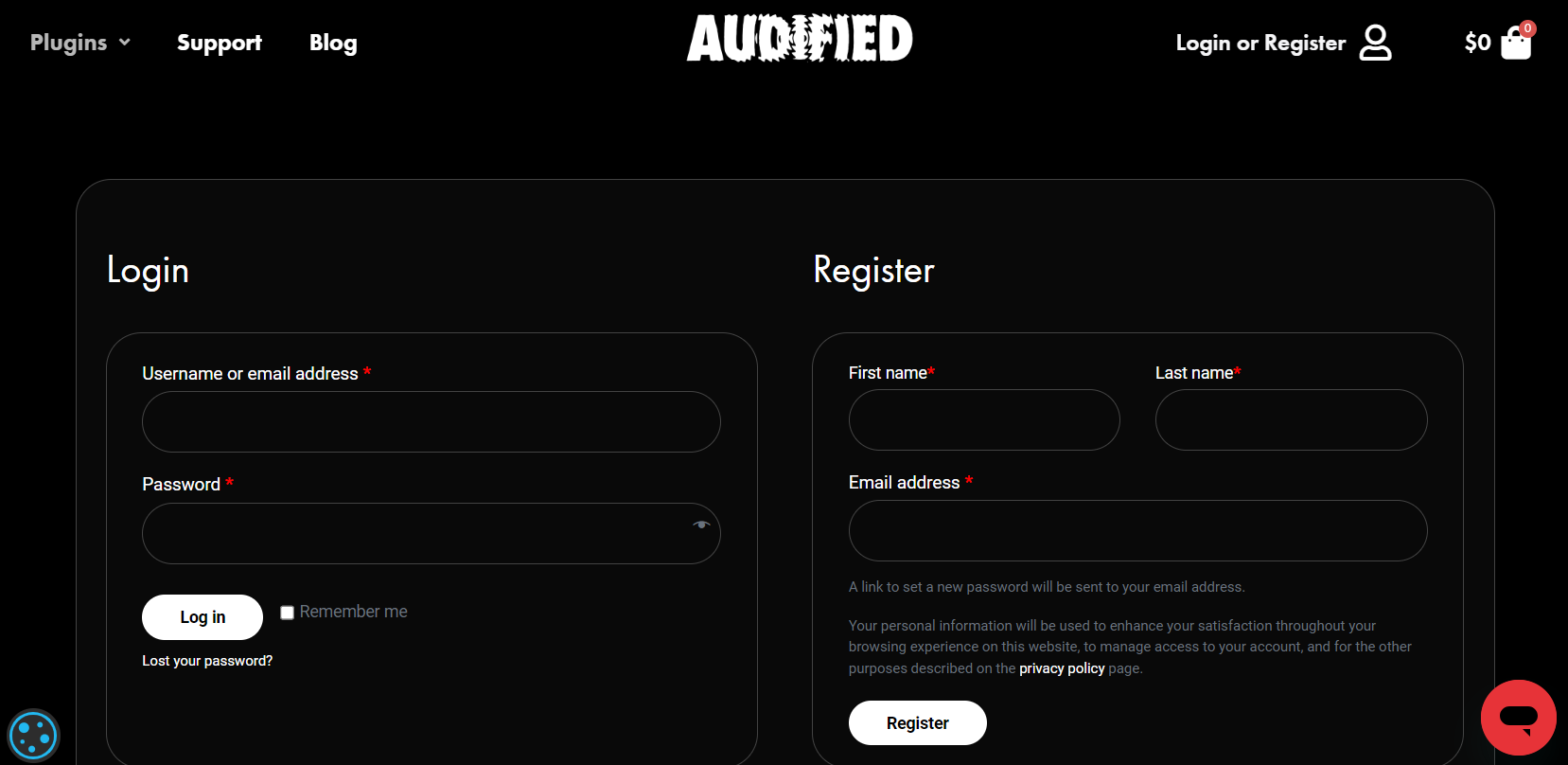
1. Head to https://audified.com/account.

2. Register for an account or Log in

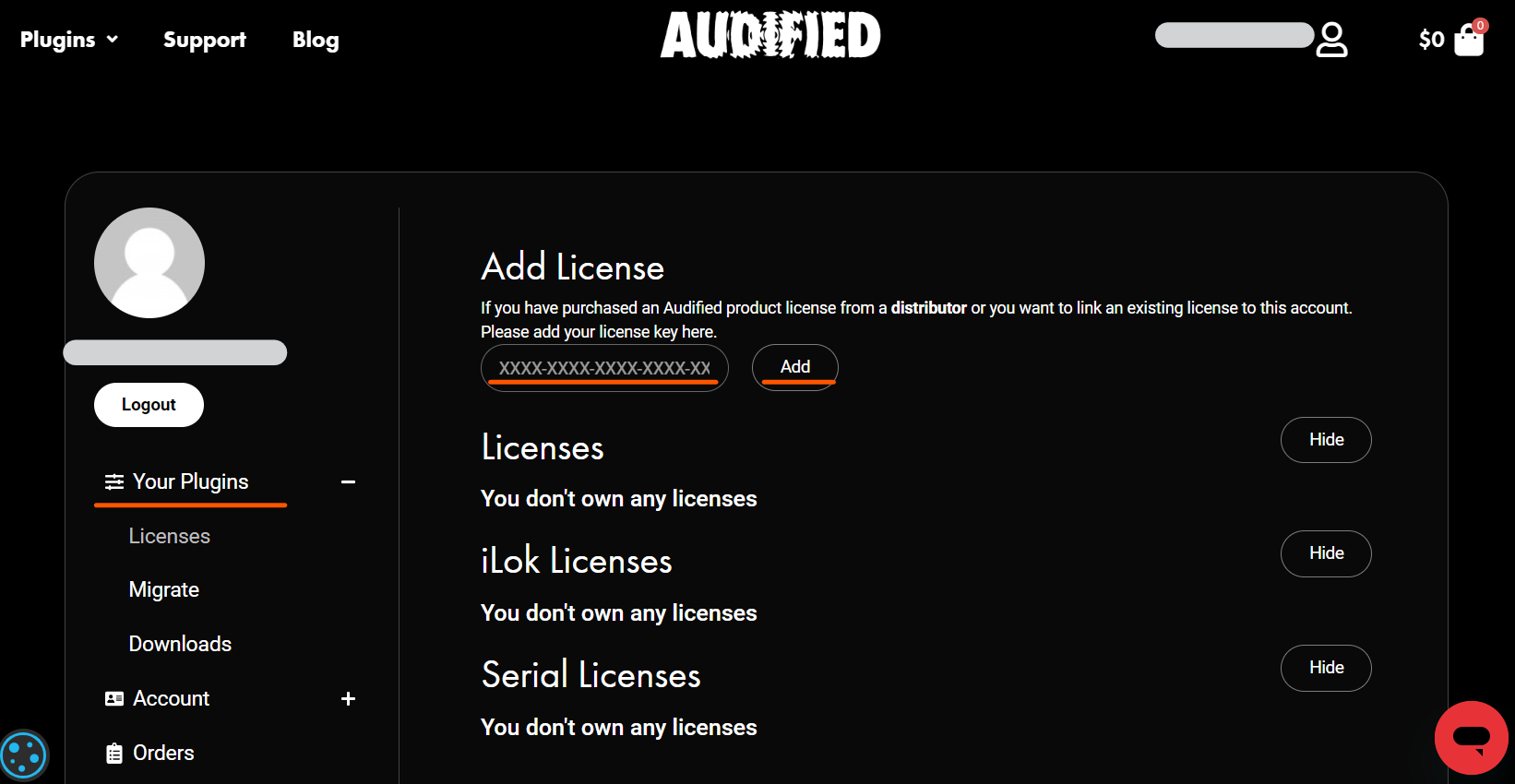
3. Click Your Plugins > enter the serial code found in your Plugin Boutique account > click Add

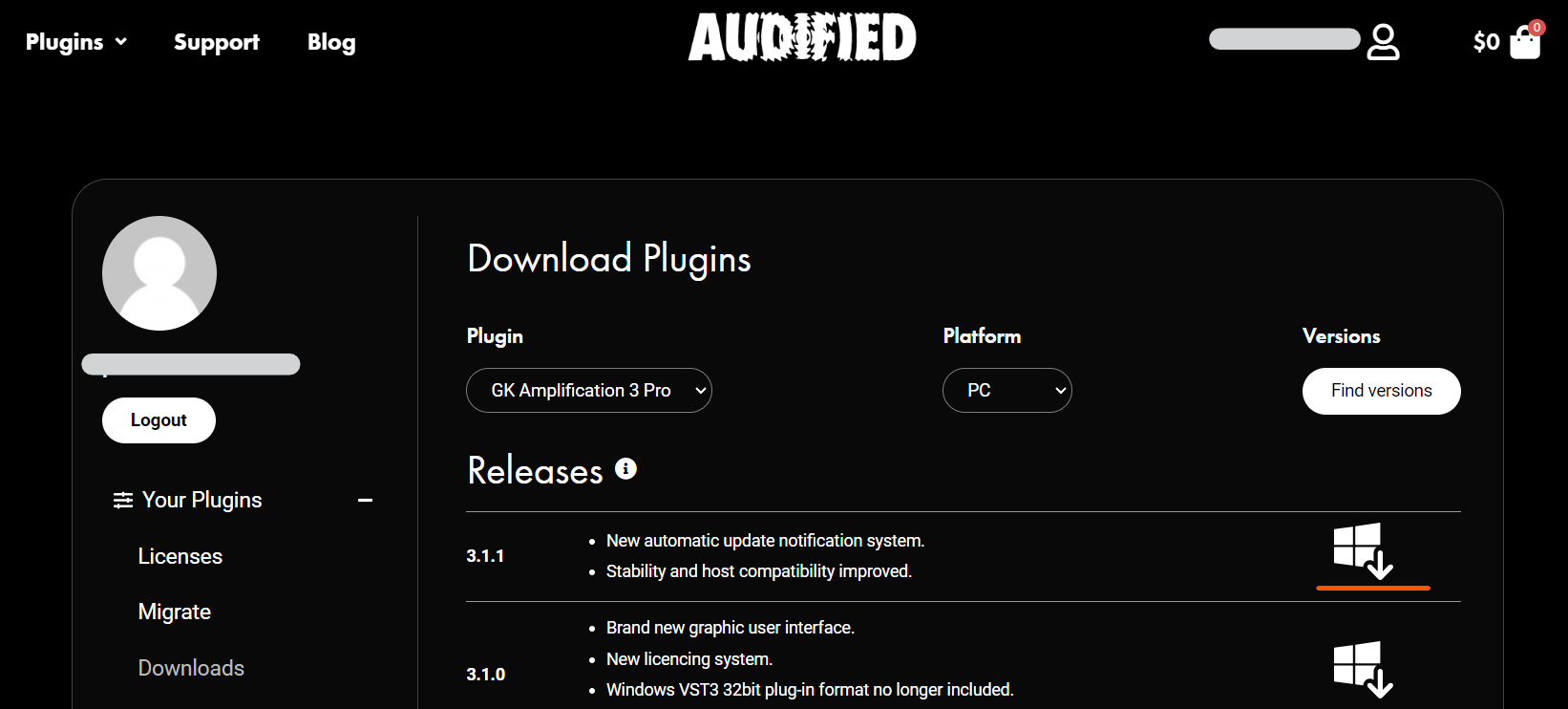
4. Click Downloads > choose the Plugin > choose the Platform > click Find versions > click download icon 

Mac

1. Download the .pkg file from your Audified account.

2. Launch installer > click Continue.

3. Click Continue.

4. Click Agree.

5. Select your chosen method of installation > click Continue.

6. Click Install.

7. Click Close.

8. Open the plugin within your DAW > enter your license key from within your Plugin Boutique User Account > click Buy

Your plugin is now installed and ready to use. Enjoy!

PC

1. Download the .exe file from your Audified account.

2. Read through the Licence Agreement and select I Accept the Agreement > Next.

3. Click Next.

4. Select the folder you would like save your software to > click Next.

5. Select whether you would like to install for all Windows users on your computer, or only the current user > Click Next.

6. Click Next.

7.  Click Install.

8. Click Finish.

9. Open the plugin within your DAW > enter your license key from within your Plugin Boutique User Account > click Buy

Your plugin is now installed and ready to use. Enjoy!

Plugin Boutique Rewards

Discover the most rewarding loyalty programme among all plugin retailers.

  • Free Loopmasters Samplepacks
  • Discounts on products and courses
  • Extra Virtual Cash claimed immediately at checkout
Find out more

Follow us:

X (Twitter) Facebook YouTube Instagram
Logo Logo

Plugin Boutique Limited, Part of the Beatport Group LLC.

Copyright © 2011-2025 Plugin Boutique. All rights reserved