


 Log In

Free gifts available with your purchase
Product information
Morphoder
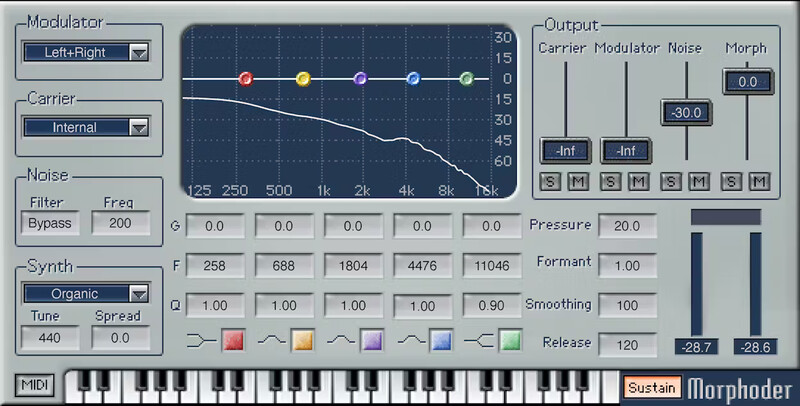
A Sound Designer’s Paradise, with Built-In Vocoder
This is the vocoder that goes beyond vocoding. It’s not just about “talking instruments”—play the built-in polysynth (or an external synth) via MIDI, and “drumcode” the sound for rhythmic pads. Create crowd sounds, double vocals with creepy whispers, invent new sound effects, and more.
With extra features like multiband parametric EQ, output mixer for dry and morphed sounds, and not being limited to using only keyboards, Morphoder is an unparalleled sonic playground.
Features
- Intelligible vocoding, with filtered white noise for “s” sounds
- Internal polysynth (useable separately) with 10 presets
- 5-band parametric EQ for precision sound-shaping
- Re-create classic 80s vocoder sounds, or invent modern effects
- Apply modulation to the synth, track, sidechain, or either channel
- Modulate audio with a stereo track, either channel, or sidechain
- Control the vocal formant, smoothing, and release time
- Inserts like an effect, but also has MIDI in for keyboard control
System Requirements
Mac
- macOS Monterey 12, Ventura 13, Sonoma 14, Sequoia 15
- VST / AU / AAX
PC
- Windows 10+
- VST / AAX
Installation Instructions












Customer Reviews
(2)


