


 Log In

Free gifts available with your purchase
Product information
Infected Mushroom Pusher
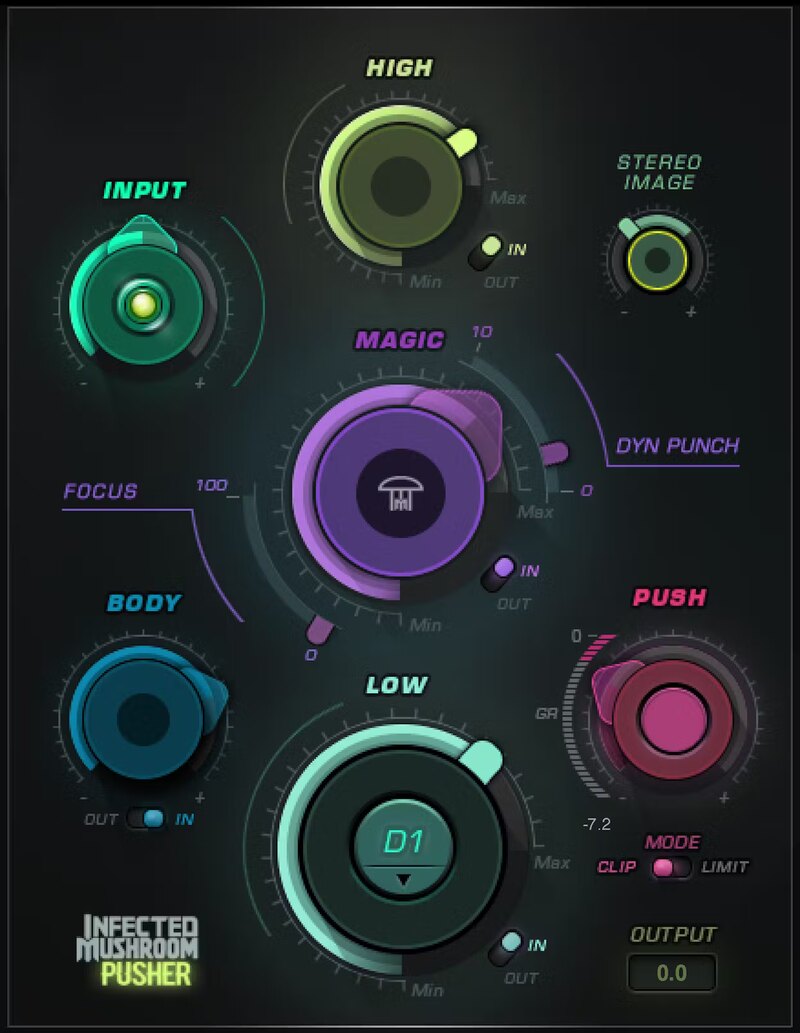
Enhance Your Masters and Mixes Fast
Sometimes the only thing separating a mix from a master is more. Maybe you need more width, more bass, more definition, more volume, more fatness… or all of them. Pusher incorporates electronic duo’s Infected Mushroom’s decades of experience in making final mixes come alive.
Pusher has the crucial processors that bring out the best in hip hop, dance, but also pop and rock tracks. With a brilliant interface and cleverly chosen functionality, Pusher elevates and excites your music.
Features
- Add punch, power, sizzle, depth, fullness to masters & mixes
- Combines 7 essential processors to bring your tracks to life
- LOW gets your kicks and bass to drive through the mix
- BODY gives fullness to instruments in mid and high frequencies
- MAGIC excites all frequencies: perfect for drum groups
- PUSH pushes your mix to the max with final limiting or clipping
- Widen the stereo image of narrow mixes with a natural-sounding way
- Get incredible results fast, thanks to the crystal-clear interface
System Requirements
Mac
- macOS Monterey 12, Ventura 13, Sonoma 14, Sequoia 15
- VST / AU / AAX
PC
- Windows 10+
- VST / AAX
Installation Instructions














