


 Log In

Free gifts available with your purchase
Product information
Renaissance Equalizer
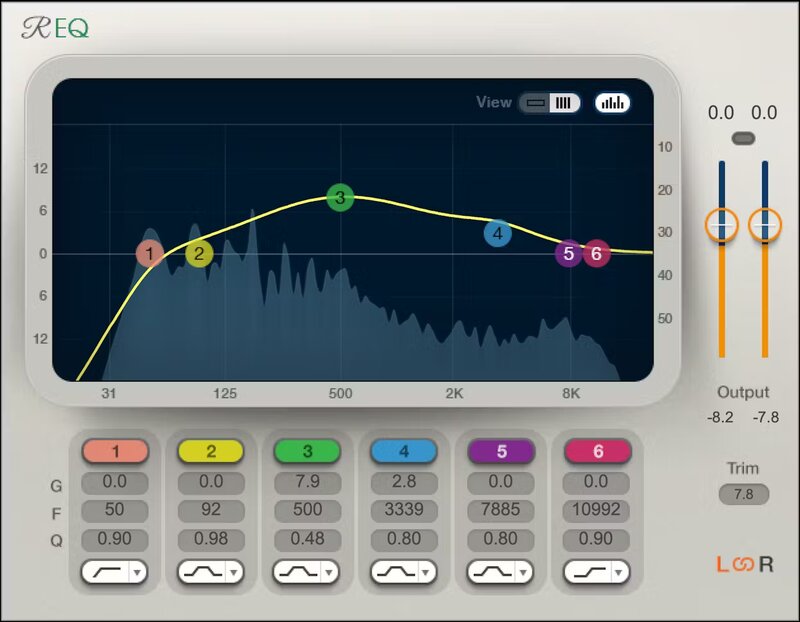
Transparent. Powerful. Simple. Fully Flexible.
For over two decades, engineers have reached for the Renaissance EQ because it solves problems. The neutral, unbiased sound means that any changes made to your tracks happen because you set the controls to make those changes—not because the EQ imposed its own sound on your settings.
What’s more, the clean, multipoint touch-friendly interface (with 3 different skins) is a joy—see all band parameters at once, or focus on a single band. No wonder this EQ has stood the test of time.
Features
- Choose from 2, 4, or 6-band components
- All bands have multiple curve options
- Integrated spectrum analyzer shows how EQ affects the sound
- Link left and right channels, or process them separately
- Trim control simplifies the all-important gain-staging process
- “Dark” skin is ideal for video editing suites
System Requirements
Mac
- macOS Monterey 12, Ventura 13, Sonoma 14, Sequoia 15
- VST / AU / AAX
PC
- Windows 10+
- VST / AAX
Installation Instructions














