


 Log In
.jpg)
Free gifts available with your purchase
Product information
JJP Guitars
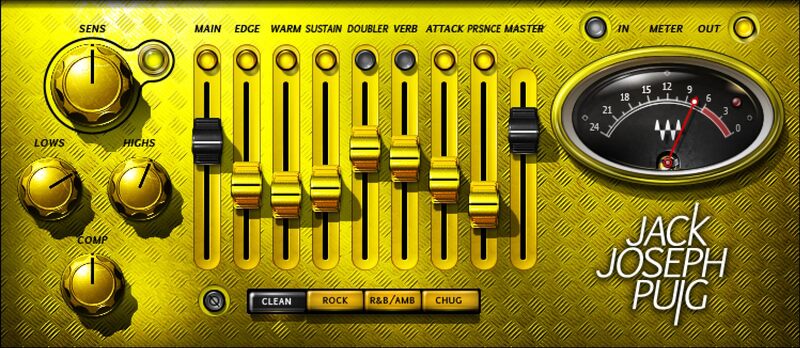
A Fresh, Novel Alternative to Amp Sims
Amp sims are the go-to for grandiose, iconic amp sounds, but may not provide what’s needed for country, R&B, reggae, folk and acoustic, funk, Afropop, Americana, and other forms of music that favor cleaner guitar sounds. JJP Guitars’ sophisticated, nuanced processing is the answer.
Jack Joseph Puig’s expertise crisscrosses genres, yet he always nails the right guitar sound. And now, the artistry that’s graced hits from U2 to John Mayer to Green Day has been captured in a plugin.
Features
- Designed by Grammy winner Jack Joseph Puig (John Mayer, U2)
- 7 parallel processors give guitars diverse, charismatic personalities
- Choose one of four dedicated modes: Clean, Rock, R&B, or Chug
- Nuanced effects don’t overpower the guitar’s natural sound
- Pop the guitar out of the mix with Edge and Presence
- Start with compression and EQ, then layer effects
- Add a hint of aggression by shaping transients with Attack
- Go for a fatter, rounder sound with the Warm control
- Wrap the guitar in a space, with doubling and reverb
- The effects never “smear” your playing’s articulations
System Requirements
Mac
- macOS Monterey 12, Ventura 13, Sonoma 14, Sequoia 15
- VST / AU / AAX
PC
- Windows 10+
- VST / AAX
Installation Instructions














