Log In
Free gifts available with your purchase
Rock Bottom End
The Muscle Pre
The VPRE-31A is a straightforward Germanium preamp from the 1960s with loads of power under the hood. Based on the rare 4-transistor original, this pre is fueled by the special characteristic curve and even harmonic structure only found in Germanium based designs. A custom UTC input transformer has been fitted for completing this massive hot rod.
Straight Engine Bay
The VPRE-31A is a real tone monster with a nice grind when being pushed – a vigorous motor for anything rock and electro. Its significant low end is perfect for guitars and bass, just like it is killer on kick and snare, too. Should you ever feel your vocals could have benefitted from a stronger proximity effect during recording which just isn’t there, the 31A is the way to go.
Behind the Wheel
The cockpit of the VPRE-31A is laid out for instant driving: Just get rolling by hitting the fully compensated Drive, choose your favorite impedance setting for fine-tuning the frequency response and adjust the output level if needed. If you’d like to add some dust and old school vibes to the trip, the onboard Noise control will get you there without detour.
One for the Road
Oh yeah, the VPRE-31A is not really a well-behaved Sunday drive… but once you got your foot on the pedal, the road will lie ahead: Massive, true Germanium tone with a remarkably powerful low-end projection. If you’re looking for a preamp with serious balls, get into the VPRE-31A, fasten your seat belt and hit the gas!
Features
- Vintage Germanium preamp based on a rare 1960s 4-transistor design
- Features a custom UTC input transformer for a powerful, gritty tone
- Delivers a rich low-end, ideal for guitars, bass, kick, snare, and vocals
- Fully compensated Drive control with adjustable impedance for fine-tuning frequency response
- Includes an onboard Noise control for adding vintage analog texture
- Designed for aggressive, high-impact sound with a strong harmonic character perfect for rock and electro
- Provides deep, robust tone and a strong proximity effect for fuller sound
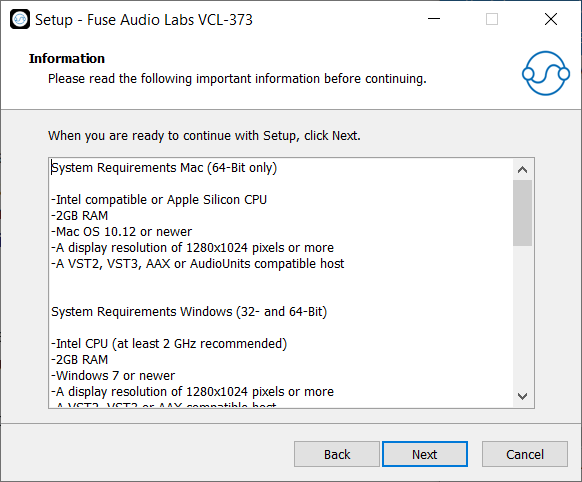
System Requirements
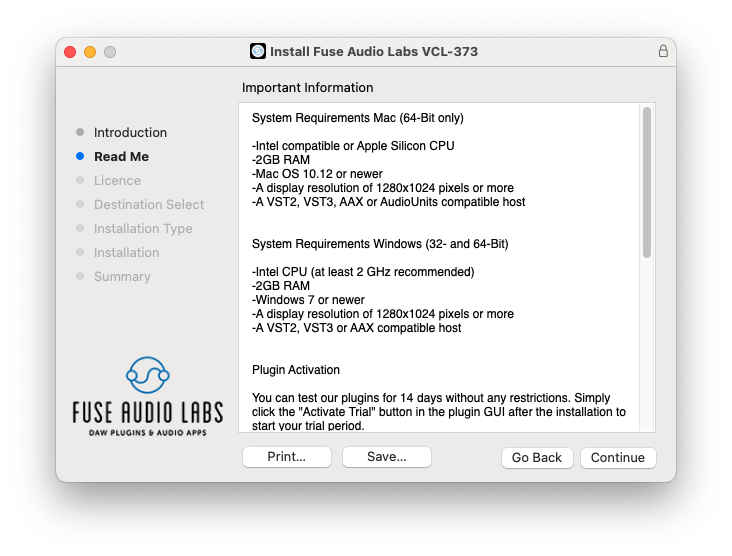
Mac (64-Bit only)
- Intel compatible or Apple Silicon CPU
- 2GB RAM
- Mac OS 10.12 or newer
- A display resolution of 1280x1024 pixels or more
- A VST2, VST3, AAX or AudioUnits compatible host
Windows (32- and 64-Bit)
- Intel compatible CPU (at least 2 GHz recommended)
- 2GB RAM
- Windows 7 or newer
- A display resolution of 1280x1024 pixels or more
- A VST2, VST3 or AAX compatible host