


 Log In

Free gifts available with your purchase
Product information
Eddie Kramer Effects Channel
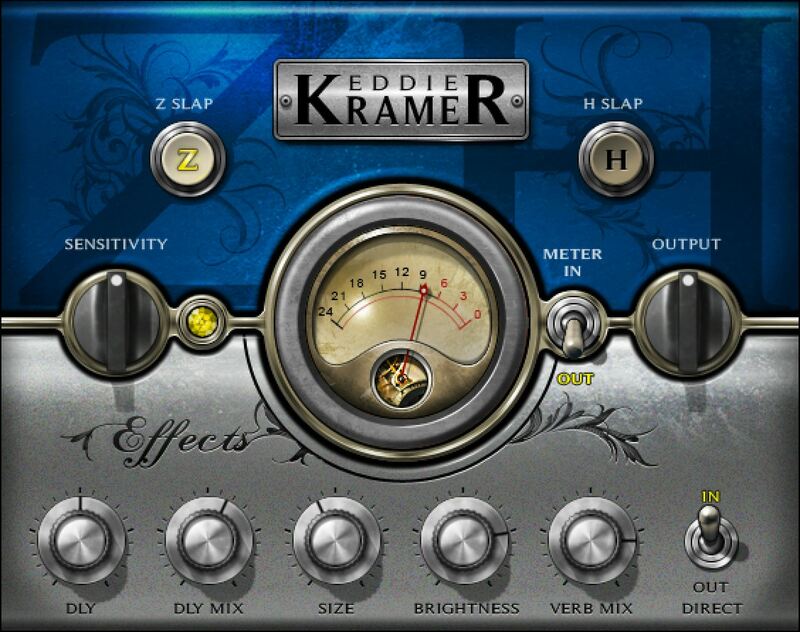
Sweeten Any Source with Vintage Effects from the Legendary Zeppelin & Hendrix Producer
Designed with Grammy®-winning studio legend Eddie Kramer (The Beatles, The Rolling Stones, Jimi Hendrix, Led Zeppelin), this processor re-creates the tape delay and plate reverb effects Eddie has developed over the years. Especially well-suited to guitars and vocals, the minimal but effective controls set up sounds fast.
The ingenious interplay between delay time and plate reverb is what separates the Effects Channel from other delays and reverbs—and provides the quickest, easiest way to dress up a sound.
Features
- EMT-style plate reverb provides rich, diffused ambiance effects
- Tape-based delay gives traditional slapback echo at 15 and 7.5 ips
- Excels at enhancing vocals and guitars with classic rock effects
- Size and brightness further tailor the time-based processors
- Equally suitable as an insert or bus effect
- Speeds up mixing workflow dramatically
System Requirements
Mac
- macOS Monterey 12, Ventura 13, Sonoma 14, Sequoia 15
- VST / AU / AAX
PC
- Windows 10+
- VST / AAX
Installation Instructions














