


 Log In

Free gifts available with your purchase
Product information
CLA Guitars
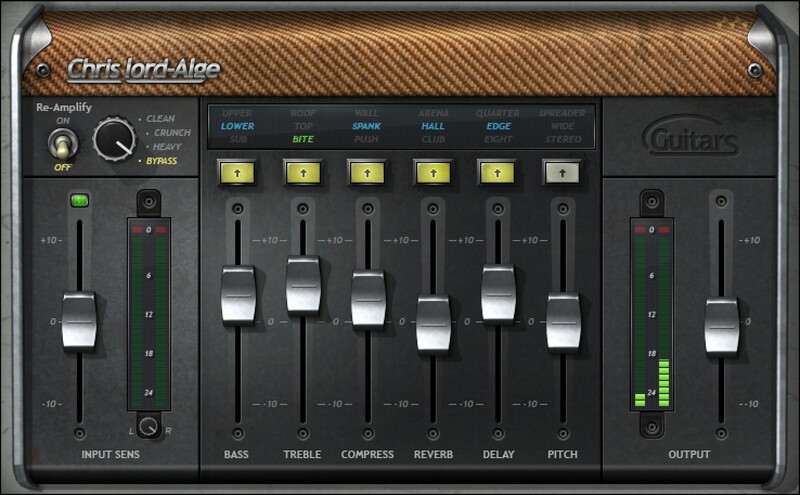
Guitar Sounds, from Subtle to Stunning, in Seconds
Guitars are the sound of rock, and Grammy-winning engineer Chris Lord-Alge knows guitars. His hits with guitar-focused bands like Foo Fighters, Green Day, Muse, My Chemical Romance, Avenged Sevenfold—and so many more—are known for their driving, exciting, radio-ready guitar sounds.
CLA Guitars’ 6 effects and 3 modes (Clean, Crunch, and Heavy) deliver the sounds you’ve heard in hit after hit. Feed your need for instant gratification—and inspiration—with CLA’s expertise.
Features
- 6 effects cover the crucial sounds needed for today’s music
- Built for speed, in close association with Chris Lord-Alge
- 3 modes handle everything from delicate acoustic to hard rock
- Super-easy editing—for more of an effect, turn up a fader
- Choose from 3 optimized tonal colors for each effect
- Choose between DI and re-amping options
- Pro-level presets kickstart the mixing process
- Create gorgeous stereo imaging with pitch processing
System Requirements
Mac
- macOS Monterey 12, Ventura 13, Sonoma 14, Sequoia 15
- VST / AU / AAX
PC
- Windows 10+
- VST / AAX
Installation Instructions














