/ Limiter / L2 Ultramaximizer
Waves

L2 Ultramaximizer

$29.99 $129.00

76% off until Dec 07

Waves L2 Ultramaximizer
Waves L2 Ultramaximizer gallery thumbnail
Buy Now
Product information

L2 Ultramaximizer

Maximize Levels with Immaculate Impact

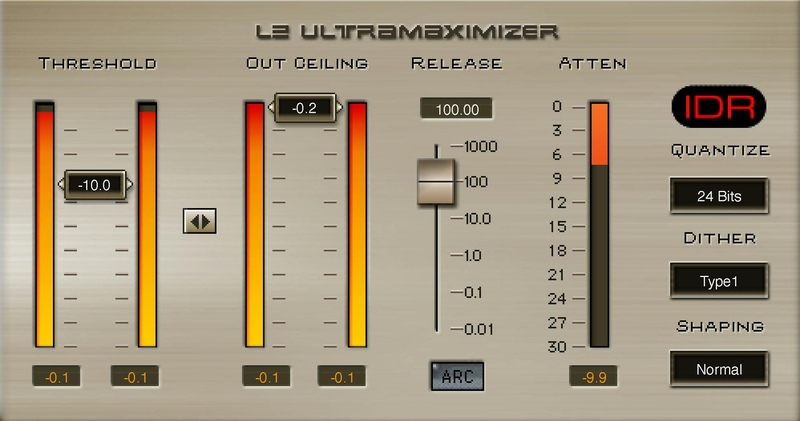
With its legendary combination of look-ahead brickwall peak limiting, level maximization, and ultra-high resolution, the L2 has become a mainstay in mastering and mixing chains in studios everywhere. And for delivering mastered audio, the advanced output dithering algorithms and noise shaping make it easier than ever to convert audio to lower bit depths.

Engineered for mastering, with a stereo-only format, the L2’s ease of use, sonic clarity, optimized release times, effective peak limiting, and streamlined user interface are in a class by themselves.

Features

  • Stereo-only format optimized for bus applications
  • Look-ahead gives overshoot-free response and fast attack
  • 48-bit, double-precision math for superior noise-shaping accuracy
  • Fast workflow, with simplified control set and dithering options
  • ARC (Auto-Release Control) responds sensitively to dynamics
  • Choose between Manual and ARC™ Automatic Release Control
  • Low latency for live sound and for tracking
  • IDR™ Increased Digital Resolution with double precision bit re-quantization and dithering

System Requirements

Mac

  • macOS Monterey 12, Ventura 13, Sonoma 14, Sequoia 15
  • VST / AU / AAX

PC

  • Windows 10+
  • VST / AAX
Installation Instructions

1. Head to https://www.waves.com/create-account

2. Enter your email and choose a password to create an account (if you already have a Waves account, choose Log in, enter your details and head to Step 5) > click 'Submit'

3. Open your email inbox > click the activation link in the email from Waves

4. Click 'Log in here' > Log in to your Waves account

5. Click 'Register New Products'

6. Enter the Serial Number found in your Plugin Boutique user account > click 'Submit'

7. Click download in your Plugin Boutique user account or head to https://www.waves.com/downloads/central > download the Waves Central app for your operating system

8. Install Waves Central > Open Waves Central

9. Click 'Log in' > enter your log in details

10. Click the 'Install Products' tab

11. Tick the blue dot on all products you wish to install or click the top dot to install all products > click 'Install & Activate'

12. Click 'OK'

13. Open your DAW > open the Waves plugin

Your Waves plugins are installed and ready to use, enjoy!

Plugin Boutique Rewards

Discover the most rewarding loyalty programme among all plugin retailers.

  • Free Loopmasters Samplepacks
  • Discounts on products and courses
  • Extra Virtual Cash claimed immediately at checkout
Find out more

Follow us:

X (Twitter) Facebook YouTube Instagram
Logo Logo

Plugin Boutique Limited, Part of the Beatport Group LLC.

Copyright © 2011-2025 Plugin Boutique. All rights reserved