


 Log In

Free gifts available with your purchase
Product information
SSL G-Channel
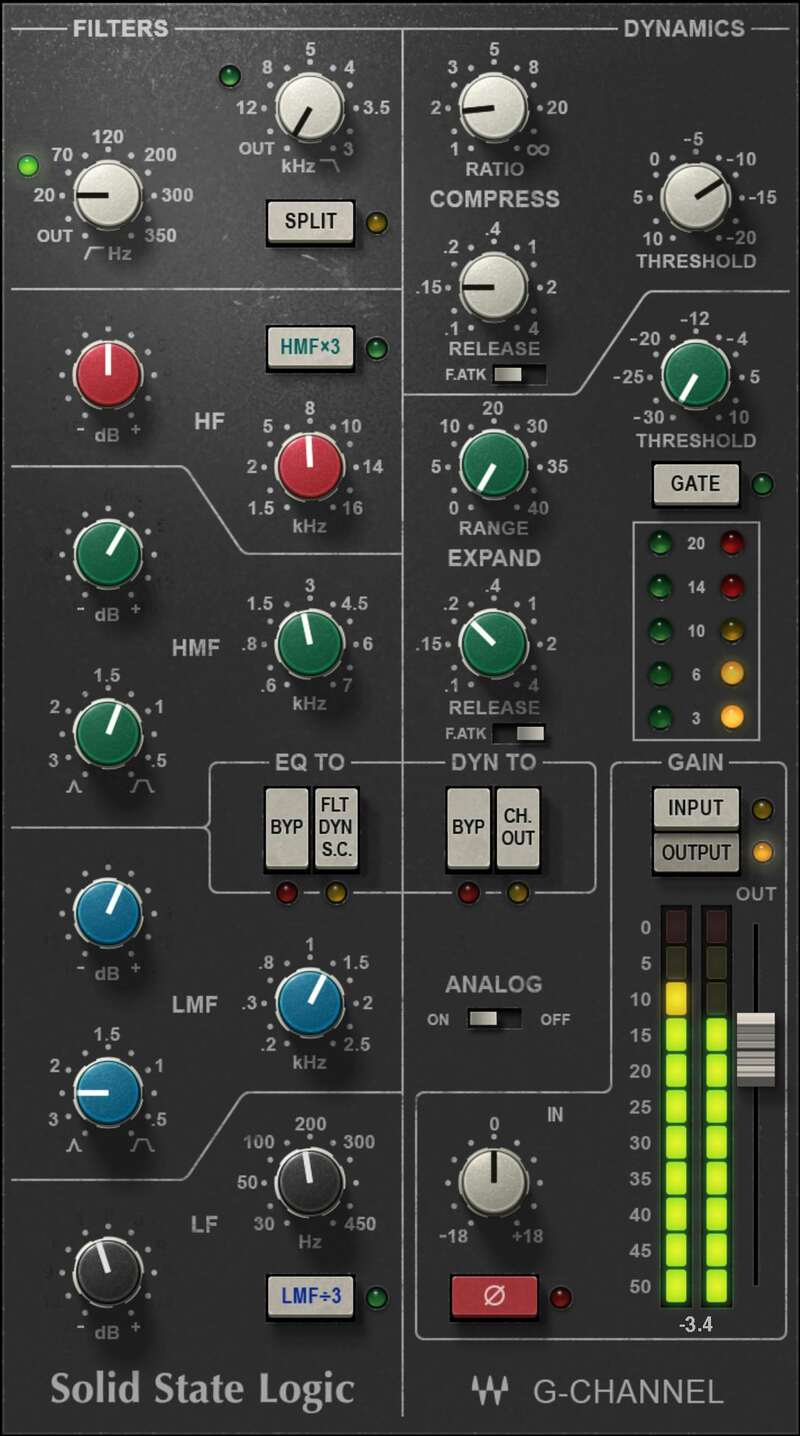
The Sound of the Console that Powered Thousands of Hits
SSL’s E-series changed the way that producers and engineers made music, but the G-series built on that legacy with a modern, punchier sound. The redesigned EQ, coupled with the E-series dynamics, powered thousands of hit albums—and continues to find favor today for rock and pop.
There’s a reason why SSL consoles have been used on more #1 hits in recent decades than any other console. Now, Waves’ meticulous modeling, licensed by SSL, captures all the nuances that made the G-series consoles legendary.
Features
- Developed in association with and licensed by SSL
- Recreates the 383’s proportional-Q EQ, and novel shelving curves
- High and low-shelf EQ, two fully parametric stages
- Advanced sidechain routing for dynamics and EQ
- Dynamics with program-sensitive attack, and fast attack switch
- Low CPU load—insert multiple instances in track-heavy projects
System Requirements
Mac
- macOS Monterey 12, Ventura 13, Sonoma 14, Sequoia 15
- VST / AU / AAX
PC
- Windows 10+
- VST / AAX
Installation Instructions














