


 Log In

Free gifts available with your purchase
Product information
H-Comp Hybrid Compressor
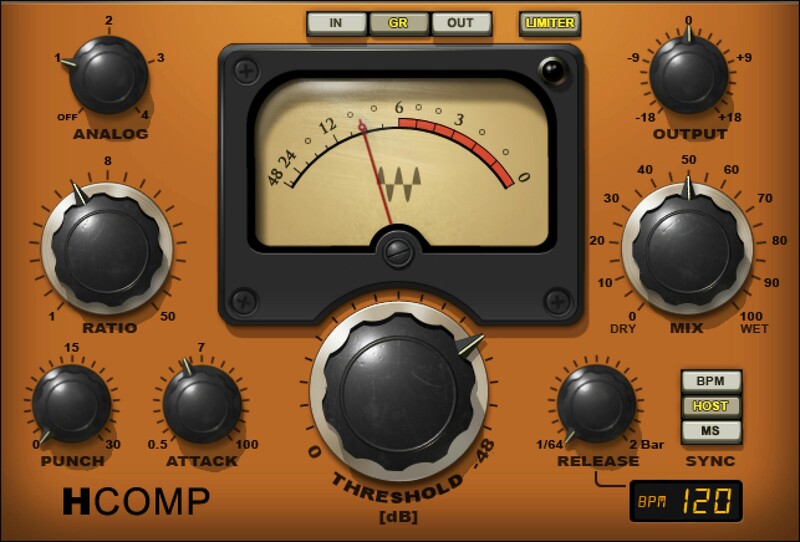
Digital Precision & Versatility. Analog-Modeled Sound.
H-Comp combines the performance and precision of modern compressors with the charming, and enduring, sound quality of tubes, transformers, and transistors. Even better, unlike the immutable nature of “character” compressors, you can choose from four distinct analog personalities.
Whether warming up today’s tracks with a vintage vibe, packing percussive power and punch into rhythm tracks and loops, or sweetening vocals with the nostalgic sheen of tubes, H-Comp delivers.
Features
- Inspired by the SSL, API, and V-series models of classic gear
- Variable Punch control improves on vintage devices’ fixed punch
- 4 analog sound characters affect dry and processed sounds
- Sync release time to the host tempo, BPM, or set manually
- Peak limiter sets a ceiling to avoid overloading subsequent stages
- Dry/wet mix control for parallel compression
System Requirements
Mac
- macOS Monterey 12, Ventura 13, Sonoma 14, Sequoia 15
- VST / AU / AAX
PC
- Windows 10+
- VST / AAX
Installation Instructions














